NOTE

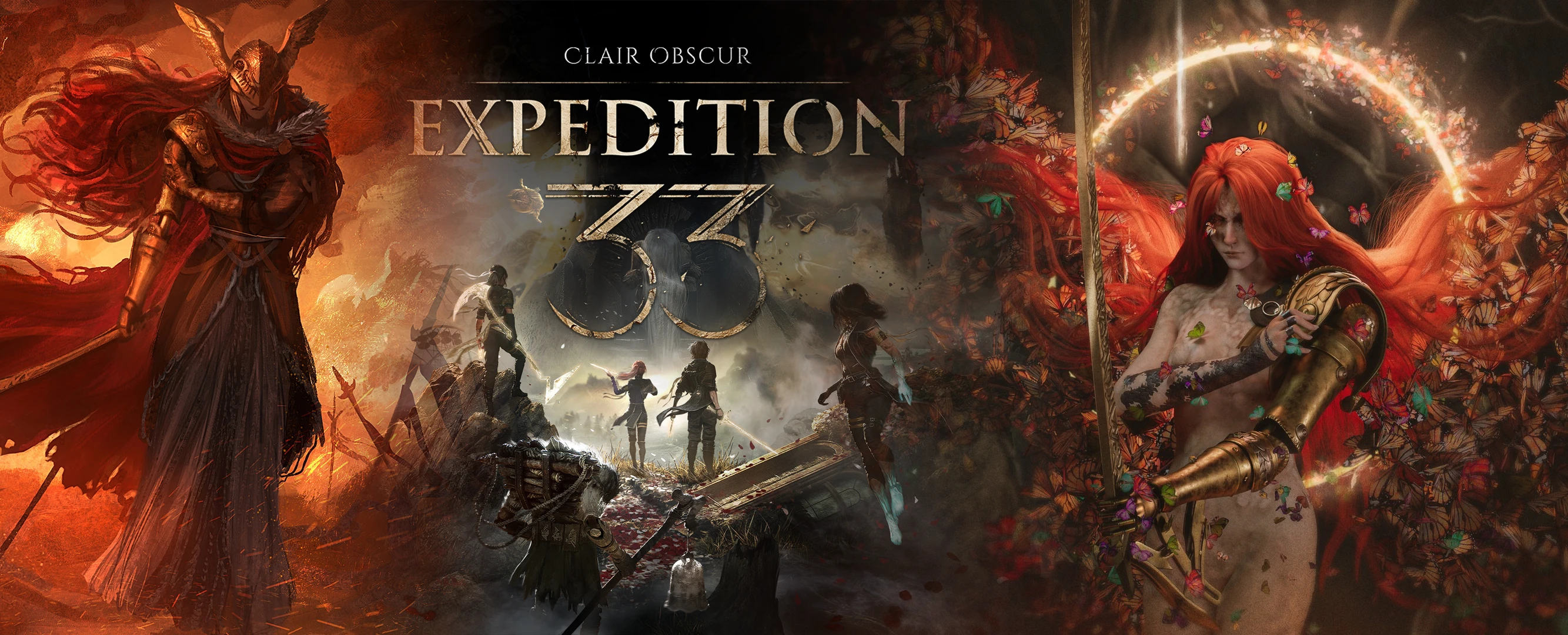
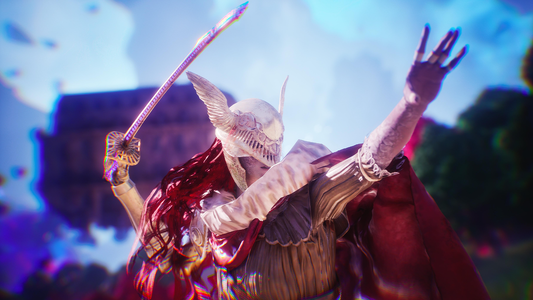
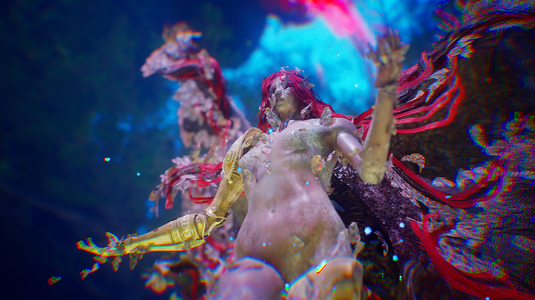
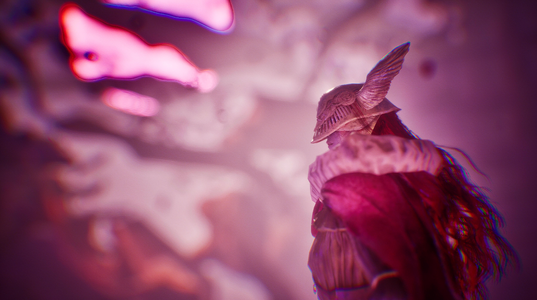
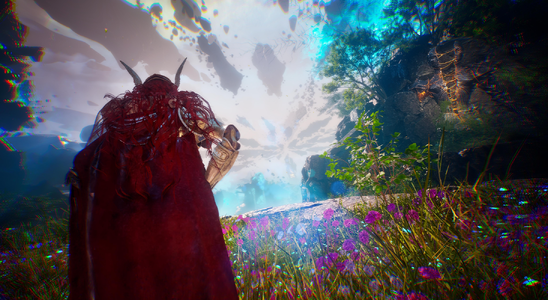
This is a modular mod that replaces the default skin of Lune, Sciel or Maelle, at your choice. It patches the models and textures at runtime so it shouldn't interfere with any other skins or textures and even other mods that don't replace the default model of these characters. The mod provides Both of Malenia's phase 1 and 2 skins, with physics on the cape and skirt on the first phase and physics on the wings of the second phase. This mod also optionally provides custom battle icon portraits and custom character titles such as "The severed", "Blade of Miquella", and "Goddess of Rot" depending on the installed skin that are placed below the AP bar.
Now also compatible with my other mod Yorha Expedition (NieR Automata)
BEFORE YOU INSTALL
To avoid any problems related to the mod, please go in-game and select the default skin / hair of the characters you want to apply the Malenia skin on. Ssave the game, exit, and proceed with the installation process.
WHAT FILES TO CHOOSE
Below, a list explaining what each file adds to the mod
Mandatory files:
These files below must be always present for the mod to function properly:
Camera
Visuals
The picture above shows the names of the characters clipped, do not worry, the text is animated and their titles are shown properly in game.
Skins
Optional Skins flags:
Below skin variations that can be installed on top of the CHARACTERNAME_Malenia_Base_P file. Only choose one of these options:
Optional Skin modifiers (only applicate on phase 2 malenia skins)
Below a list of options that can be installed on top of the selected skins:
Lune using Wingsize 1x (100%):
ADDITIONAL MOD INFORMATION
INSTALLATION
Once you have made your choice of the mod configuration, download all the files and unzip them all together in the mods folder of the game:
Extract .pak file(s) into your game mods directory '<Installation folder>\Sandfall\Content\Paks\~mods'. If the ~mods does not exist, create one.
I recommend using the Vortex Mod Manager for easier file management and optional files toggles.
EXAMPLE INSTALLATION
Below, a picture of an example installation for:
USING OTHER MODS ALONG SIDE THIS MOD
This mod makes heavy use of dynamic and runtime patching of models, textures and more. It is safe to be installed alongside other mods. The only exception being if another mod replaces the same exact outfit (default outfit).
KNOWN ISSUES
Q - My game freezes a lot when I load my save!
A - Depending on your hardware, the mod may cause some slowdowns while it loads all the necessary files. Wait a few seconds and it will get back to normal.
Q - I see black lines on Malenia's body!
A - This is not a bug, this is the engine that hasn't properly finished streaming the textures of the model, it fixes itself if you get the camera close to the model or with time
Q - Can I keep the original head of the characters and use this mod as an outfit only?
A - No
Q - My game crashes when I start it after I install the mod!
A - This likely means that you didn't install the mod properly, make sure the mandatory files are present, you can check the pictures above for installation examples.
ISSUE SUBMISSION
Because this new version of the mod contains lots of files, tracking down individual issues is hard. If you'd like to submit an issue, please provide the fallowing information to the best of your ability on your post or bug report:
codebreakerumbra
SUPPORT
Hey there! Thanks for reading this far
If you'd like to support me you can buy me a coffee here: https://ko-fi.com/codebreakerumbra

DESCRIPTION
This is a modular mod that replaces the default skin of Lune, Sciel or Maelle, at your choice. It patches the models and textures at runtime so it shouldn't interfere with any other skins or textures and even other mods that don't replace the default model of these characters. The mod provides Both of Malenia's phase 1 and 2 skins, with physics on the cape and skirt on the first phase and physics on the wings of the second phase. This mod also optionally provides custom battle icon portraits and custom character titles such as "The severed", "Blade of Miquella", and "Goddess of Rot" depending on the installed skin that are placed below the AP bar.
Now also compatible with my other mod Yorha Expedition (NieR Automata)

BEFORE YOU INSTALL
To avoid any problems related to the mod, please go in-game and select the default skin / hair of the characters you want to apply the Malenia skin on. Ssave the game, exit, and proceed with the installation process.
WHAT FILES TO CHOOSE
Below, a list explaining what each file adds to the mod
Mandatory files:
These files below must be always present for the mod to function properly:
- EldenRing_Malenia_Base_P: These are the core files, mandatory for the mod to work
Camera
- Camera_Distance_XXX_P: During world exploration (excluding the continent) the camera will be placed further from the character. While in combat, this camera distance is only applied during free aim.
- FOV_X_P: Similar to the camera distance in terms or behavior, but changes the camera FOV to the value X.
Visuals
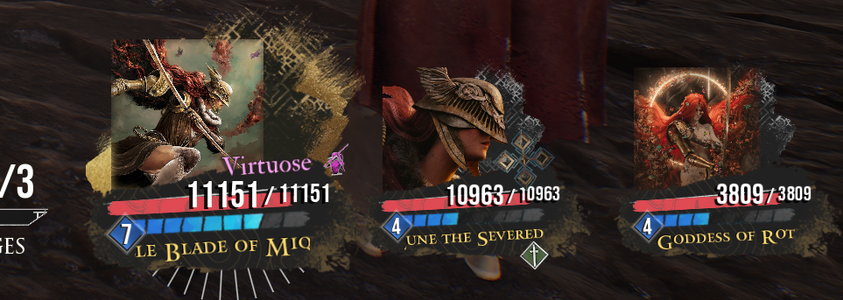
- Enable_Battle_Icons: Adds custom icons the the characters during combat as well as a custom name below the AP bar.

The picture above shows the names of the characters clipped, do not worry, the text is animated and their titles are shown properly in game.
Skins
- CHARACTERNAME_Malenia_Base_P: This enables the skin on the character, and applies the phase 1 skin by default. This file IS MANDANTORY regardless of the skin you want to apply for the character to have the malenia skin enabled.

Optional Skins flags:
Below skin variations that can be installed on top of the CHARACTERNAME_Malenia_Base_P file. Only choose one of these options:
- CHARACTERNAME_Phase2_Malenia_P: This makes it so the character always appears as Malenia in phase 2. Requires CHARACTERNAME_Malenia_Base_P to be installed.
- CHARACTERNAME_Phase2_Malenia_50PercentHP_P: This makes it so the character appears as Malenia phase 1 while they're above 50% HP, and Malenia phase 2 when the HP drops below 50%. Requires CHARACTERNAME_Malenia_Base_P to be installed.

Optional Skin modifiers (only applicate on phase 2 malenia skins)
Below a list of options that can be installed on top of the selected skins:
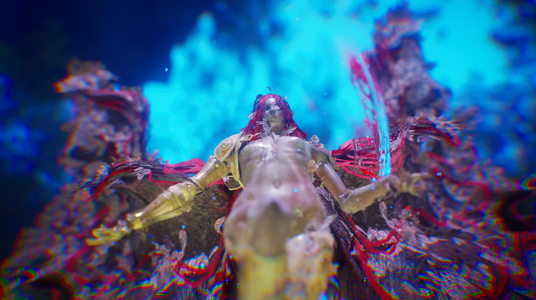
- CHARACTERNAME_WingSize_YYYx_P: Scales the wings of malenia in phase 2 by YYY. By default, the wings are set to 50% as the default size of the wings are huge. Available options are: 0.25x, 0.75x, 1x where 1x is the original size of the wings.
- CHARACTERNAME_Hide_SecondPhase_Wings_P: Completely hides the the wings of malenia during phase 2 (on applicable skins).
Lune using Wingsize 1x (100%):

ADDITIONAL MOD INFORMATION
- During world exploration the cape might get stuck in weird places, you can press Y on the keyboard to reset the physics on the cape (only applicable on phase 1 malenia). During combat, the cape will reset itself at the start/end of the character's turn.
- Malenia phase 1 has physics simulation enabled on the cape and the skirt, this has an impact in performance, specially if all 3 phase 1 malenia skins are enabled at once. Phase 2 malenia skins have lightweight physics on the wings and the impact in performance is not noticeable.
- During combat, the abilities selection wheel has been forced to be rendered "on top" of the characters all the time. This is due to Malenia's phase 2 wings clipping through the UI. This is more of a quality of life change.
- The mod makes heavy use of async loading, this means that sometimes the models may take a few seconds to load properly depending on your system specs.
INSTALLATION
Once you have made your choice of the mod configuration, download all the files and unzip them all together in the mods folder of the game:
Extract .pak file(s) into your game mods directory '<Installation folder>\Sandfall\Content\Paks\~mods'. If the ~mods does not exist, create one.
I recommend using the Vortex Mod Manager for easier file management and optional files toggles.

EXAMPLE INSTALLATION
Below, a picture of an example installation for:
- The base mod files <-- mandatory on all installations
- A camera placed slightly further away from the party during world exploration
- Custom battle icons and names enabled during battle
- Lune with Malenia phase 2 skin enabled (default wing size of 50%)
- Maelle with Malenia phase 1 skin enabled
- Sciel with Malenia phase transition enabled (will show as phase 1 while 50% HP or above and phase 2 while below 50%)
- Sciel with Malenia's phase 2 wings scaled down to 25% of their original size (small wings)

USING OTHER MODS ALONG SIDE THIS MOD
This mod makes heavy use of dynamic and runtime patching of models, textures and more. It is safe to be installed alongside other mods. The only exception being if another mod replaces the same exact outfit (default outfit).
KNOWN ISSUES
- Some clipping is to be expected
- Malenia's second phase wings, may obstruct your view during combat or cinematics when using large wing sizes
- The characters may look out of frame during cinematics (shorter than usual)
- During specific animations the weapons may not be properly placed
- No facial animations or lipsync
- Free aiming with the camera distance mod files may be difficult due to the camera being too close to the ground or clipping through geometry depending on the level
- The FOV modifier may not apply on all cameras
- The models Height don't properly match the original height of each character
Q - My game freezes a lot when I load my save!
A - Depending on your hardware, the mod may cause some slowdowns while it loads all the necessary files. Wait a few seconds and it will get back to normal.
Q - I see black lines on Malenia's body!
A - This is not a bug, this is the engine that hasn't properly finished streaming the textures of the model, it fixes itself if you get the camera close to the model or with time
Q - Can I keep the original head of the characters and use this mod as an outfit only?
A - No
Q - My game crashes when I start it after I install the mod!
A - This likely means that you didn't install the mod properly, make sure the mandatory files are present, you can check the pictures above for installation examples.
ISSUE SUBMISSION
Because this new version of the mod contains lots of files, tracking down individual issues is hard. If you'd like to submit an issue, please provide the fallowing information to the best of your ability on your post or bug report:
- Client type: steam/game pass
- Your graphics settings when the bug occured
- A screenshot or video of said bug
- Detailed steps on how to reproduce your issue
- Answer these questions: Does it happen every time? Are you using a clean save or downloaded a save mod? Do you have any other mods installed (including reshaders)(if yes, please list them)? What files from my mod were you using at the moment of the crash?
- The GPU brand and name
- The amunt of RAM on your system
- If possible; Attach your save file that could easily help me reproduce the issue fallowing the detailed steps above
- Are you using RE-UE4SS ? if yes, list the mods that are enabled
- Did you force the game to run on DX11 ? (-dx11 flag)
codebreakerumbra
SUPPORT
Hey there! Thanks for reading this far
If you'd like to support me you can buy me a coffee here: https://ko-fi.com/codebreakerumbra