
NTE Modified Unreal Engine 5.6
Modified & maintained by @天才执行者 Hosted exclusively on AyakaMods
─────────────────────────────────────────
NOTE IMPORTANT!
THIS IS FOR MODDERS AND DEVELOPERS ONLY FOR UNREAL EDITOR TO CREATE THE MODS!
Modified & maintained by @天才执行者 Hosted exclusively on AyakaMods
─────────────────────────────────────────
NOTE IMPORTANT!
THIS IS FOR MODDERS AND DEVELOPERS ONLY FOR UNREAL EDITOR TO CREATE THE MODS!
Overview:
This is a heavily modified build of Unreal Engine 5.6, reworked specifically to be compatible with Neverness to Everness (NTE). Standard UE5.6 has several issues when used with NTE's internal engine structure, packaged files crash the game, textures bake incorrectly, and various assets fail to import properly. This build addresses all of that while keeping the workflow identical to native UE.
Credit goes entirely to @天才执行者 for the research and work that went into making this possible.
─────────────────────────────────────────
What was fixed?:
- Morph targets: correctly recognized and preserved during import and packaging
- Material instances: properly handled, no longer lost or corrupted on packaging
- BC7 texture baking: baked output is stable and game-compatible
- BC5 normal map baking: fixed baking output that previously caused crashes on load
- Physics assets: import and function correctly
- Scroll box errors in control Blueprints: resolved
─────────────────────────────────────────
How does it compare?
The workflow is the same as standard UE5.6; there's nothing new to learn. The difference is that packaged assets are stable out of the box and no longer require post-processing workarounds.
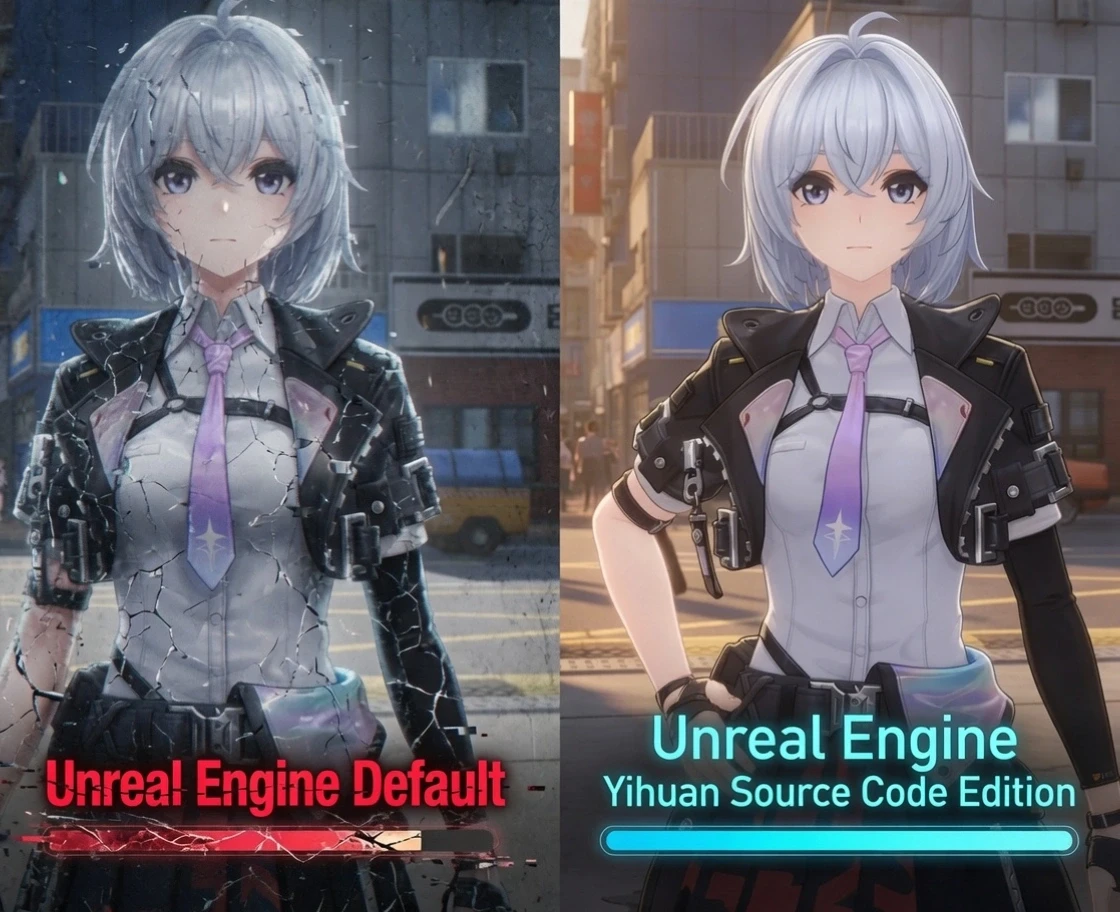
Compared to community restoration and repair tools, this modified build produces more accurate color reproduction and material shading. The comparison screenshots show the difference clearly:
- Left side: result using a restoration/repair tool
- Right side: result using this compiled, modified UE build
─────────────────────────────────────────
Distribution & Support:
This release is exclusive to AyakaMods. It will not be published on NexusMods or GameBanana, and support will not be provided through those platforms.
If you run into issues or have questions, use the comment section on this mod page. That is the only place where support and bug reports will be tracked.
─────────────────────────────────────────
Upload Permission:
- You are strictly forbidden from uploading this file to any other website.
─────────────────────────────────────────
Released on AyakaMods
Released on AyakaMods


Pinned comment