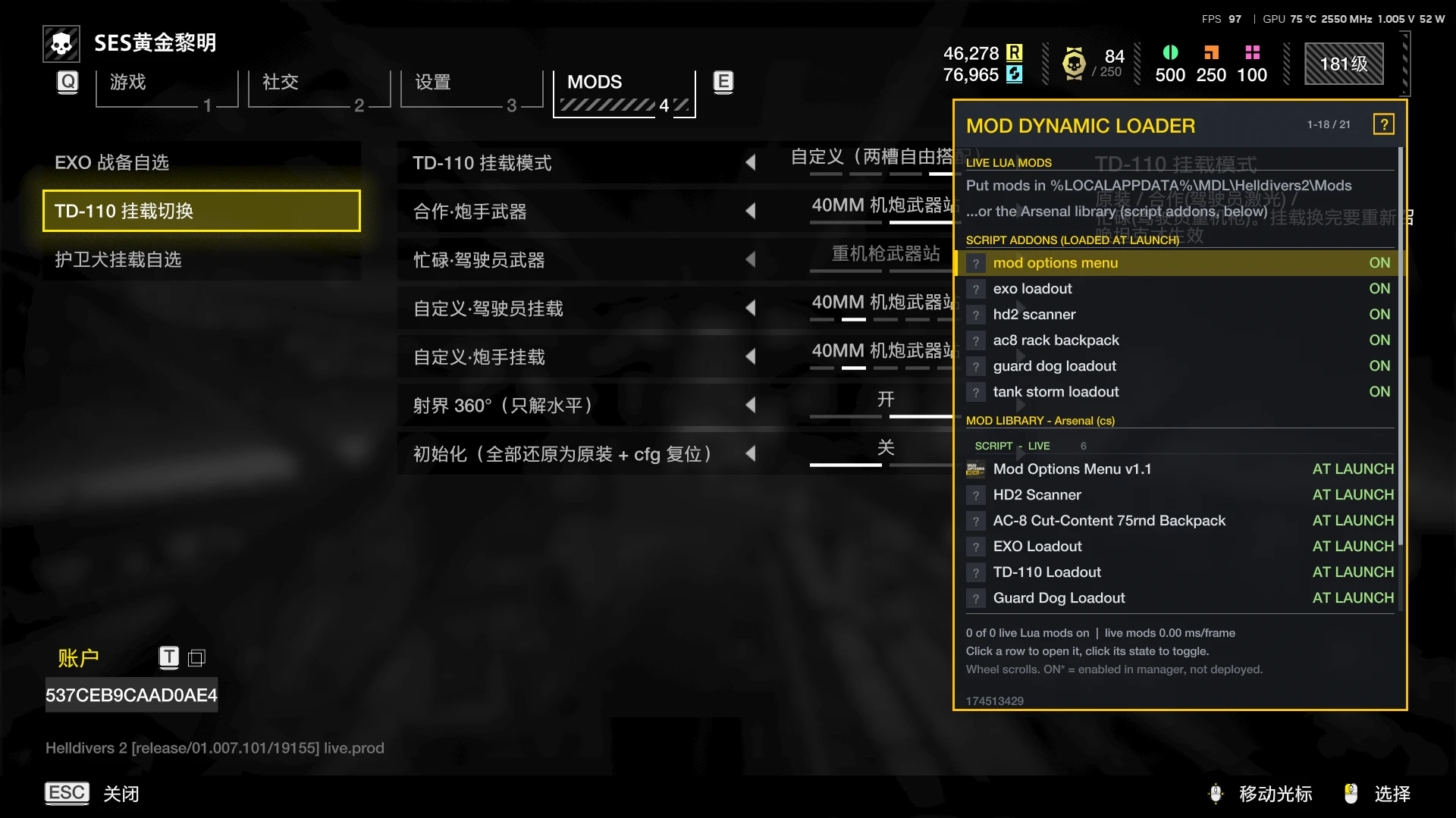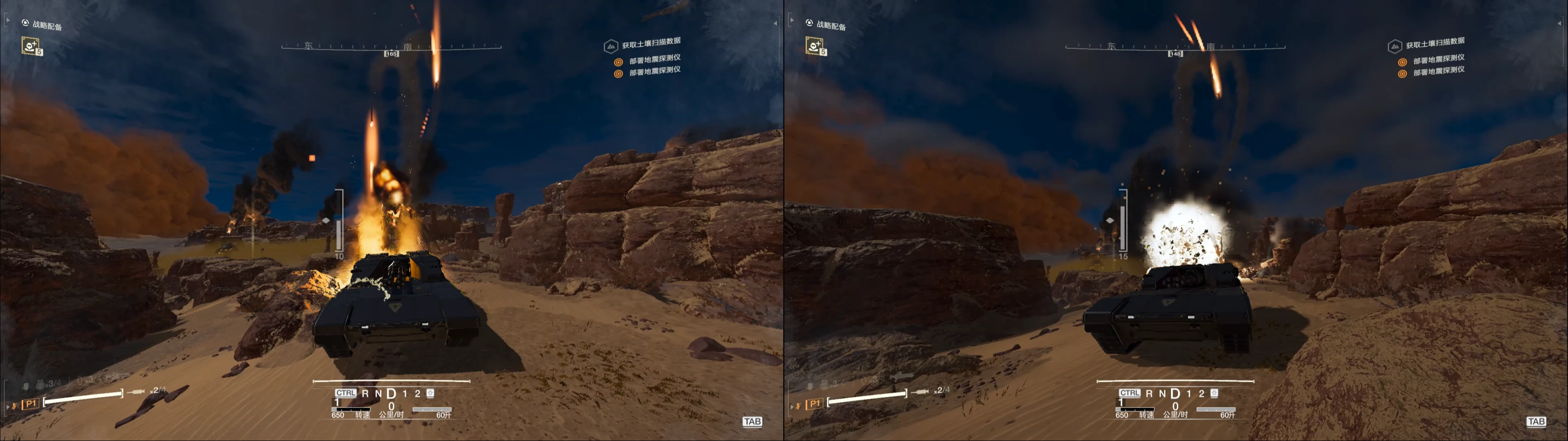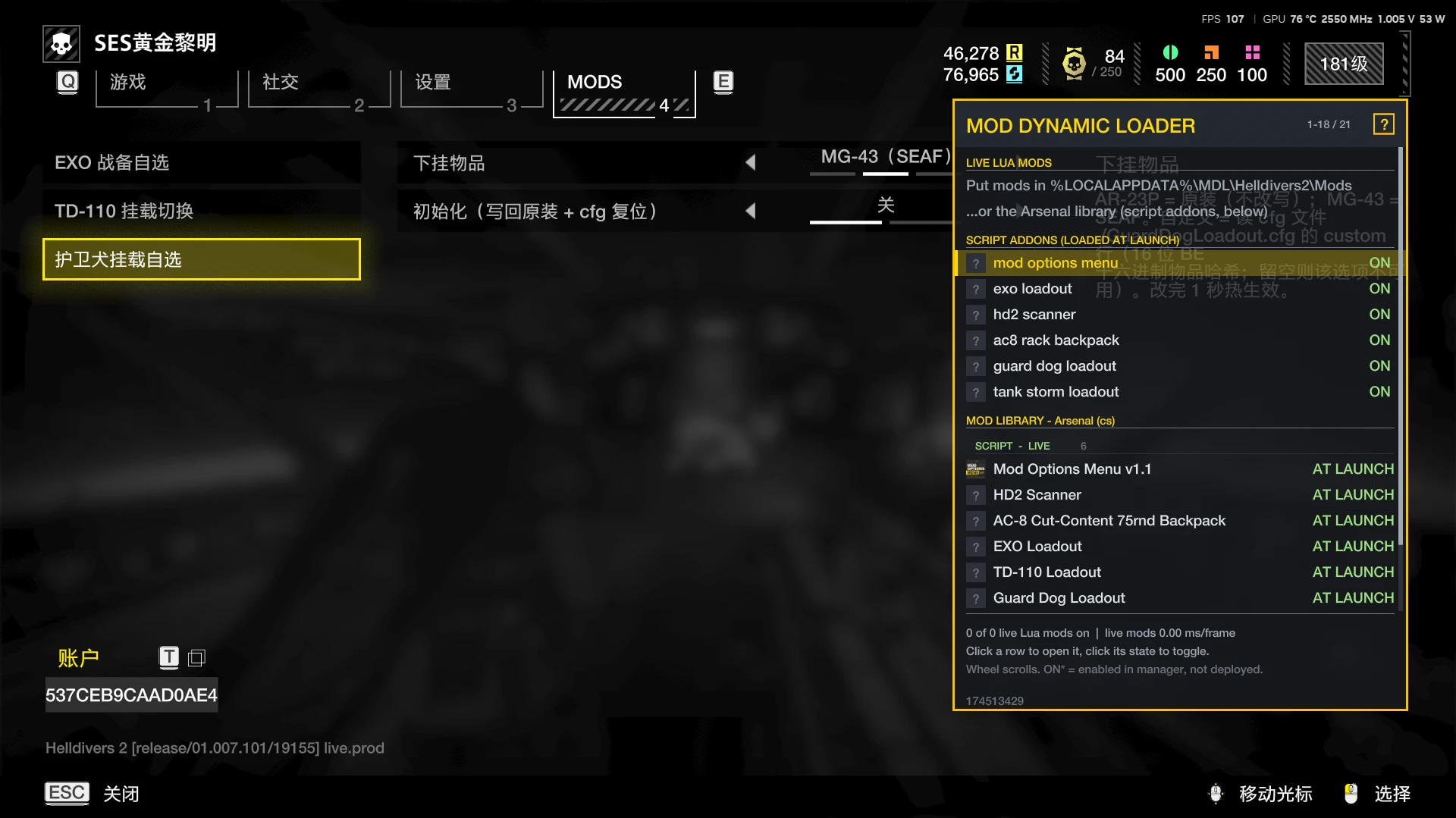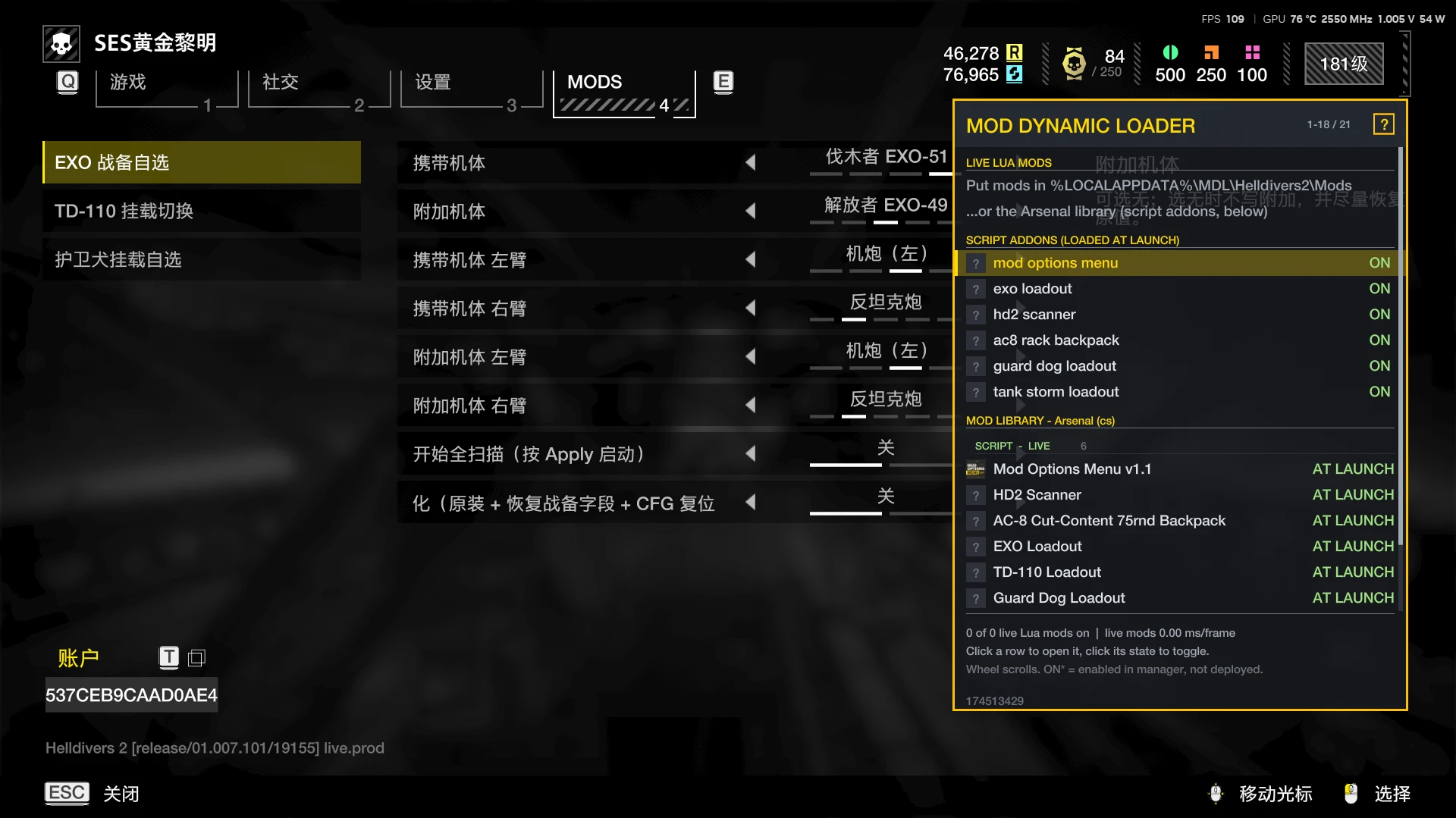
# EXO 战备自选(ExoLoadout)
**项目地址 / 下载:** https://github.com/junze0910/junze-hd2-lua-mod/releases/latest
**当前版本:** v0.8.0
## Description · 简介
把《绝地潜兵 2》的四台外骨骼战备变成可配置:
- 携带哪台外骨骼
- 是否额外附带另一台外骨骼
- 两台外骨骼的左右手臂装什么
它取代旧版 `More-Balanced-Exosuit-Patriot` / `More-Balanced-Exosuit-Emancipator` 的二选一方案。
旧版只能写死一个组合,同时装还可能互相套娃;本 mod 只写一条 `additional_stratagem` 记录,
所有改动都发生在运行时内存,不修改任何游戏文件,禁用后重启游戏即完全还原。
## Main features · 主要特性
### 1. 携带机体四选一
| 战备 ID | 机体 |
|---:|---|
| 27 | 爱国者 EXO-45 |
| 10 | 解放者 EXO-49 |
| 88 | 突破者 EXO-55 |
| 91 | 伐木者 EXO-51 |
### 2. 附加机体可选
- 无
- 另外三台之一
- 自动禁止附加机体 = 携带机体
### 3. 左右手分开配置
- 左臂只列左手臂件
- 右臂只列右手臂件
- 跨机体互换只在当前携带的两台之间
- 解放者右臂支持:
- 机炮(右)100 发
- 机炮(右)200 发 MK3
### 4. 战备附加写入
- 携带机体 A 的 `additional_stratagem` 写入 B 的战备 ID
- 只写携带记录,附加记录 B 的 `additional_stratagem` 不动
- 避免 A/B 互相附加造成战备套娃
### 5. 通用调整
- 携带 + 附加两条记录的 `use` 写为 2
- 冷却时间不动
### 6. 战备记录定位(AOB 直取)
- 由 `HD2 Scanner v0.8.0+` 从 `game.dll` 里解出**战备记录指针数组**,按 ID 直接取记录(毫秒级)
- 选好「附加机体」后**自动写入** —— 正常流程**不需要任何手动扫描**
- 只有 AOB 不可用 / 解析失败 / 表里找不到记录时,才回退到旧的「全内存搜 package 值」;
旧面板里那一行**平时是灰字**(不需要点),**只有 AOB 坏了才会亮起来**提示
(ModOptionsMenu 里的同名开关叫「兜底:全内存扫描(正常不用点)」)
### 7. 初始化
- 一键回到原始默认状态:
- 携带 = 爱国者
- 附加 = 无
- 手臂 = 原装
- 战备附加 / use = 原值
## Operation flow · 操作流程
### 第一步:安装前置
1. 安装 **Bingus Shared Loader v18+(API 1)**,或兼容的 MDL;
2. 安装 **Mod Options Menu v1.1+**(提供原生 MODS 设置页);
3. 安装 **HD2 Scanner v0.8.0+**(提供挂载表地址 + AOB 战备表定位);
4. 用 HD2 管理器导入 `ExoLoadout-v0.8.0.zip`,启用并部署;
5. 启动游戏。
### 第二步:进入设置页
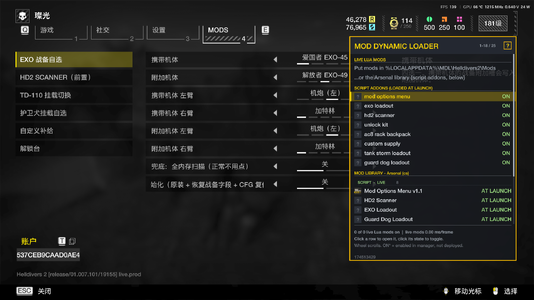
1. 在游戏里按 **ESC** 打开菜单;
2. 切到 **MODS** 页;
3. 选择 **EXO 战备自选**。
### 第三步:选择配置
1. **携带机体**:四选一;
2. **附加机体**:无 / 另外三台之一;
3. **携带机体 左臂 / 右臂**:选对应的手臂;
4. **附加机体 左臂 / 右臂**:选对应的手臂;
5. 按 **Apply** 应用。
### 第四步:战备记录怎么定位(不用你操作)
附加战备的记录地址由 `HD2 Scanner v0.8.0+` **AOB 直取**:它在 `game.dll` 代码段里解出
「战备记录指针数组」,按 ID 直接读出记录 —— **毫秒级,不需要点任何扫描开关**。
选好选项按 **Apply** 后,日志会出现:
```text
AOB 定位:爱国者 -> 0x…(id)
已改战备附加:爱国者 -> 解放者(+32,宽度 1)
战备 use:爱国者 -> 2(package-88)
```
**只有一种情况需要你动手**:日志出现
```text
AOB 战备表解析失败(60 秒后重试,先走兜底):…
```
或 `AOB 定位:… not-found`(说明游戏更新动了那几条指令)。这时到 MODS 页打开
**「兜底:全内存扫描(正常不用点)」** —— 它的**右边描述页**会直接显示当前定位状态
(`AOB 直取已就绪 —— 不需要点这个开关` / `AOB failed(原因)→ 需要本开关兜底`)。
### 第五步:让附加战备生效
外骨骼战备列表通常是在进入任务时构建的。
如果写入时已经在任务里,当前任务列表可能已经定型:
1. 返回飞船;
2. 重新进入任务;
3. 再看战备列表,附加的外骨骼条目就会出现。
### 第六步:后续修改
每次改配置后:
1. 在 MODS 页改选择;
2. 按 **Apply** —— 写入是**自动**的(AOB 直取),不需要再点扫描;
3. 只有日志出现上面第四步那种兜底提示时,才需要手动打开兜底开关;
4. 按下一步的说明重进任务生效。
### 第七步:初始化
要回到原始默认:
1. 在 EXO 页面找到 **初始化**;
2. 打开并 Apply;
3. 会执行:
- 恢复 `additional_stratagem` / `use` 原值
- 强制写回原装手臂
- CFG 回到默认(爱国者 + 无 + 原装)
- 清空扫描状态
4. 日志会写:
```text
初始化:已回默认配置并强制写回原装
```
## Requirements · 依赖
* **Helldivers 2**(测试于 Steam build `25480438` / EXE `1.8.46015.0`)
* **Bingus Shared Loader v18+(API 1)**,或兼容的 MDL
* **Mod Options Menu v1.1+** —— 设置 UI 前置
* **HD2 Scanner v0.8.0+** —— 手臂改造 + AOB 战备表定位前置(旧版会自动回退全内存扫)
* 一个能导入 zip 的 HD2 mod 管理器(HD2MM / Arsenal 等)
* Windows x64
> 必需前置:Mod Options Menu 与 HD2 Scanner。
> 缺少 ModOptionsMenu 时只能回退旧面板;缺少 Scanner 时手臂改造不可用。
## Compatibility · 兼容性
* 取代 `More-Balanced-Exosuit-Patriot` 与 `More-Balanced-Exosuit-Emancipator`;
建议不要与旧版同时启用,避免重复写入。
* 只改本机内存;联机时其他玩家通常看不到你的改动。
* 游戏启用 nProtect GameGuard,使用第三方工具的风险由使用者自行承担。
## Known limits · 已知限制
* ModOptionsMenu 只支持开关 / 固定选项 / 滑条,不支持自由文本输入。
* 附加战备列表在任务加载时构建;任务中修改后建议返回飞船重新进任务。
* 首次加载后没有热重载;更新 mod 版本需要重启游戏。
## Logs · 日志
```text
%LOCALAPPDATA%\CowboyBingus\Helldivers2\Logs\ExoLoadout.log
%LOCALAPPDATA%\CowboyBingus\Helldivers2\Logs\HD2Scanner.log
```
# EXO Loadout (Mech Custom)
**Download:** https://github.com/junze0910/junze-hd2-lua-mod/releases/latest
**Version:** v0.8.0
## Description
A configurable EXO stratagem loadout mod for Helldivers 2.
**Supports in-game modification.** All options are changed directly from the native
MODS tab in the ESC menu, with no external config editor required.
Choose:
- which exosuit you carry
- whether to carry an additional exosuit
- which left/right arm weapons each of the two exosuits uses
It replaces the old `More-Balanced-Exosuit-Patriot` / `Emancipator` one-of-two packages.
Only one `additional_stratagem` record is written, so the two records can no longer
reference each other and cause a stratagem loop.
All changes are runtime memory patches. No game files are modified. Disable the mod
and restart the game to fully restore.
## Features
* In-game modification through Mod Options Menu (ESC -> MODS tab)
* Carry exosuit: Patriot EXO-45 / Emancipator EXO-49 / Breacher EXO-55 / Lumberer EXO-51
* Additional exosuit: none / one of the other three (self-reference rejected)
* Left and right arms configured separately:
* left slots only list left-hand items
* right slots only list right-hand items
* cross-body arm swap is allowed only between the currently carried two exosuits
* Writes `additional_stratagem` on the carried record only; the additional record is left untouched
* Writes `use = 2` on both carried and additional records; cooldown is never touched
* **No manual scan needed**: Scanner resolves the stratagem record pointer array by AOB and the mod writes directly
* Full-memory `package` search only as a **fallback**: the MODS-page toggle is labelled
"fallback: full-memory scan (normally not needed)" and its description box shows the live state
* One-click initialization back to the original default state
* No game files modified; fully reversible by disabling the mod and restarting
## Operation flow
### In-game modification
The mod is designed to be configured entirely in game:
1. Press ESC and open the MODS tab.
2. Select EXO Loadout.
3. Change the carried exosuit, additional exosuit, and left/right arm choices.
4. Press Apply.
5. Done — the write is automatic (Scanner resolves the record by AOB; **no scan to run**).
No cfg file editing or external tool is needed.
### 1. Install prerequisites
1. Install Bingus Shared Loader v18+ (API 1) or compatible MDL.
2. Install Mod Options Menu v1.1+ (native MODS settings tab).
3. Install HD2 Scanner v0.8.0+ (arm table addresses + AOB stratagem-table lookup).
4. Import `ExoLoadout-v0.8.0.zip` with your HD2 mod manager, enable and deploy.
5. Launch the game.
### 2. Open the settings
1. Press ESC.
2. Go to the MODS tab.
3. Select EXO Loadout.
### 3. Configure
1. Carry exosuit: choose one of four.
2. Additional exosuit: none or one of the other three.
3. Carry left arm / right arm: choose the arm items.
4. Additional left arm / right arm: choose the arm items.
5. Press Apply.
### 4. How the record is located (nothing to do)
HD2 Scanner v0.8.0+ resolves the stratagem **record pointer array** by an AOB in `game.dll`
and reads the record by id — **no scan toggle, no waiting**. After you press Apply the log shows:
```text
AOB 定位:爱国者 -> 0x... (id)
已改战备附加:爱国者 -> 解放者(+32,宽度 1)
```
The only case that needs you: if the log says `AOB 战备表解析失败 ... 先走兜底` (the game updated
and the instruction pair moved). Then open **"fallback: full-memory scan (normally not needed)"**
on the MODS page — its **description box** shows the current state
(`AOB 直取已就绪 —— 不需要点这个开关` / `AOB failed (reason) -> this switch is needed`).
### 5. Make the additional stratagem take effect
The exosuit stratagem list is normally built when entering a mission.
If you change it while already in a mission, return to the ship and enter a mission
again to see the additional stratagem entry.
### 6. Later changes
After changing any option:
1. Press Apply — the write is **automatic** (AOB lookup); no scan toggle needed.
2. Only if the fallback message above appears, turn on the fallback scan switch.
3. Re-enter the mission if needed.
### 7. Initialize
Turn on the Initialize toggle and press Apply.
It restores:
- original `additional_stratagem` / `use`
- original arm items
- default CFG: Patriot + no additional + original arms
## Requirements
* Helldivers 2 (tested on Steam build `25480438` / EXE `1.8.46015.0`)
* Bingus Shared Loader v18+ (API 1) or compatible MDL
* Mod Options Menu v1.1+ (settings UI prerequisite)
* HD2 Scanner v0.8.0+ (arm table addresses + AOB stratagem-table lookup; older Scanner falls back to the full-memory search)
* HD2 mod manager able to import zip packages (HD2MM / Arsenal)
* Windows x64
Required prerequisites: Mod Options Menu and HD2 Scanner.
Without Mod Options Menu only the legacy panel fallback is available; without
HD2 Scanner the arm modification leg is unavailable.
## Logs
```text
%LOCALAPPDATA%\CowboyBingus\Helldivers2\Logs\ExoLoadout.log
%LOCALAPPDATA%\CowboyBingus\Helldivers2\Logs\HD2Scanner.log
```
**项目地址 / 下载:** https://github.com/junze0910/junze-hd2-lua-mod/releases/latest
**当前版本:** v0.8.0
## Description · 简介
把《绝地潜兵 2》的四台外骨骼战备变成可配置:
- 携带哪台外骨骼
- 是否额外附带另一台外骨骼
- 两台外骨骼的左右手臂装什么
它取代旧版 `More-Balanced-Exosuit-Patriot` / `More-Balanced-Exosuit-Emancipator` 的二选一方案。
旧版只能写死一个组合,同时装还可能互相套娃;本 mod 只写一条 `additional_stratagem` 记录,
所有改动都发生在运行时内存,不修改任何游戏文件,禁用后重启游戏即完全还原。
## Main features · 主要特性
### 1. 携带机体四选一
| 战备 ID | 机体 |
|---:|---|
| 27 | 爱国者 EXO-45 |
| 10 | 解放者 EXO-49 |
| 88 | 突破者 EXO-55 |
| 91 | 伐木者 EXO-51 |
### 2. 附加机体可选
- 无
- 另外三台之一
- 自动禁止附加机体 = 携带机体
### 3. 左右手分开配置
- 左臂只列左手臂件
- 右臂只列右手臂件
- 跨机体互换只在当前携带的两台之间
- 解放者右臂支持:
- 机炮(右)100 发
- 机炮(右)200 发 MK3
### 4. 战备附加写入
- 携带机体 A 的 `additional_stratagem` 写入 B 的战备 ID
- 只写携带记录,附加记录 B 的 `additional_stratagem` 不动
- 避免 A/B 互相附加造成战备套娃
### 5. 通用调整
- 携带 + 附加两条记录的 `use` 写为 2
- 冷却时间不动
### 6. 战备记录定位(AOB 直取)
- 由 `HD2 Scanner v0.8.0+` 从 `game.dll` 里解出**战备记录指针数组**,按 ID 直接取记录(毫秒级)
- 选好「附加机体」后**自动写入** —— 正常流程**不需要任何手动扫描**
- 只有 AOB 不可用 / 解析失败 / 表里找不到记录时,才回退到旧的「全内存搜 package 值」;
旧面板里那一行**平时是灰字**(不需要点),**只有 AOB 坏了才会亮起来**提示
(ModOptionsMenu 里的同名开关叫「兜底:全内存扫描(正常不用点)」)
### 7. 初始化
- 一键回到原始默认状态:
- 携带 = 爱国者
- 附加 = 无
- 手臂 = 原装
- 战备附加 / use = 原值
## Operation flow · 操作流程
### 第一步:安装前置
1. 安装 **Bingus Shared Loader v18+(API 1)**,或兼容的 MDL;
2. 安装 **Mod Options Menu v1.1+**(提供原生 MODS 设置页);
3. 安装 **HD2 Scanner v0.8.0+**(提供挂载表地址 + AOB 战备表定位);
4. 用 HD2 管理器导入 `ExoLoadout-v0.8.0.zip`,启用并部署;
5. 启动游戏。
### 第二步:进入设置页
1. 在游戏里按 **ESC** 打开菜单;
2. 切到 **MODS** 页;
3. 选择 **EXO 战备自选**。
### 第三步:选择配置
1. **携带机体**:四选一;
2. **附加机体**:无 / 另外三台之一;
3. **携带机体 左臂 / 右臂**:选对应的手臂;
4. **附加机体 左臂 / 右臂**:选对应的手臂;
5. 按 **Apply** 应用。
### 第四步:战备记录怎么定位(不用你操作)
附加战备的记录地址由 `HD2 Scanner v0.8.0+` **AOB 直取**:它在 `game.dll` 代码段里解出
「战备记录指针数组」,按 ID 直接读出记录 —— **毫秒级,不需要点任何扫描开关**。
选好选项按 **Apply** 后,日志会出现:
```text
AOB 定位:爱国者 -> 0x…(id)
已改战备附加:爱国者 -> 解放者(+32,宽度 1)
战备 use:爱国者 -> 2(package-88)
```
**只有一种情况需要你动手**:日志出现
```text
AOB 战备表解析失败(60 秒后重试,先走兜底):…
```
或 `AOB 定位:… not-found`(说明游戏更新动了那几条指令)。这时到 MODS 页打开
**「兜底:全内存扫描(正常不用点)」** —— 它的**右边描述页**会直接显示当前定位状态
(`AOB 直取已就绪 —— 不需要点这个开关` / `AOB failed(原因)→ 需要本开关兜底`)。
### 第五步:让附加战备生效
外骨骼战备列表通常是在进入任务时构建的。
如果写入时已经在任务里,当前任务列表可能已经定型:
1. 返回飞船;
2. 重新进入任务;
3. 再看战备列表,附加的外骨骼条目就会出现。
### 第六步:后续修改
每次改配置后:
1. 在 MODS 页改选择;
2. 按 **Apply** —— 写入是**自动**的(AOB 直取),不需要再点扫描;
3. 只有日志出现上面第四步那种兜底提示时,才需要手动打开兜底开关;
4. 按下一步的说明重进任务生效。
### 第七步:初始化
要回到原始默认:
1. 在 EXO 页面找到 **初始化**;
2. 打开并 Apply;
3. 会执行:
- 恢复 `additional_stratagem` / `use` 原值
- 强制写回原装手臂
- CFG 回到默认(爱国者 + 无 + 原装)
- 清空扫描状态
4. 日志会写:
```text
初始化:已回默认配置并强制写回原装
```
## Requirements · 依赖
* **Helldivers 2**(测试于 Steam build `25480438` / EXE `1.8.46015.0`)
* **Bingus Shared Loader v18+(API 1)**,或兼容的 MDL
* **Mod Options Menu v1.1+** —— 设置 UI 前置
* **HD2 Scanner v0.8.0+** —— 手臂改造 + AOB 战备表定位前置(旧版会自动回退全内存扫)
* 一个能导入 zip 的 HD2 mod 管理器(HD2MM / Arsenal 等)
* Windows x64
> 必需前置:Mod Options Menu 与 HD2 Scanner。
> 缺少 ModOptionsMenu 时只能回退旧面板;缺少 Scanner 时手臂改造不可用。
## Compatibility · 兼容性
* 取代 `More-Balanced-Exosuit-Patriot` 与 `More-Balanced-Exosuit-Emancipator`;
建议不要与旧版同时启用,避免重复写入。
* 只改本机内存;联机时其他玩家通常看不到你的改动。
* 游戏启用 nProtect GameGuard,使用第三方工具的风险由使用者自行承担。
## Known limits · 已知限制
* ModOptionsMenu 只支持开关 / 固定选项 / 滑条,不支持自由文本输入。
* 附加战备列表在任务加载时构建;任务中修改后建议返回飞船重新进任务。
* 首次加载后没有热重载;更新 mod 版本需要重启游戏。
## Logs · 日志
```text
%LOCALAPPDATA%\CowboyBingus\Helldivers2\Logs\ExoLoadout.log
%LOCALAPPDATA%\CowboyBingus\Helldivers2\Logs\HD2Scanner.log
```
# EXO Loadout (Mech Custom)
**Download:** https://github.com/junze0910/junze-hd2-lua-mod/releases/latest
**Version:** v0.8.0
## Description
A configurable EXO stratagem loadout mod for Helldivers 2.
**Supports in-game modification.** All options are changed directly from the native
MODS tab in the ESC menu, with no external config editor required.
Choose:
- which exosuit you carry
- whether to carry an additional exosuit
- which left/right arm weapons each of the two exosuits uses
It replaces the old `More-Balanced-Exosuit-Patriot` / `Emancipator` one-of-two packages.
Only one `additional_stratagem` record is written, so the two records can no longer
reference each other and cause a stratagem loop.
All changes are runtime memory patches. No game files are modified. Disable the mod
and restart the game to fully restore.
## Features
* In-game modification through Mod Options Menu (ESC -> MODS tab)
* Carry exosuit: Patriot EXO-45 / Emancipator EXO-49 / Breacher EXO-55 / Lumberer EXO-51
* Additional exosuit: none / one of the other three (self-reference rejected)
* Left and right arms configured separately:
* left slots only list left-hand items
* right slots only list right-hand items
* cross-body arm swap is allowed only between the currently carried two exosuits
* Writes `additional_stratagem` on the carried record only; the additional record is left untouched
* Writes `use = 2` on both carried and additional records; cooldown is never touched
* **No manual scan needed**: Scanner resolves the stratagem record pointer array by AOB and the mod writes directly
* Full-memory `package` search only as a **fallback**: the MODS-page toggle is labelled
"fallback: full-memory scan (normally not needed)" and its description box shows the live state
* One-click initialization back to the original default state
* No game files modified; fully reversible by disabling the mod and restarting
## Operation flow
### In-game modification
The mod is designed to be configured entirely in game:
1. Press ESC and open the MODS tab.
2. Select EXO Loadout.
3. Change the carried exosuit, additional exosuit, and left/right arm choices.
4. Press Apply.
5. Done — the write is automatic (Scanner resolves the record by AOB; **no scan to run**).
No cfg file editing or external tool is needed.
### 1. Install prerequisites
1. Install Bingus Shared Loader v18+ (API 1) or compatible MDL.
2. Install Mod Options Menu v1.1+ (native MODS settings tab).
3. Install HD2 Scanner v0.8.0+ (arm table addresses + AOB stratagem-table lookup).
4. Import `ExoLoadout-v0.8.0.zip` with your HD2 mod manager, enable and deploy.
5. Launch the game.
### 2. Open the settings
1. Press ESC.
2. Go to the MODS tab.
3. Select EXO Loadout.
### 3. Configure
1. Carry exosuit: choose one of four.
2. Additional exosuit: none or one of the other three.
3. Carry left arm / right arm: choose the arm items.
4. Additional left arm / right arm: choose the arm items.
5. Press Apply.
### 4. How the record is located (nothing to do)
HD2 Scanner v0.8.0+ resolves the stratagem **record pointer array** by an AOB in `game.dll`
and reads the record by id — **no scan toggle, no waiting**. After you press Apply the log shows:
```text
AOB 定位:爱国者 -> 0x... (id)
已改战备附加:爱国者 -> 解放者(+32,宽度 1)
```
The only case that needs you: if the log says `AOB 战备表解析失败 ... 先走兜底` (the game updated
and the instruction pair moved). Then open **"fallback: full-memory scan (normally not needed)"**
on the MODS page — its **description box** shows the current state
(`AOB 直取已就绪 —— 不需要点这个开关` / `AOB failed (reason) -> this switch is needed`).
### 5. Make the additional stratagem take effect
The exosuit stratagem list is normally built when entering a mission.
If you change it while already in a mission, return to the ship and enter a mission
again to see the additional stratagem entry.
### 6. Later changes
After changing any option:
1. Press Apply — the write is **automatic** (AOB lookup); no scan toggle needed.
2. Only if the fallback message above appears, turn on the fallback scan switch.
3. Re-enter the mission if needed.
### 7. Initialize
Turn on the Initialize toggle and press Apply.
It restores:
- original `additional_stratagem` / `use`
- original arm items
- default CFG: Patriot + no additional + original arms
## Requirements
* Helldivers 2 (tested on Steam build `25480438` / EXE `1.8.46015.0`)
* Bingus Shared Loader v18+ (API 1) or compatible MDL
* Mod Options Menu v1.1+ (settings UI prerequisite)
* HD2 Scanner v0.8.0+ (arm table addresses + AOB stratagem-table lookup; older Scanner falls back to the full-memory search)
* HD2 mod manager able to import zip packages (HD2MM / Arsenal)
* Windows x64
Required prerequisites: Mod Options Menu and HD2 Scanner.
Without Mod Options Menu only the legacy panel fallback is available; without
HD2 Scanner the arm modification leg is unavailable.
## Logs
```text
%LOCALAPPDATA%\CowboyBingus\Helldivers2\Logs\ExoLoadout.log
%LOCALAPPDATA%\CowboyBingus\Helldivers2\Logs\HD2Scanner.log
```