Disclaimer: Research help from Claude Code (finding where the game blocks the reload); the mod itself is written by me.
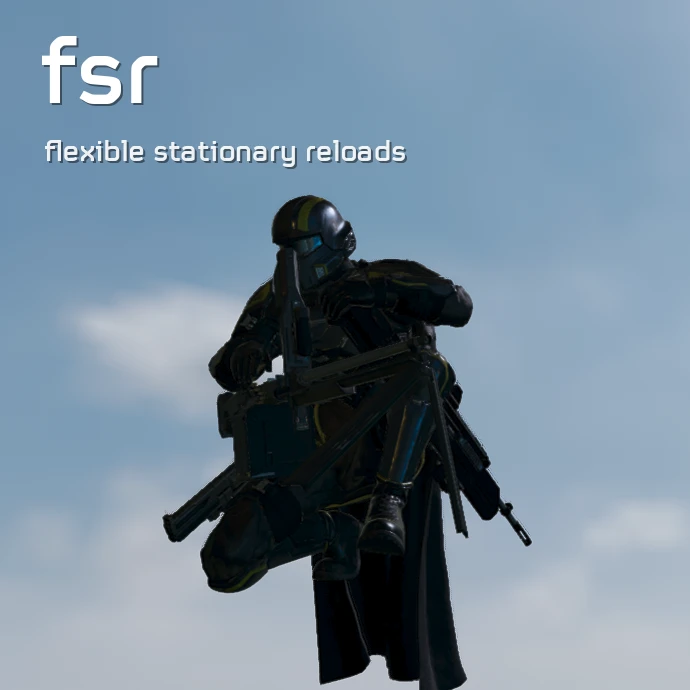
A mod for HellForge allowing you to perform stationary reloads in more situations: while airborne with a jump pack, while falling (not ragdolled), and while diving. It used to be in the game until Arrowhead removed it as a "bug fix".
Requires HellForge 0.4.0-beta or later. Built and tested on HellForge 0.5.0-beta, for game build 25480438.
Not extensively tested in co-op. It should, in theory, work fine.
Preview


Installation
Usage
By default, you can press reload in the air or during a dive, the same as on the ground.
The situations that are allowed can be configured in the settings (see Settings).
Settings
The settings are in flexible-stationary-reloads.ini in your HellForge mods folder, which is %USERPROFILE%\Documents\HellForge\mods with the default install location.
HellForge's sandbox (on by default) doesn't let mods create files, so you make the settings file yourself from the template that comes with the mod. Close the game first.
1. Open the folder HellForge is installed in, then its mods folder.

2. Open the mod's zip, which is also in this mods folder. Its name depends on where you downloaded it. Copy flexible-stationary-reloads.template.ini from there into the mods folder. Rename the copy to flexible-stationary-reloads.ini, and it should now sit beside the mod's zip.

3. Open flexible-stationary-reloads.ini with a text editor, change a value and save. Changes apply the next time the game starts.
With the sandbox off, the mod creates flexible-stationary-reloads.ini with the defaults the first time the game starts with the mod switched on, and you can skip step 2.
Troubleshooting
The settings file isn't there
HellForge's sandbox (on by default) stops the mod from making it, so you copy it from the template yourself. The steps are under Settings.
The game is stuck at "build mods"
The first time the game starts with a mod that is built from source, HellForge downloads its compiler. This can take a few minutes, and only happens once.
Source
The source code and research notes are on GitHub.
A mod for HellForge allowing you to perform stationary reloads in more situations: while airborne with a jump pack, while falling (not ragdolled), and while diving. It used to be in the game until Arrowhead removed it as a "bug fix".
Requires HellForge 0.4.0-beta or later. Built and tested on HellForge 0.5.0-beta, for game build 25480438.
Not extensively tested in co-op. It should, in theory, work fine.
Preview
Installation
- Download the zip from this page.
- Open the HellForge launcher, go to the Mods page and press Add mods...
- Pick the zip. You don't need to unpack it.
- Make sure the mod is switched on, then start the game.
Usage
By default, you can press reload in the air or during a dive, the same as on the ground.
The situations that are allowed can be configured in the settings (see Settings).
Settings
The settings are in flexible-stationary-reloads.ini in your HellForge mods folder, which is %USERPROFILE%\Documents\HellForge\mods with the default install location.
HellForge's sandbox (on by default) doesn't let mods create files, so you make the settings file yourself from the template that comes with the mod. Close the game first.
1. Open the folder HellForge is installed in, then its mods folder.
2. Open the mod's zip, which is also in this mods folder. Its name depends on where you downloaded it. Copy flexible-stationary-reloads.template.ini from there into the mods folder. Rename the copy to flexible-stationary-reloads.ini, and it should now sit beside the mod's zip.
3. Open flexible-stationary-reloads.ini with a text editor, change a value and save. Changes apply the next time the game starts.
With the sandbox off, the mod creates flexible-stationary-reloads.ini with the defaults the first time the game starts with the mod switched on, and you can skip step 2.
- allow_air (default: on) - Allows stationary reloads while airborne with a jump pack.
- allow_dive (default: on) - Allows stationary reloads while diving.
- verbose_logging (default: off) - Writes every reload step and character state change to the mod's log. Only useful for reporting a problem.
Troubleshooting
The settings file isn't there
HellForge's sandbox (on by default) stops the mod from making it, so you copy it from the template yourself. The steps are under Settings.
The game is stuck at "build mods"
The first time the game starts with a mod that is built from source, HellForge downloads its compiler. This can take a few minutes, and only happens once.
Source
The source code and research notes are on GitHub.