
How to Launch:
- Download the Compiled Build using the download button on this page.
- Extract then open "Prometheus.exe".
- Select your "GameClientApp.exe" then click Launch. (Must use a fresh GameClientApp.exe, it must not be patched.)
- Make sure not to tab out while the game is loading up! It might break.
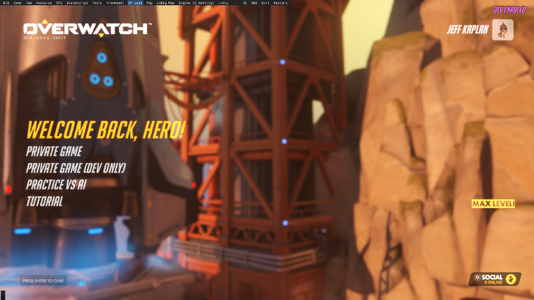
- Once you see the Overwatch Logo click on "Demo" and the "DP Load" at the top of your screen to get into the main menu.
- To load into a map you must click on "Map" at the top of your screen and chose any of the ones given.
NOTE: Most maps send you to 0,0,0 so some will start you in the void. I highly recommend using Pharah to get onto maps while utilizing the Up/Down arrow keys to teleport vertically.
NOTE 2: If you can't see the tool bar at the top of your screen make sure that all overlays like Nvidia or RTSS are turned off!
If you want a deeper look into the source code you can get it here!
Credits to BreakingBread0 on GitHub --> https://github.com/BreakingBread0/prometheus
Have Fun!
- Download the Compiled Build using the download button on this page.
- Extract then open "Prometheus.exe".
- Select your "GameClientApp.exe" then click Launch. (Must use a fresh GameClientApp.exe, it must not be patched.)
- Make sure not to tab out while the game is loading up! It might break.
- Once you see the Overwatch Logo click on "Demo" and the "DP Load" at the top of your screen to get into the main menu.
- To load into a map you must click on "Map" at the top of your screen and chose any of the ones given.
NOTE: Most maps send you to 0,0,0 so some will start you in the void. I highly recommend using Pharah to get onto maps while utilizing the Up/Down arrow keys to teleport vertically.
NOTE 2: If you can't see the tool bar at the top of your screen make sure that all overlays like Nvidia or RTSS are turned off!
If you want a deeper look into the source code you can get it here!
Credits to BreakingBread0 on GitHub --> https://github.com/BreakingBread0/prometheus
Have Fun!
