The mod was created and tested on the latest version of Fallout 4 (ver 1.11.191) from Steam.
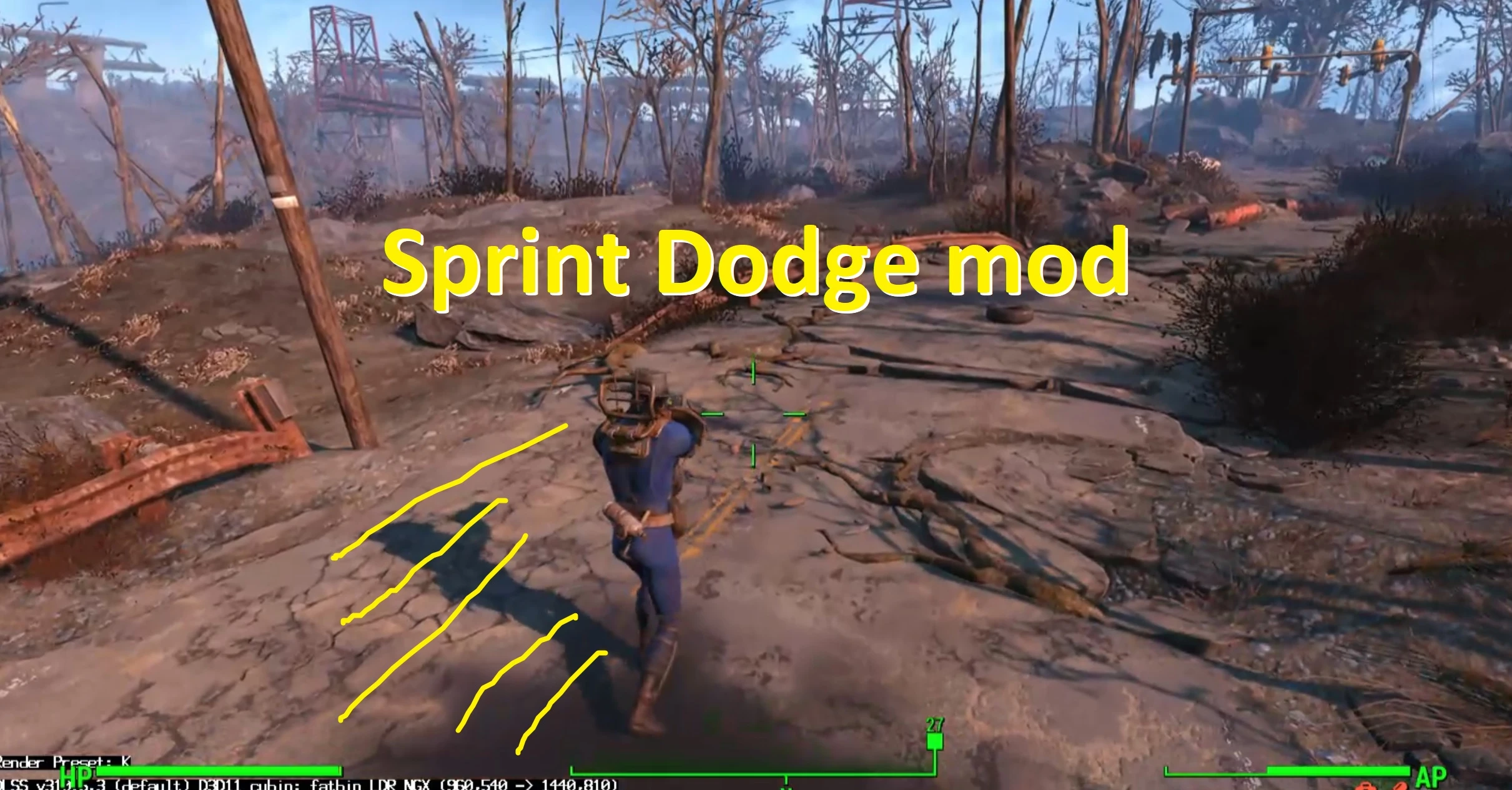
Dash in the selected direction if you press Sprint button. Gamepad compatible. First person/third person. Settings in the ini. (dash time, dash force, number of dashes available, dash only with weapons equipped or dash with weapons equipped and empty hands). I can't set the ability to change parameters in MCM
A small jump when starting the dodge is necessary so that collisions with the ground don't stop the dodge and send the hero flying.
Since the dodge button is the sprint button, after dodge, sprint is activated.
View: https://youtu.be/CwzHMOqQt40
I made several versions of the mod:
1-------SprintDodge----------
The smoothest dodge in a few frames, related to timings.
The ini file contains examples for different frame rates, but to fine-tune it, you'll have to change and try different values yourself.
2------- beta_SprintDodge ----------
The Beta folder has the same mod, but it doesn't work without a weapon and has simplified logic in the code.
Installation instructions
1. Install F4SE and Address Library for F4SE Plugins if you haven't already
2. Unzip the mod archive
3. Copy the SprintDodge.DLL and SprintDodge.INI files to the folder Plugins
...SteamLibrary\steamapps\common\Fallout 4\Data\F4SE\Plugins
4. Start the game using f4se_loader.exe
Main features
The INI options:
Dodge duration in seconds (affects dash speed)
Dodge force (affects dash range)
By default, dashing only works with a weapon in hand, but you can set
bAllowWithoutWeapon=1
to work without a weapon
Dashing also always works in Power Armor (I don't know how to disable it yet)
If you don't want to dash, just don't spam the Sprint button.
Requirements
Fallout 4 Script Extender (F4SE)
Address Library for F4SE Plugins
Other
Inspiration from mods
Tracer Blink for Players
Simple Dodges
Jump Dash (Dodge in Air)
Unfortunately, Blink doesn't work with the latest version and requires a separate button
and Simple Dodges doesn't work as I wanted
Know Bugs
1.Very rarely, when dodging a inclined surface, the character may fly upwards (collision issue).
2.Dash duration and force setting is necessary due to its slight dependence on FPS. I play with increased FPS and a high FPS fix, so my settings may differ. Сustomize the ini for yourself
Work in progress
Option to disable dash while wearing Power Armor
Option to spend Action Points on the Dash.
Option to hang in the air for a short time after a Dash
Thanks to the developers of
Fallout 4 Script Extender (F4SE)
Address Library for F4SE Plugins
Fallout 4
Dash in the selected direction if you press Sprint button. Gamepad compatible. First person/third person. Settings in the ini. (dash time, dash force, number of dashes available, dash only with weapons equipped or dash with weapons equipped and empty hands). I can't set the ability to change parameters in MCM
A small jump when starting the dodge is necessary so that collisions with the ground don't stop the dodge and send the hero flying.
Since the dodge button is the sprint button, after dodge, sprint is activated.
View: https://youtu.be/CwzHMOqQt40
I made several versions of the mod:
1-------SprintDodge----------
The smoothest dodge in a few frames, related to timings.
The ini file contains examples for different frame rates, but to fine-tune it, you'll have to change and try different values yourself.
2------- beta_SprintDodge ----------
The Beta folder has the same mod, but it doesn't work without a weapon and has simplified logic in the code.
Installation instructions
1. Install F4SE and Address Library for F4SE Plugins if you haven't already
2. Unzip the mod archive
3. Copy the SprintDodge.DLL and SprintDodge.INI files to the folder Plugins
...SteamLibrary\steamapps\common\Fallout 4\Data\F4SE\Plugins
4. Start the game using f4se_loader.exe
Main features
The INI options:
Dodge duration in seconds (affects dash speed)
Dodge force (affects dash range)
By default, dashing only works with a weapon in hand, but you can set
bAllowWithoutWeapon=1
to work without a weapon
Dashing also always works in Power Armor (I don't know how to disable it yet)
If you don't want to dash, just don't spam the Sprint button.
Requirements
Fallout 4 Script Extender (F4SE)
Address Library for F4SE Plugins
Other
Inspiration from mods
Tracer Blink for Players
Simple Dodges
Jump Dash (Dodge in Air)
Unfortunately, Blink doesn't work with the latest version and requires a separate button
and Simple Dodges doesn't work as I wanted
Know Bugs
1.Very rarely, when dodging a inclined surface, the character may fly upwards (collision issue).
2.Dash duration and force setting is necessary due to its slight dependence on FPS. I play with increased FPS and a high FPS fix, so my settings may differ. Сustomize the ini for yourself
Work in progress
Option to disable dash while wearing Power Armor
Option to spend Action Points on the Dash.
Option to hang in the air for a short time after a Dash
Thanks to the developers of
Fallout 4 Script Extender (F4SE)
Address Library for F4SE Plugins
Fallout 4
