Important Notice: Please review our guidelines regarding cheating, game balancing, and mods for Helldivers 2.
Read the full notice here before downloading or uploading mods.
You are using an out of date browser. It may not display this or other websites correctly. You should upgrade or use an alternative browser.
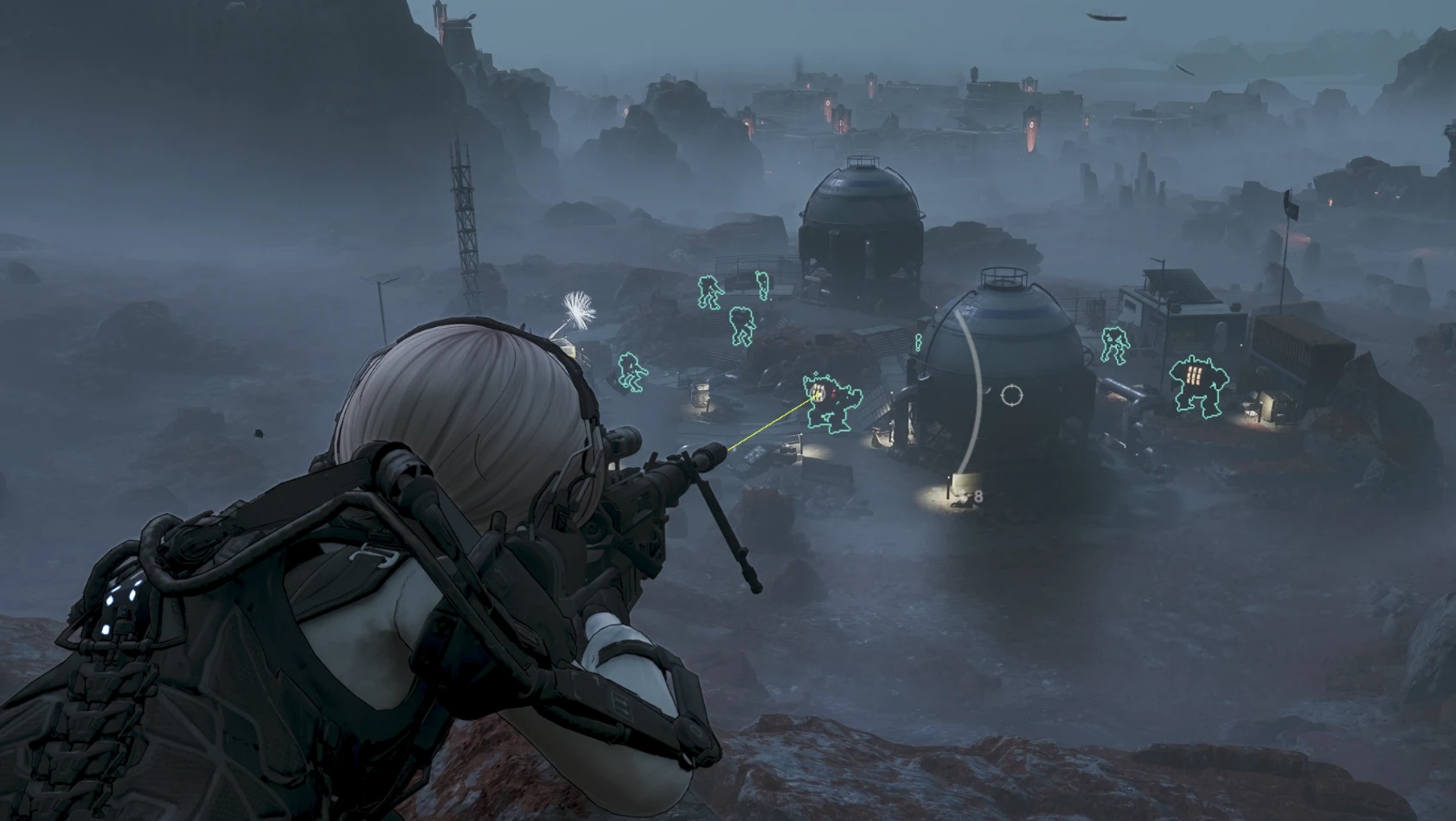
I google translated the instruction (its a reshade):
Installation
1. Install ReShade for *Helldivers 2*, selecting DX10/11/12 when prompted. (If your network connection is poor, you may need to use a VPN/proxy.)
2. Merge the contents of the `bin` folder from this package into the game's `bin` folder, preserving the subdirectory structure. Do not nest them (i.e., avoid creating a `bin\bin` structure).
Final file locations:
Game\bin\HD2EnemyMaskProbe.addon64
Game\bin\HD2EnemyOutline-V7.5.2.ini
Game\bin\reshade-shaders\Shaders\HD2EnemyMaskOutline.fx
----------------------If everything works fine below, no changes are needed-------------
1. Go to the ReShade "Add-ons" tab. Set the "Add-on search paths" at the top to the game's `bin` directory (where `HD2EnemyMaskProbe.addon64` is located) or use the relative path `.\`.
Do not point it to the `HD2EnemyMaskProbe` data subdirectory or the `.addon64` file itself. Restart the game after making changes so the add-on is detected.
2. Go to the ReShade "Settings" tab. Ensure the effect search paths include the `bin\reshade-shaders\Shaders` directory. When using default paths, there is no need to include the drive letter from the sender's computer.
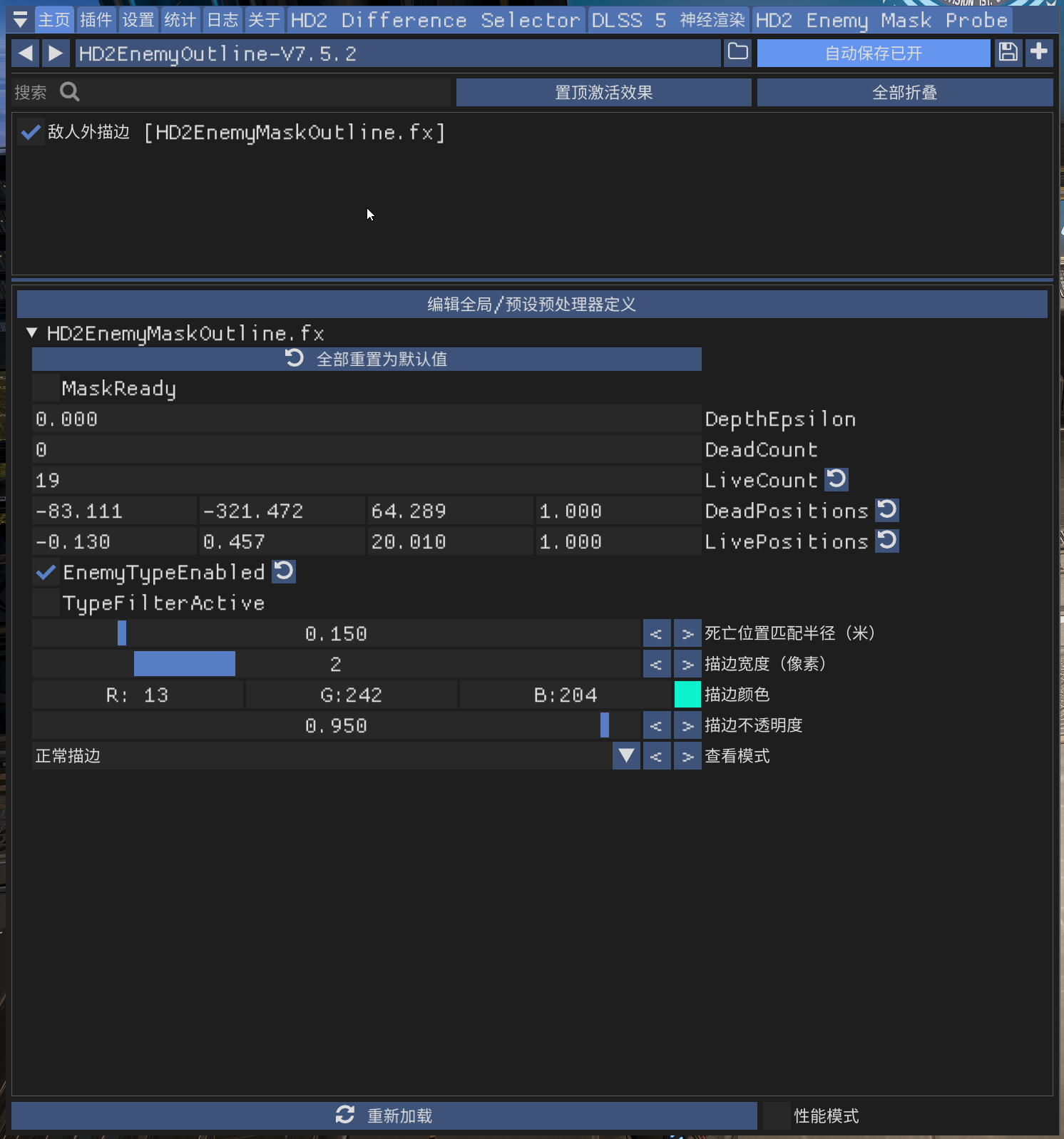
3. Click "Reload" on the "Home" tab. Select `HD2EnemyOutline-V7.5.2.ini` from the preset dropdown menu at the top; do not continue using the default `ReShadePreset`. Ensure the `HD2EnemyMaskOutline` technique is checked.
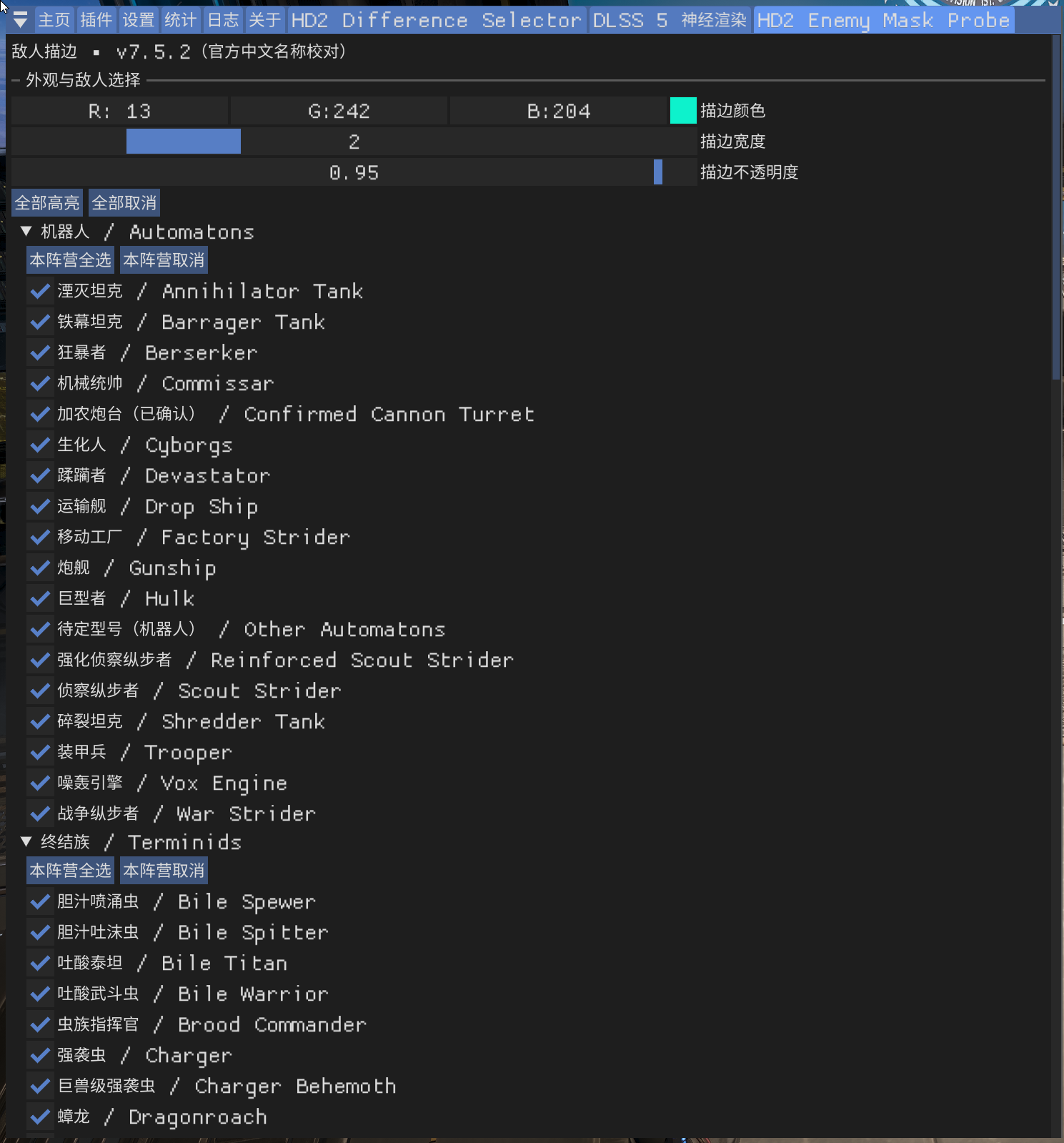
4. Confirm that `HD2 Enemy Mask Probe` is loaded on the "Add-ons" tab, then open its specific configuration page. The appearance of the FX parameter section indicates that the `.addon64` file has loaded successfully. Color settings and specific enemy selection options are located on the add-on's configuration page.