I do not condone playing in public lobbies with this,
Please don't power-creep random people!
This build is now modular! Edit the value yourself!
# Jump Pack Recharge v1.0.0
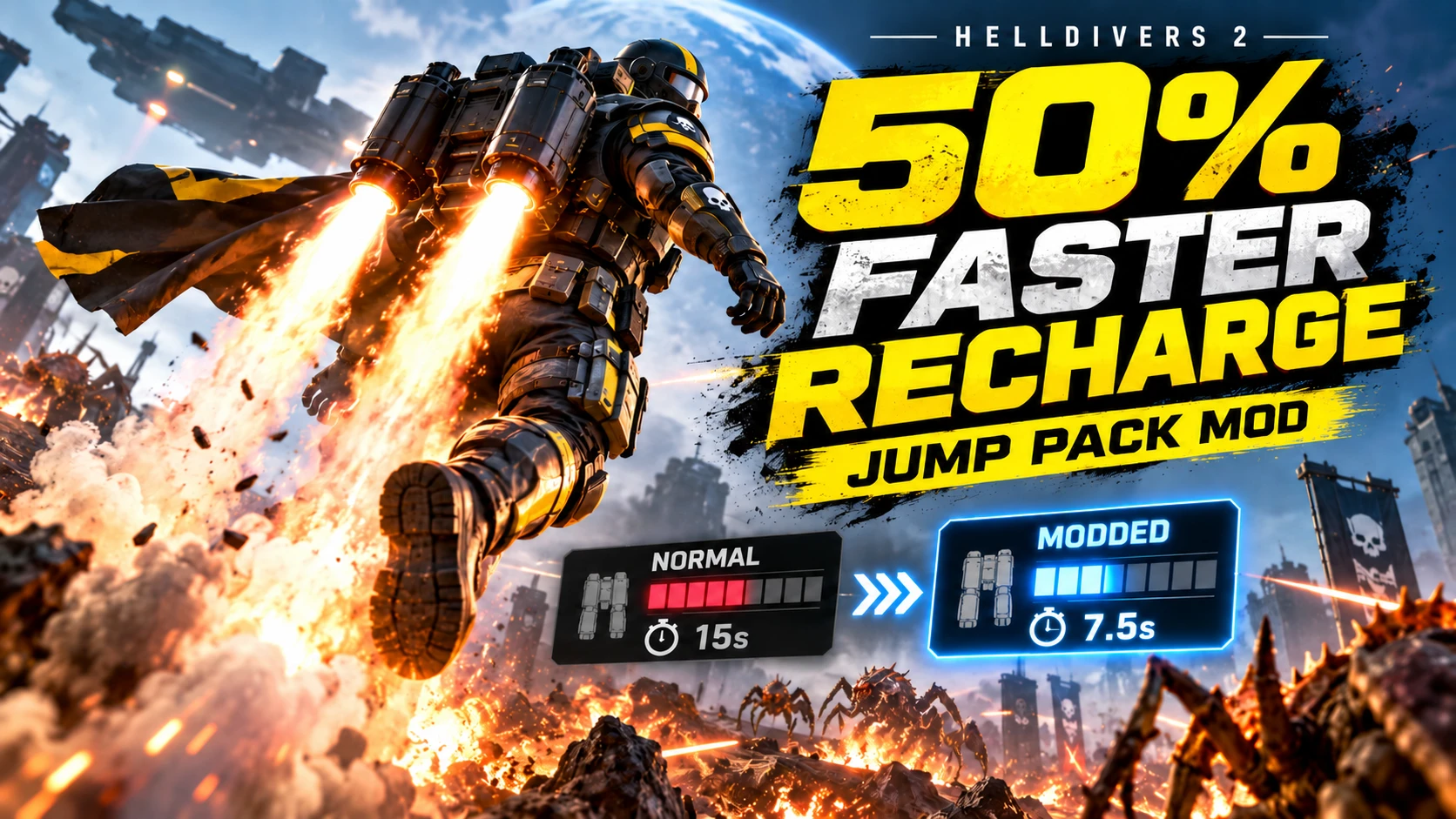
Reduce the regular Jump Pack's recharge from **15 seconds to 7.5 seconds** by default: a **50% shorter recharge time**. Choose your own recharge time through an INI file.
Only the regular Jump Pack recharge setting is modified. Jump strength, height, takeoff/landing timings, other packs, and the stratagem delivery cooldown are unchanged.
## Install or update
1. Close Helldivers 2.
2. Install Bingus Shared Loader v15 or newer / API 1.
3. Replace the previous Jump Pack Half Recharge package with this ZIP. Disable the recharge probe and other mods that change this same timer.
4. Enable this mod and the loader in your mod manager, then Purge / Deploy.
5. Start the game. Allow roughly 60-90 seconds for the initial scan.
## Configure the INI
The first launch creates:
```
%LOCALAPPDATA%\CowboyBingus\Helldivers2\JumpPackHalfRecharge\settings.ini
```
Paste the folder path into File Explorer. Close the game before editing the INI:
```ini
enabled=1
recharge_seconds=7.5
```
- `enabled=1`: enable the mod. Set `0` to disable it on the next launch.
- `recharge_seconds=7.5`: half the stock recharge time.
- `recharge_seconds=5`: five-second recharge.
- `recharge_seconds=15`: stock recharge time.
Accepted values are **0.1 to 300 seconds**, including decimals. Use a decimal **dot**, not a comma. Edit the existing lines; do not add duplicate settings. Invalid settings stop the mod and are reported in STATUS.txt.
**Save and restart the game after every change. No rebuilding or redeploying is needed for INI-only edits.** The file is read once at startup. Future installs preserve your existing INI. Delete it to recreate the defaults on the next launch.
Very short recharge settings may still be limited by flight and animation timing. The 7.5-second setting was confirmed in-game by Miker; other timings are configurable and should be tested.
## Status and compatibility
```
%LOCALAPPDATA%\CowboyBingus\Helldivers2\JumpPackHalfRecharge\STATUS.txt
```
APPLIED or DONE reports the configured recharge time when the matching table was found. NO MATCH means nothing was changed. The mod verifies the table identity, modifies only the timer, checks the result, and restores the original timer if verification fails.
The scan runs once per game launch, then stops. If the game reloads the component table later in the session, this version does not automatically reapply the change. A game update or another mod editing the same table can cause the identity checks to refuse the patch.
## Uninstall
Disable/remove the mod, Purge / Deploy, and restart the game. Changes exist in the running process only. The optional settings/status folder can be removed afterward.
## Credits
- **Miker** — concept, tuning direction, live capture, and in-game testing.
- **ChatGPT / Codex** — implementation, configuration, packaging, and offline validation.
-**Hibikixxz** — independent user testing
Acknowledgments: CowboyBingus for Bingus Shared Loader and addon packaging tools; shalzuth/HelldiversData for the recharge schema and entity reference. Memory reading code derives from the supplied M6C addon and earlier diagnostic work.
Please don't power-creep random people!
This build is now modular! Edit the value yourself!
# Jump Pack Recharge v1.0.0
Reduce the regular Jump Pack's recharge from **15 seconds to 7.5 seconds** by default: a **50% shorter recharge time**. Choose your own recharge time through an INI file.
Only the regular Jump Pack recharge setting is modified. Jump strength, height, takeoff/landing timings, other packs, and the stratagem delivery cooldown are unchanged.
## Install or update
1. Close Helldivers 2.
2. Install Bingus Shared Loader v15 or newer / API 1.
3. Replace the previous Jump Pack Half Recharge package with this ZIP. Disable the recharge probe and other mods that change this same timer.
4. Enable this mod and the loader in your mod manager, then Purge / Deploy.
5. Start the game. Allow roughly 60-90 seconds for the initial scan.
## Configure the INI
The first launch creates:
```
%LOCALAPPDATA%\CowboyBingus\Helldivers2\JumpPackHalfRecharge\settings.ini
```
Paste the folder path into File Explorer. Close the game before editing the INI:
```ini
enabled=1
recharge_seconds=7.5
```
- `enabled=1`: enable the mod. Set `0` to disable it on the next launch.
- `recharge_seconds=7.5`: half the stock recharge time.
- `recharge_seconds=5`: five-second recharge.
- `recharge_seconds=15`: stock recharge time.
Accepted values are **0.1 to 300 seconds**, including decimals. Use a decimal **dot**, not a comma. Edit the existing lines; do not add duplicate settings. Invalid settings stop the mod and are reported in STATUS.txt.
**Save and restart the game after every change. No rebuilding or redeploying is needed for INI-only edits.** The file is read once at startup. Future installs preserve your existing INI. Delete it to recreate the defaults on the next launch.
Very short recharge settings may still be limited by flight and animation timing. The 7.5-second setting was confirmed in-game by Miker; other timings are configurable and should be tested.
## Status and compatibility
```
%LOCALAPPDATA%\CowboyBingus\Helldivers2\JumpPackHalfRecharge\STATUS.txt
```
APPLIED or DONE reports the configured recharge time when the matching table was found. NO MATCH means nothing was changed. The mod verifies the table identity, modifies only the timer, checks the result, and restores the original timer if verification fails.
The scan runs once per game launch, then stops. If the game reloads the component table later in the session, this version does not automatically reapply the change. A game update or another mod editing the same table can cause the identity checks to refuse the patch.
## Uninstall
Disable/remove the mod, Purge / Deploy, and restart the game. Changes exist in the running process only. The optional settings/status folder can be removed afterward.
## Credits
- **Miker** — concept, tuning direction, live capture, and in-game testing.
- **ChatGPT / Codex** — implementation, configuration, packaging, and offline validation.
-**Hibikixxz** — independent user testing
Acknowledgments: CowboyBingus for Bingus Shared Loader and addon packaging tools; shalzuth/HelldiversData for the recharge schema and entity reference. Memory reading code derives from the supplied M6C addon and earlier diagnostic work.