
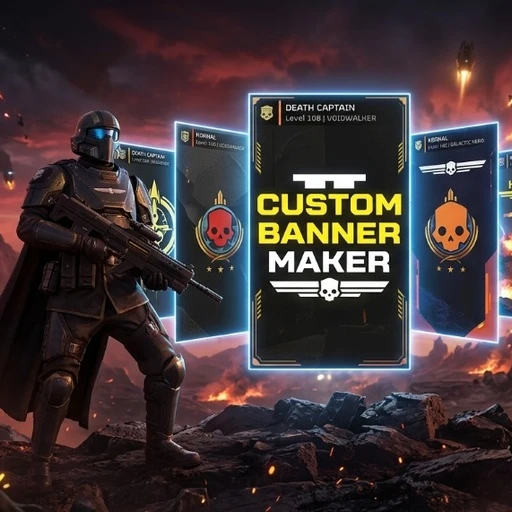
# Custom Player Banner Maker for Helldivers 2
> **For Super Earth and Personal Freedom! / 为超级地球与个性自由而战!**
Tired of the standard static player banners in Helldivers 2? Want your title card to feature your favorite anime character, artwork, meme, or custom squad emblem?
**Custom Player Banner Maker** is an all-in-one, 1-click tool and mod template that lets you replace player card banners with **ANY picture you choose** in seconds — zero technical knowledge required!
---
### IMPORTANT SETUP NOTE (READ FIRST):
To comply with site security rules and prevent false antivirus warnings, the launcher is provided as **`Update_Banner.txt`**.
* **Before running:** Simply rename **`Update_Banner.txt`** to **`Update_Banner.bat`** (change `.txt` to `.bat`) and launch it!
*(If Windows hides file extensions: File Explorer -> View -> Show -> check 'File name extensions')*
---
### Features:
* ** 1-Click Simplicity:** Just place your image and run `Update_Banner.bat` (or drag & drop your image directly onto the script).
* ** Smart Auto-Cropping:** Automatically centers and resizes any image format (**PNG, JPG, WEBP, BMP**) to the exact **512x1024** aspect ratio without stretching or distortion.
* **Native DirectX BC1 Compression:** Encodes authentic **DDS BC1 (11 Mipmaps)** textures matching the game's exact engine specifications.
* ** Arsenal Mod Manager Ready:** Automatically builds a ready-to-deploy `Custom_Player_Banner.zip` package with complete manifest and icon.
* ** Live Auto-Sync:** Automatically updates your deployed mod inside Arsenal Mod Manager whenever you change your image — no re-importing needed!
* ** 100% Safe & Client-Side:** Pure visual UI texture replacement. Completely safe for online multiplayer and GameGuard.
---
### How to Install & Use:
1. **Download & Extract:** Extract the downloaded archive anywhere on your PC (e.g. Desktop).
2. **Rename Launcher:** Rename `Update_Banner.txt` to `Update_Banner.bat`.
3. **Choose Your Image:** Put any picture you want inside the `Put_Your_Image_Here` folder.
*(Tip: You can also just drag and drop any image directly onto `Update_Banner.bat`!)*
4. **Generate the Mod:** Double-click `Update_Banner.bat`. In less than 2 seconds, your custom banner is created!
5. **Deploy in Arsenal:**
* Open **Arsenal Mod Manager**.
* Drag and drop `Arsenal_Mod_Package\Custom_Player_Banner.zip` into the Arsenal window.
* Enable the mod and click **Deploy**.
* Launch the game and enjoy your new custom player banner!
---
### How to Change Your Banner Later:
Whenever you want to switch to a new banner:
1. Place your new image in `Put_Your_Image_Here`.
2. Double-click `Update_Banner.bat`.
3. Click **Deploy** in Arsenal Mod Manager. Done!
---
### Frequently Asked Questions (FAQ):
* **Q: Is this safe? Can I get banned?**
**A:** Absolutely safe. This is a 100% client-side UI texture replacement. It does not inject DLLs, modify game code/memory, or touch GameGuard anti-cheat in any way.
* **Q: Can teammates see my custom banner?**
**A:** No. Like all cosmetic mods in Helldivers 2, it is purely client-side. Other players will see whatever standard title card you have equipped.
* **Q: Does it survive game updates?**
**A:** Yes! Because it integrates through Arsenal Mod Manager's patch stacking system, it loads cleanly on top of official game patches.
---
### Credits:
* Built with Microsoft DirectXTex tools.
* Fully compatible with Arsenal Mod Manager and Helldivers 2 modding standards.
> **For Super Earth and Personal Freedom! / 为超级地球与个性自由而战!**
Tired of the standard static player banners in Helldivers 2? Want your title card to feature your favorite anime character, artwork, meme, or custom squad emblem?
**Custom Player Banner Maker** is an all-in-one, 1-click tool and mod template that lets you replace player card banners with **ANY picture you choose** in seconds — zero technical knowledge required!
---
###
IMPORTANT SETUP NOTE (READ FIRST):To comply with site security rules and prevent false antivirus warnings, the launcher is provided as **`Update_Banner.txt`**.
* **Before running:** Simply rename **`Update_Banner.txt`** to **`Update_Banner.bat`** (change `.txt` to `.bat`) and launch it!
*(If Windows hides file extensions: File Explorer -> View -> Show -> check 'File name extensions')*
---
### Features:
* ** 1-Click Simplicity:** Just place your image and run `Update_Banner.bat` (or drag & drop your image directly onto the script).
* ** Smart Auto-Cropping:** Automatically centers and resizes any image format (**PNG, JPG, WEBP, BMP**) to the exact **512x1024** aspect ratio without stretching or distortion.
* **Native DirectX BC1 Compression:** Encodes authentic **DDS BC1 (11 Mipmaps)** textures matching the game's exact engine specifications.
* ** Arsenal Mod Manager Ready:** Automatically builds a ready-to-deploy `Custom_Player_Banner.zip` package with complete manifest and icon.
* ** Live Auto-Sync:** Automatically updates your deployed mod inside Arsenal Mod Manager whenever you change your image — no re-importing needed!
* ** 100% Safe & Client-Side:** Pure visual UI texture replacement. Completely safe for online multiplayer and GameGuard.
---
### How to Install & Use:
1. **Download & Extract:** Extract the downloaded archive anywhere on your PC (e.g. Desktop).
2. **Rename Launcher:** Rename `Update_Banner.txt` to `Update_Banner.bat`.
3. **Choose Your Image:** Put any picture you want inside the `Put_Your_Image_Here` folder.
*(Tip: You can also just drag and drop any image directly onto `Update_Banner.bat`!)*
4. **Generate the Mod:** Double-click `Update_Banner.bat`. In less than 2 seconds, your custom banner is created!
5. **Deploy in Arsenal:**
* Open **Arsenal Mod Manager**.
* Drag and drop `Arsenal_Mod_Package\Custom_Player_Banner.zip` into the Arsenal window.
* Enable the mod and click **Deploy**.
* Launch the game and enjoy your new custom player banner!
---
### How to Change Your Banner Later:
Whenever you want to switch to a new banner:
1. Place your new image in `Put_Your_Image_Here`.
2. Double-click `Update_Banner.bat`.
3. Click **Deploy** in Arsenal Mod Manager. Done!
---
### Frequently Asked Questions (FAQ):
* **Q: Is this safe? Can I get banned?**
**A:** Absolutely safe. This is a 100% client-side UI texture replacement. It does not inject DLLs, modify game code/memory, or touch GameGuard anti-cheat in any way.
* **Q: Can teammates see my custom banner?**
**A:** No. Like all cosmetic mods in Helldivers 2, it is purely client-side. Other players will see whatever standard title card you have equipped.
* **Q: Does it survive game updates?**
**A:** Yes! Because it integrates through Arsenal Mod Manager's patch stacking system, it loads cleanly on top of official game patches.
---
### Credits:
* Built with Microsoft DirectXTex tools.
* Fully compatible with Arsenal Mod Manager and Helldivers 2 modding standards.
