Description
模组描述
-------------------------------------------------
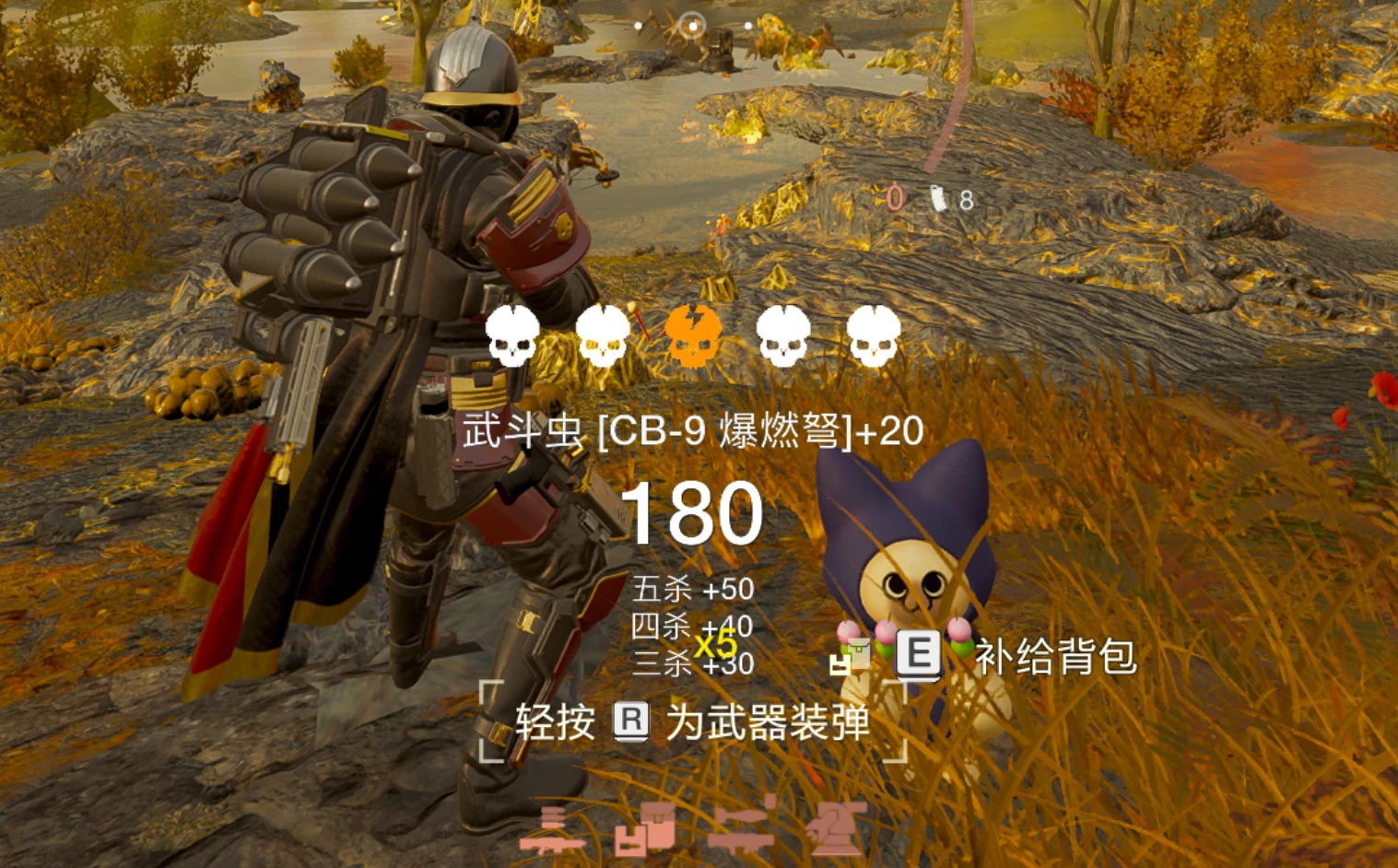
This mod is based on a modified version of bilibili @妙vec 's battlefield 5 kill feedback
这个mod是基于b站 @妙vec 的战地5击杀反馈的一个修改版本
I have tried to recreate the kill HUD and killsound from Battlefield V, and added a scoring feature
尽可能还原了《战地5》中的击杀HUD和音效,增添了计分功能
The mod integrates 3 sets of killsound from BF1, BF5, and BF6, there are four types of enemy kill feedback: light, medium, heavy, and flying
mod内置了战地1,战地5,战地6的三套音效,做了轻型、中型、重型、飞行四种类型敌人的击杀反馈
Updates
更新日志
-------------------------------------------------
· v1.3 Optimized memory usage, improved the scoring font, and added language selection
· v1.2 Added a new scoring funtion and fixed an issue where adjusting the volume affects the overall game volume
· v1.3优化内存占用,优化计分字体,增添了语言选择(目前击杀信息部分汉字仍有“ ?”的问题)
· v1.2新增计分功能,修复音量调整会影响游戏总体音量的问题
Requirements
需要安装的前置
-------------------------------------------------
· Bingus Shared Loader v18 or above,
· HD2Runtime v0.28.1,
· Mod Options Menu v1.1 (Optional, install for the best experience | 可选,安装以获得最佳体验)
-------------------------------------------------
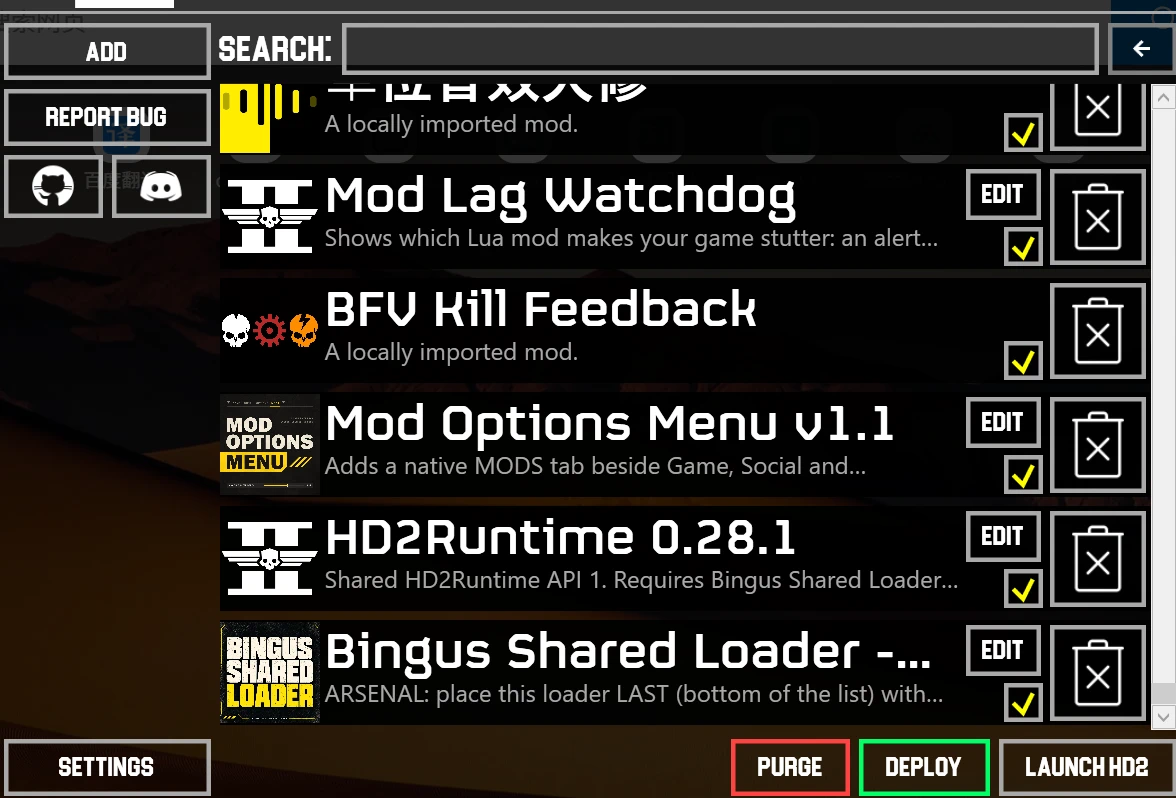
The installation sequence in the mod manager is as follows, Bingus Shared Loader needs to be placed at the bottom of all mods
在mod管理器中的安装顺序如下, Bingus Shared Loader需要被置于最底
Config Menu
配置界面
-------------------------------------------------
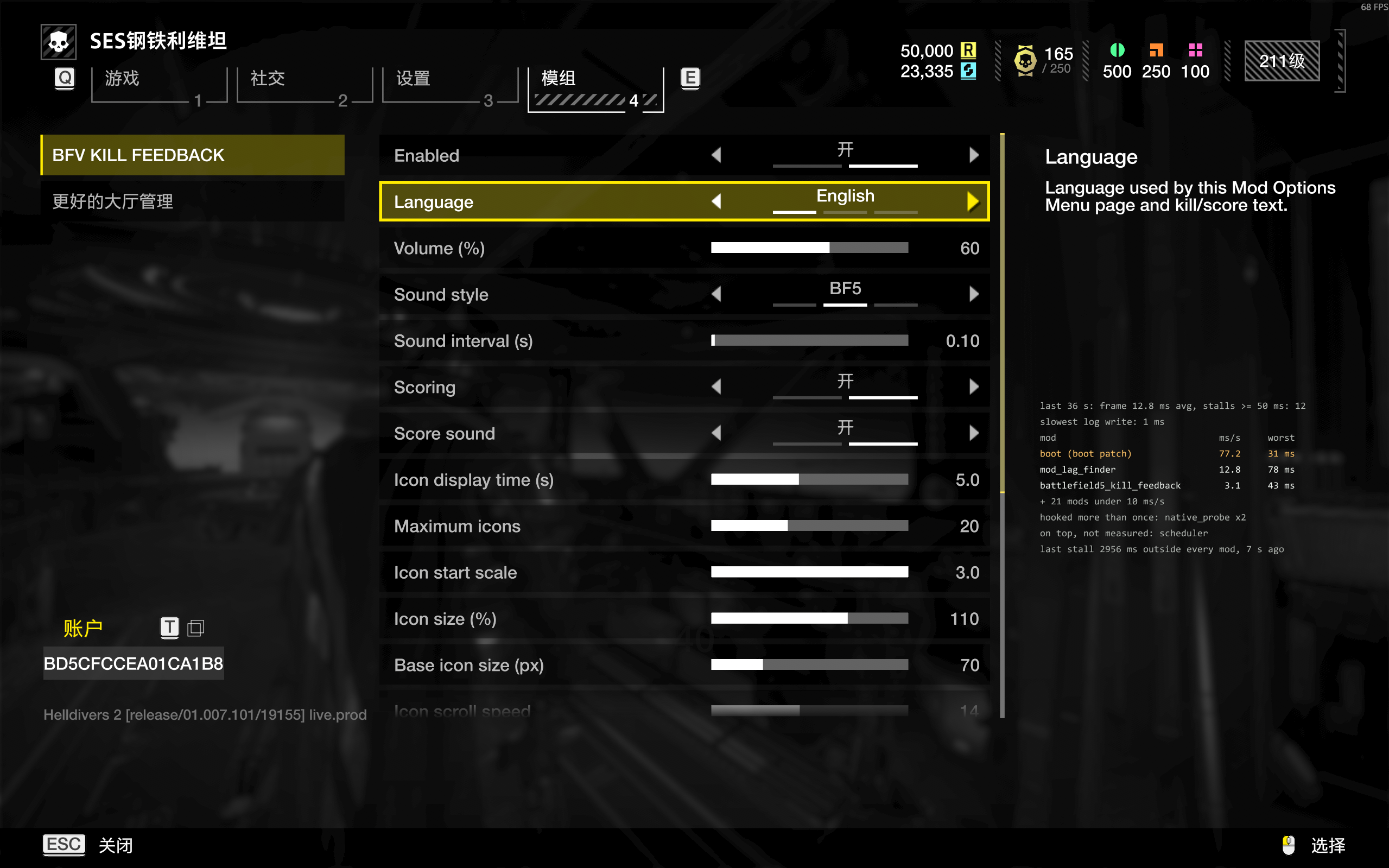
After installing the Mod Options Menu, you can directly configure the mod in-game.
安装Mod Options Menu后,游戏中可以直接对mod进行配置
↓ ↓ ↓ ↓ ↓ ↓ ↓ ↓ ↓ ↓ ↓
-------------------------------------------------
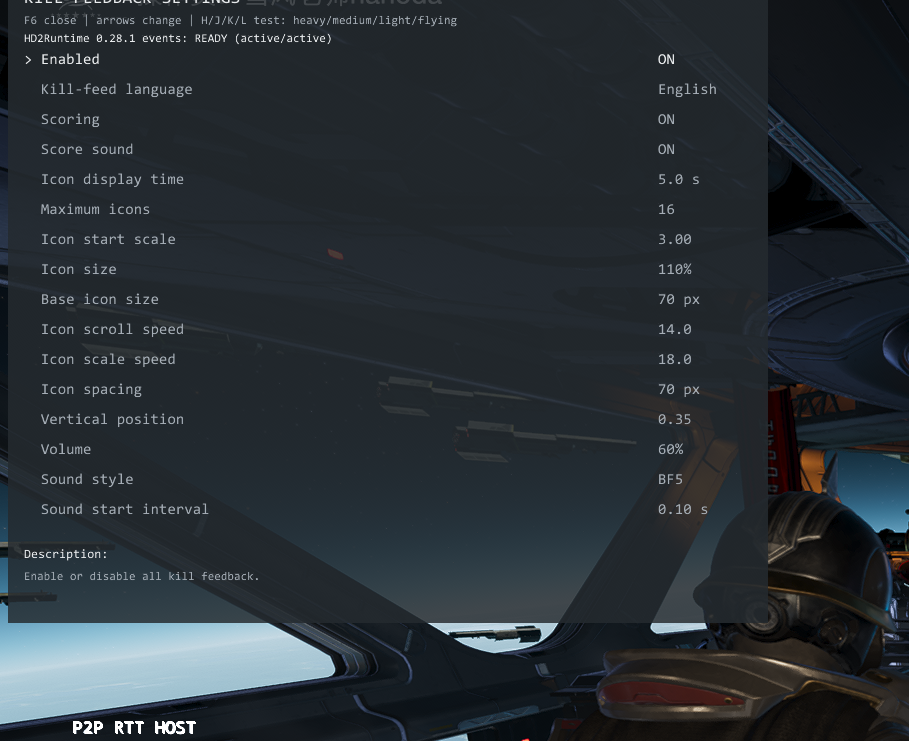
If the Mod Options Menu is not installed, press "F6" in-game to call the settings interface, use the "↑" and "↓" keys to select the adjustment options, and the "←" and "→" keys to adjust the values.
Press the "H", "J", "K", and "L" keys to test the kill feedback for four types: heavy, medium, light, and flying
若没有安装Mod Options Menu,则在游戏中按“F6”呼出设置界面,按“↑”和“↓”键选择调整项,按“←”和“→”键调整数值。
按“H”“J”“K”“L”四个键分别测试 重型,中型,轻型,飞行 四种类型的击杀反馈
↓ ↓ ↓ ↓ ↓ ↓ ↓ ↓ ↓ ↓ ↓
Video
演示视频
-------------------------------------------------
v1.3
View: https://youtu.be/oxERBP7UwfY
模组描述
-------------------------------------------------
This mod is based on a modified version of bilibili @妙vec 's battlefield 5 kill feedback
这个mod是基于b站 @妙vec 的战地5击杀反馈的一个修改版本
I have tried to recreate the kill HUD and killsound from Battlefield V, and added a scoring feature
尽可能还原了《战地5》中的击杀HUD和音效,增添了计分功能
The mod integrates 3 sets of killsound from BF1, BF5, and BF6, there are four types of enemy kill feedback: light, medium, heavy, and flying
mod内置了战地1,战地5,战地6的三套音效,做了轻型、中型、重型、飞行四种类型敌人的击杀反馈
Updates
更新日志
-------------------------------------------------
· v1.3 Optimized memory usage, improved the scoring font, and added language selection
· v1.2 Added a new scoring funtion and fixed an issue where adjusting the volume affects the overall game volume
· v1.3优化内存占用,优化计分字体,增添了语言选择(目前击杀信息部分汉字仍有“ ?”的问题)
· v1.2新增计分功能,修复音量调整会影响游戏总体音量的问题
Requirements
需要安装的前置
-------------------------------------------------
· Bingus Shared Loader v18 or above,
· HD2Runtime v0.28.1,
· Mod Options Menu v1.1 (Optional, install for the best experience | 可选,安装以获得最佳体验)
-------------------------------------------------
The installation sequence in the mod manager is as follows, Bingus Shared Loader needs to be placed at the bottom of all mods
在mod管理器中的安装顺序如下, Bingus Shared Loader需要被置于最底
Config Menu
配置界面
-------------------------------------------------
After installing the Mod Options Menu, you can directly configure the mod in-game.
安装Mod Options Menu后,游戏中可以直接对mod进行配置
↓ ↓ ↓ ↓ ↓ ↓ ↓ ↓ ↓ ↓ ↓
-------------------------------------------------
If the Mod Options Menu is not installed, press "F6" in-game to call the settings interface, use the "↑" and "↓" keys to select the adjustment options, and the "←" and "→" keys to adjust the values.
Press the "H", "J", "K", and "L" keys to test the kill feedback for four types: heavy, medium, light, and flying
若没有安装Mod Options Menu,则在游戏中按“F6”呼出设置界面,按“↑”和“↓”键选择调整项,按“←”和“→”键调整数值。
按“H”“J”“K”“L”四个键分别测试 重型,中型,轻型,飞行 四种类型的击杀反馈
↓ ↓ ↓ ↓ ↓ ↓ ↓ ↓ ↓ ↓ ↓
Video
演示视频
-------------------------------------------------
v1.3
View: https://youtu.be/oxERBP7UwfY
