Media Kit
Film your missions with the Shoulder Mounted Camera, and keep what you film.What it does
- F8 drops a camera rack in front of you, once per mission. Pick up the Shoulder Mounted Camera from it.
- The camera is put in your loadout's 4th stratagem slot.
- Your camera footage is saved as a real video. While your camera records in its first-person viewfinder, the game screen is recorded. When the mission ends, everything you filmed in it is saved as one video in Videos\Helldivers Camera. The parts where you were not filming are cut out.
- Don't want the video? Turn Screen recording off in Mod Options Menu. The camera still works in game; nothing is captured.
How to film
- Press F8 (once per mission) and take the camera from the rack.
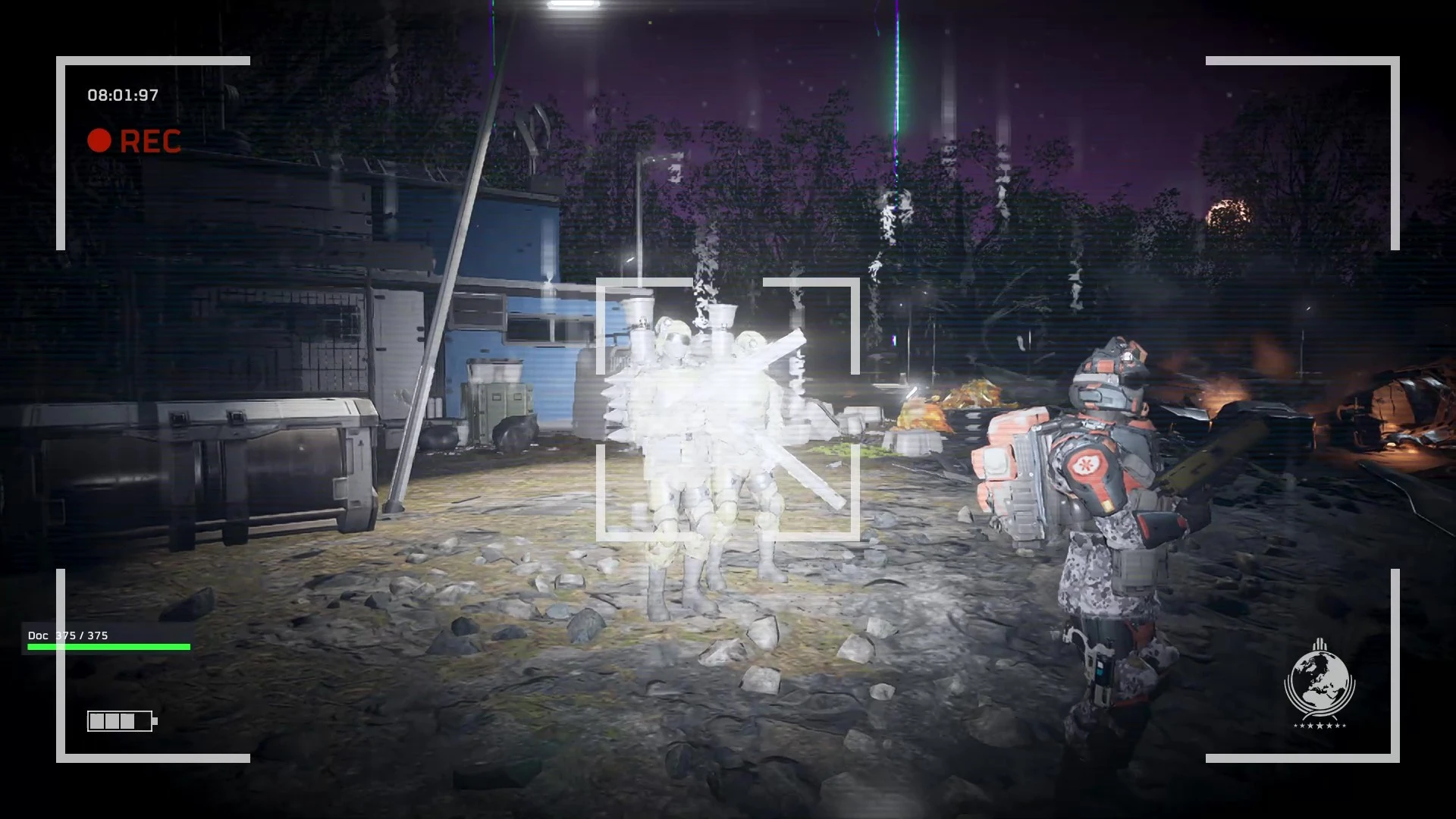
- Aim (right mouse / left trigger) and switch to first-person view while aiming. You see the camera's viewfinder (REC, timer, frame corners).
- Fire (left click / right trigger) to record. Only viewfinder footage is captured: third-person aiming and the zoom in and out are left out.
- Film as often as you like. At the end of the mission the video is saved as HD2 Round <date> <time>.mp4.
Requirements
- Bingus Shared Loader.
- Windows 10 (1903 or newer) or Windows 11: the recorder uses Windows Graphics Capture.
- Game build 25480438. Every game address is checked when the game starts; on another build the mod switches itself off and says so in its log.
- Optional: Mod Options Menu for the in-game Screen recording switch.
Install
- Install and enable Bingus Shared Loader.
- Import Media-Kit-1.0.0.zip in your mod manager, enable it, deploy, start the game.
- Pick any 4th stratagem in your loadout; Media Kit swaps it for the camera.
Settings
In game: with Mod Options Menu installed, press Esc, open MODS, pick MEDIA KIT: Screen recording on / off.Settings file:
%LOCALAPPDATA%\Hd2MediaKit\media_kit.cfg (created on first start, read at game start; every setting is explained in the file):- key=F8: the rack key (A-Z, 0-9 or F1-F12).
- record=1: screen recording on (0 = off).
- ads_only=1: only record in the first-person viewfinder (0 = whenever the camera records).
- merge_round=1: one video per mission (0 = one clip per recording).
- folder=: where videos go (empty = Videos\Helldivers Camera).
- fps=30, quality=16: frame rate and bitrate in Mbit/s (16 = about 120 MB per minute at 1080p).
- loadout_camera=1: put the camera in loadout slot 4 (0 = leave your loadout alone).
Good to know
- Video only, no sound.
- The video shows the game window as you see it, with the camera's viewfinder overlay and your HUD.
- If the game closes during a mission, the video so far is kept as a hidden next-clip.tmp.mp4 in the videos folder and plays up to its last second or so.
- Multiplayer: F8 works in any game, and teammates see and can use the camera. Calling the camera stratagem from slot 4 only works in your own game (the host checks stratagems).
Credits
No code from other mods is included.- CowboyBingus: Bingus Shared Loader and Mod Options Menu.
- bluecheeta314 / ice36656: HD2 Entity Summoner, for how to create entities in the game.
- The authors of Unlock Shear, Ombudsman & G11 Caltrops (and more) and M-103 / M-104 FRV Stratagem Unlock (AyakaMods), for how the game's stratagem registry works (used here only to give the mission-only Shoulder Mounted Camera a loadout slot).