
Maelstrom: Grenade Halo/金属风暴:环形雷幕 v0.10.6

A Mod for Helldivers 2
Maelstrom: Grenade Halo/金属风暴:环形雷幕 akl_mod_preview_image
  • HELLDIVERS 2 Screenshot 2026.10.13 - 13.53.01.01.png
    HELLDIVERS 2 Screenshot 2026.10.13 - 13.53.01.01.png
    4.4 MB · Views: 47
  • HELLDIVERS 2 Screenshot 2026.10.13 - 13.53.10.12.png
    HELLDIVERS 2 Screenshot 2026.10.13 - 13.53.10.12.png
    4.7 MB · Views: 45
  • HELLDIVERS 2 Screenshot 2026.10.13 - 13.53.29.18.png
    HELLDIVERS 2 Screenshot 2026.10.13 - 13.53.29.18.png
    3.6 MB · Views: 40

金属风暴:环形雷幕​

Maelstrom: Grenade Halo​

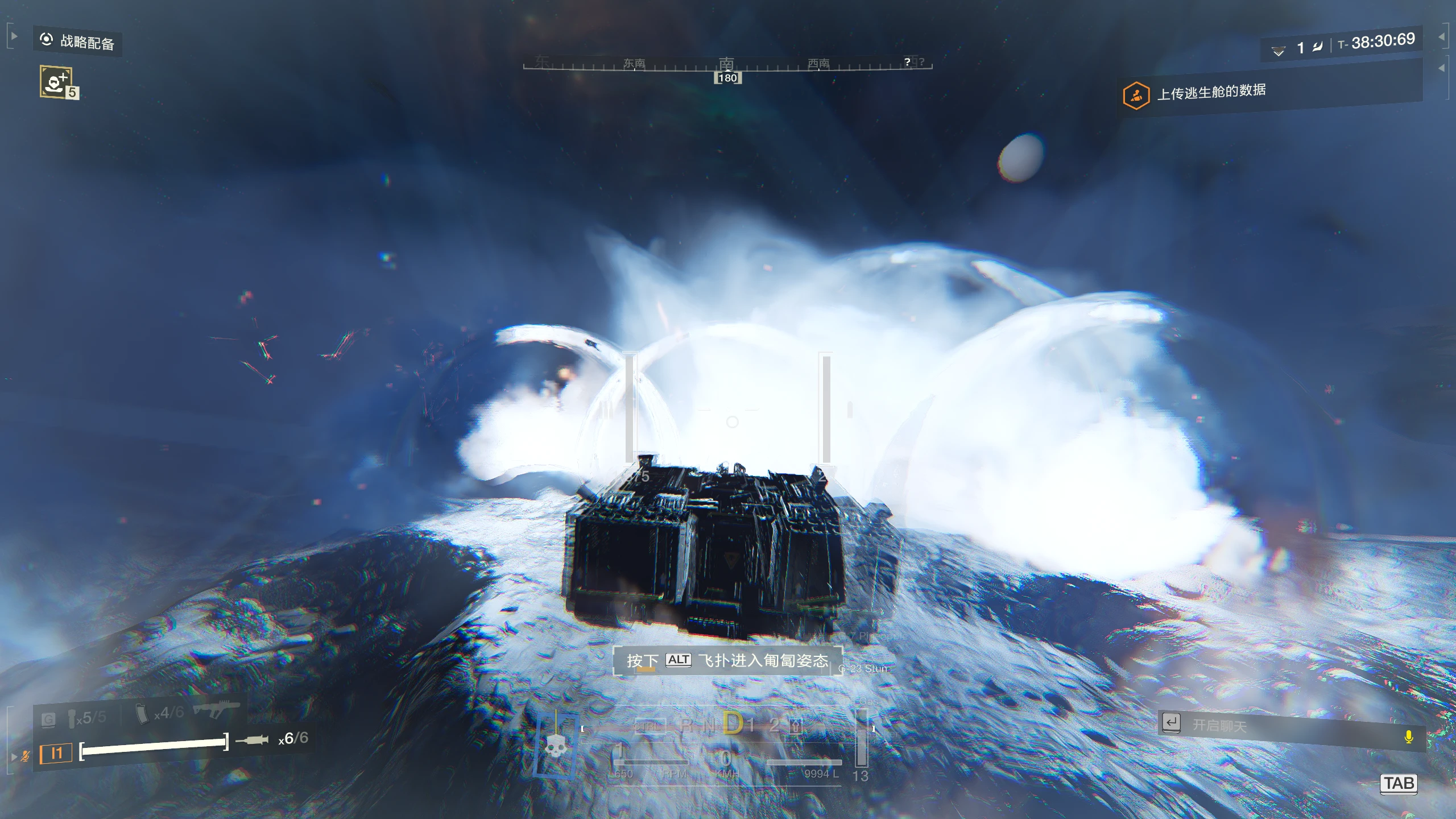
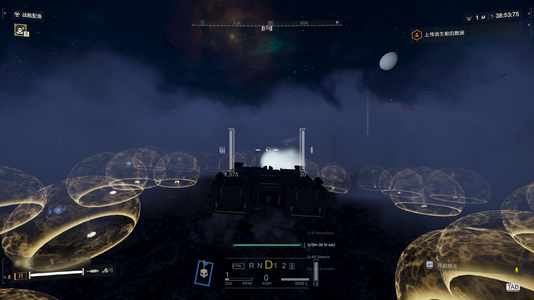
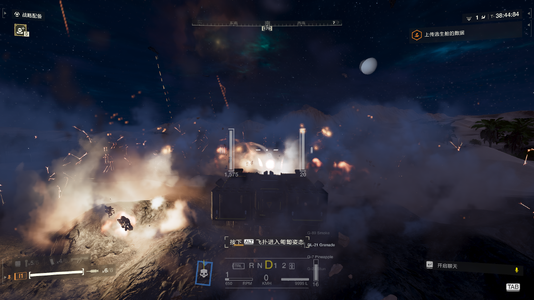
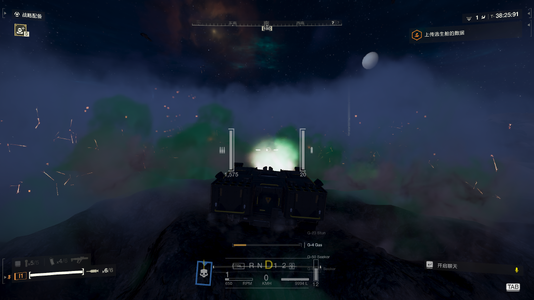
《金属风暴:环形雷幕》为坦克烟雾发射器添加可调的 360° 周边防御效果,并保留原有烟雾。支持榴弹、菠萝雷、眩晕雷、毒雷、两种寻踪雷、燃烧雷和盾雷,共八种投射类型。

通过 Mod Options Menu 调整投射数量、圆环范围、分布方式、同时或错落发射、投射间隔、单轮数量及烟雾备弹,无需携带对应武器或手雷。

操作说明
  • 在自己主持的任务中坐入金属风暴,按鼠标中键释放,按 B 切换弹种;冷却条满绿后可再次释放,长按不连发。
  • 设置:ESC → MODS → MAELSTROM GRENADE HALO → Apply。B 键可在 MBM 中改绑。
  • g 矢量版与 w 文字版二选一,安装后完整重启游戏。
  • 菠萝雷建议保持默认 4 个,高数量可能崩溃。 技能独立于烟雾备弹,原版烟雾可能同时触发
前置需求
  • 必需: Bingus Shared Loader v18+。
  • 调用道具:Shared-Equipment-Registry/通用装备写入器 v0.1.0e
  • 设置菜单: Mod Options Menu(MOM)1.2;未安装时使用默认设置。
  • 按键改绑: Mod Bindings Menu(MBM)2.2;可选,未安装时默认使用 B。
  • 单人驾驶: Armored Overhaul 3.2.0;仅需要单人驾驶时安装。

使用前请注意​

  • G-7 菠萝雷数量过高会导致严重卡顿,甚至游戏崩溃,请勿大量同时释放!
    每次主爆炸包含 18 个子弹头,设置 32 个可能产生最多 576 个子弹头。建议从 总数 4 个、错落发射、每轮 1 个 开始测试。菜单上限不代表稳定上限,错落发射也不能保证避免崩溃。
  • 当前为实验版本。
    两种寻踪雷和盾雷使用完整实体投掷,悬浮、索敌及护盾展开仍需游戏内验证。
  • 使用原版伤害配置,可能伤及自己、队友或载具。
    G-50 为 4 穿,G-60 为 5 穿。
  • 烟雾备弹设置仅对新召唤的坦克生效。
    应用后等待至少 1 秒,再召唤坦克。
  • 兼容性与依赖:
    适配 Armored Overhaul 3.2.0,依赖 Bingus Shared Loader v18+;设置菜单使用 Mod Options Menu v1.2。当前仅支持 Steam build 25480438,以及单人或房主任务。安装时请禁用其他烟雾插件。

v0.9.2 更新说明​

未发布,仅内部测试

  • 修复队友加入后技能无法触发的问题:纠正座位数量判断,支持联机时的座位表变化。
  • 将 G-3 替换为 G-89 烟幕弹,使用原版实体及碰撞触发逻辑。
  • 保留独立中键触发、1–120 秒自定义冷却和冷却进度条。
  • 增加座位识别日志,便于排查问题。

v0.9.3 更新说明​

  • 修复联机时释放投掷物可能导致未携带对应装备的队友闪退或掉线的问题。
    现已内置共享装备登记,房主进入任务后自动登记相关投掷装备,玩家无需为了避免该问题专门携带对应手雷。
  • 覆盖以下投掷物:
    G-7 菠萝雷、G-23 眩晕雷、G-4 毒雷、G-50 寻踪者、G-60 反坦克寻踪者、G-8 燃烧雷、G/SH-39 盾雷及 G-89 烟幕弹。
  • 原有技能操作、冷却和菜单设置保持不变。
  • 每种投掷物每局最多尝试登记一次;已有登记、登记表已满或装备 ID 无法解析时跳过。
联机验证: 盾雷方案已由用户反馈在联机中有效,其他投掷物仍需联机验证。

更新步骤: 替换旧版本,禁用独立的盾雷登记插件,然后重启游戏。


English​

Maelstrom: Grenade Halo adds configurable 360° perimeter defense to the tank’s smoke launcher while retaining its original smoke. Choose from eight payloads: grenades, Pineapple, Stun, Gas, Seeker, Anti-Tank Seeker, Immolation, and Shield.

Mod Options Menu lets you configure payload count, inner and outer radius, distribution, simultaneous or staggered firing, firing interval, per-round count, and smoke ammunition. No matching weapon or grenade needs to be equipped.

how to use
  • In a hosted mission, enter a Maelstrom seat. Press middle mouse to activate and B to cycle payloads. A full green bar means ready; holding the button does not repeat.
  • Settings: ESC → MODS → MAELSTROM GRENADE HALO → Apply. Rebind B through MBM.
  • Install either g Vector HUD or w Text Only, then fully restart the game.
  • Keep G-7 at the default four; high counts may crash the game. The ability is independent of smoke ammo; stock smoke may activate alongside it.
prerequisites
  • Required: Bingus Shared Loader v18+.
  • call object:Shared-Equipment-Registry/通用装备写入器 v0.1.0e
  • Settings: Mod Options Menu (MOM) 1.2; defaults apply without it.
  • Rebinding: Mod Bindings Menu (MBM) 2.2; optional, B works without it.
  • Single-person driving: Armored Overhaul 3.2.0; optional.


Please Read Before Use​

  • High G-7 Pineapple counts can cause severe stuttering or crash the game. Avoid large simultaneous volleys!
    Each main explosion produces 18 bomblets; a count of 32 can generate up to 576 bomblets. Start testing with 4 total, staggered firing, and 1 per round. The menu maximum is not a safe operating limit, and staggered firing does not guarantee stability.
  • This is an experimental release.
    Both Seekers and Shield use full throwable entities; hovering, homing, and shield deployment still require gameplay verification.
  • Stock damage settings apply. Payloads may harm you, teammates, or vehicles.
    G-50 has AP4, and G-60 has AP5.
  • Smoke ammunition changes apply only to newly summoned tanks.
    Apply the setting, wait at least 1 second, then summon a new tank.
  • Compatibility and dependencies:
    Designed for Armored Overhaul 3.2.0. Requires Bingus Shared Loader v18+; configuration uses Mod Options Menu v1.2. Currently supports Steam build 25480438 and solo or host missions only. Disable other smoke addons before installing.

v0.9.2 Changelog​

Unreleased — internal testing only

  • Fixed ability activation failing after teammates join by correcting seat-count validation and handling multiplayer seat-table changes.
  • Replaced G-3 with G-89 Smokescreen, using the stock entity and impact-detonation behavior.
  • Retained independent middle-mouse activation, customizable 1–120-second cooldown, and the cooldown progress bar.
  • Added seat-detection diagnostics for troubleshooting.

v0.9.3 Release Notes​

  • Addresses multiplayer crashes and disconnects affecting players who do not have the corresponding throwable equipped when the mod deploys it.
    Shared equipment registration is now built in and runs automatically after the host enters a mission, removing the need to equip matching grenades solely to avoid this issue.
  • Covers the following throwables:
    G-7 Pineapple, G-23 Stun, G-4 Gas, G-50 Seeker, G-60 Anti-Tank Seeker, G-8 Immolation, G/SH-39 Shield, and G-89 Smokescreen.
  • Existing ability controls, cooldown, and menu settings remain unchanged.
  • Registration is attempted at most once per throwable per mission. Entries are skipped if already registered, if the registration table is full, or if the equipment ID cannot be resolved.
Multiplayer verification: The Shield method has been reported effective in multiplayer by the user; the other throwables still require multiplayer verification.

Updating: Replace the previous version, disable the standalone Shield registration addon, and restart the game.
54.9 KB
Log in or sign up to download
Uploaded by
2231qwe111231231
Downloads
55
Comments
10
Views
1,021
First release
Last update
Platform
PC 
Version
v0.10.6
Rating
0.00 star(s) 0 ratings

Uploaded by

  • 55
  • 1,021

Ratings

0.00 star(s) 0 ratings

Tags

There are no tags available.

More mods from 2231qwe111231231

  • PC Shared-Equipment-Registry/通用装备写入器

  • PC Maelstrom shoot AC8 ammo(ap&flak) 金属风暴射击机炮弹药(穿甲&高射)

Latest updates

  1. fit fot serv2.0

    fix some issue cause cant call object
  2. issue fix

    fix some issue
  3. issue fix

    # v0.10.4g / v0.10.4w ## 中文 - 移除模组内置的原生共享装备登记,改用 Shared Equipment Registry v0.1.0e 的公开 API。 -...

2231qwe111231231

Members
Members
Sep 19, 2026
9
1
well because of the loading rule in hd2,if host player use bubble shield and no one equip it will make other player disconnet i will try to fix that,and the issue sometimes it doest work
 

Kanortex2911

Members
Members
Sep 20, 2026
9
4
Trying to use the shield grenades causes the ability to become non-functional for the remainder of the mission with the W version
 

nignadres

Members
Members
Sep 29, 2026
8
2
i am not been hable to shoot any other type of granade even if i select the granade as describe here, i right click but just same smoke granades :0 nothing else
 

2231qwe111231231

Members
Members
Sep 19, 2026
9
1
Trying to use the shield grenades causes the ability to become non-functional for the remainder of the mission with the W version
I've already solved this problem. Download the latest version of the mod and use SER (Shared Equipment Registry) to register the projectiles into the shared equipment registry. BTW, may I ask whether you're playing as host or as a client? I haven't tested SER writes on the client side yet.
 

2231qwe111231231

Members
Members
Sep 19, 2026
9
1
Trying to use the shield grenades causes the ability to become non-functional for the remainder of the mission with the W version
The cause of this problem should be that someone was carrying a shield grenade. SER refused to write the equipped weapon back to register, and Halo recognized the register and therefore refused to invoke it. The new version of SER additionally distinguishes the equipped state.
 

2231qwe111231231

Members
Members
Sep 19, 2026
9
1
i am not been hable to shoot any other type of granade even if i select the granade as describe here, i right click but just same smoke granades :0 nothing else
Halo has set up a separate key, the middle mouse button, to trigger it, rather than the right mouse button. Also, the smoke grenade might be a feature of the single-player tank; its default smoke grenade trigger is also the middle mouse button. In addition, this feature needs to be used by pressing the middle mouse button while in the turret position. Also, I hope you can report whether there is a cooldown bar at the bottom center of the screen when this mod is enabled.
 

Randossy

Members
Members
Sep 22, 2026
20
1
Is this incompatible with Shodan or HD2REditor? Any other known incompatibilities? Seems like it just doesn't work for me. I get the menu and all, but can't activate it via middle mouse button or cycle grenades via assigned key
 

2231qwe111231231

Members
Members
Sep 19, 2026
9
1
Is this incompatible with Shodan or HD2REditor? Any other known incompatibilities? Seems like it just doesn't work for me. I get the menu and all, but can't activate it via middle mouse button or cycle grenades via assigned key
Have you installed my prerequisite mod, SER (Shared Equipment Registry)?It calls the corresponding projectile resources through SER. It will not fire the projectile if it receives no feedback from SER. This mechanism is designed to prevent the issue where all players get disconnected when a spawned projectile has no owner present in the match.
 

Randossy

Members
Members
Sep 22, 2026
20
1
I do have it installed indeed. I have the following order:
Other mods
Grenade Halo
SER
HD2 Scanner
HD2 Runtime
Bingus Shared Loader (highest priority)
 

Randossy

Members
Members
Sep 22, 2026
20
1
Alright, I've tested it further. Seems like with the UI version installed, I can actually see that entering a tank for the first time after starting the game, does give the UI and activates, but only for a split second. From there the UI disappears and the smoke goes back to vanilla mode