
OBJECTIVE TRACKER
Objective icons • Live distances • Compass or arrow navigation
Support my work on Patreon
Objective icons • Live distances • Compass or arrow navigation
Support my work on Patreon
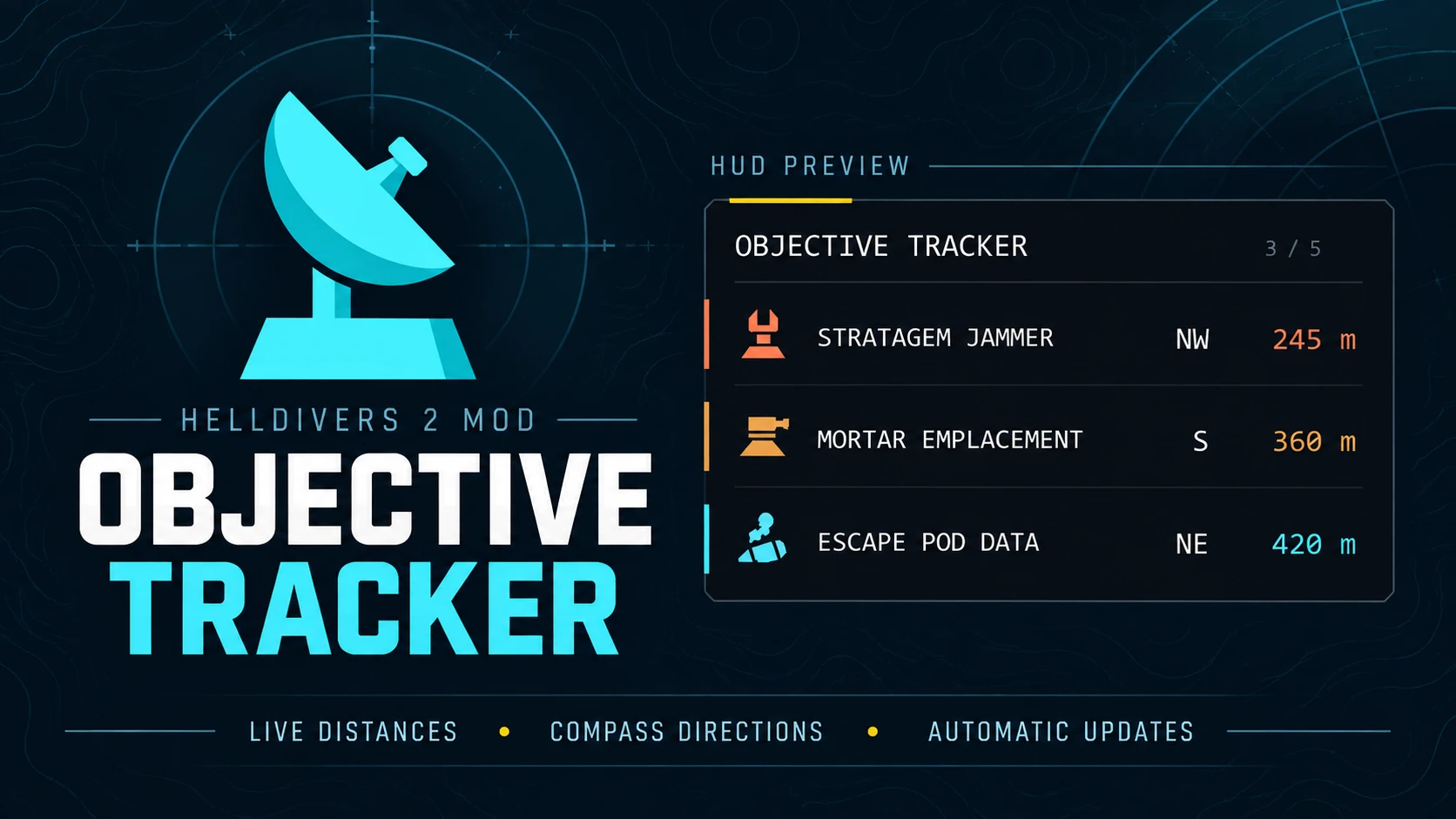
Objective Tracker helps you find your next objective and plan your route across the battlefield. Side objectives, enemy installations, selected mission tasks and specimen samples appear in one customizable HUD, each with its own icon, live distance and compass direction. Terminid nest tracking is available as an option.
Targets are sorted by distance as you move. Completed objectives disappear automatically, making room for the next destination.
FEATURES
- Automatic completion tracking. Objectives clear when their completion is confirmed. Supported installations also clear when destroyed.
- Help with search areas. Locate supported codes, coordinates, uplinks, black box destinations and survey sites within mission search areas.
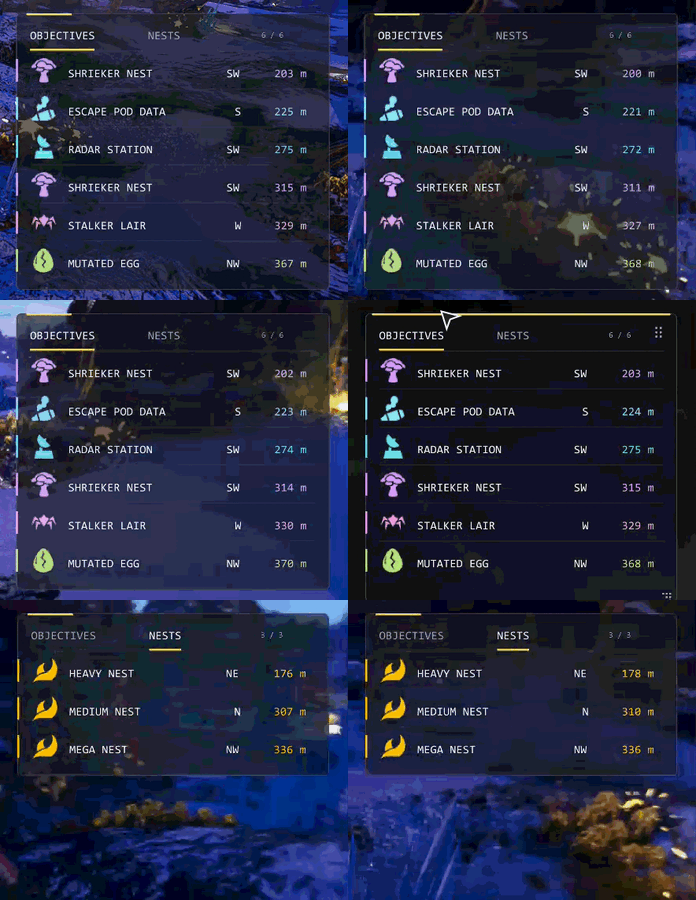
- Terminid nest tracker. Optionally track light, medium, heavy and mega nests with their own icons, distances and directions. Cleared nests are removed automatically. Hidden on Automaton and Illuminate missions.
- Compass or arrow navigation. Show compass directions (default) or navigation arrows that point relative to your view.
- Item carrier labels. See who is carrying an Automaton head, mutated egg or mutant larva through their squad tag, such as Carried by D1. Labels update when items are picked up, dropped or passed between players.
- Tabs, Columns or Stacked layouts. Arrange objectives and nests the way you prefer. Tabs is the default.
- Flexible panel sizing. The panel adjusts to its contents, making room for longer names and removing unused space. Longer lists fit within your chosen height without shrinking the text.
- English and Simplified Chinese. Switch the tracker's language independently of the game's text language. A Chinese HUD font is included, with an English fallback if it cannot load.
- Display options. Keep the tracker visible during play, show it with the tactical map, hide it when no targets remain or hide it while ESC is open.
CUSTOMIZATION
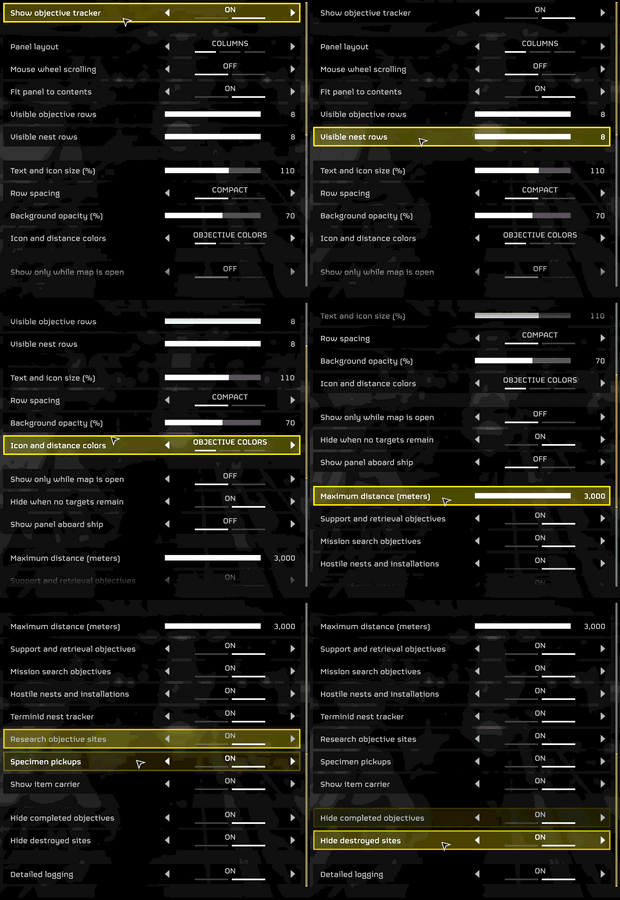
Open MODS > Objective Tracker to adjust your layout:
- Change background transparency and choose an icon and distance color theme.
- Set text size, icon size and row spacing.
- Choose the maximum tracking distance and number of visible targets, with separate row limits for objectives and nests.
- Pick a layout: Tabs, Columns or Stacked.
- Choose the navigation display: compass directions or arrows.
- Filter objective categories to show the targets you want, and turn the Terminid nest tracker on or off.
- Enable or disable item carrier labels.
- Choose your language: English or Simplified Chinese.
- Choose when the panel appears, including whether to show it aboard your ship or hide it while ESC is open.
Press ESC to drag the panel by its header or resize it from an edge or corner. While ESC is open you can also scroll long lists with the mouse wheel; closing ESC returns the lists to the nearest targets. Your layout is saved between sessions. Fit panel to contents is enabled by default; turn it off if you prefer fixed dimensions.
The panel remains available in ESC for layout adjustments, including aboard your ship. Tracking continues while the panel is hidden during gameplay.
SUPPORTED TARGETS
- Support and retrieval: Radar Stations, Mobile Radar on Hive Worlds, SEAF Artillery, SEAF SAM Sites, Escape Pod Data, Mutant Larvae and Secondary Extraction Zones.
- Enemy installations: Stratagem Jammers, Cognitive Disruptors, Detector Towers, Anti Air Emplacements, Mortar Emplacements, Gunship Fabricators, Illegal Broadcasts and Compromise Automaton Defenses.
- Terminid objectives: Spore Spewers, Shrieker Nests and Stalker Lairs.
- Terminid nests (optional): Light, medium, heavy and mega nests.
- Research and specimens: Research sites, Automaton Heads and Mutated Eggs.
- Mission search tasks: Launch Codes, city Access Codes, Communication Uplinks, Obtain Coordinates, Black Box recovery and upload, Seismic Probe sites and Prospecting Drill sites.
Mission stages are tracked separately. Collecting coordinates clears that entry while the soil scan remains. Black Box recovery and upload use separate destinations.
REPORTING A PROBLEM
If an objective is missing or stays listed after completion, enable Detailed logging under MODS > Objective Tracker before reproducing the issue. Close the game and copy:
Code:
%LOCALAPPDATA%\CowboyBingus\Helldivers2\Logs\ObjectiveTracker.logInclude the mod version, objective name, what happened and whether you hosted or joined. For destroyed installations, include your Hide destroyed sites setting. Copy the log before your next session, then turn detailed logging off.
Special thanks to Fosterar and Shiv for their testing, feedback and support, and to CowboyBingus for the shared loader and mod menus.
