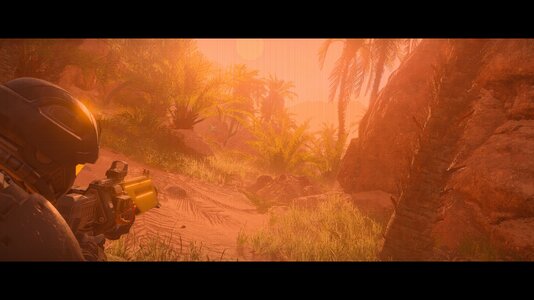
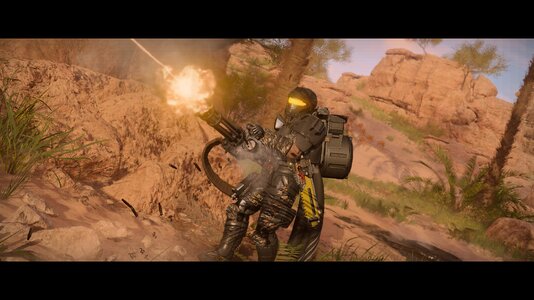
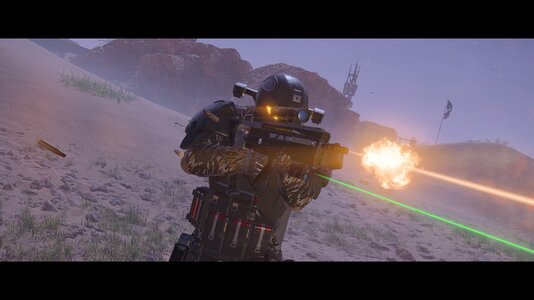
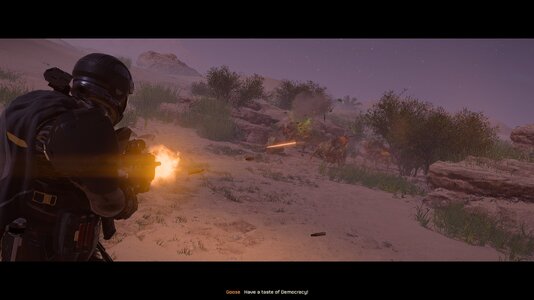
WAR JOURNALIST 1.1.0
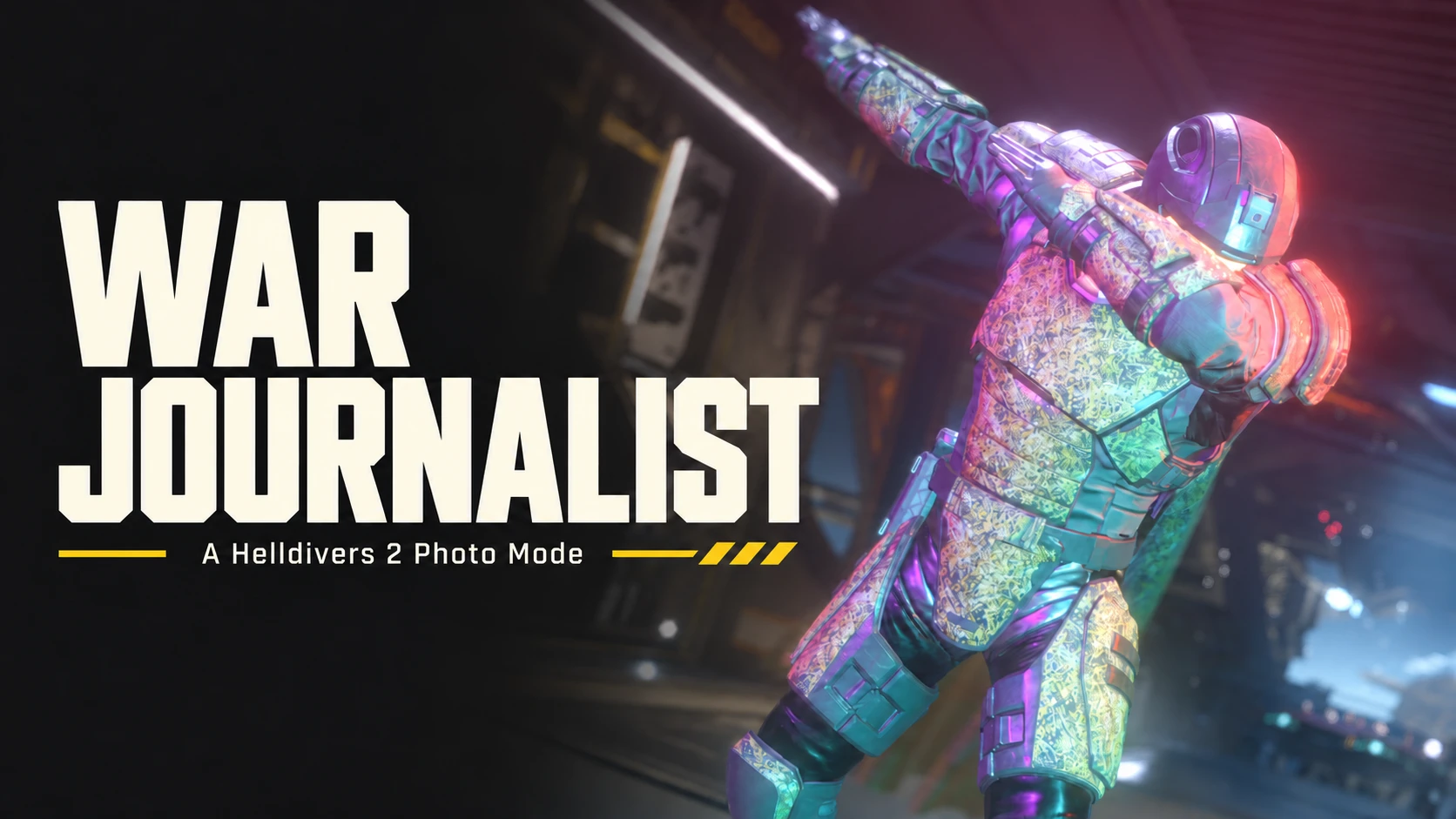
A Helldivers 2 Photo Mode
NEW IN 1.1.0
1.0.1 — Actually 1.0 this time.
All 1.0 features, photos, credits and testing limits remain included below.
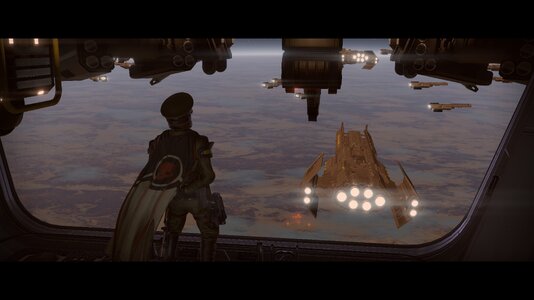
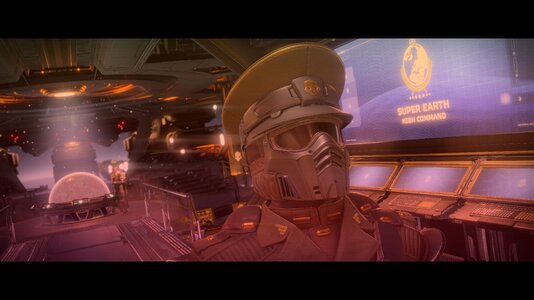
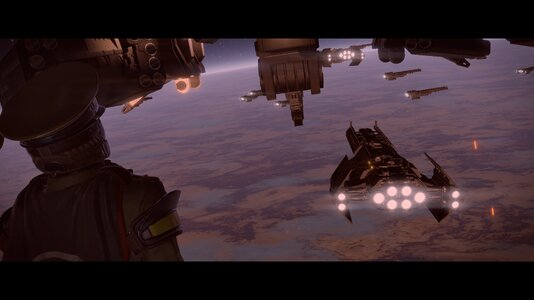
Stop the action. Find your angle. Build the shot.
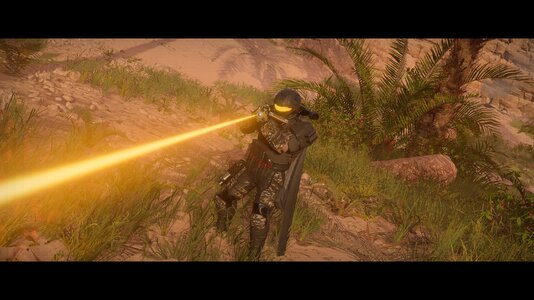
1.0 is here! Place a static action camera, play a camera path while controlling your Helldiver, freeze the shot, and build it with poses, lights, lenses and scene effects. Everything comes in one complete download for your chosen loader.
A HUGE THANK YOU TO EVERYONE SHARING PHOTOS!
Your shots, testing and bug reports have helped shape War Journalist and get us here. Seeing what you're making with these tools has been amazing. Please keep the photos coming. This release is for everyone helping build that community.
NEW IN 1.0
A PROPER LENS

Native camera DoF now exposes focus distance and aperture. Double-click a subject to focus repeatedly, or enable Center auto-focus to track the center of the frame. There are 24/35/50/85/135 mm lens presets, roll/portrait shortcuts, and fine focus steps down to 0.001 m.
Shader DoF offers stronger round or hexagonal bokeh: 1–8× blur strength (4× by default), with 64 samples in Standard and 128 in Smoother. This new strength/quality path remains a preview and needs broader visual testing. Its full-resolution compositor now allows scene effects and color grading alongside DoF. The former dim/cool tint and focused-color rectangle were corrected. Native remains the blur-quality baseline; Shader remains a preview.
A NEW PHOTO STUDIO

STRIKE A POSE
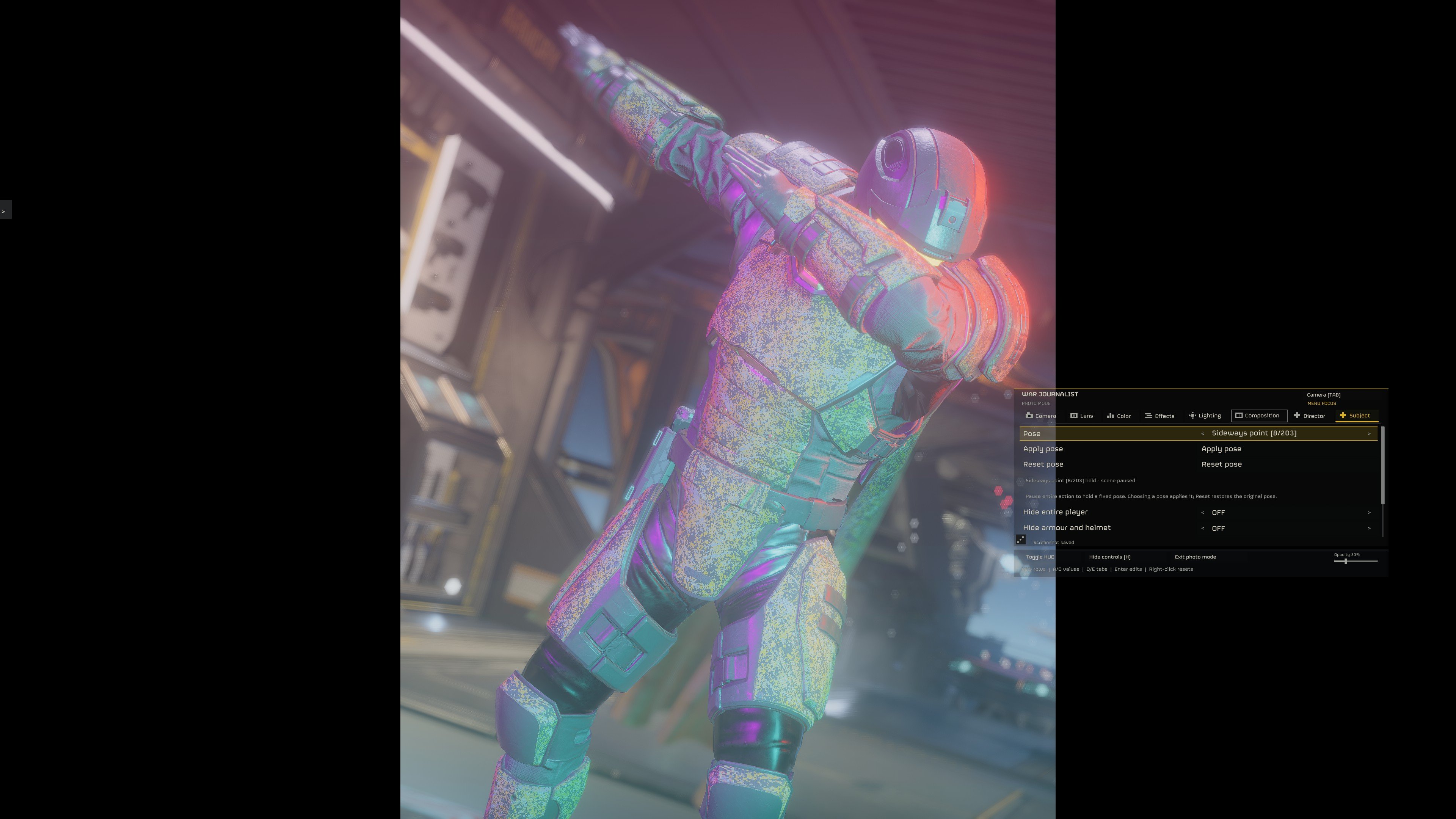
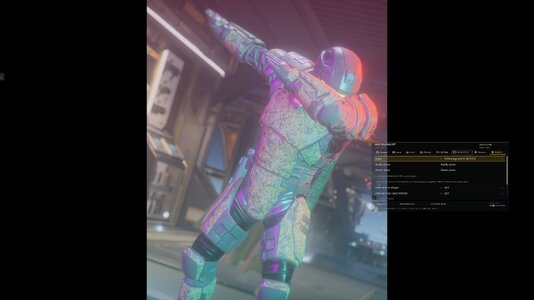
213 sampled pose frames and variants are available under Subject, including Salute, Wave, Taunt, push-ups and the dab shown here. Turn Freeze Action ON and choose a pose: your Helldiver changes pose immediately while the world stays frozen. Reset pose restores the original stance. These are sampled emote/action frames, not a claim of 213 unique store emotes; unidentified clips retain development labels. Props and a second participant are not spawned.
Supported capes follow the posed shoulders with their original appearance intact, including across pose changes and Reset. The additional outfit/cape variant reported by testers is corrected too. The existing frozen cloth shape is retained; cloth is not re-simulated. Unsupported cape classes still skip the correction.
LIGHT THE SCENE

Add up to three owned point or spot lights. Adjust color, intensity up to 10,000, range up to 1,000 m, cone, placement and camera follow. On-screen indicators show their position; remove individual lights or clear them all. Reopening Photo Mode recreates your placed lights in the same scene; you no longer have to add them again. Numbered, color-coded indicators stay visible with the menu open and can be dragged across the camera plane. Hold Shift for finer placement. The color editor has an Apply button and a live swatch/HEX preview.
Choose Key / Fill / Rim, Portrait, or Dramatic side lighting presets aimed at the selected subject. Save up to five subject-relative lighting setups across restarts. New lighting tools and broader mission coverage: Not tested fully.
Dedicated mission light asset included. This release includes a dedicated light unit so spawning no longer relies on a ship-only prefab. The earlier ship light worked in-game; the new mission asset has offline validation and still needs broader live testing.
DIRECT THE ACTION
The global AI toolbar offers Normal, Passive and Dummy enemy behavior in verified solo missions. Passive sets the owned player no-aggro flag while allowing normal movement; Dummy suppresses enemy behavior and restricts ordinary movement. The selection continues after leaving Photo Mode. Passive follows player replacement; Dummy discovers arriving enemies. Use Reset AI to Normal to restore combat. Joining players reset the behavior and gray these controls out; restarting the game begins at Normal. Physics, damage and an attack already in progress can still continue. The control includes an icon for the current mission's enemy faction. AI processing itself remains active.
Action shots and camera paths
Place the camera, then choose Director → Begin action shot. Your Helldiver regains gameplay controls while the photo camera stays where you put it. Use your screenshot shortcut, then press your Photo Mode key to reposition; Exit Photo Mode returns to the gameplay camera. If Freeze was enabled before the shot, returning to placement freezes again. Your selected slow-motion rate is preserved throughout.
Add up to 32 camera points, set each segment's duration, and choose Smooth or Cut. Play the path while you perform; its final view stays held. These paths are temporary and belong to the current player/scene. A brief unavailable scene read no longer discards recorded points, while confirmed player or scene changes end the shot and clear them. Five saved player-relative Director positions remain a separate feature and survive restarts.
BUG FIXES THAT MATTER
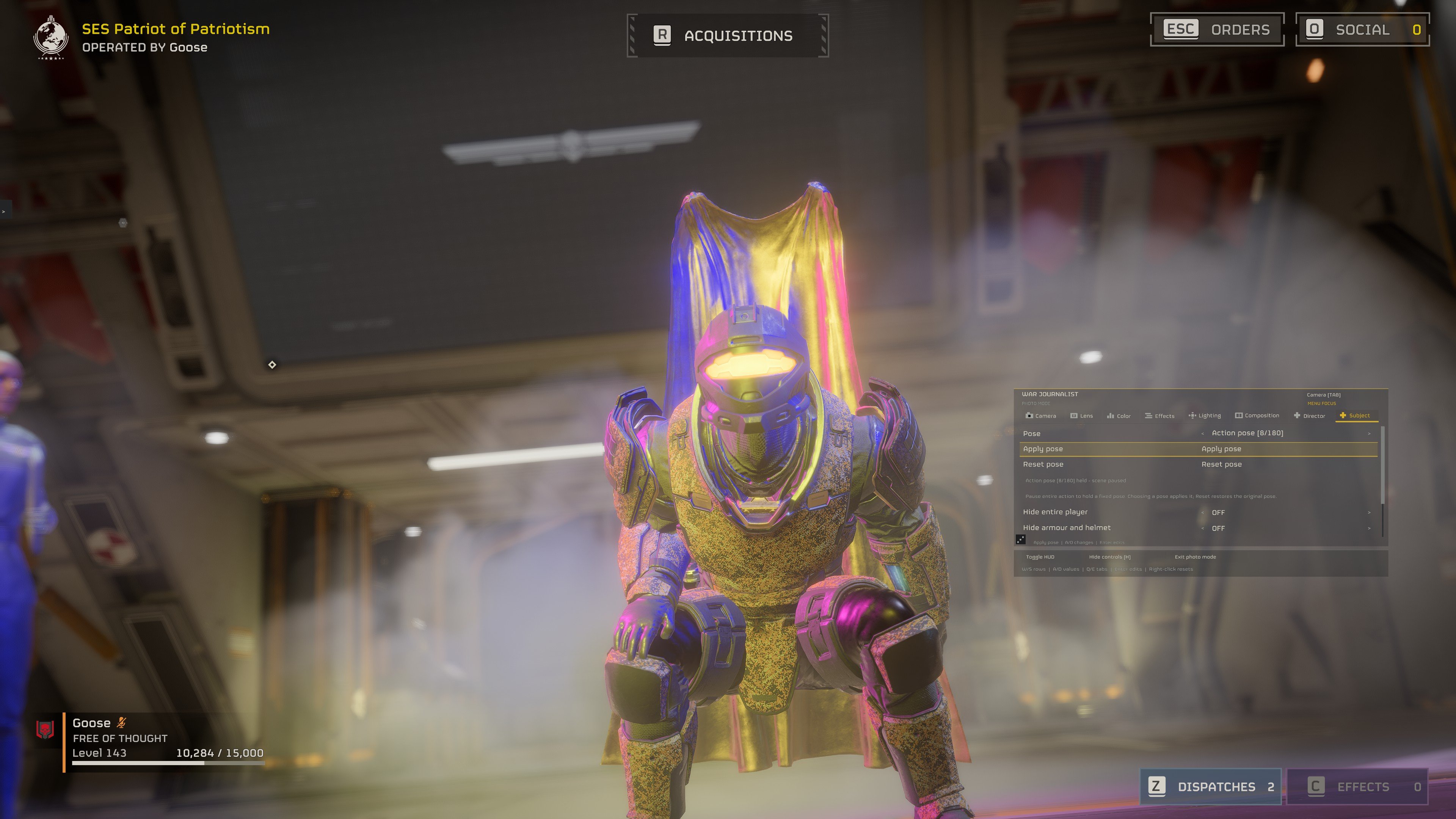
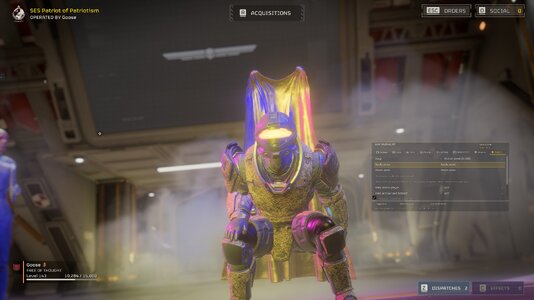
FIXED — floating cape during fixed poses. The image above shows the old bug. The original cape follows supported poses and restores correctly on Reset, including the additional reported outfit variant.
Further fixes: paused-time pose controls staying grayed out, nested player equipment remaining visible, lights needing to be re-added, missing color Apply controls, and cleanup stopping after a menu-close error. Enemies remaining hostile in Dummy/Passive: fixed. Stale borrowed detector references no longer block each enemy's own controls; suppression refreshes more promptly. Both modes were verified again in a live mission. Broader mission testing continues.
Existing free camera, camera lock, solo pause/slow motion, 40 decorative overlays, framing guides, vignette, grain and scene treatments remain available. Scene treatments include Negative, Monochrome, Posterize, Duotone, Solarize, Inverted depth, Thermal depth, Depth contours and Depth fog, plus exposure/contrast/saturation.
ONE COMPLETE DOWNLOAD FOR YOUR LOADER
BSL — recommended main file
Download War-Journalist-1.1.0-BSL.zip
Requires Bingus Shared Loader v15+ / API 1. Import the complete BSL ZIP into HD2 Arsenal, enable it alongside BSL, deploy and restart normally. Manual patch installation is covered in INSTALL.txt.
MDL — optional alternative
Download War-Journalist-1.1.0-MDL.zip
Requires MDL API 2. Copy the included dbf_freecam folder into MDL Mods. Import this complete MDL ZIP into Arsenal to install its GameData assets, enable and deploy, then restart. The package contains no nested archives. GameData is also available for manual installation; use one asset installation method. Arsenal installs the assets only; the MDL runtime folder must still be copied separately.
Nexus provides BSL and MDL. GitHub provides BSL, MDL and LLL. Choose one runtime. Every ZIP includes all required runtime, shader, material, light and logo resources. No separate asset download is required. MCM, DBF-HUD, ActionCam and Link's Link to Memory are not prerequisites. MCM integration is optional.
When upgrading, preserve settings/presets/screenshots, disable the older Photo Mode runtime, and replace any older separate Photo asset candidate with the matching bundled assets. Restart after deploying assets.
The Photo Mode camera is independent. The former ActionCam adapter and signatures are removed. Other camera mods still need to respect input/camera ownership. Check that Restart ActionCam is not bound to M1.
DEFAULT CONTROLS
P Photo Mode • Tab camera/menu focus • Pause screenshot • H hide controls
WASD camera movement • Shift/Ctrl rise/descend • Mousewheel speed • Q/E roll • L camera lock
In menu focus: W/S rows • A/D values • Q/E tabs • Enter edit • Escape cancel • Right-click reset
All bindings are configurable; saved bindings take priority.
Screenshots: BSL saves to %LOCALAPPDATA%/DBF/PhotoMode/Screenshots; MDL saves to its mod folder's Screenshots directory. Some ship UI may remain visible. Pause uses the mod's capture; it does not intercept Windows Print Screen.
TESTING NOTES
Pause and slow motion require a verified solo session. Freecam remains available in multiplayer. Guarded hover pause resumes before losing input capture. The hoverpack fix covers the reported reproduction, not every equipment/controller combination. Fixed poses and AI changes also require verified solo authority. Action-shot return/Freeze/slow-motion behavior and the reported frozen-ragdoll hold/resume were confirmed in live development tests; broader scene, equipment and camera-mod transitions still need coverage.
Light fix: Not tested fully. The reported Alt-Tab/fullscreen/bloom/DoF crash triggers stayed stable in the Radeon registry-only test. HDR/SDR switching and unrelated crashes are not covered by that result. AI modes require a verified solo mission; they are unavailable in multiplayer. Unsupported cape classes skip the cape correction. Stronger shader blur, lighting tools and scene transitions still need broader coverage. Shader registry conflicts with other shader packs require merging.
SOURCE & CREDITS
Source, documentation and GitHub downloads
Historical camera foundation credit (former implementation): ActionCam by HuedPurple. Native UI/font reader: CowboyBingus (0BSD). Selected native reader work: Link (MIT). Licenses and individual logo source/author attribution are bundled. Helldivers 2 and Arrowhead artwork belongs to its respective owners. Please send bug reports with the loader, scene/equipment, and steps to reproduce.
A Helldivers 2 Photo Mode
NEW IN 1.1.0
- Passive / no aggro: player-side bit replaces repeated enemy scans. Solo-only. Normal restores our flag; AI keeps running. So uh... don’t get too comfy.
- Independent photo camera: removed the ActionCam adapter/dependency, with camera/input recovery fixes.
- Performance: no enemy scans for Passive; bounded Dummy work and cheaper transform-only light-follow updates.
- Follow Player: moves the complete lighting rig, including newly added lights.
- Hoverpack: restoration clock and pause-entry fallback corrected; native hooks remain removed.
1.0.1 — Actually 1.0 this time.
- BSL startup fixed with supported ActionCam: the verified ActionCam 2.3.1/2.4 callbacks are found through loader wrappers. Exact compatibility signatures remain required.
- Pick your tab layout: Composition → Menu layout → Tab layout now offers Slim or Stacked, saved through restarts. The global controls stay within reach.
- Cute new icons: Director gets a clapperboard, Subject a helmet, and Controls a cross.
All 1.0 features, photos, credits and testing limits remain included below.
Stop the action. Find your angle. Build the shot.
1.0 is here! Place a static action camera, play a camera path while controlling your Helldiver, freeze the shot, and build it with poses, lights, lenses and scene effects. Everything comes in one complete download for your chosen loader.
A HUGE THANK YOU TO EVERYONE SHARING PHOTOS!
Your shots, testing and bug reports have helped shape War Journalist and get us here. Seeing what you're making with these tools has been amazing. Please keep the photos coming. This release is for everyone helping build that community.
NEW IN 1.0
- Action shots: place the camera, choose Begin action shot, and control your Helldiver while the camera holds its position, angle, roll and field of view. Press your Photo Mode key to reposition.
- Camera paths: record up to 32 points, edit segment durations, and choose Smooth movement or Cuts. The final camera stays held when playback finishes. Paths belong to the current scene/session and are not saved across restarts.
- Global controls: Freeze Action, Slow Motion with a speed slider, Lock Camera and enemy behavior stay within reach. Slow-motion selection and speed are retained when entering or leaving Photo Mode; Freeze remembers that rate. Returning from an action shot restores Freeze if it was enabled beforehand.
- Solo AI toolbar: Normal, Passive and Dummy, with a mission-faction icon, persistent behavior and Reset. These controls gray out in multiplayer.
- Input and pose fixes: native menu/chat handoffs, camera cursor confinement, buffered double-click focus, additional cape handling, hidden Maxigun ammunition feeds, and a captured-pose fix for the reported ragdoll spinning at zero time.
A PROPER LENS
Native camera DoF now exposes focus distance and aperture. Double-click a subject to focus repeatedly, or enable Center auto-focus to track the center of the frame. There are 24/35/50/85/135 mm lens presets, roll/portrait shortcuts, and fine focus steps down to 0.001 m.
Shader DoF offers stronger round or hexagonal bokeh: 1–8× blur strength (4× by default), with 64 samples in Standard and 128 in Smoother. This new strength/quality path remains a preview and needs broader visual testing. Its full-resolution compositor now allows scene effects and color grading alongside DoF. The former dim/cool tint and focused-color rectangle were corrected. Native remains the blur-quality baseline; Shader remains a preview.
A NEW PHOTO STUDIO
- Compact photo menu with separate Camera, Lens, Color, Effects, Lighting, Composition, Director and Subject controls.
- Move and resize the menu; its position and size survive restarts. A small bottom-right Opacity slider adjusts the background from 10–100% while keeping the text readable, and remembers your setting.
- Contextual controls drawer docks to the left edge, with a movable tab, changes between menu/camera instructions, and hides with the photo controls. Its visibility, open/docked state and layout are saved too; turning it off stays off after restart.
- W/S navigates rows, A/D changes values or dropdown options, and Q/E changes tabs. No mouse hover required. Freeze Action, Slow Motion plus speed, Lock Camera and solo AI are always reachable in the global toolbar.
- Hold Shift while dragging sliders for one-tenth sensitivity. Typed values commit when clicking away.
- Director stores five camera positions and angles relative to the player, retained through restarts. Action shots and up to 32 temporary camera path points are available alongside them.
- Hide the player, armour/helmet, or carried weapons for the composition.
- Updated Helldiver crest, actual Super Earth insignia, and seven curated Helldivers logo variants. Meme/duplicate artwork removed.
STRIKE A POSE
213 sampled pose frames and variants are available under Subject, including Salute, Wave, Taunt, push-ups and the dab shown here. Turn Freeze Action ON and choose a pose: your Helldiver changes pose immediately while the world stays frozen. Reset pose restores the original stance. These are sampled emote/action frames, not a claim of 213 unique store emotes; unidentified clips retain development labels. Props and a second participant are not spawned.
Supported capes follow the posed shoulders with their original appearance intact, including across pose changes and Reset. The additional outfit/cape variant reported by testers is corrected too. The existing frozen cloth shape is retained; cloth is not re-simulated. Unsupported cape classes still skip the correction.
LIGHT THE SCENE
Add up to three owned point or spot lights. Adjust color, intensity up to 10,000, range up to 1,000 m, cone, placement and camera follow. On-screen indicators show their position; remove individual lights or clear them all. Reopening Photo Mode recreates your placed lights in the same scene; you no longer have to add them again. Numbered, color-coded indicators stay visible with the menu open and can be dragged across the camera plane. Hold Shift for finer placement. The color editor has an Apply button and a live swatch/HEX preview.
Choose Key / Fill / Rim, Portrait, or Dramatic side lighting presets aimed at the selected subject. Save up to five subject-relative lighting setups across restarts. New lighting tools and broader mission coverage: Not tested fully.
Dedicated mission light asset included. This release includes a dedicated light unit so spawning no longer relies on a ship-only prefab. The earlier ship light worked in-game; the new mission asset has offline validation and still needs broader live testing.
DIRECT THE ACTION
The global AI toolbar offers Normal, Passive and Dummy enemy behavior in verified solo missions. Passive sets the owned player no-aggro flag while allowing normal movement; Dummy suppresses enemy behavior and restricts ordinary movement. The selection continues after leaving Photo Mode. Passive follows player replacement; Dummy discovers arriving enemies. Use Reset AI to Normal to restore combat. Joining players reset the behavior and gray these controls out; restarting the game begins at Normal. Physics, damage and an attack already in progress can still continue. The control includes an icon for the current mission's enemy faction. AI processing itself remains active.
Action shots and camera paths
Place the camera, then choose Director → Begin action shot. Your Helldiver regains gameplay controls while the photo camera stays where you put it. Use your screenshot shortcut, then press your Photo Mode key to reposition; Exit Photo Mode returns to the gameplay camera. If Freeze was enabled before the shot, returning to placement freezes again. Your selected slow-motion rate is preserved throughout.
Add up to 32 camera points, set each segment's duration, and choose Smooth or Cut. Play the path while you perform; its final view stays held. These paths are temporary and belong to the current player/scene. A brief unavailable scene read no longer discards recorded points, while confirmed player or scene changes end the shot and clear them. Five saved player-relative Director positions remain a separate feature and survive restarts.
BUG FIXES THAT MATTER
FIXED — floating cape during fixed poses. The image above shows the old bug. The original cape follows supported poses and restores correctly on Reset, including the additional reported outfit variant.
Further fixes: paused-time pose controls staying grayed out, nested player equipment remaining visible, lights needing to be re-added, missing color Apply controls, and cleanup stopping after a menu-close error. Enemies remaining hostile in Dummy/Passive: fixed. Stale borrowed detector references no longer block each enemy's own controls; suppression refreshes more promptly. Both modes were verified again in a live mission. Broader mission testing continues.
- The reported spinning ragdoll at exact zero world time now holds its captured pose. The live test kept the original pose still and resumed normally; the original animation mode is restored before gameplay resumes. No global physics toggle is used.
- Maxigun ammunition-feed meshes now hide with their verified local player/weapon ownership, without hiding unrelated cables.
- Native Escape/settings menus and chat take priority over Photo input. Gameplay camera and cursor ownership recover after handoffs, with camera-mode cursor confinement and the Helldivers menu cursor.
- Buffered mouse events preserve fast click pairs for double-click focus between render frames.
- Native focus/aperture now follows the current camera/profile instance instead of retaining an unusable camera reference.
- All seven animation-state readers reject missing/dead units and absent animation graphs. The guarded ragdoll/respawn test stayed running.
- The reported hoverpack + melee pause/resume crash passed its reproduction test with a data-only pause guard. Automatic thrust is neutralized before zero time and restored after resuming. Broader equipment/controller combinations still need testing.
- Held ADS/gameplay inputs remain intact across Photo Mode transitions. Active-hover guarded pause still requires neutral movement/jump and refuses connected or unidentified controllers.
- Fixed the photo menu failing to reopen after closing it through the interface.
- Typing the Photo Mode key in game chat no longer opens the menu.
- Removed Tab-related menu jitter; saved menu placement is retained.
- Corrected SDR screenshot red/blue channel order and HDR-to-PNG brightness/color conversion.
- Added a rebindable screenshot shortcut, Pause by default, plus a WARMING UP SCENE status while render resources load.
Existing free camera, camera lock, solo pause/slow motion, 40 decorative overlays, framing guides, vignette, grain and scene treatments remain available. Scene treatments include Negative, Monochrome, Posterize, Duotone, Solarize, Inverted depth, Thermal depth, Depth contours and Depth fog, plus exposure/contrast/saturation.
ONE COMPLETE DOWNLOAD FOR YOUR LOADER
BSL — recommended main file
Download War-Journalist-1.1.0-BSL.zip
Requires Bingus Shared Loader v15+ / API 1. Import the complete BSL ZIP into HD2 Arsenal, enable it alongside BSL, deploy and restart normally. Manual patch installation is covered in INSTALL.txt.
MDL — optional alternative
Download War-Journalist-1.1.0-MDL.zip
Requires MDL API 2. Copy the included dbf_freecam folder into MDL Mods. Import this complete MDL ZIP into Arsenal to install its GameData assets, enable and deploy, then restart. The package contains no nested archives. GameData is also available for manual installation; use one asset installation method. Arsenal installs the assets only; the MDL runtime folder must still be copied separately.
Nexus provides BSL and MDL. GitHub provides BSL, MDL and LLL. Choose one runtime. Every ZIP includes all required runtime, shader, material, light and logo resources. No separate asset download is required. MCM, DBF-HUD, ActionCam and Link's Link to Memory are not prerequisites. MCM integration is optional.
When upgrading, preserve settings/presets/screenshots, disable the older Photo Mode runtime, and replace any older separate Photo asset candidate with the matching bundled assets. Restart after deploying assets.
The Photo Mode camera is independent. The former ActionCam adapter and signatures are removed. Other camera mods still need to respect input/camera ownership. Check that Restart ActionCam is not bound to M1.
DEFAULT CONTROLS
P Photo Mode • Tab camera/menu focus • Pause screenshot • H hide controls
WASD camera movement • Shift/Ctrl rise/descend • Mousewheel speed • Q/E roll • L camera lock
In menu focus: W/S rows • A/D values • Q/E tabs • Enter edit • Escape cancel • Right-click reset
All bindings are configurable; saved bindings take priority.
Screenshots: BSL saves to %LOCALAPPDATA%/DBF/PhotoMode/Screenshots; MDL saves to its mod folder's Screenshots directory. Some ship UI may remain visible. Pause uses the mod's capture; it does not intercept Windows Print Screen.
TESTING NOTES
Pause and slow motion require a verified solo session. Freecam remains available in multiplayer. Guarded hover pause resumes before losing input capture. The hoverpack fix covers the reported reproduction, not every equipment/controller combination. Fixed poses and AI changes also require verified solo authority. Action-shot return/Freeze/slow-motion behavior and the reported frozen-ragdoll hold/resume were confirmed in live development tests; broader scene, equipment and camera-mod transitions still need coverage.
Light fix: Not tested fully. The reported Alt-Tab/fullscreen/bloom/DoF crash triggers stayed stable in the Radeon registry-only test. HDR/SDR switching and unrelated crashes are not covered by that result. AI modes require a verified solo mission; they are unavailable in multiplayer. Unsupported cape classes skip the cape correction. Stronger shader blur, lighting tools and scene transitions still need broader coverage. Shader registry conflicts with other shader packs require merging.
SOURCE & CREDITS
Source, documentation and GitHub downloads
Historical camera foundation credit (former implementation): ActionCam by HuedPurple. Native UI/font reader: CowboyBingus (0BSD). Selected native reader work: Link (MIT). Licenses and individual logo source/author attribution are bundled. Helldivers 2 and Arrowhead artwork belongs to its respective owners. Please send bug reports with the loader, scene/equipment, and steps to reproduce.