
Main features
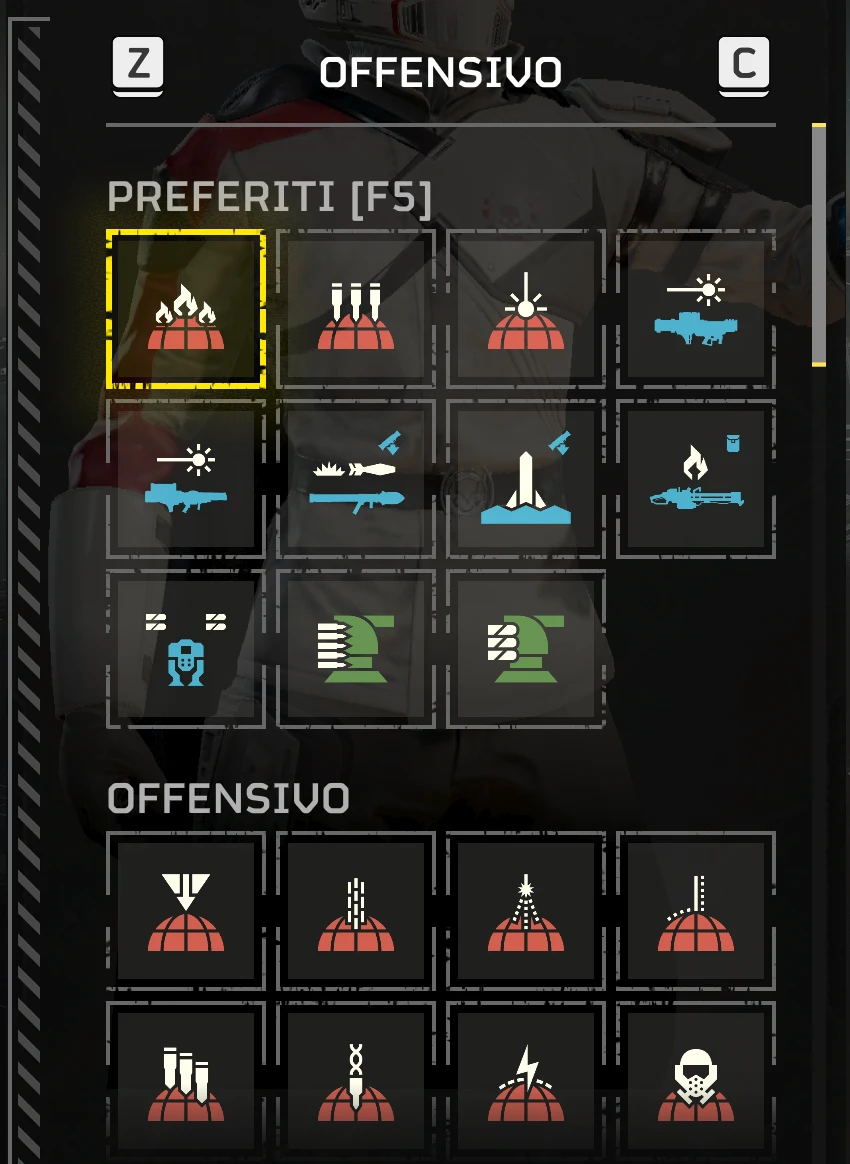
Adds a Favorites section at the top of the original stratagem selection list, so your preferred stratagems are easier to find.
How To Use
In the pre-mission loadout screen, hover the mouse over a stratagem card and press F5 to add or remove it from Favorites. Close and reopen the list to apply the changes. Your favorites are saved between sessions and moved to the top without duplicate cards. Game updates or other mods that change the same selection list may affect compatibility
Requirements
- Bingus Shared Loader v19+ installed and enabled separately
- Mouse and keyboard are required to manage Favorites.
Adds a Favorites section at the top of the original stratagem selection list, so your preferred stratagems are easier to find.
How To Use
In the pre-mission loadout screen, hover the mouse over a stratagem card and press F5 to add or remove it from Favorites. Close and reopen the list to apply the changes. Your favorites are saved between sessions and moved to the top without duplicate cards. Game updates or other mods that change the same selection list may affect compatibility
Requirements
- Bingus Shared Loader v19+ installed and enabled separately
- Mouse and keyboard are required to manage Favorites.
