Objective Tracker 0.6.5

A Mod for Helldivers 2
Objective Tracker akl_mod_preview_image
  • imgi_54_16913-1791072676-104555209.webp
    imgi_54_16913-1791072676-104555209.webp
    336.3 KB · Views: 2,336
  • icon.png
    icon.png
    1.2 MB · Views: 2,389
  • Recording 2026-10-10 130546low.gif
    Recording 2026-10-10 130546low.gif
    4.3 MB · Views: 2,212
  • download.gif
    download.gif
    2.7 MB · Views: 2,224
OBJECTIVE TRACKER
Objective icons • Live distances • Direction arrows

Support my work on Patreon​


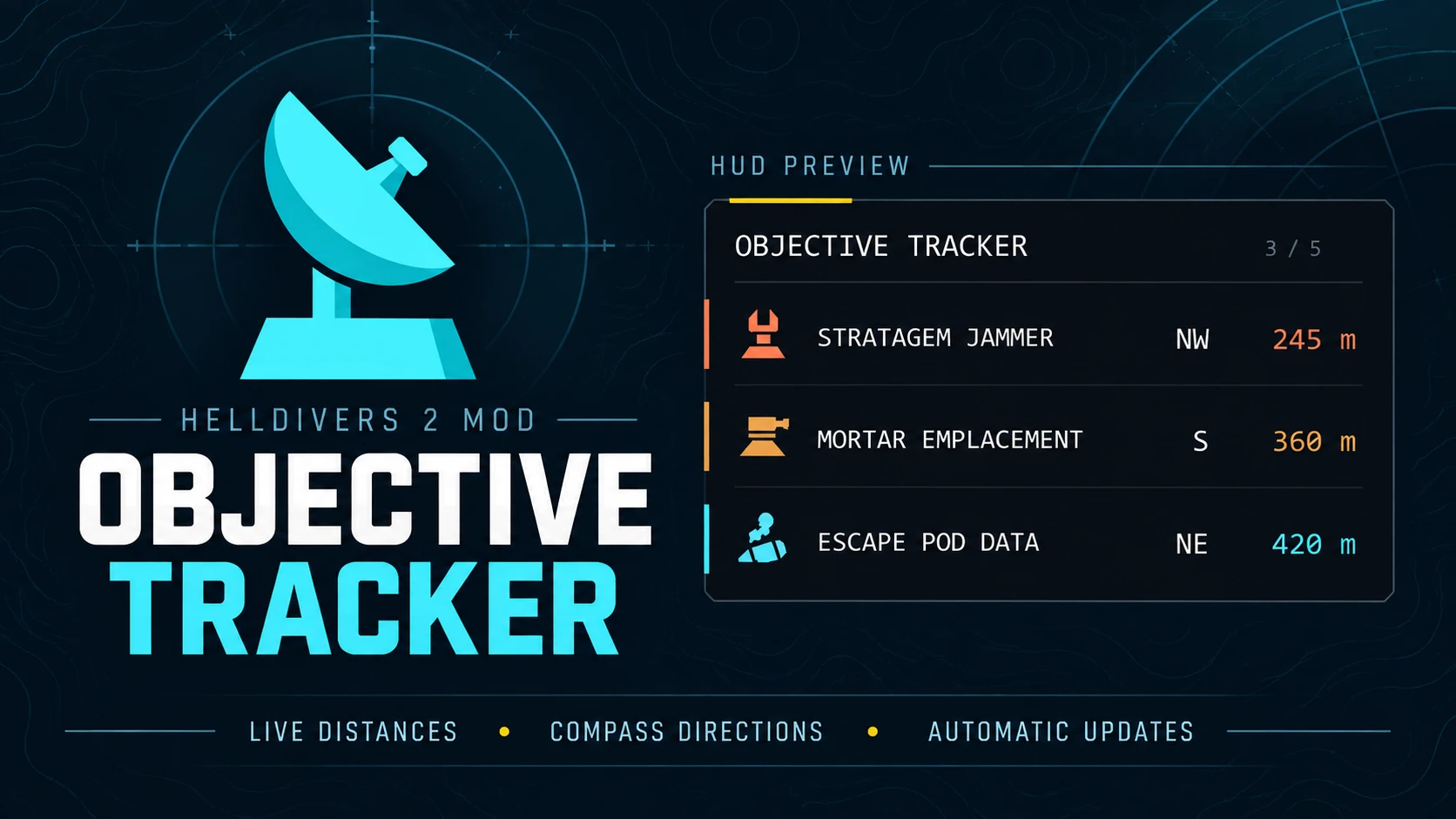
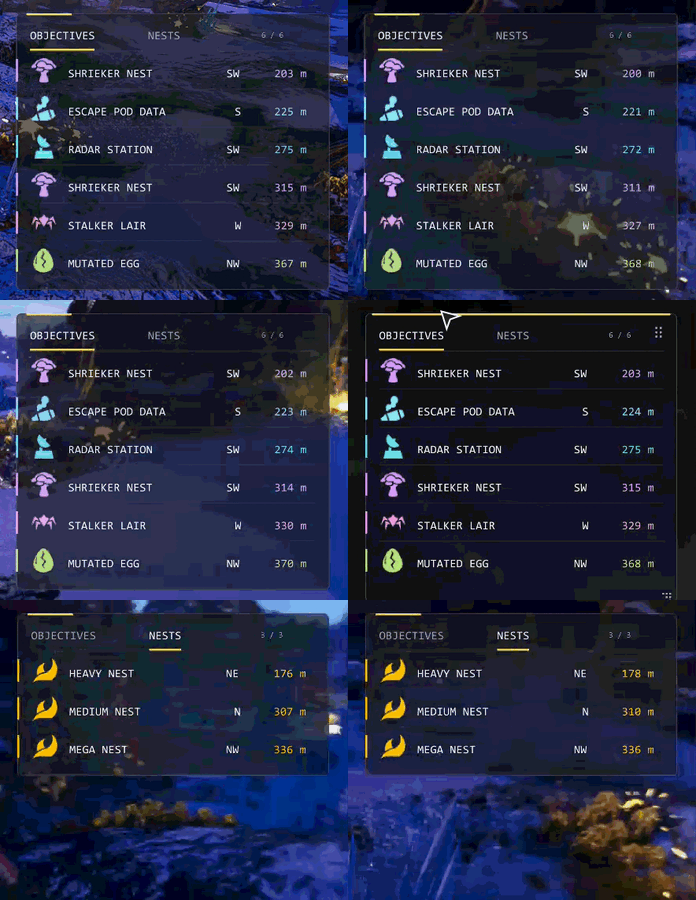
Objective Tracker helps you find your next objective and plan your route across the battlefield. Side objectives, enemy installations, mission tasks and specimen samples appear in one HUD panel from the moment you land, each with its own icon, live distance and an arrow pointing the way.

Targets are sorted by distance as you move. Completed objectives disappear automatically, including the ones your squad finishes, making room for the next destination.

Version 0.6.5 works with the current game. A game update broke the loader that the 0.5.x versions relied on, so Objective Tracker now runs on its own loader and installs through HD2 Arsenal.


FEATURES
  • Every objective from the drop. The whole map is listed as soon as you land, not only what is nearby.[/*]
  • Automatic completion tracking. Fuel pump valves, SEAF Artillery, LiDAR Stations, SAM Sites, Stratagem Jammers, drop-offs, prospecting drills and Orbital Cannons clear as they are completed. Destroyed structures such as control towers, mortar emplacements and ammo stockpiles clear too.[/*]
  • Your squad counts. Objectives a teammate takes care of leave your list as well, even when you were on the other side of the map.[/*]
  • Progress counts. Objectives with several steps show how far along you are, such as PUMP VALVES 2/3 or SEAF ARTILLERY 4/5.[/*]
  • Arrow navigation. Each row has an arrow that turns with your view and points at the next part to use, such as the next valve to turn.[/*]
  • Easy to read at a glance. Each kind of objective has its own colour and a sharp icon, so a long list of enemy installations is easy to tell apart.[/*]
  • Fits the game's HUD. A dark band on the left screen edge with a yellow accent. It keeps the same size next to the game's HUD at any resolution.[/*]
  • Optional nest tracking. Bug nests, bot outposts and warp ships can be added to the list in orange: tick Show bug nests, Show bot outposts or Show warp ships in HD2 Arsenal. They are off by default.[/*]
  • 73 objective types across all three fronts, most of them with their own icon.[/*]


INSTALLATION
  1. Remove or disable old Objective Tracker 0.5.x if you have it.[/*]
  2. Download the main file and import the ZIP into HD2 Arsenal.[/*]
  3. Enable Objective Tracker and deploy.[/*]


CONTROLS
  • F10 shows or hides the panel. Showing it again also reloads your settings.[/*]
  • F7 hides the nearest objective.[/*]
  • F8 brings back the last objective that you hid or that left after your squad walked away from it.[/*]
  • F9 writes the current list to the log.[/*]
  • F6 turns adjust mode on and off. While it is on, the arrow keys move the panel and Page Up and Page Down change its size. Pressing F6 again saves them.[/*]

The keys are keyboard only. In a squad the panel can say NO POSITION for a moment after the drop; it goes away once you move.


CUSTOMIZATION
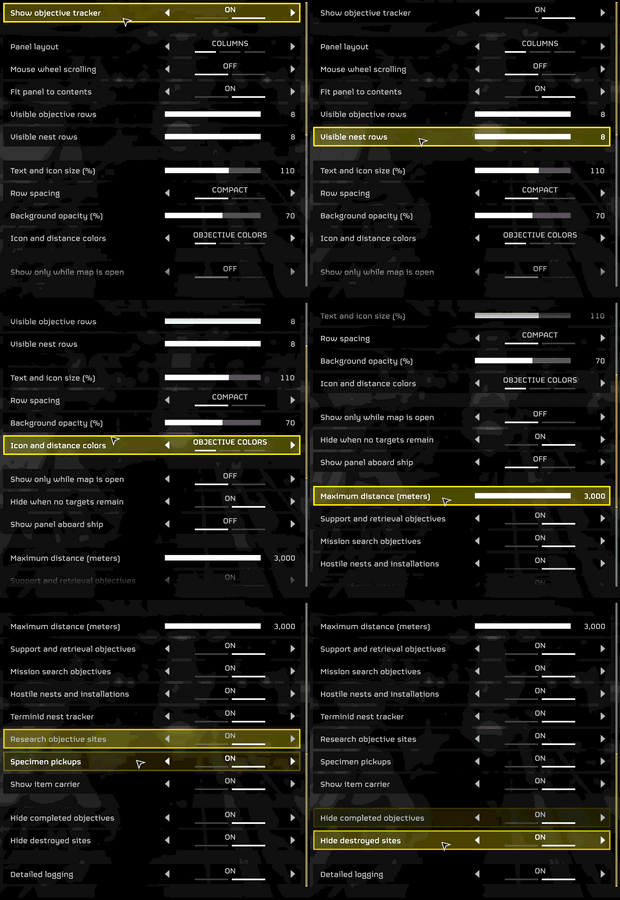
Press F6 in game to place the panel: the arrow keys move it, Page Up and Page Down change its size, and F6 again saves your layout. It works aboard your ship too.

Everything else is kept in a text file that is created the first time you play:

Code:
%LOCALAPPDATA%\ObjectiveTracker-settings.txt

Open it in any text editor, change what you like, save it and press F10 twice in game:
  • Set the panel's position on screen and its size.[/*]
  • Choose how many objectives are shown at once.[/*]
  • Change the background transparency.[/*]
  • Show or hide each group: utility, hostile, research, specimens, bug nests, bot outposts and warp ships.[/*]
  • Change the keys.[/*]


SUPPORTED TARGETS
  • Mission tasks: Fuel Pumps, E-710 hose connections, Hydrogen Pipelines, Organic Plasma, SEAF Artillery, SEAF SAM Sites, LiDAR Stations, Communication Uplinks, Antennas, ICBMs, Launch Codes, Obtain Coordinates, Intel Packages, Black Boxes, Black Box Uploads and Drop-offs, SSSD drives, Escape Pod Data, Mobile Radar, TCS Stations, Hive Breaker Drills, Seismic Probes, Prospecting Drills, Power Generators, Defend Generators, Civilian Evacuation, Defense Cannons, Cargo Containers, Platinum Refineries, Fusion Batteries, Battery Stations, Foul Shrines, Raise the Flag, Video Cameras, Record Evidence, Specimen Cases, Chemicals Backpacks, Thumpers, Mutant Larvae, objective terminals and Compromise Automaton Defenses.[/*]
  • Enemy installations: Stratagem Jammers, Detector Towers, Cognitive Disruptors, Gunship Fabricators, Illegal Broadcasts, Mortar Emplacements, Orbital Cannons, Command Bunkers, Ammo Stockpiles, Fuel Silos, Cooling Towers, Assembly Units, Control Towers, Shrieker Nests, Stalker Lairs, Spore Spewers, Spore Lungs, Hatcheries, Monoliths, Gazer Spires, Overships, Invasion Ships, Harvesters, Exospires and Portal Batteries.[/*]
  • Research and specimens: Research objectives, Mutated Eggs and Automaton Heads.[/*]
  • Nests (optional): Bug nests, bot outposts and warp ships.[/*]

How finished objectives are found. The game doesn't tell mods when an objective is complete, so the tracker goes by what it can see in the world: valves turned, shells loaded, towers raised, jammers shut down, drives put in, structures destroyed and items carried off. Objectives that show nothing when they are done, such as terminals and escape pod data, leave the list once someone in your squad has spent a little time at them and everyone has been away from them for 15 seconds. If one of those leaves too early, F8 brings it back. If one stays, F7 hides it.

Known limits. Some objective types were found in the game files and haven't been seen in a mission yet, so a few may be missing or stay listed after they are done. Anti-Air Emplacements, Radar Stations and Secondary Extraction are no longer separate objects in the game and are not tracked. Names are in English only. The in-game settings menu, carrier labels and the extra panel options from 0.5.x are not in this version.


REPORTING A PROBLEM
If an objective is missing, stays listed after completion, or you notice stutters, set diagnostics=1 in the settings file and press F10 twice before reproducing the issue. Close the game and copy these files from %LOCALAPPDATA%:

Code:
ObjectiveTrackerLoader.log
ObjectiveTrackerLoader-previous.log
ObjectiveTrackerLoader-journal.txt

Include the mod version, objective name, what happened and whether you hosted or joined. Copy the logs before your next session, since each launch replaces the older log, then set diagnostics back to 0.

If the panel says OFF AFTER A CRASH, or part of the tracker switched itself off after a game crash, delete ObjectiveTrackerLoader-journal.txt and it will try again on the next launch.


SAFETY
Objective Tracker is a plain Lua script. It doesn't read game memory, load DLLs or try to get around the anti-cheat. The full source code is included in the download so you can see exactly what it does. As with any mod, use it at your own risk.
428.8 KB
Log in or sign up to download
Uploaded by
plataodomo
Downloads
1,992
Comments
48
Views
16,475
First release
Last update
Platform
PC 
Version
0.6.5
Total Size
428.8 KB
Rating
5.00 star(s) 3 ratings

Uploaded by

  • 1,992
  • 16,475

Ratings

5.00 star(s) 3 ratings

Latest updates

  1. Objective Tracker 0.6.5

    • Stalker lairs are listed again: the tracker now finds the lair itself, so it shows up on the...
  2. Objective Tracker 0.6.2

    • Added Black Box Uploads. The tower for Upload Black Box Data no longer shows up as a LiDAR...
  3. Objective Tracker 0.6.1

    • Added adjust mode. Press F6, move the panel with the arrow keys and change its size with Page...

donutwolf

Members
Members
Sep 8, 2026
4
4
conflicts with HD2 transmog mod (recently got updated) any work around for this one?
 

linecrows

Members
Members
Sep 28, 2026
1
2
The Stalker Nests still cannot be located.

Testing was completed on Trandor at difficulty level 4.

Since the Stalker Nests do not appear on the map, I had to go and find them manually. Even though I haven’t destroyed the Stalker dens yet, the tracker fails to detect them—even after repeatedly pressing the F8 or F10 keys to refresh the data.


Likewise, while the FPS counter (accessed by pressing F2) showed a steady 140 FPS, I experienced significant frame rate drops during actual gameplay.

It seems that frame drops—or lag—occur whenever the object tracker performs a scan, indicates a direction via an arrow, or updates numerical values.

When I removed this mod and played the game again, the frame rate drops were immediately resolved.
 
Last edited:

Dianakko.OVO

Members
Members
Apr 27, 2026
7
4
The Stalker Nests still cannot be located.

Testing was completed on Trandor at difficulty level 4.

Since the Stalker Nests do not appear on the map, I had to go and find them manually. Even though I haven’t destroyed the Stalker dens yet, the tracker fails to detect them—even after repeatedly pressing the F8 or F10 keys to refresh the data.


Likewise, while the FPS counter (accessed by pressing F2) showed a steady 140 FPS, I experienced significant frame rate drops during actual gameplay.

It seems that frame drops—or lag—occur whenever the object tracker performs a scan, indicates a direction via an arrow, or updates numerical values.

When I removed this mod and played the game again, the frame rate drops were immediately resolved.
Frame rate drop +1
 

plataodomo

Modder
Modder
Members
Oct 6, 2026
22
5
The Stalker Nests still cannot be located.

Testing was completed on Trandor at difficulty level 4.

Since the Stalker Nests do not appear on the map, I had to go and find them manually. Even though I haven’t destroyed the Stalker dens yet, the tracker fails to detect them—even after repeatedly pressing the F8 or F10 keys to refresh the data.


Likewise, while the FPS counter (accessed by pressing F2) showed a steady 140 FPS, I experienced significant frame rate drops during actual gameplay.

It seems that frame drops—or lag—occur whenever the object tracker performs a scan, indicates a direction via an arrow, or updates numerical values.

When I removed this mod and played the game again, the frame rate drops were immediately resolved.
Yes, I'm well aware about stalker nests not showing up; it is said in the full description and about FPS drops I noticed it yesterday. I was working on a new update yesterday but got too tired. I'm see if I can push it today.
 

Dianakko.OVO

Members
Members
Apr 27, 2026
7
4
Yes, I'm well aware about stalker nests not showing up; it is said in the full description and about FPS drops I noticed it yesterday. I was working on a new update yesterday but got too tired. I'm see if I can push it today.
Hi, will the new version of your mod be based on Chef Shared Loader? Your two mods have very similar radar detection features! I really like both of them! But his radar doesn’t cause any noticeable frame rate drops. Using your mods at the same time also causes conflicts, which makes nest identification and similar things inaccurate, and that’s been frustrating me. What do you think?
If you’re not okay with that, I’d like to request your permission here: I’ll try to make a mod to make your two mods compatible.
Translated by deepseek
 
Last edited: