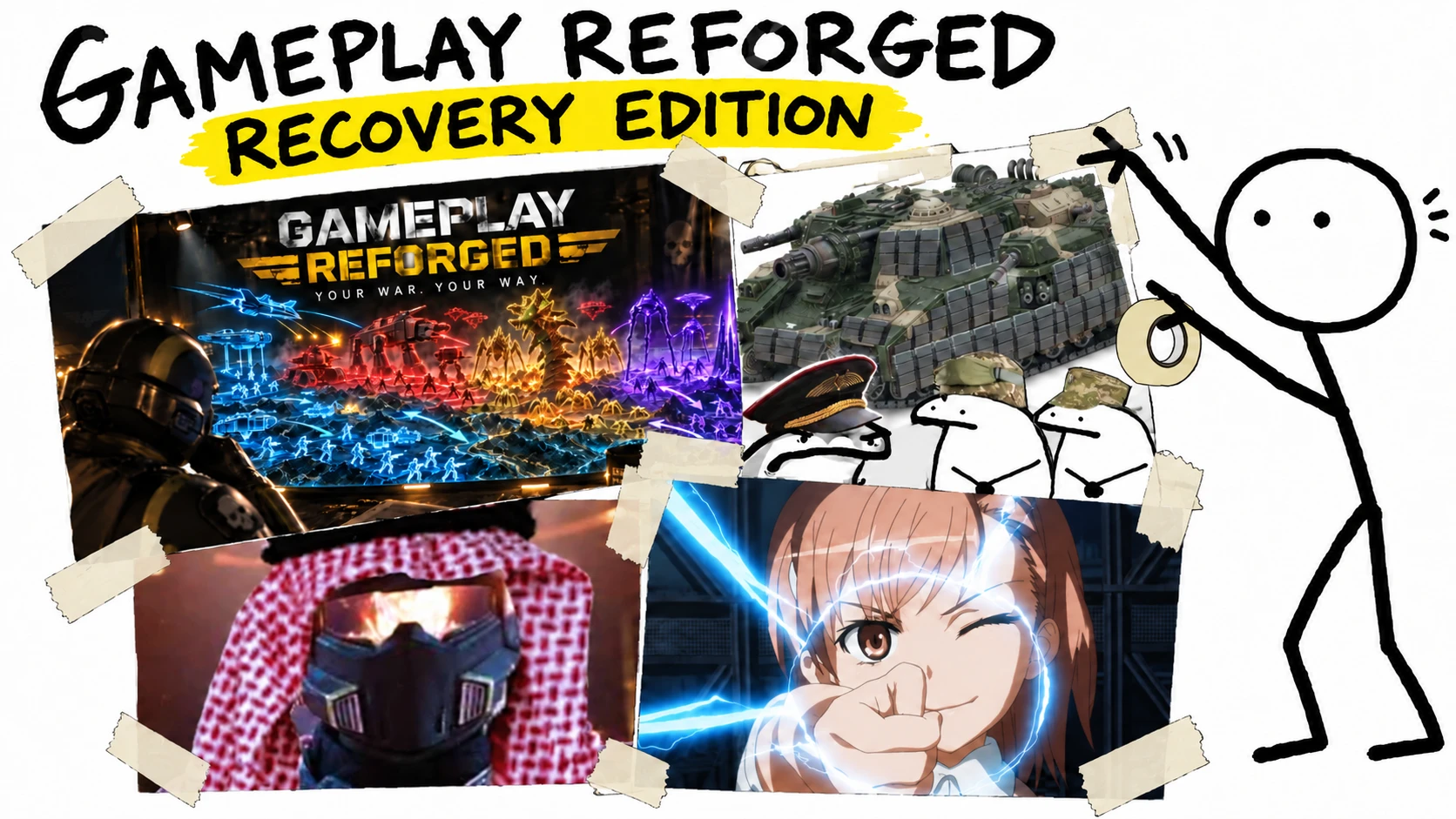
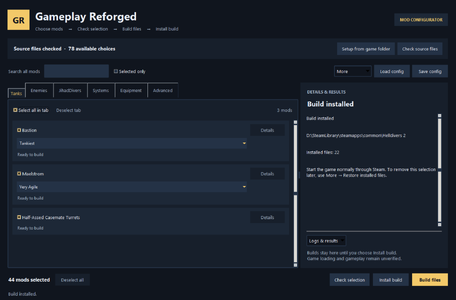
Gameplay Reforged: Recovery Edition brings the currently supported parts of certain gameplay mods together in one configurable desktop app. Choose the changes you want, adjust settings where available, save your configuration, and build and install your selection.
Every toggle is optional and can be mixed and matched.
Importantly, the executable patches game data offline rather than through Lua scripts, so you can use surviving Lua mods, loaders, and mod managers alongside it.
For bug reports, include your game build, selected profiles, and any error message or app logs.
Made with significant assistance from GPT-6 Astra
Important for returning users
Many profiles from the original releases — especially Gameplay Systems — depended on the LuaJIT backend that was removed. This consolidated release restores mod features that can run without a backend and do not need Bingus Shared Loader.
Features that need the old runtime functionality remain unavailable and cannot return without a supported backend replacement. These include Universal Faction War, Combined Fleets and Hordes, many spawn and reinforcement changes, Universal Eagle Storm, and Heavy SEAF Presence. They would need a replacement backend before they can return.
If an accepted backend returns, I will continue to update the individual mods themselves. Until then, you may find the Hellforge version of each individual mod, all of which retain full functionality.
The original mod pages are linked below for players' reference. Their full feature lists and old installation requirements do not all apply to this consolidated mod.
This mod may conflict with other data-editing mods (Lua-only mods do not cause these conflicts) and will not attempt to override native files if a conflict is detected.
What’s included
Installation
Requires Windows x64.
Run this as a standalone desktop app, and do not import its ZIP into a mod manager.
Settings are applied when you rebuild and install your selection. You may save configuration to reuse it later.
Removing or updating
Close the game and use More → Restore installed files to remove changes and return to vanilla settings.
Restore installed changes before updating the game or replacing this tool. Future game builds may require an updated release.
If the app reports a conflict, check the named files or mods before continuing. Avoid installing older copies of the same changes alongside your selection.
Original mods and references
Antivirus notice and disclaimer
Microsoft's scan on VirusTotal currently flags GameplayReforgedMaster.exe as Trojan:Win32/Wacatac.B!ml, although Windows Defender does not explicitly consider the executable as malicious (you may still get a warning before running it). I believe the flag is a false positive and have submitted the file to Microsoft for review. I am including this disclaimer for transparency.
As of the time of writing, VirusTotal reported no detections for the zip and a 4/71 flag rate for the executable.
Players may also run the zip and exe through a reputable antivirus scanner of their choosing.
Every toggle is optional and can be mixed and matched.
Importantly, the executable patches game data offline rather than through Lua scripts, so you can use surviving Lua mods, loaders, and mod managers alongside it.
For bug reports, include your game build, selected profiles, and any error message or app logs.
Made with significant assistance from GPT-6 Astra
Important for returning users
Many profiles from the original releases — especially Gameplay Systems — depended on the LuaJIT backend that was removed. This consolidated release restores mod features that can run without a backend and do not need Bingus Shared Loader.
Features that need the old runtime functionality remain unavailable and cannot return without a supported backend replacement. These include Universal Faction War, Combined Fleets and Hordes, many spawn and reinforcement changes, Universal Eagle Storm, and Heavy SEAF Presence. They would need a replacement backend before they can return.
If an accepted backend returns, I will continue to update the individual mods themselves. Until then, you may find the Hellforge version of each individual mod, all of which retain full functionality.
The original mod pages are linked below for players' reference. Their full feature lists and old installation requirements do not all apply to this consolidated mod.
This mod may conflict with other data-editing mods (Lua-only mods do not cause these conflicts) and will not attempt to override native files if a conflict is detected.
What’s included
- Enemy Balance: Selectable changes across Automatons, Terminids, and Illuminate, including enemy weakpoints, armor, durability, weapon accuracy, stagger, awareness, and movement.
- Tanks Overhaul: Configure the Bastion and Maelstrom separately with Tankiest, Tankier, Very Agile, and Agile profiles. Also includes a semi-casemate toggle that adds an extra 20° of free horizontal rotation on each side (full 360° is not possible anymore)
- JihadDivers: Customize Integrated Explosives damage, armor penetration, blast radii, demolition, stagger, and push. Hellbomb visuals and Hellbomb sound are separate selectable options. Grenade drops, manual self-detonation, and vehicle explosion enhancements are currently unavailable.
- Gameplay Systems: Supported options include lower Leviathan flight heights, shorter SEAF reinforcement cooldowns, and a choice of strafing runs, gas strikes, or 110mm rocket pods for an already active Eagle Storm. This does not enable Eagle Storm on every planet. Most of the fun and gameplay-changing profiles in Gameplay Systems relied on Luajit and cannot be restored without an accepted backend.
- Maximum Penetration: Separate AP10 options for the Railgun and Orbital Railcannon Strike. The Railgun option also affects the manned railgun turret’s shared projectile; the Orbital Railcannon option changes direct-hit penetration.
- A little extra: A massive buff to the One True Flag. You can edit its damage, armor pen, and stagger force.
Installation
Requires Windows x64.
- Extract the entire ZIP into a writable folder. Keep all supplied files together.
- Ensure HELLDIVERS 2 is closed, then run GameplayReforgedMaster.exe.
- Setup requires clean original source files in the game’s
datafolder. If another mod or patcher overwrote those files, restore them using that tool’s uninstall or restore function. For a previous Gameplay Reforged installation, use More → Restore installed files before Setup and select the previous patcher folder when prompted.- If the other tool has no restore function, close the game and use Steam to restore the original files: right-click HELLDIVERS 2 in your Library -> Properties -> Installed Files -> Verify integrity of game files. Separately added mod files may remain.
- Click Setup from game folder and select your HELLDIVERS 2 folder (containing
binanddata), usually atC:\Program Files (x86)\Steam\steamapps\common\Helldivers 2if installed on the main drive, or itsdatafolder. - Choose your mods and profiles. Use Edit settings where available.
- Click Check selection, then Build files.
- Click Install build, review the selection, and confirm.
- Launch the game normally through Steam.
Run this as a standalone desktop app, and do not import its ZIP into a mod manager.
Settings are applied when you rebuild and install your selection. You may save configuration to reuse it later.
Removing or updating
Close the game and use More → Restore installed files to remove changes and return to vanilla settings.
Restore installed changes before updating the game or replacing this tool. Future game builds may require an updated release.
If the app reports a conflict, check the named files or mods before continuing. Avoid installing older copies of the same changes alongside your selection.
Original mods and references
Antivirus notice and disclaimer
Microsoft's scan on VirusTotal currently flags GameplayReforgedMaster.exe as Trojan:Win32/Wacatac.B!ml, although Windows Defender does not explicitly consider the executable as malicious (you may still get a warning before running it). I believe the flag is a false positive and have submitted the file to Microsoft for review. I am including this disclaimer for transparency.
As of the time of writing, VirusTotal reported no detections for the zip and a 4/71 flag rate for the executable.
Players may also run the zip and exe through a reputable antivirus scanner of their choosing.