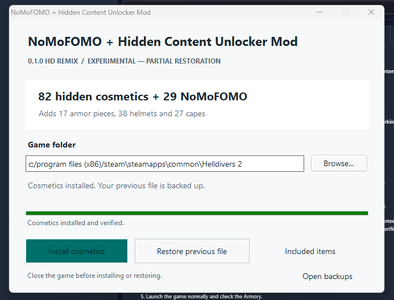
NoMoFOMO + Hidden Content Unlocker Mod
Patreon: https://www.patreon.com/c/huff_designs
Ko-fi: https://ko-fi.com/huff_designs
Discord: https://discord.gg/rMYvNq9t8z
PayPal: contact me directly.
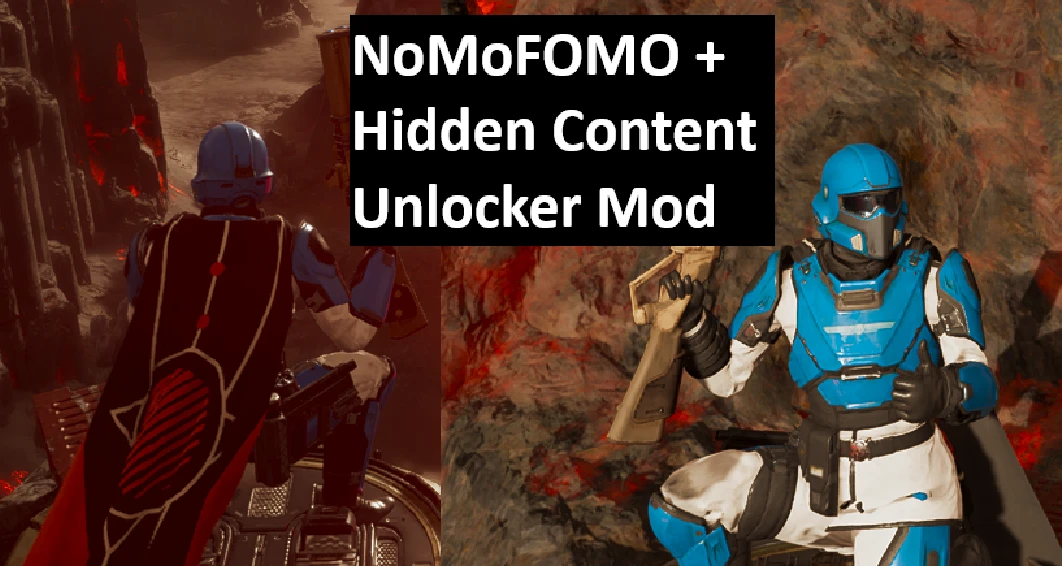
Restores access to selected preorder, event and hidden cosmetics, with an optional Stratagem Hero arcade unlock. Bingus Shared Loader and HD2Runtime are not required.
These are the original cosmetic entries—not replacement skins applied over another item.
Choose what to unlock
The configurator includes separate toggles for:
Stratagem Hero
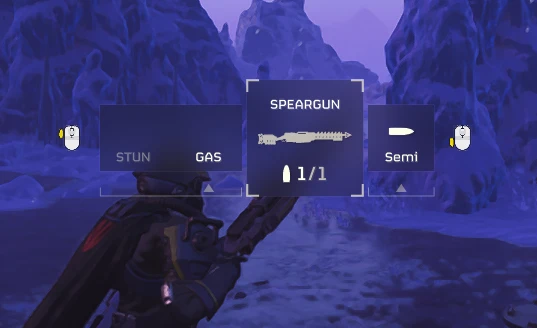
Enable the arcade on your Super Destroyer, disable it, or leave your current ship file unchanged.
The arcade has been confirmed working in-game.
Optional Extra Padding
An additional toggle assigns the existing Extra Padding passive to the five included colored B-01 body variants. This option defaults OFF.
Enable Color / gear variants as well to make those armor entries available.
The option uses your installed Extra Padding effects, including compatible changes from other mods. It does not modify helmets or rewrite the shared passive definition.
Standalone or Luna’s Modloader
The same ZIP supports both!
Standalone: Extract the complete ZIP, keep Extras beside the installer EXE, run the installer, select your real game folder, choose your options, then click Install selected settings.
Luna: Add the ZIP, click Configure, choose your options, click Save settings to Luna, then Deploy. Use the staging folder supplied by Luna.
Launch the game through Steam after installation or deployment.
Close the game before changing or removing the mod. Keep only the intended unlocker version enabled.
This is not an Arsenal package.
Updating through Luna
With the game closed:
The installer preserves compatible armor-stat, passive and unrelated ship changes.
Two mods requesting different values for the same field can still conflict. Unsupported overlaps are reported instead of overwritten.
Exact game-build checks remain. Compatibility with future updates is not guaranteed.
Known limitations
Standalone: Close the game, run the helper and click Restore previous files.
This restores the backed-up previous setup, which may already contain older modifications.
Luna: Close the game and use Purge to restore Luna-managed files. Disable the unlocker before deploying your remaining mods.
Keep your backup folders.
Logs and troubleshooting
Click Open logs folder, or press Windows + R and paste:
%LOCALAPPDATA%\HDRemix\NoMoFOMO Hidden Content Installer
When reporting a problem, include Helper.log, Diagnostics → Copy report, your mod order, selected options and the exact error or missing item.
The storage folder retains its older name for compatibility with existing backups and logs.
Logs describe installation changes and errors. They cannot confirm whether an individual cosmetic appears or equips in-game.
Experimental—use at your own risk. No guarantee of ban safety or compatibility with future patches.
Current release: 0.5.2 — 359.1 KiB
Built for Steam game build 26088801.
Patreon: https://www.patreon.com/c/huff_designs
Ko-fi: https://ko-fi.com/huff_designs
Discord: https://discord.gg/rMYvNq9t8z
PayPal: contact me directly.
Restores access to selected preorder, event and hidden cosmetics, with an optional Stratagem Hero arcade unlock. Bingus Shared Loader and HD2Runtime are not required.
These are the original cosmetic entries—not replacement skins applied over another item.
Choose what to unlock
The configurator includes separate toggles for:
- Preorder armor sets: 6 targets
- Other NoMoFOMO cosmetics: 23 targets
- Color / gear variants: 39 targets
- Other hidden armor and helmets: 12 targets
- Named hidden capes: 19 targets
- Unnamed / unidentified cosmetics: 12 targets
Stratagem Hero
Enable the arcade on your Super Destroyer, disable it, or leave your current ship file unchanged.
The arcade has been confirmed working in-game.
Optional Extra Padding
An additional toggle assigns the existing Extra Padding passive to the five included colored B-01 body variants. This option defaults OFF.
Enable Color / gear variants as well to make those armor entries available.
The option uses your installed Extra Padding effects, including compatible changes from other mods. It does not modify helmets or rewrite the shared passive definition.
Standalone or Luna’s Modloader
The same ZIP supports both!
Standalone: Extract the complete ZIP, keep Extras beside the installer EXE, run the installer, select your real game folder, choose your options, then click Install selected settings.
Luna: Add the ZIP, click Configure, choose your options, click Save settings to Luna, then Deploy. Use the staging folder supplied by Luna.
Launch the game through Steam after installation or deployment.
Close the game before changing or removing the mod. Keep only the intended unlocker version enabled.
This is not an Arsenal package.
Updating through Luna
With the game closed:
- Click Purge.
- Remove or disable older unlocker entries.
- Add the new ZIP and click Rebuild dummy.
- Configure the new version and save your settings.
- Click Deploy, then launch through Steam.
The installer preserves compatible armor-stat, passive and unrelated ship changes.
Two mods requesting different values for the same field can still conflict. Unsupported overlaps are reported instead of overwritten.
Exact game-build checks remain. Compatibility with future updates is not guaranteed.
Known limitations
- 111 targets does not mean 111 individually verified unlocks.
- Hidden content remains partially working. Some entries—including NO CAPE and B-16 Battle-Scarred Veteran—still lack the menu or progression records needed to appear.
- Some unlocked selections may need to be equipped again after restarting.
- Permanent account ownership is not claimed.
- Weapons, independent stratagem unlocks and Liberty Day decoration changes are not included.
Standalone: Close the game, run the helper and click Restore previous files.
This restores the backed-up previous setup, which may already contain older modifications.
Luna: Close the game and use Purge to restore Luna-managed files. Disable the unlocker before deploying your remaining mods.
Keep your backup folders.
Logs and troubleshooting
Click Open logs folder, or press Windows + R and paste:
%LOCALAPPDATA%\HDRemix\NoMoFOMO Hidden Content Installer
When reporting a problem, include Helper.log, Diagnostics → Copy report, your mod order, selected options and the exact error or missing item.
The storage folder retains its older name for compatibility with existing backups and logs.
Logs describe installation changes and errors. They cannot confirm whether an individual cosmetic appears or equips in-game.
Experimental—use at your own risk. No guarantee of ban safety or compatibility with future patches.
Current release: 0.5.2 — 359.1 KiB
Built for Steam game build 26088801.