HD2 Mod Quick Deploy
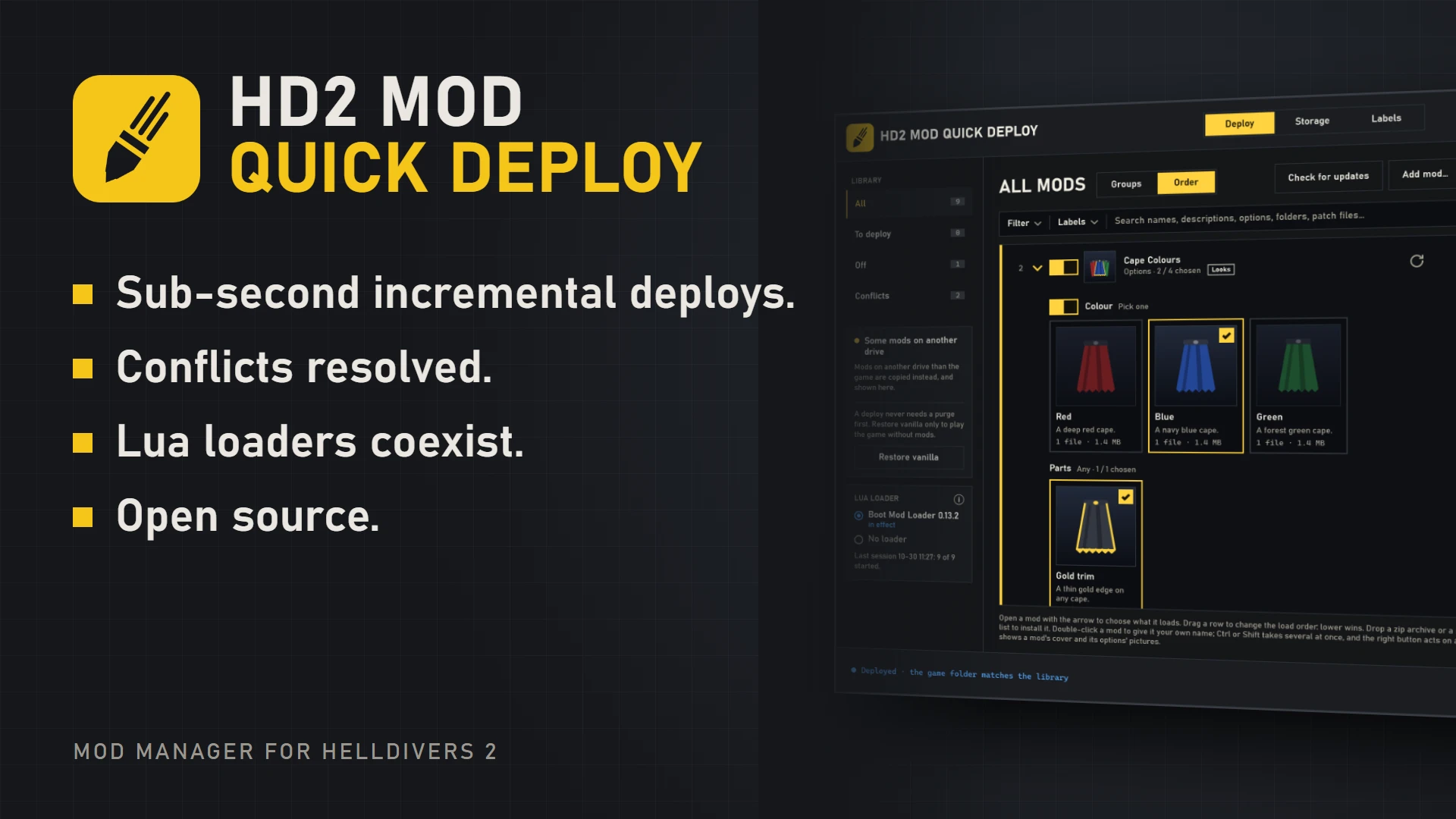
A mod manager for Helldivers 2: incremental, hard-linked deploys, conflicts settled resource by resource, and Lua loaders handled for you.
A mod manager for Helldivers 2: incremental, hard-linked deploys, conflicts settled resource by resource, and Lua loaders handled for you.
Why it is different
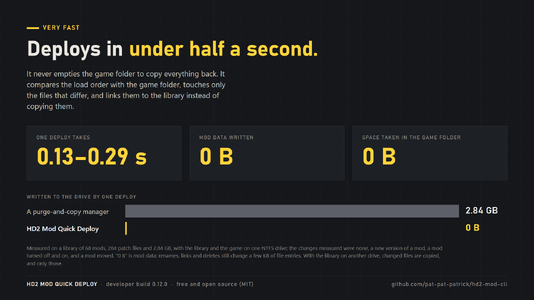
- Very fast. It never empties the game folder to copy everything back. It compares the load order with the game folder and touches only the files that differ. A typical deploy takes 0.13–0.29 seconds.
- Nothing is copied. A deployed file is the library's own file under a second name (a hard link): the deploy writes no mod data, and the game folder takes no extra space.
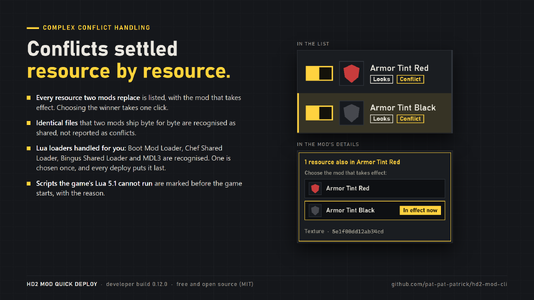
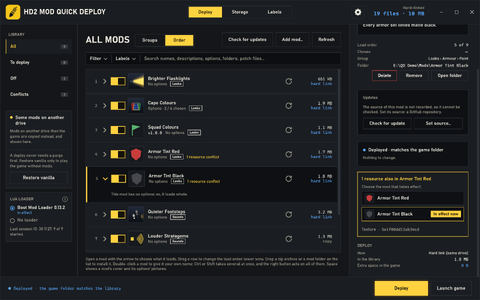
- Conflicts settled resource by resource. Every resource two mods replace is listed with the mod that takes effect, and the winner is chosen in one click. Files two mods ship byte for byte alike are recognised as shared, not reported as conflicts.
- Lua loaders handled for you. Boot Mod Loader, Chef Shared Loader, Bingus Shared Loader and MDL3 are recognised. One is chosen once, and every deploy puts it last, so its start-up script is the one the game runs.
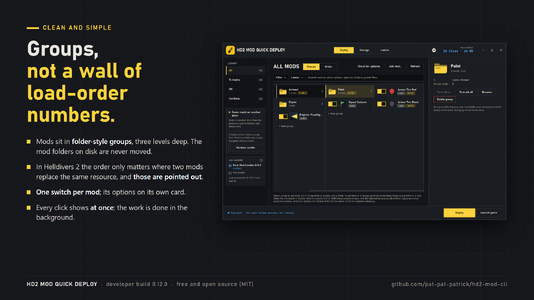
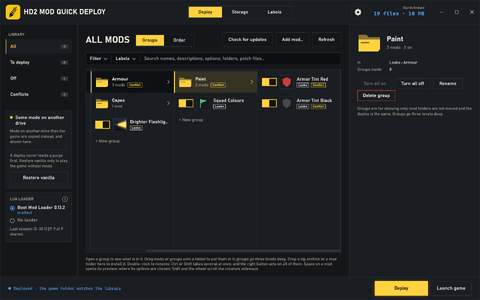
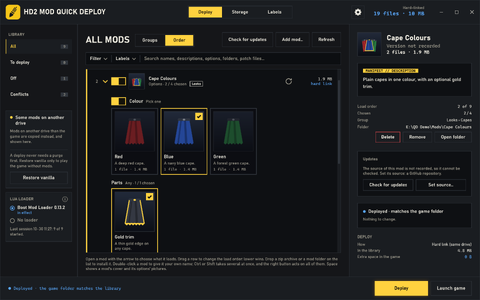
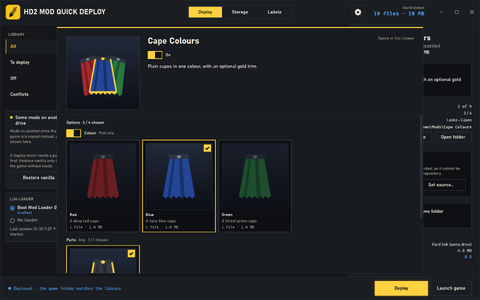
- Clean and simple. Mods sit in folder-style groups instead of a long list of load-order numbers. One switch per mod; its options on its own card.
How much it saves
Measured on a library of 68 mods, 284 patch files and 2.84 GB, with the library and the game on one NTFS drive:
- Nothing changed: a purge-and-copy manager writes 2.84 GB; Quick Deploy writes 0 B in 0.13–0.18 s.
- A new version of one mod: 2.84 GB against 0 B (one hard link, one delete) in 0.14–0.29 s.
- A mod turned off, or back on: 2.84 GB against 0 B (renames, deletes or hard links) in 0.23–0.25 s.
- A mod moved in the load order: 2.84 GB against 0 B (renames) in 0.19–0.21 s.
- Space taken in the game folder: 2.84 GB of copies against 0 B.
"0 B" is mod data: renames, links and deletes still change a few KB of file entries. With the library on another drive than the game, hard links are not possible: changed files are copied, and only those.
Features
Deploying
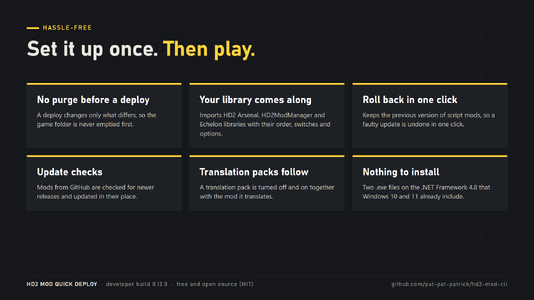
- Incremental deploys with hard links; no purge is ever needed before a deploy.
- Restore vanilla removes every mod from the game folder for playing without mods; the library is not touched.
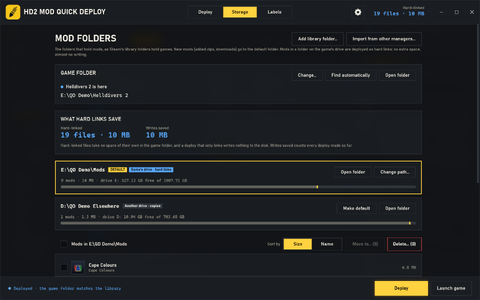
- Make hard links turns another manager's copies in the game folder into hard links, freeing their space without writing anything.
- Launch game starts the game through Steam and offers to deploy first when changes are waiting.
Conflicts and Lua mods
- Conflicts by resource, with its type (and its name when HD2SDK is installed), and the mod that takes effect.
- One Lua loader for every profile, chosen in a panel; the other loaders are left out of the deploy.
- Boot Mod Loader 0.13.0 or later and Chef Shared Loader working together: mods made only for Chef are handed over to it.
- A mod that brings its own start-up script (such as Objective Tracker 0.6.7) is run by Boot Mod Loader instead of taking the game's only start-up slot.
- Scripts the game's Lua 5.1 cannot run (goto, LuaJIT-only syntax, ffi without a fallback, and more) are marked before the game starts, with the reason.
- Boot Mod Loader's log of the last session: which mods started, how long each took, and which failed.
Library
- Imports HD2 Arsenal, HD2ModManager and Echelon libraries with their order, switches and options. Their files are only read.
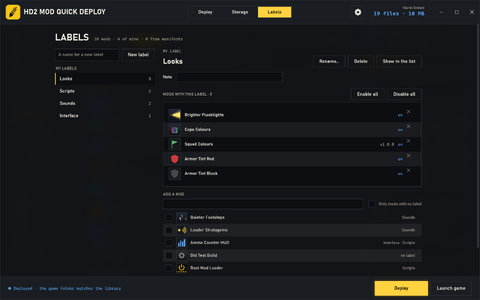
- Folder-style groups up to three levels deep, labels, filters and a search over every name, description, option and file.
- Drop a zip, 7z, rar or folder on the list to install it. A new version keeps the mod's place, switch and options.
- Profiles (optional): each with its own mods, load order, switches and options.
- The Storage page lists the folders that hold mods, as Steam lists its library folders, and moves or deletes mods between them.
Hassle-free
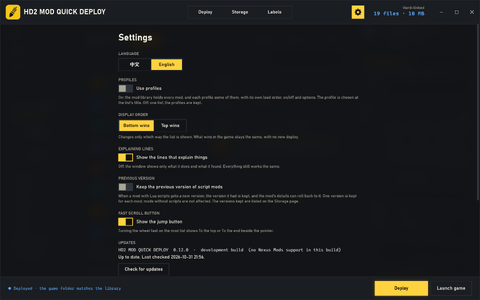
- Previous version and rollback (Settings, off by default): a mod with Lua scripts keeps the version it had when a new one arrives, and rolls back to it in one click.
- Update checks for mods from GitHub, updated in their place. An update can be skipped until a newer one comes out.
- Translation packs are turned off and on together with the mod they translate.
- Problem report in one click: one zip with the mods, their order, the conflicts, the Lua checks and the logs, to send with a question.
- A command line, hd2qd.exe, for mod makers and scripts. It shares the library and the settings with the window.
This build
This is the developer build 0.12.0. It has no Nexus Mods integration: no sign-in, no handling of the Mod Manager Download button and no update checks for mods from Nexus Mods. Everything else described above is included. New in 0.12.0: MDL3 support, the previous version and rollback, skipping a version, translation packs that follow their mod, and much faster installs of 7z and rar archives.
Requirements
- Windows 10 (1903 or later) or Windows 11.
- Nothing to install: the .NET Framework 4.8 that Windows already includes.
- For hard links, the mod library and the game on the same NTFS drive. On another drive, mods are deployed as copies, and the window points this out.
Installation
- Download HD2 Mod Quick Deploy.exe (and hd2qd.exe if you want the command line) into any folder.
- Run HD2 Mod Quick Deploy.exe. It finds the game folder by itself, or asks for it.
- If another manager is installed, accept the offer to import its library.
- Press Deploy.
Good to know
- Use one manager for deploying. A deploy from another manager undoes this one's, and the other way round.
- Do not edit a deployed patch file in place. As a hard link it is the library's own file, so the library would change too.
- A deploy or Restore vanilla waits until the game is closed.
- Settings and records are kept in %USERPROFILE%\.hd2-mod-cli; every file keeps its previous copy as .bak.
Uninstalling
Press Restore vanilla, then delete the program and the folder %USERPROFILE%\.hd2-mod-cli. The mod folders stay where they are.
[line]
Source and license
Free and open source under the MIT license. Source code, full documentation and issue reports: github.com/pat-pat-patrick/hd2-mod-cli