Great Board of Contributors
- SEAF call-ins use the call-in route from Riggs' SEAF Reinforcements, with Riggs' permission.
Big shoutout to Riggs!
- The betterment of the interface and features, provided by Devalorian's Galactic Conquest.
Great shoutout to Devalorian!
- Enemy divisions and movements, the enemy planner and the Clashes tab, made by Fandirus.
Wholesome shoutout to Fandirus!
- Game facts learned from Beelzebub's Scope of Authority (loading vehicles), Bingus' Match Your Colors (planet paint), chef's Smarter SEAF and Smarter Guard Dogs & Sentries (turrets and units), and Pick your Bots/BugslSquids (enemy tables, IDs).
Thank you all!
The Mod
Take command of the Second Galactic War. Supreme Command turns HellForge's single-player galactic war into a strategy campaign you run from your own command map.
The campaign
Super Earth starts with its home planets; every other planet is locked until it borders your territory. Capture the three enemy homeworlds (Cyberstan, Zagon Prime, Seasse) to win. The war runs while the game runs. You can set its pace, and pause it during missions, in Settings.
Your missions count
A mission with its main objective done adds to that planet's liberation, siege or defence, from 0.5% at difficulty 1 to 24% at difficulty 11. Each side objective done adds 10% to that. Each outpost destroyed adds 1% for light, 2% for medium and 4% for heavy. A failed mission costs nothing.
Solo liberation
A mission on an enemy planet with no invasion earns liberation of its own. It slips back 1.5 points an hour while nobody fights there, an invasion starts from what you earned, and at 100% the planet is Super Earth's. Homeworlds and Meridia cannot be freed this way.
SEAF Divisions
Raise divisions on Super Earth or a Fortress Planet and move them along the planet links. Send them into an Immediate invasion (it starts on arrival) or a Planned one (10 minutes of preparation, 10% less resistance, and a shorter campaign). In your missions on that planet, they call in SEAF squads.
- Infantry: balanced.
- Motorized: less strength, more supply. Brings a Supply FRV with an automatic turret and a SEAF driver.
- Armoured: more strength, less supply. Brings a Bastion with an automatic cannon.
Divisions have five levels. A higher level means more strength and supply, faster travel and more squads: one at levels 1 and 2, two at 3 and 4, three at 5, and a second vehicle at level 5.
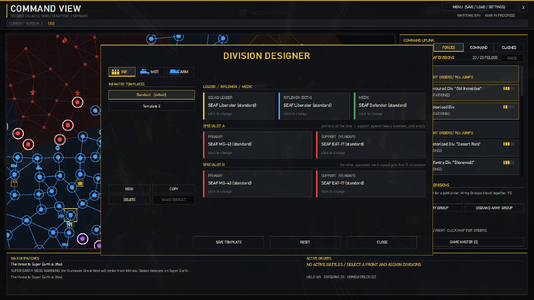
Several divisions on one planet stack, with less gained from each one, and cancel out enemy divisions there. Crowding costs supply, so stacking is a choice. Use the division designer (EDIT in Forces) to set each kind's squad weapons, and give divisions their own names.
Supply and strength
Fighting burns supply; out of supply, divisions wear down and can be shattered. Divisions within 3 jumps of Super Earth or 2 of a Fortress Planet are in supply, and use it at half the rate while fighting there. Halt them to resupply, rotate them out, and rebuild them behind the lines.
Army Groups and Operations
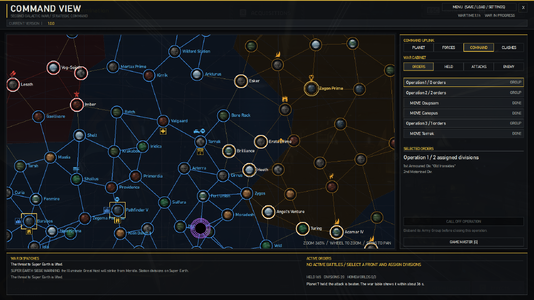
Group divisions on one planet into an Army Group to move and attack together. Group orders into an Operation to follow a multi-planet offensive in one place.
Defending your planets
When the enemy attacks a planet, the divisions standing on it defend it on their own. Their strength speeds up the defence, and each one beyond the first cancels an enemy division. Your missions there count too.
Sector construction projects
Build special projects on your held planets. Each sector can have two projects, with one per planet. You can change or remove them.
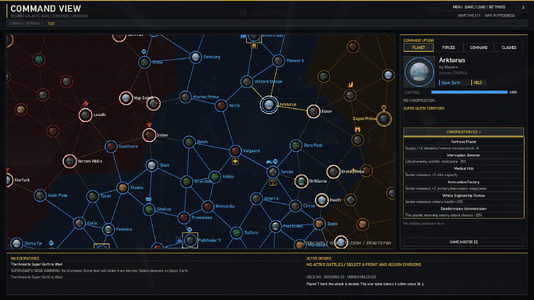
- Fortress Planet: supplies and raises divisions, adds two division slots and lowers the incoming invasion level by 8.
- Interception Jammer: lowers the resistance of connected enemy planets by 15%.
- Medical Hub: adds two stim capacity.
- Ammunition Factory: adds two spare magazines for primary and secondary weapons.
- Vehicle Engineering Bureau: increases friendly vehicle hull health by 20%.
- Disinformation Administration: lowers the chance of an autonomous enemy invasion of its planet by 20%.
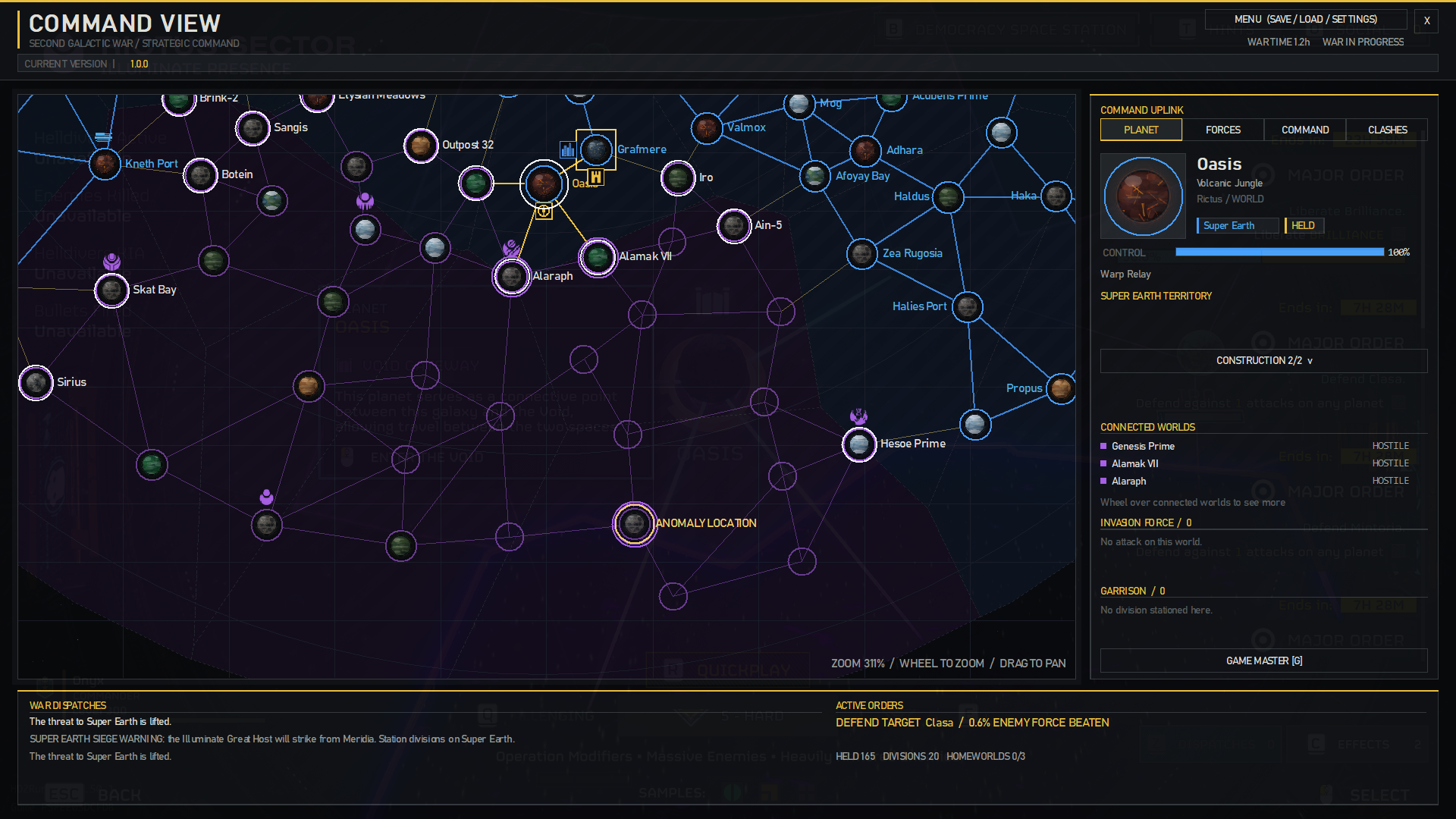
- Warp Relay: your way into the Void. Only on a held planet linked to it, one at a time.
Medical, ammunition and vehicle bonuses apply only in their sector's missions. Different bonuses work together; duplicate sector bonus types do not stack. Losing the planet removes its construction.
The enemy fights back
Lost invasions bring counter-attacks. The enemy also launches its own offensives where you look weak, and its factions fight each other where their territories meet: the Clashes tab shows those fights. Resistance rises the closer you get to an enemy homeworld; encircled planets are weaker. Running invasions show their own timer on the galactic map.
Enemy divisions and subfactions
The Terminids, Automatons and Illuminate field divisions of their own: by default six regular divisions per faction and one of each subfaction, and you can change these in Advanced Settings. They travel along the planet links, one minute per jump, and plan their own moves. Each enemy division on a planet raises its resistance by 12% and slows your defence against its faction by 21%, counting up to five divisions. Enemy divisions never capture planets on their own.
Subfactions follow their divisions: a planet shows a subfaction only while one of its divisions stands there.
- Terminids: Predator Strain, Spore Burst Strain, Rupture Strain, Dragonroach, Hive Lord.
- Automatons: Jet Brigade, Incineration Corps, Cyborgs.
- Illuminate: Appropriators, Mindless Masses, Vote Snatchers, Invasion Fleet.
Enemy divisions show on the map as their faction's emblem. Select a planet to see its Invasion Force (who attacks it) and Garrison (who holds it) in the Planet panel.
World transformations
A planet the enemy holds with its divisions for long enough can change: Terminids make a Hive World (liberation +30%, its garrison regrows), Automatons a Mega Factory (liberation +10%, builds divisions), and both then spread to other planets. Your Fortress Planets can grow into Mega Cities: attacks are weaker, supply reaches one jump further and rebuilding is twice as fast.
The Void
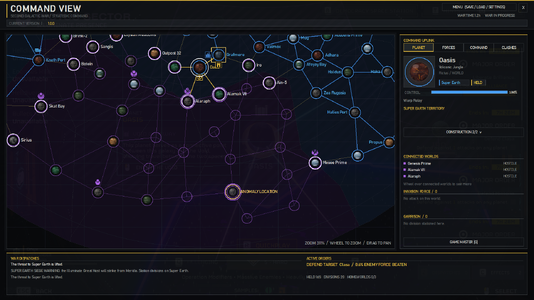
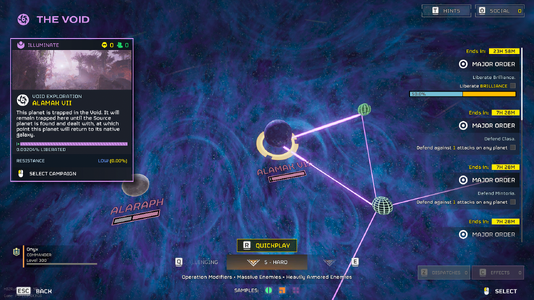
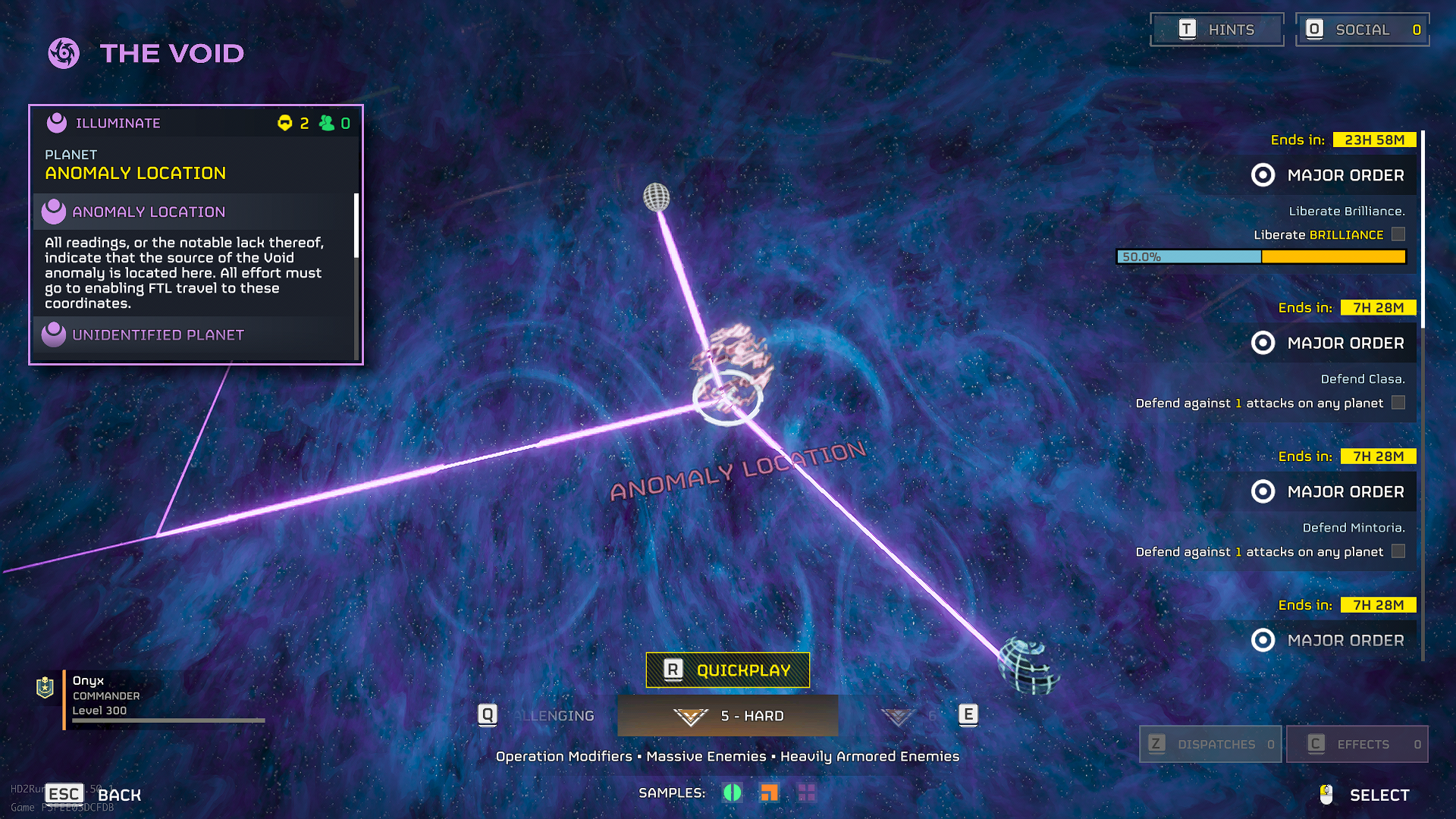
Take five planets from the Illuminate and the Void opens at Seasse. It grows, trapping linked planets, and a trapped planet becomes Illuminate after a while. Nothing crosses its edge without a Warp Relay. The relay reveals the planets next to it, and each one you take reveals the next. Seasse shows as an Anomaly Location until you reach a planet beside it. Take it and the Void collapses, its planets return, and the relay is removed.
Meridia
Take ten planets from the Illuminate while the Void is open and Meridia falls into it. The Great Host then besieges Super Earth from there. Station divisions on Super Earth to fill its defence: full, and the siege is broken. Taking Seasse also ends it, as the Great Host's way through is gone.
Homeworld sieges
Cyberstan, Zagon Prime and Seasse need a special siege order. Capture at least two planets linked directly to a homeworld, station five divisions on captured adjacent planets, then select them and right-click the homeworld. The siege takes 10 hours of active fighting. If fewer than five assigned divisions can fight, its timer pauses until you bring replacements. Seasse lies in the Void: you need the Warp Relay, and one held planet beside it is enough.
Super Earth under siege
If an enemy takes a planet directly linked to Super Earth, a one-hour warning is issued. Upon the warning's end, a 10-hour final siege begins automatically. Retake every captured approach before the timer runs out. If Super Earth falls, the war is lost.
Major Orders
The campaign gives a Defend or Liberate order for each attack and invasion. You can turn this off in Settings, and add your own from the Game Master.
How to play
- Start a HellForge session with Sandbox mode off in Launcher settings, and the Galactic War mode All planets open.
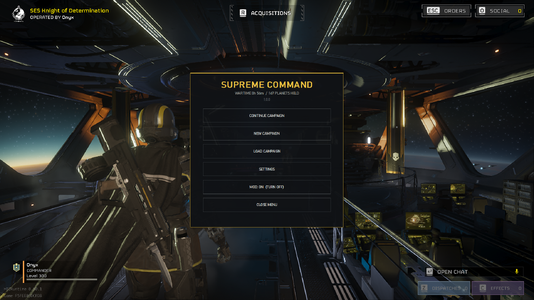
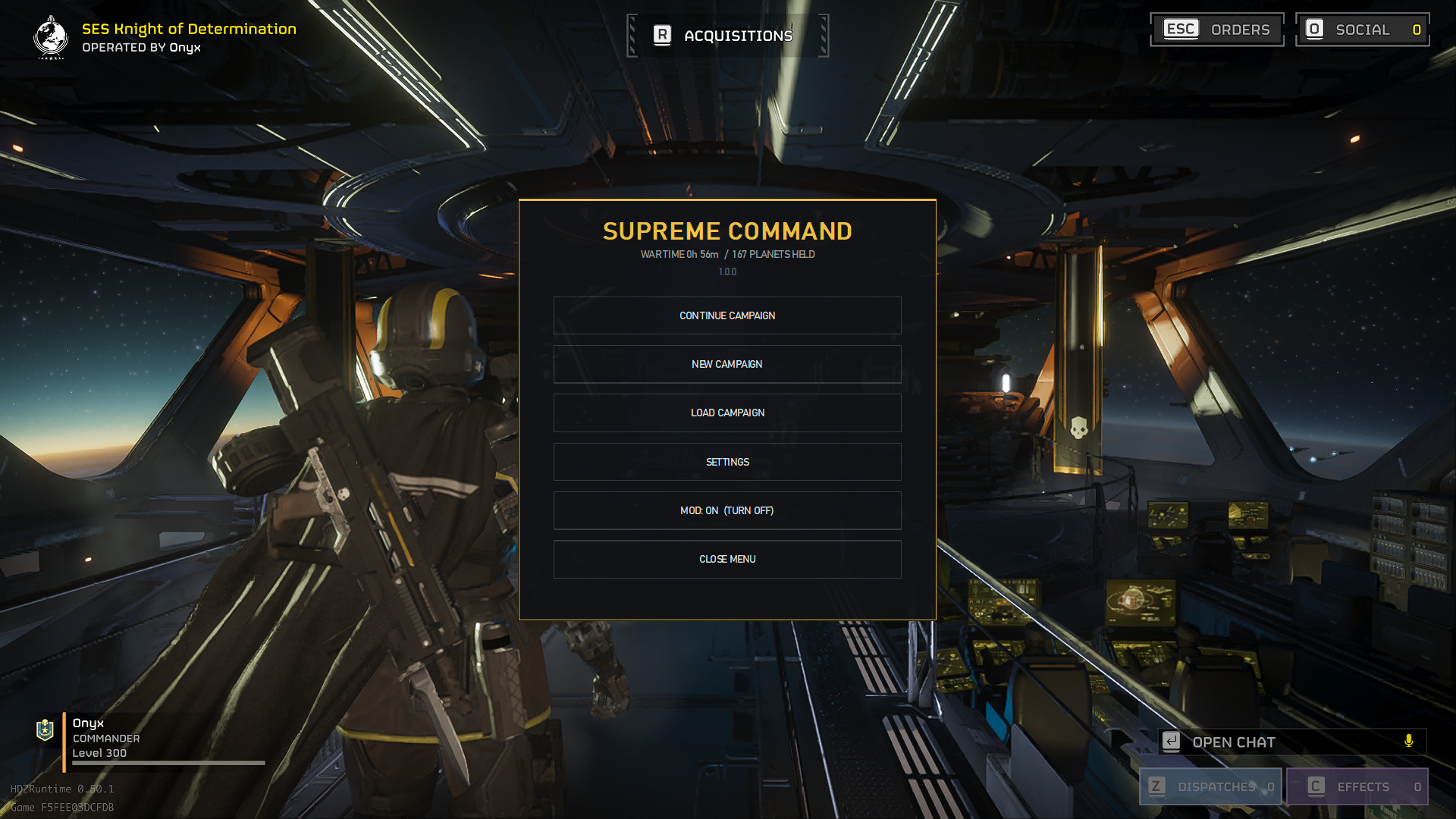
- Press F7 or M to open the menu: Continue Campaign, New Campaign, Save, Load (five slots and an autosave), Settings, Game Master and the mod's on / off switch. You can change the keys in Settings.
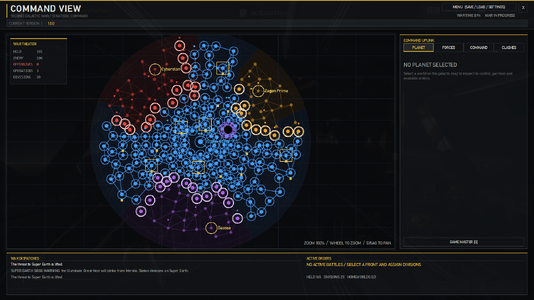
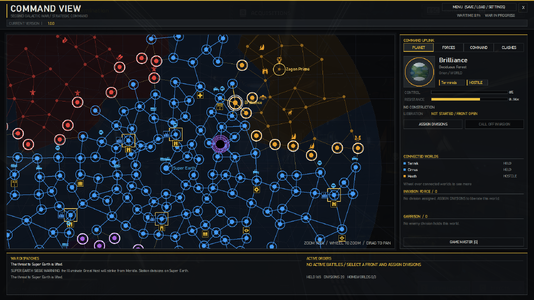
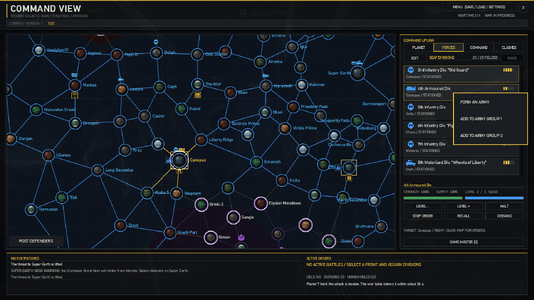
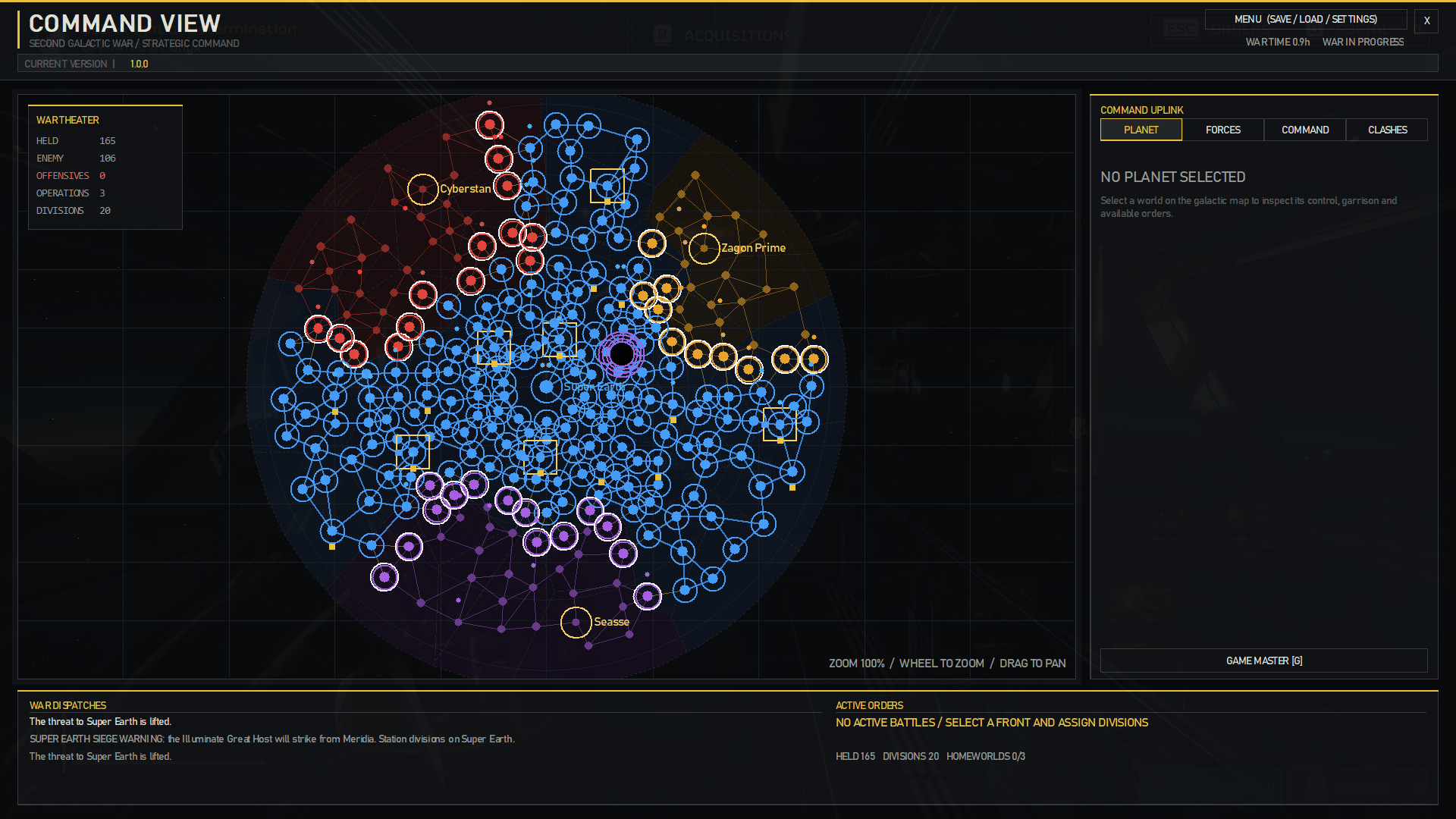
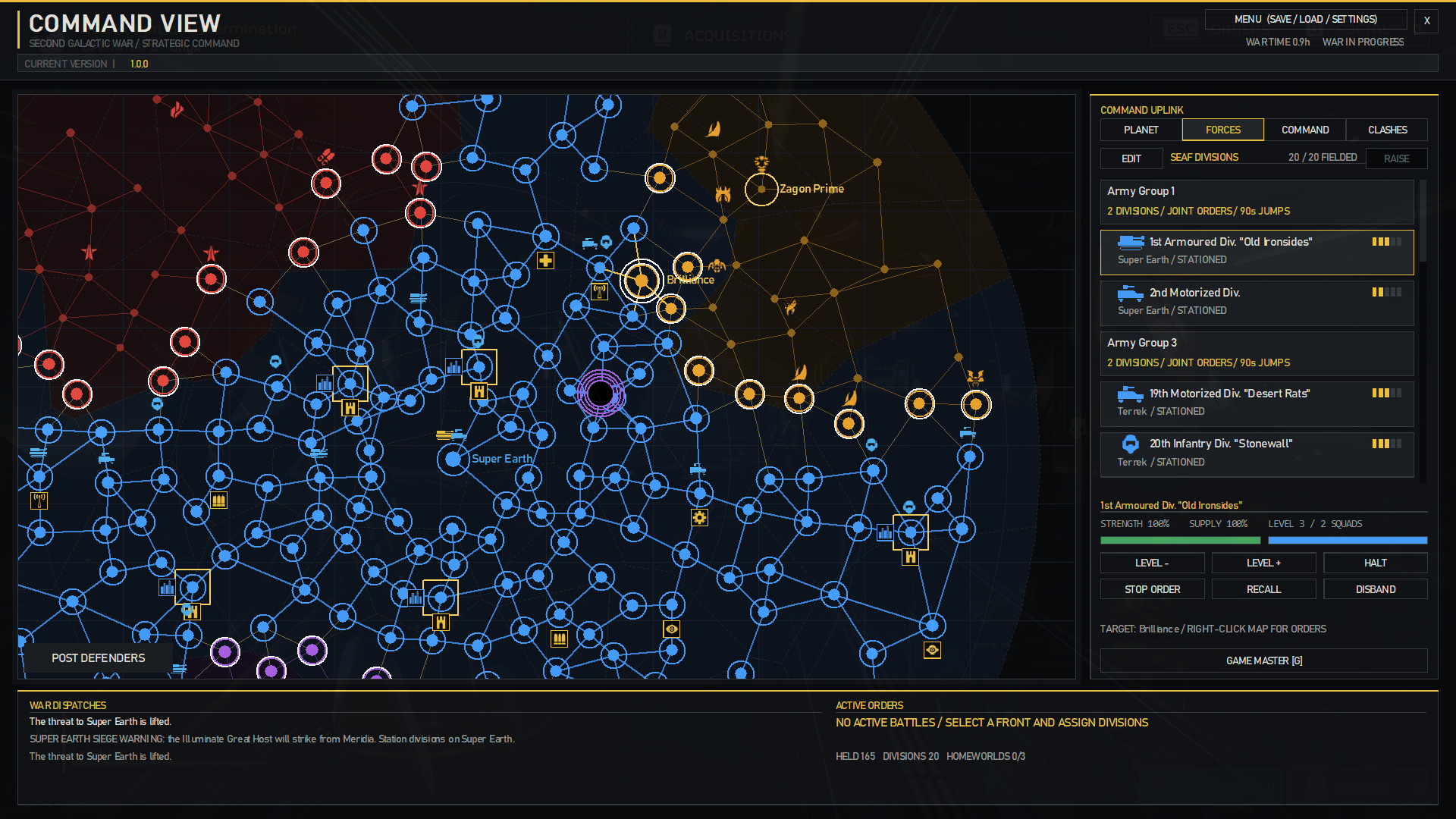
- Command View is the map on the left, with the Command Uplink on the right: Planet, Forces, Command and Clashes. War Dispatches and Active Orders appear below the map.
- To move around the map, left-click empty space and drag. Use the mouse wheel to zoom. Zoomed out, divisions and projects are dots and small markers. Scroll over a list to browse its entries.
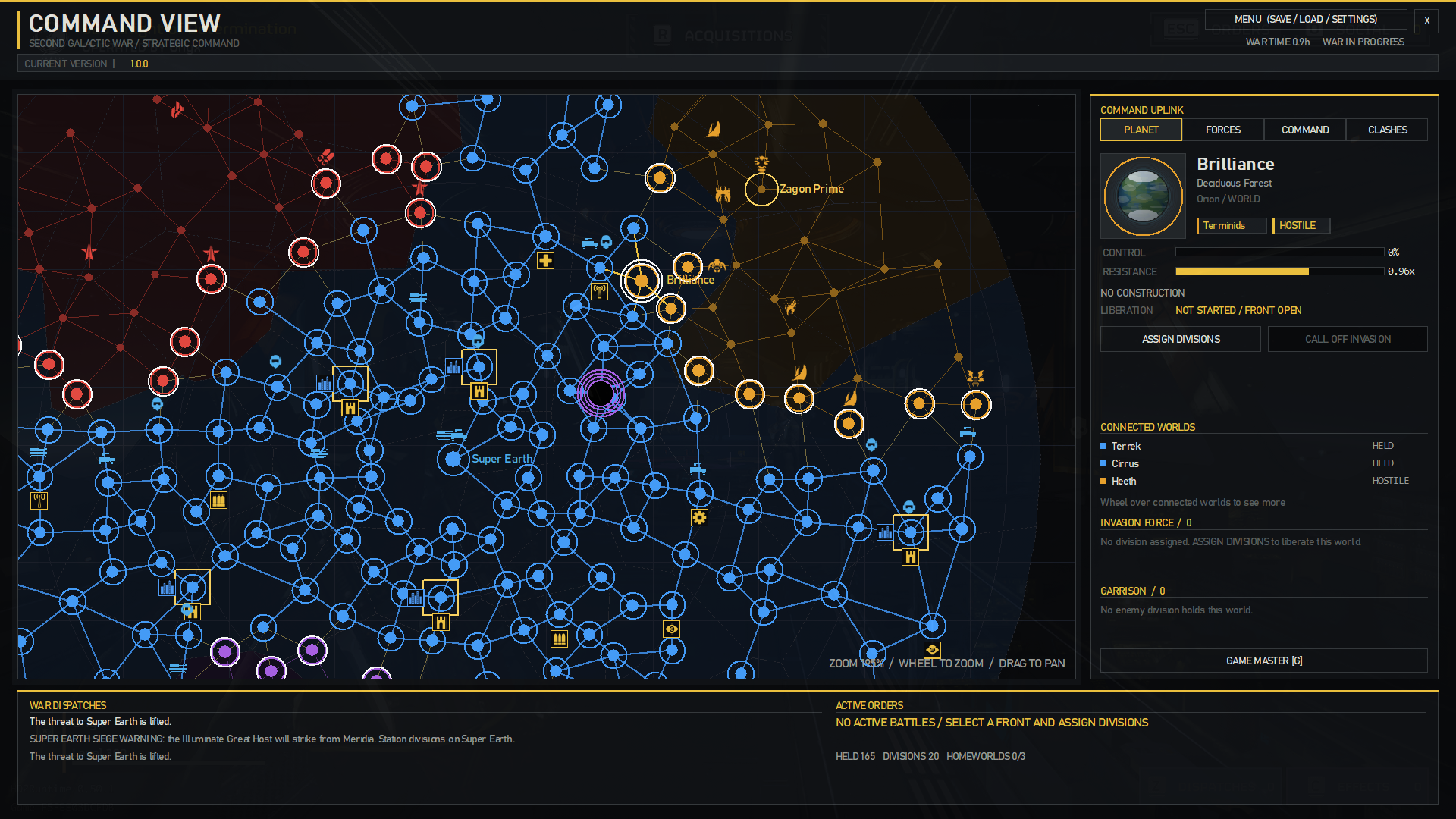
- Planet: select a planet to inspect its ownership, liberation, connected worlds, Invasion Force and Garrison.
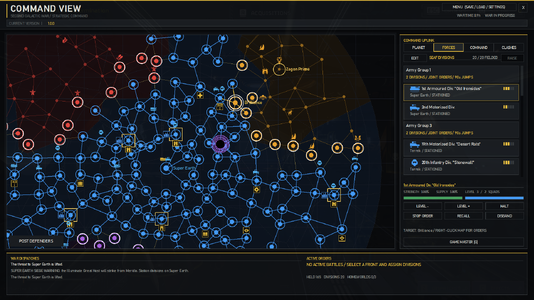
- Forces: click Raise, then choose the kind and Super Earth or a Fortress Planet. You can also use Raise a division here on those planets. You start with eight division slots, and each held Fortress Planet adds two.
- Select a division to see its strength and supply. Level + and Level - set its level, Halt and Resume manage its part in an invasion, and Recall and Disband do what they say. Liberation pauses when no active division is fighting on the planet, but the invasion deadline continues.
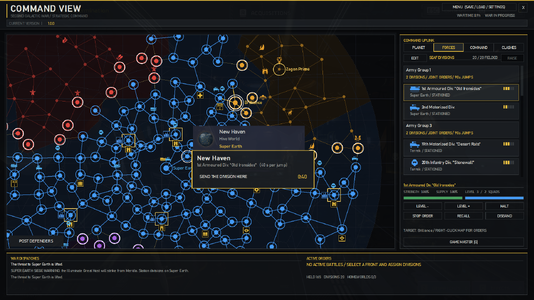
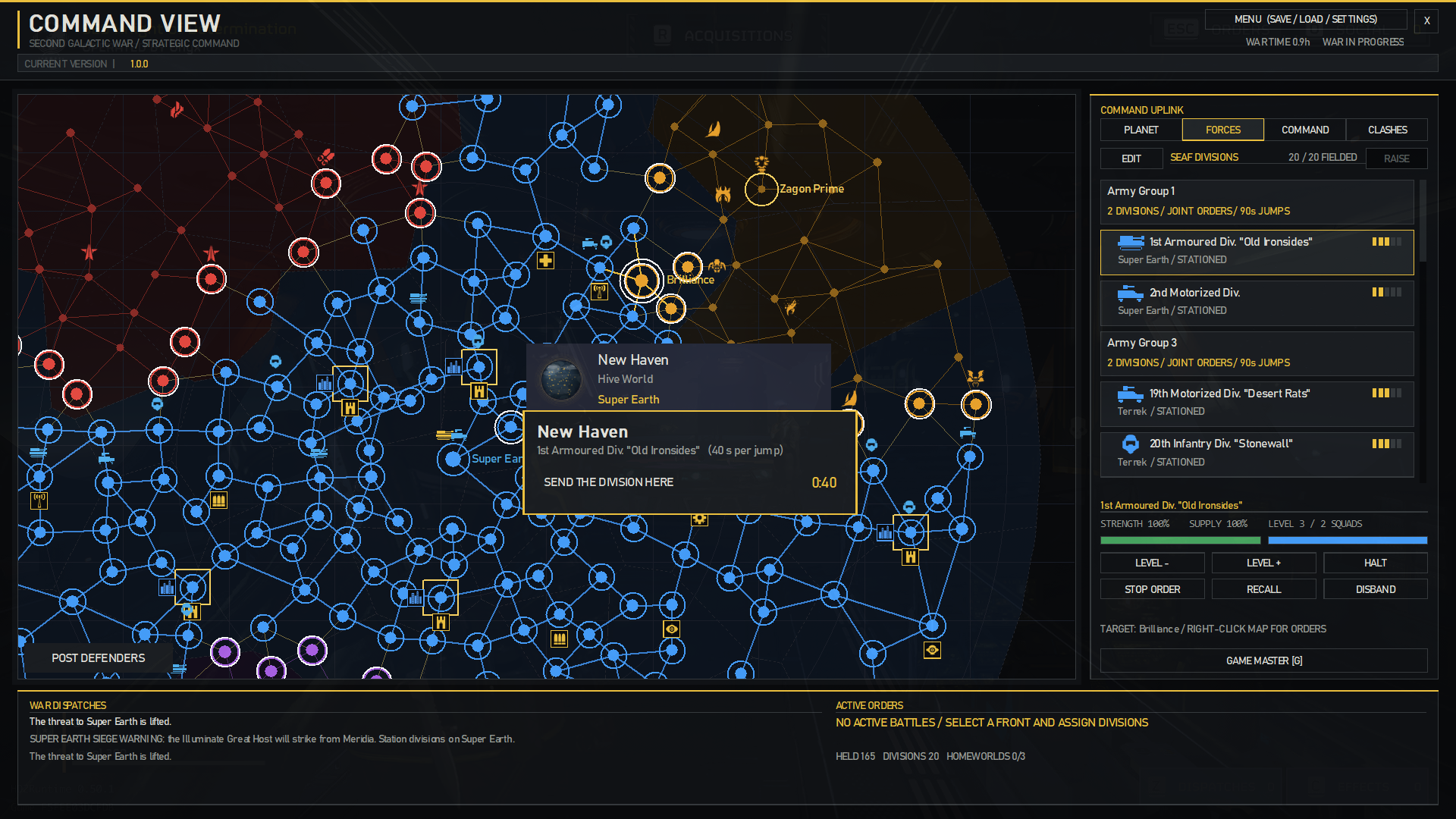
- Select a division, then right-click a planet to move, invade or support. Immediate Invasions begin on arrival; Planned Invasions include ten minutes of preparation. With several divisions selected (Ctrl + click), they all take the order, each at its own speed.
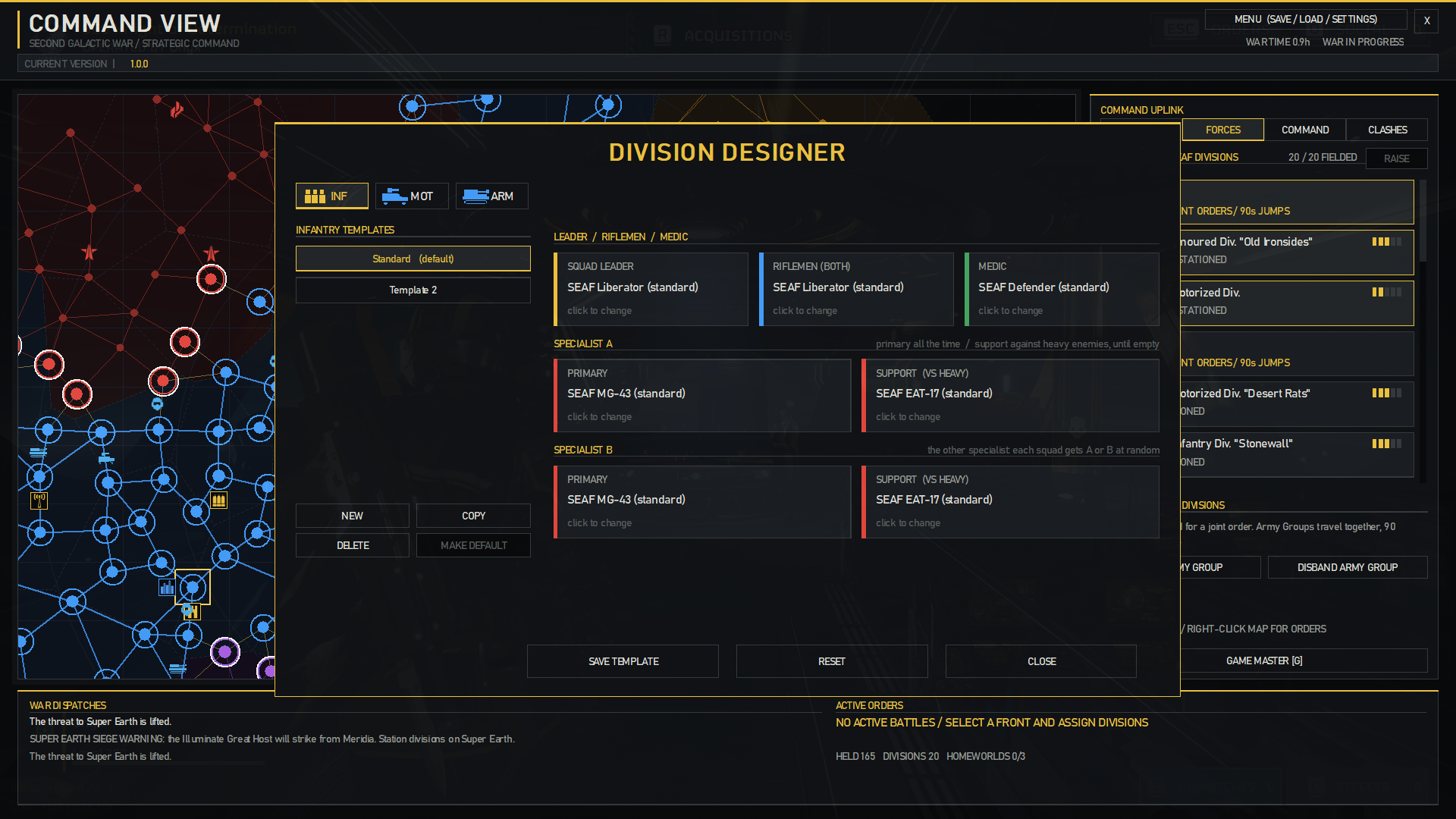
- Click Edit in Forces to open the division designer: set squad weapons per kind, and name a division.
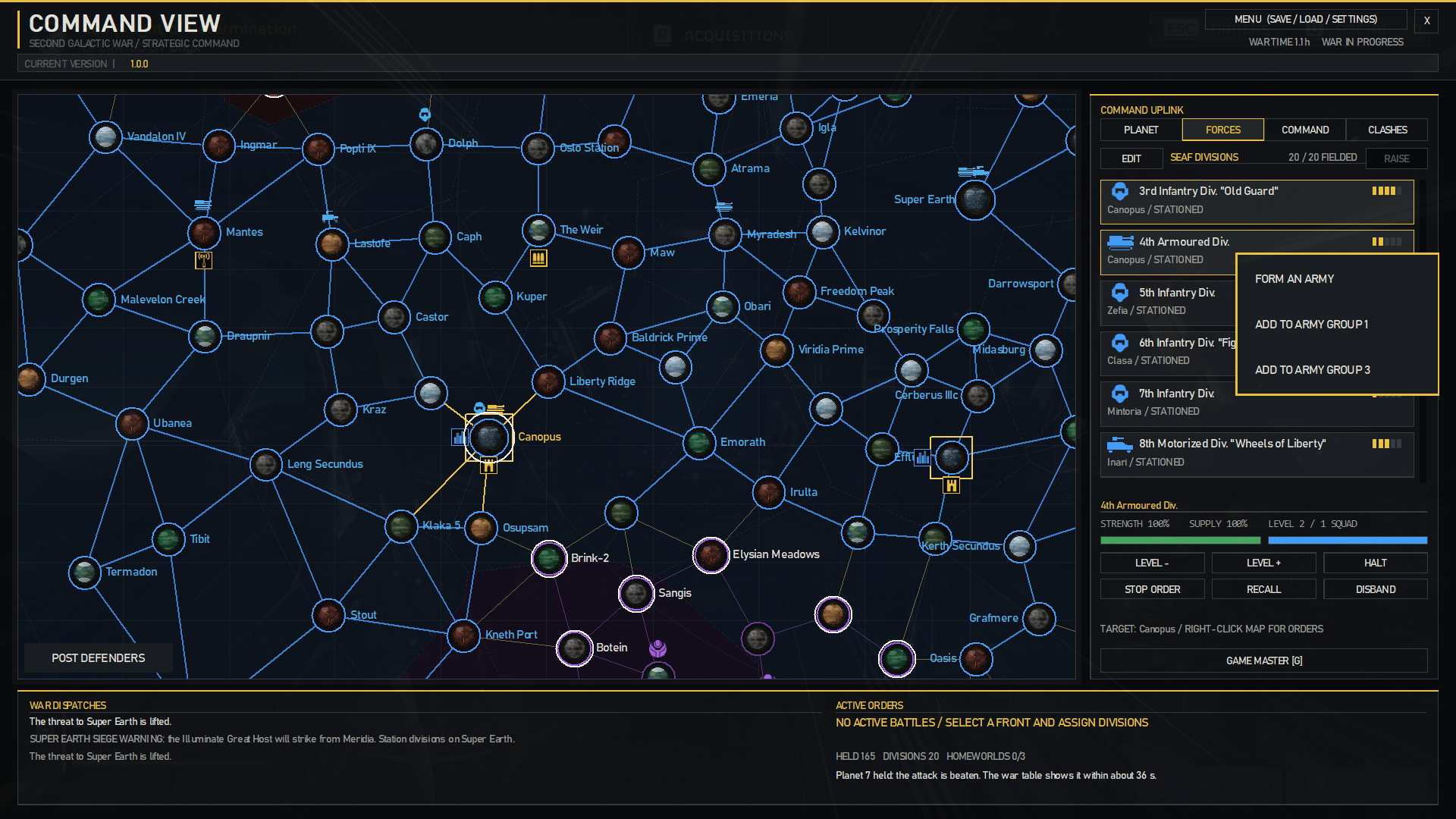
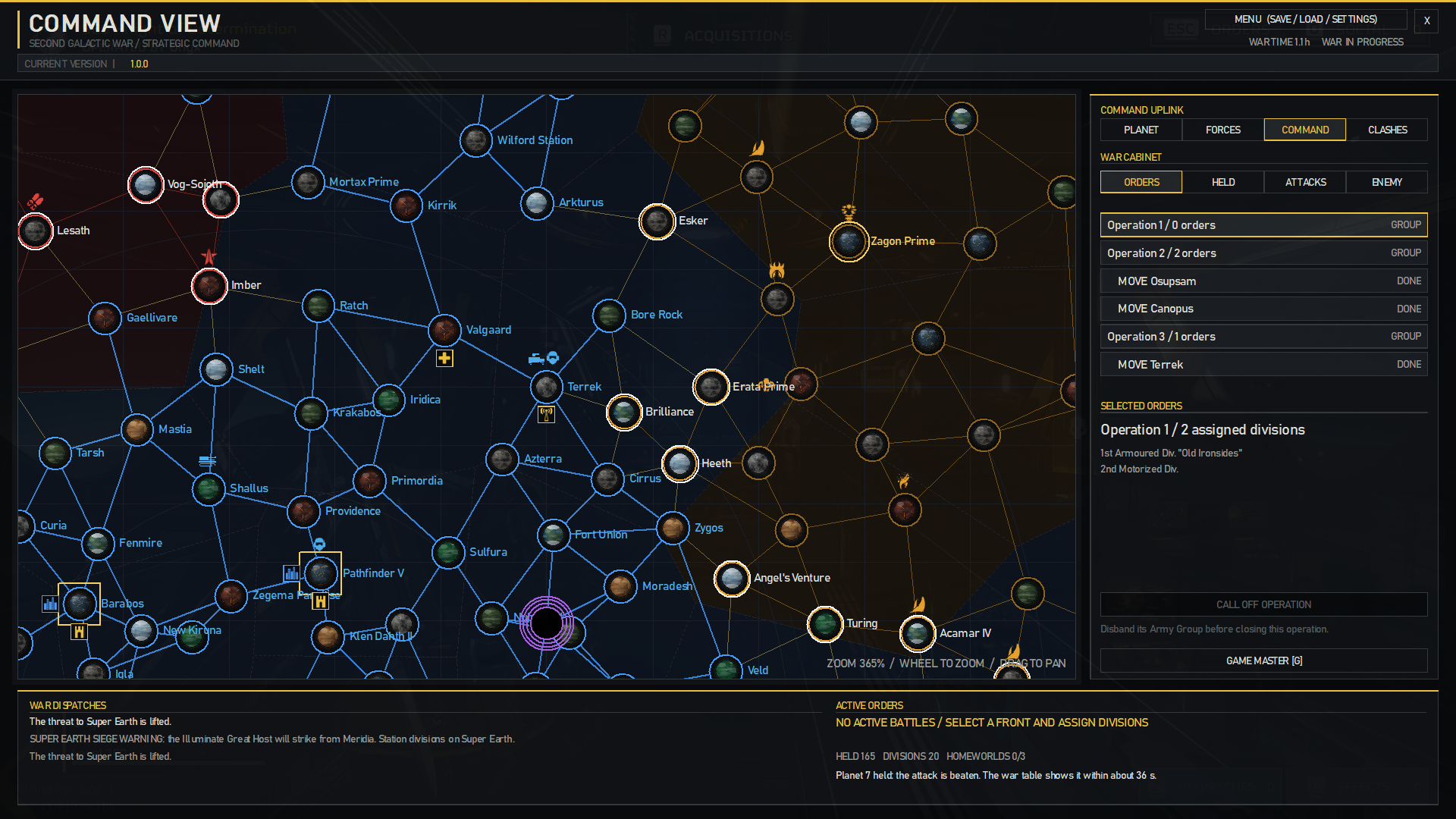
- Ctrl + click several divisions on the same planet, then right-click one of them and choose Form an Army. Select the group to issue movement and invasion orders together. Army Groups take 90 seconds between jumps. You can also add single divisions to a group.
- SEAF squads and vehicles deploy during missions on planets your divisions are invading, or defending.
- Command: filter by Orders, Held planets, Attacks and Enemy planets. Enemy entries show whether a planet is open or still locked.
- Ctrl + click several ungrouped orders under Orders, then right-click one of them to Form an Operation. An Army Group makes an Operation for its orders by itself.
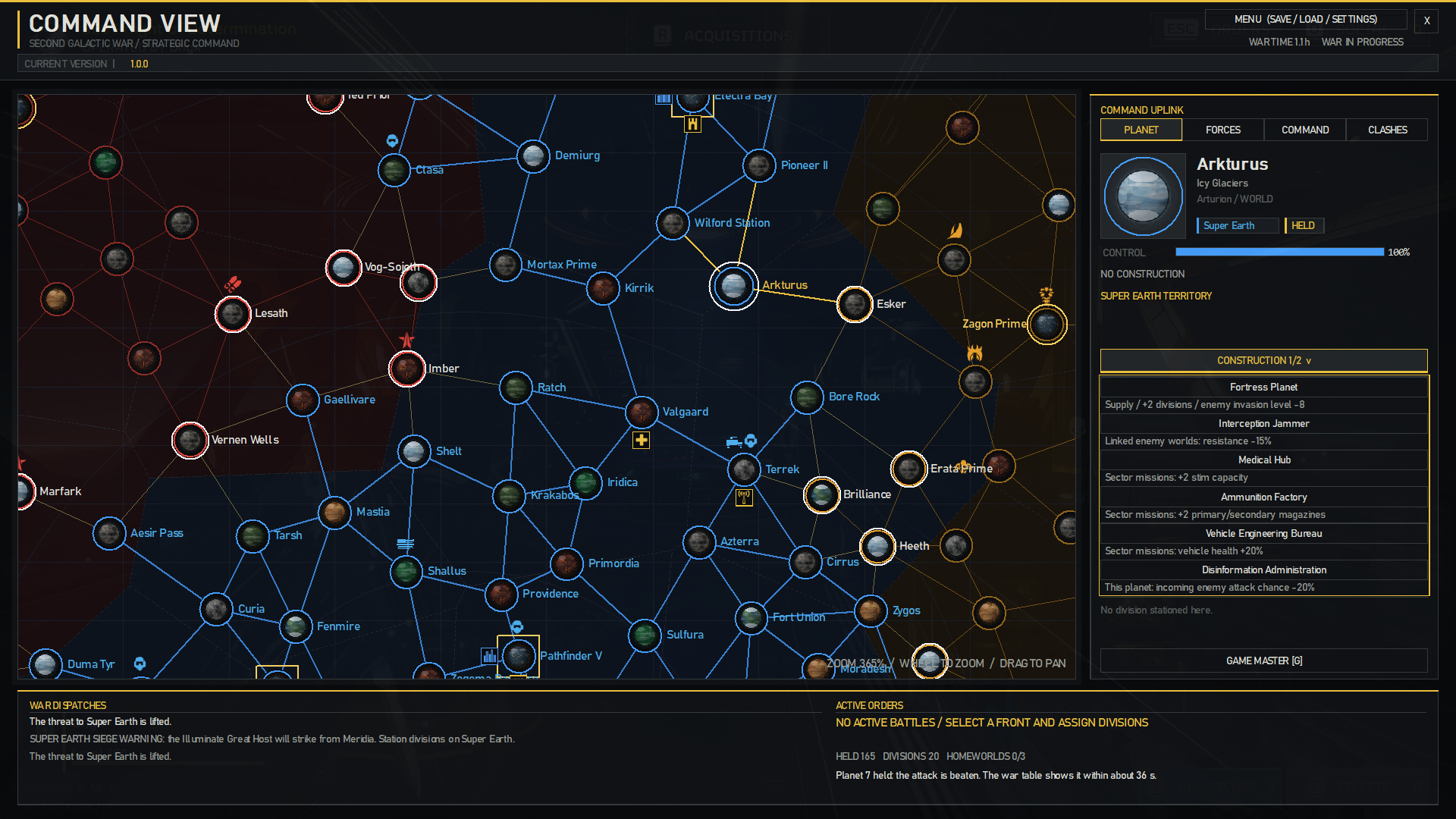
- Choose Construction in the Planet panel to build, change or remove a project on a held planet outside the starting worlds.
- The Void has its own map in the game. Enter it through the Warp Relay's planet.
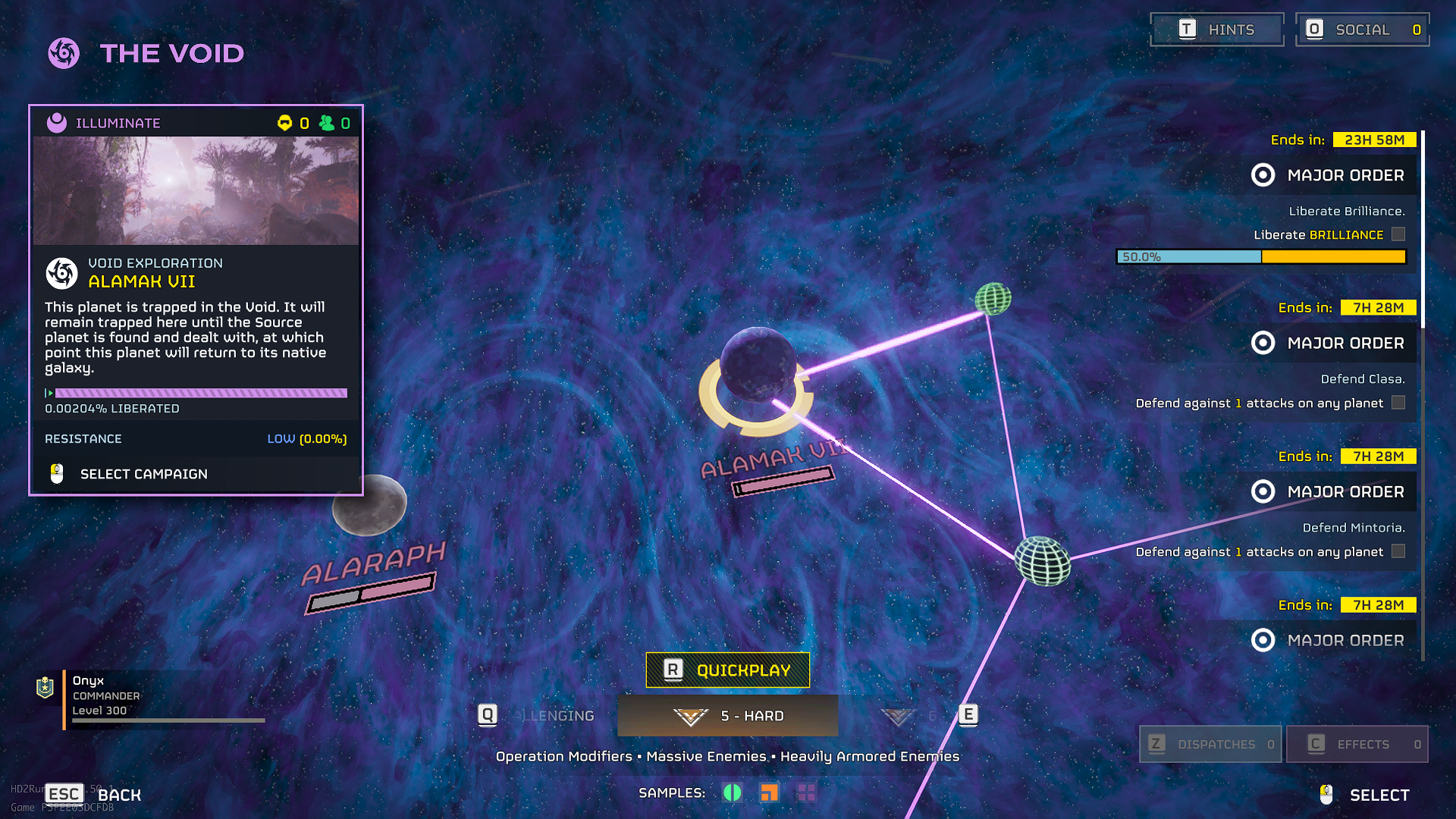
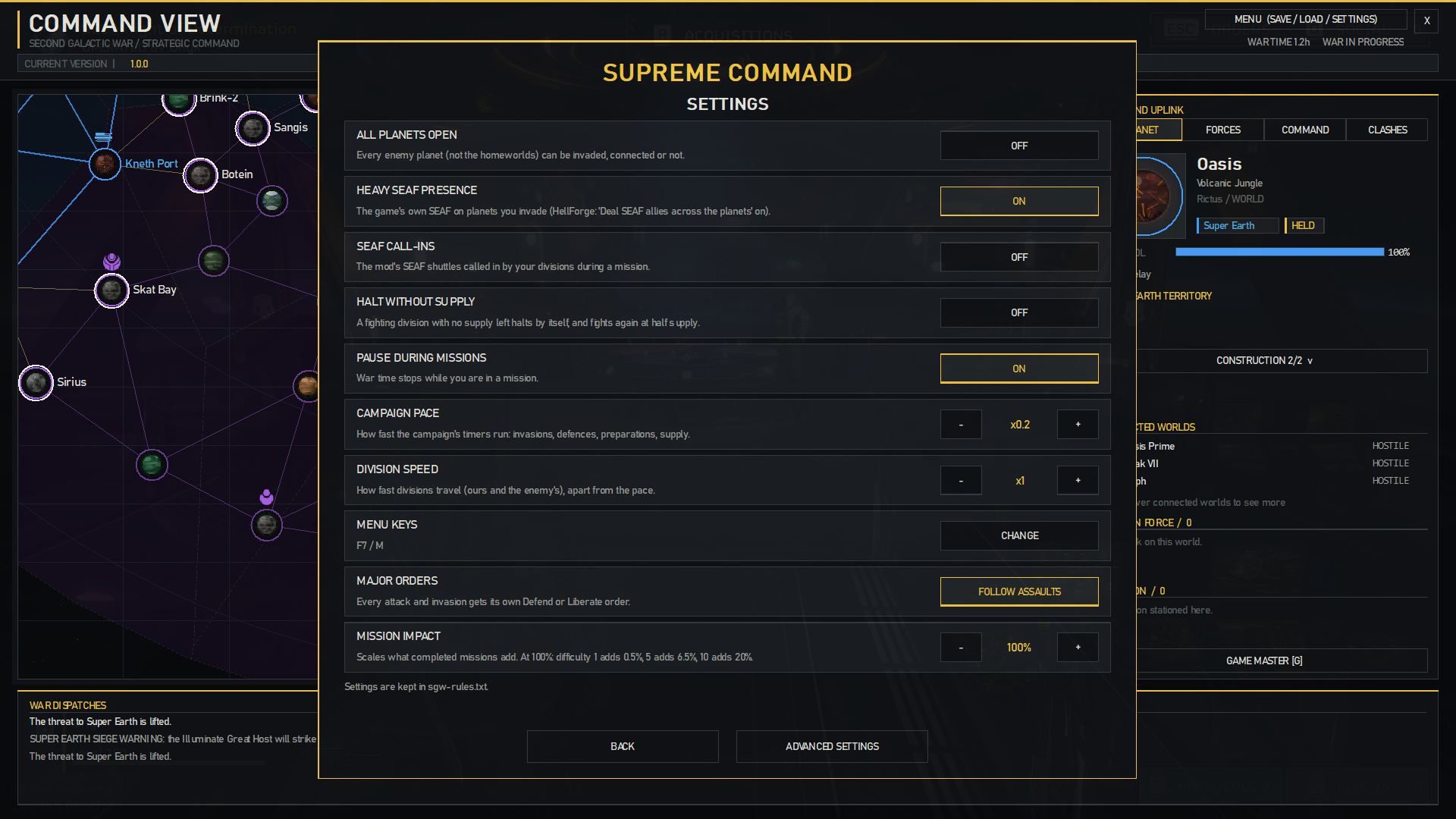
- Settings: all planets open, SEAF call-ins, halt without supply, pause during missions, campaign pace, division speed, menu keys, Major Orders and mission impact. Advanced Settings has enemy division numbers, planet paint, full screen and Campaign Timers.
- Game Master: press G in Command View for direct control: change planets' owners, paint territory, enemy divisions and the Void, freeze things, and issue Major Orders.
- Your campaign is safe when you update: it lives in AppData\LocalLow\Helldivers Supreme Command, along with sgw-rules.txt for further settings. Installing a new version does not touch it. Back that folder up if your campaign matters to you.
Known limits
- Meridia's black hole does not show. Meridia appears in the Void instead, until the siege is broken.
- Solo liberation shows in Command View only, not on the galactic map.
- The Bastion's cannon does not shoot structures yet.
- Giant outposts add no mission bonus yet.
- The galactic map refreshes about once a minute.
- An urgent liberation's timer reads DEFEND (the game's own label).
- SEAF call-ins use the call-in route from Riggs' SEAF Reinforcements, with Riggs' permission.
Big shoutout to Riggs!
- The betterment of the interface and features, provided by Devalorian's Galactic Conquest.
Great shoutout to Devalorian!
- Enemy divisions and movements, the enemy planner and the Clashes tab, made by Fandirus.
Wholesome shoutout to Fandirus!
- Game facts learned from Beelzebub's Scope of Authority (loading vehicles), Bingus' Match Your Colors (planet paint), chef's Smarter SEAF and Smarter Guard Dogs & Sentries (turrets and units), and Pick your Bots/BugslSquids (enemy tables, IDs).
Thank you all!
The Mod
Take command of the Second Galactic War. Supreme Command turns HellForge's single-player galactic war into a strategy campaign you run from your own command map.
The campaign
Super Earth starts with its home planets; every other planet is locked until it borders your territory. Capture the three enemy homeworlds (Cyberstan, Zagon Prime, Seasse) to win. The war runs while the game runs. You can set its pace, and pause it during missions, in Settings.
Your missions count
A mission with its main objective done adds to that planet's liberation, siege or defence, from 0.5% at difficulty 1 to 24% at difficulty 11. Each side objective done adds 10% to that. Each outpost destroyed adds 1% for light, 2% for medium and 4% for heavy. A failed mission costs nothing.
Solo liberation
A mission on an enemy planet with no invasion earns liberation of its own. It slips back 1.5 points an hour while nobody fights there, an invasion starts from what you earned, and at 100% the planet is Super Earth's. Homeworlds and Meridia cannot be freed this way.
SEAF Divisions
Raise divisions on Super Earth or a Fortress Planet and move them along the planet links. Send them into an Immediate invasion (it starts on arrival) or a Planned one (10 minutes of preparation, 10% less resistance, and a shorter campaign). In your missions on that planet, they call in SEAF squads.
- Infantry: balanced.
- Motorized: less strength, more supply. Brings a Supply FRV with an automatic turret and a SEAF driver.
- Armoured: more strength, less supply. Brings a Bastion with an automatic cannon.
Divisions have five levels. A higher level means more strength and supply, faster travel and more squads: one at levels 1 and 2, two at 3 and 4, three at 5, and a second vehicle at level 5.
Several divisions on one planet stack, with less gained from each one, and cancel out enemy divisions there. Crowding costs supply, so stacking is a choice. Use the division designer (EDIT in Forces) to set each kind's squad weapons, and give divisions their own names.
Supply and strength
Fighting burns supply; out of supply, divisions wear down and can be shattered. Divisions within 3 jumps of Super Earth or 2 of a Fortress Planet are in supply, and use it at half the rate while fighting there. Halt them to resupply, rotate them out, and rebuild them behind the lines.
Army Groups and Operations
Group divisions on one planet into an Army Group to move and attack together. Group orders into an Operation to follow a multi-planet offensive in one place.
Defending your planets
When the enemy attacks a planet, the divisions standing on it defend it on their own. Their strength speeds up the defence, and each one beyond the first cancels an enemy division. Your missions there count too.
Sector construction projects
Build special projects on your held planets. Each sector can have two projects, with one per planet. You can change or remove them.
- Fortress Planet: supplies and raises divisions, adds two division slots and lowers the incoming invasion level by 8.
- Interception Jammer: lowers the resistance of connected enemy planets by 15%.
- Medical Hub: adds two stim capacity.
- Ammunition Factory: adds two spare magazines for primary and secondary weapons.
- Vehicle Engineering Bureau: increases friendly vehicle hull health by 20%.
- Disinformation Administration: lowers the chance of an autonomous enemy invasion of its planet by 20%.
- Warp Relay: your way into the Void. Only on a held planet linked to it, one at a time.
Medical, ammunition and vehicle bonuses apply only in their sector's missions. Different bonuses work together; duplicate sector bonus types do not stack. Losing the planet removes its construction.
The enemy fights back
Lost invasions bring counter-attacks. The enemy also launches its own offensives where you look weak, and its factions fight each other where their territories meet: the Clashes tab shows those fights. Resistance rises the closer you get to an enemy homeworld; encircled planets are weaker. Running invasions show their own timer on the galactic map.
Enemy divisions and subfactions
The Terminids, Automatons and Illuminate field divisions of their own: by default six regular divisions per faction and one of each subfaction, and you can change these in Advanced Settings. They travel along the planet links, one minute per jump, and plan their own moves. Each enemy division on a planet raises its resistance by 12% and slows your defence against its faction by 21%, counting up to five divisions. Enemy divisions never capture planets on their own.
Subfactions follow their divisions: a planet shows a subfaction only while one of its divisions stands there.
- Terminids: Predator Strain, Spore Burst Strain, Rupture Strain, Dragonroach, Hive Lord.
- Automatons: Jet Brigade, Incineration Corps, Cyborgs.
- Illuminate: Appropriators, Mindless Masses, Vote Snatchers, Invasion Fleet.
Enemy divisions show on the map as their faction's emblem. Select a planet to see its Invasion Force (who attacks it) and Garrison (who holds it) in the Planet panel.
World transformations
A planet the enemy holds with its divisions for long enough can change: Terminids make a Hive World (liberation +30%, its garrison regrows), Automatons a Mega Factory (liberation +10%, builds divisions), and both then spread to other planets. Your Fortress Planets can grow into Mega Cities: attacks are weaker, supply reaches one jump further and rebuilding is twice as fast.
The Void
Take five planets from the Illuminate and the Void opens at Seasse. It grows, trapping linked planets, and a trapped planet becomes Illuminate after a while. Nothing crosses its edge without a Warp Relay. The relay reveals the planets next to it, and each one you take reveals the next. Seasse shows as an Anomaly Location until you reach a planet beside it. Take it and the Void collapses, its planets return, and the relay is removed.
Meridia
Take ten planets from the Illuminate while the Void is open and Meridia falls into it. The Great Host then besieges Super Earth from there. Station divisions on Super Earth to fill its defence: full, and the siege is broken. Taking Seasse also ends it, as the Great Host's way through is gone.
Homeworld sieges
Cyberstan, Zagon Prime and Seasse need a special siege order. Capture at least two planets linked directly to a homeworld, station five divisions on captured adjacent planets, then select them and right-click the homeworld. The siege takes 10 hours of active fighting. If fewer than five assigned divisions can fight, its timer pauses until you bring replacements. Seasse lies in the Void: you need the Warp Relay, and one held planet beside it is enough.
Super Earth under siege
If an enemy takes a planet directly linked to Super Earth, a one-hour warning is issued. Upon the warning's end, a 10-hour final siege begins automatically. Retake every captured approach before the timer runs out. If Super Earth falls, the war is lost.
Major Orders
The campaign gives a Defend or Liberate order for each attack and invasion. You can turn this off in Settings, and add your own from the Game Master.
How to play
- Start a HellForge session with Sandbox mode off in Launcher settings, and the Galactic War mode All planets open.
- Press F7 or M to open the menu: Continue Campaign, New Campaign, Save, Load (five slots and an autosave), Settings, Game Master and the mod's on / off switch. You can change the keys in Settings.
- Command View is the map on the left, with the Command Uplink on the right: Planet, Forces, Command and Clashes. War Dispatches and Active Orders appear below the map.
- To move around the map, left-click empty space and drag. Use the mouse wheel to zoom. Zoomed out, divisions and projects are dots and small markers. Scroll over a list to browse its entries.
- Planet: select a planet to inspect its ownership, liberation, connected worlds, Invasion Force and Garrison.
- Forces: click Raise, then choose the kind and Super Earth or a Fortress Planet. You can also use Raise a division here on those planets. You start with eight division slots, and each held Fortress Planet adds two.
- Select a division to see its strength and supply. Level + and Level - set its level, Halt and Resume manage its part in an invasion, and Recall and Disband do what they say. Liberation pauses when no active division is fighting on the planet, but the invasion deadline continues.
- Select a division, then right-click a planet to move, invade or support. Immediate Invasions begin on arrival; Planned Invasions include ten minutes of preparation. With several divisions selected (Ctrl + click), they all take the order, each at its own speed.
- Click Edit in Forces to open the division designer: set squad weapons per kind, and name a division.
- Ctrl + click several divisions on the same planet, then right-click one of them and choose Form an Army. Select the group to issue movement and invasion orders together. Army Groups take 90 seconds between jumps. You can also add single divisions to a group.
- SEAF squads and vehicles deploy during missions on planets your divisions are invading, or defending.
- Command: filter by Orders, Held planets, Attacks and Enemy planets. Enemy entries show whether a planet is open or still locked.
- Ctrl + click several ungrouped orders under Orders, then right-click one of them to Form an Operation. An Army Group makes an Operation for its orders by itself.
- Choose Construction in the Planet panel to build, change or remove a project on a held planet outside the starting worlds.
- The Void has its own map in the game. Enter it through the Warp Relay's planet.
- Settings: all planets open, SEAF call-ins, halt without supply, pause during missions, campaign pace, division speed, menu keys, Major Orders and mission impact. Advanced Settings has enemy division numbers, planet paint, full screen and Campaign Timers.
- Game Master: press G in Command View for direct control: change planets' owners, paint territory, enemy divisions and the Void, freeze things, and issue Major Orders.
- Your campaign is safe when you update: it lives in AppData\LocalLow\Helldivers Supreme Command, along with sgw-rules.txt for further settings. Installing a new version does not touch it. Back that folder up if your campaign matters to you.
Known limits
- Meridia's black hole does not show. Meridia appears in the Void instead, until the siege is broken.
- Solo liberation shows in Command View only, not on the galactic map.
- The Bastion's cannon does not shoot structures yet.
- Giant outposts add no mission bonus yet.
- The galactic map refreshes about once a minute.
- An urgent liberation's timer reads DEFEND (the game's own label).