ENGLISH
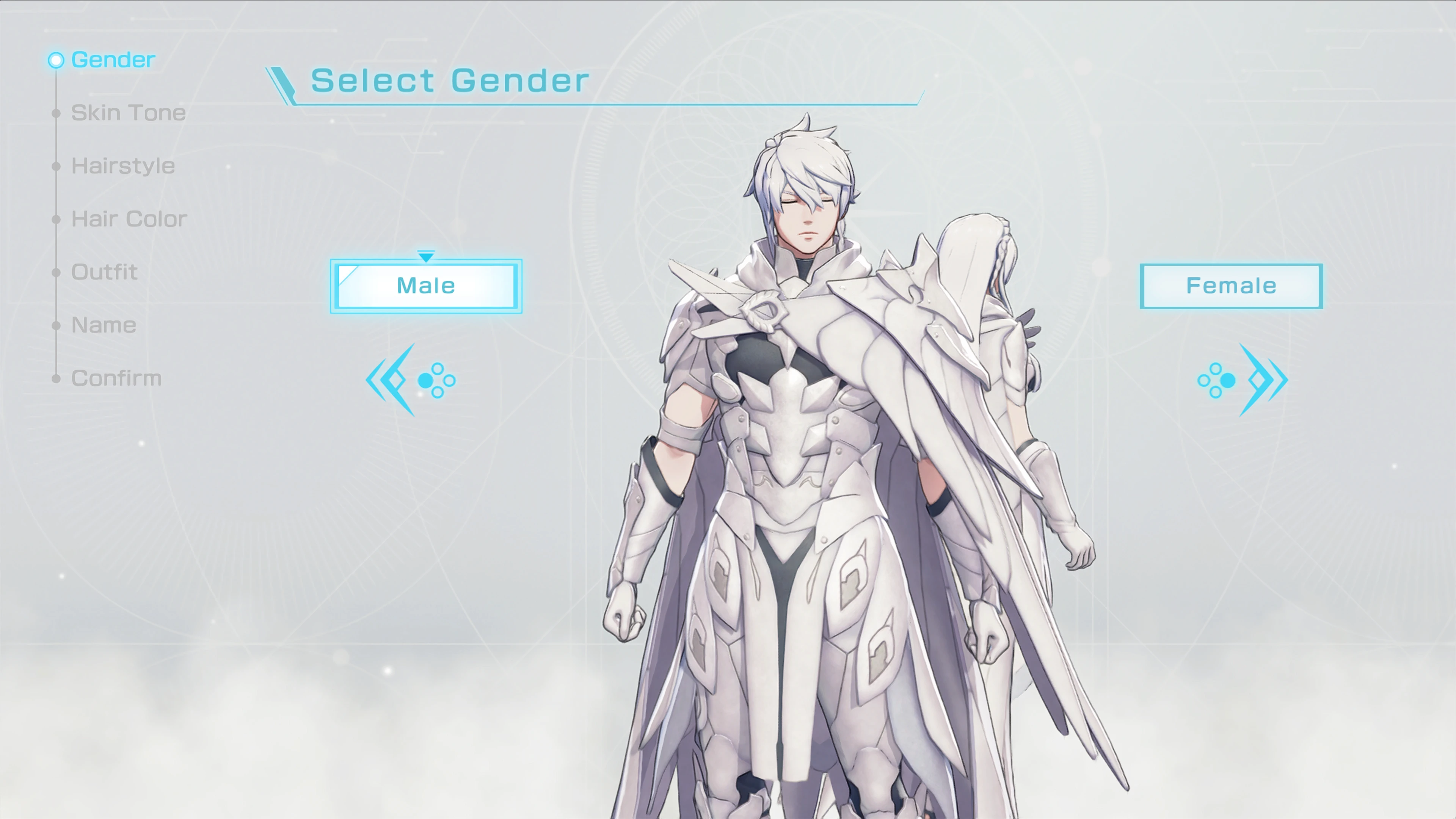
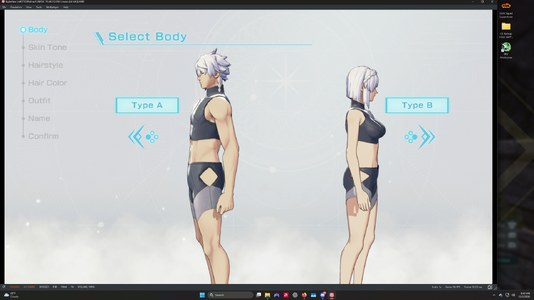
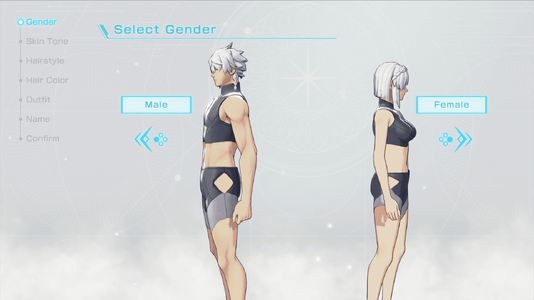
This mod changes all text relating to body types into that relating to Gender. Select Body now says "Select Gender", and Type A and B have been changed to Male and Female. This applies to every single language supported by version 1.0 of the game, including English, Spanish, French, German, Italian, Japanese, Korean, and Chinese. Here are the instructions on how to set it up.
How to install the mod:
Method 1. Look for Fortune's Weave in the emulator, right click it, then click "Open Mod Data". Copy and paste the folder that contains the romfs folder into the mod data folder, then select "Configure Game" to make sure the mod is enabled. (Recommended method until the game stops updating.)
Method 2. If you have the loose files of the game with the romfs and exefs folders, copy the contents of the romfs folder inside the mod and paste them into the romfs folder of your game. This method directly integrates the mod into the game files, though there is no guarantee that it will still work on its native hardware.
Note: This mod has only been tested on an emulator. It will be updated if the game is updated to support more languages.
日本語 (JAPANESE)
このMODは、体型に関するすべてのテキストを、性別に関するテキストに変更します。「Select Body」は「Select Gender」になり(日本語版では「GENDER SELECT」と表示されます)、タイプAとBは「MALE」と「FEMALE」に変更されています。ゲームのバージョン1.0が対応するすべての言語(英語、スペイン語、フランス語、ドイツ語、イタリア語、日本語、韓国語、中国語)に適用されます。
MODのインストール方法:
方法 1. エミュレーターでFortune's Weaveを探して右クリックし、「Open Mod Data」をクリックします。romfsフォルダが入っているフォルダをMODデータフォルダにコピー&ペーストし、「Configure Game」を選択してMODが有効になっていることを確認してください。(ゲームのアップデートが止まるまでは、この方法を推奨します。)
方法 2. romfsフォルダとexefsフォルダが入ったゲームのルーズファイルをお持ちの場合は、MOD内のromfsフォルダの中身をコピーし、ゲームのromfsフォルダに貼り付けてください。この方法ではMODがゲームファイルに直接組み込まれますが、実機で引き続き動作する保証はありません。
注意: このMODはエミュレーターでのみ動作確認を行っています。ゲームが更新されて対応言語が増えた場合は、MODも更新する予定です。
FRANÇAIS (FRENCH)
Ce mod remplace tout le texte relatif aux types de corps par du texte relatif au genre. « Select Body » devient « Select Gender » (en français, l'écran affiche « Choisir le genre »), et Type A et B ont été remplacés par Homme et Femme. Il s'applique à toutes les langues prises en charge par la version 1.0 du jeu : anglais, espagnol, français, allemand, italien, japonais, coréen et chinois.
Installation du mod :
Méthode 1. Repérez Fortune's Weave dans l'émulateur, faites un clic droit dessus, puis cliquez sur « Open Mod Data ». Copiez-collez le dossier contenant le dossier romfs dans le dossier des données de mods, puis sélectionnez « Configure Game » pour vous assurer que le mod est activé. (Méthode recommandée tant que le jeu continue de recevoir des mises à jour.)
Méthode 2. Si vous disposez des fichiers du jeu (« loose files ») avec les dossiers romfs et exefs, copiez le contenu du dossier romfs du mod et collez-le dans le dossier romfs de votre jeu. Cette méthode intègre directement le mod aux fichiers du jeu, mais il n'est pas garanti qu'elle fonctionne sur la console d'origine.
Remarque : Ce mod n'a été testé que sur émulateur. Il sera mis à jour si le jeu reçoit une mise à jour ajoutant d'autres langues.
DEUTSCH (GERMAN)
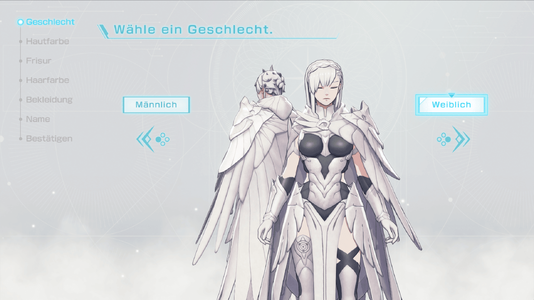
Diese Mod ändert alle Texte zu Körpertypen in Texte zum Thema Geschlecht. „Select Body" heißt jetzt „Select Gender" (im deutschen Spiel zeigt die Auswahl „Wähle ein Geschlecht."), und Typ A und B wurden in Männlich und Weiblich geändert. Das gilt für alle Sprachen, die Version 1.0 des Spiels unterstützt: Englisch, Spanisch, Französisch, Deutsch, Italienisch, Japanisch, Koreanisch und Chinesisch.
Installation des Mods:
Methode 1. Suche Fortune's Weave im Emulator, klicke mit der rechten Maustaste darauf und wähle „Open Mod Data". Kopiere den Ordner, der den romfs-Ordner enthält, in den Mod-Daten-Ordner und wähle dann „Configure Game", um sicherzustellen, dass die Mod aktiviert ist. (Empfohlene Methode, solange das Spiel noch Updates erhält.)
Methode 2. Falls du die losen Spieldateien mit den Ordnern romfs und exefs besitzt, kopiere den Inhalt des romfs-Ordners der Mod und füge ihn in den romfs-Ordner deines Spiels ein. Diese Methode integriert die Mod direkt in die Spieldateien. Es gibt jedoch keine Garantie, dass sie auf der Original-Hardware weiterhin funktioniert.
Hinweis: Diese Mod wurde nur in einem Emulator getestet. Sie wird aktualisiert, falls das Spiel um weitere Sprachen erweitert wird.
ITALIANO (ITALIAN)
Questa mod trasforma tutti i testi relativi ai tipi di corporatura in testi relativi al genere. "Select Body" ora diventa "Select Gender" (in italiano la schermata mostra «Scegli il genere»), e Tipo A e B sono stati sostituiti da Maschio e Femmina. Si applica a tutte le lingue supportate dalla versione 1.0 del gioco: inglese, spagnolo, francese, tedesco, italiano, giapponese, coreano e cinese.
Come installare la mod:
Metodo 1. Trova Fortune's Weave nell'emulatore, fai clic destro e seleziona "Open Mod Data". Copia e incolla la cartella che contiene la cartella romfs nella cartella dei dati delle mod, poi seleziona "Configure Game" per assicurarti che la mod sia attiva. (Metodo consigliato finché il gioco continua a ricevere aggiornamenti.)
Metodo 2. Se disponi dei file sciolti del gioco con le cartelle romfs ed exefs, copia il contenuto della cartella romfs della mod e incollalo nella cartella romfs del tuo gioco. Questo metodo integra la mod direttamente nei file del gioco, ma non c'è alcuna garanzia che funzioni ancora sull'hardware originale.
Nota: Questa mod è stata provata solo su emulatore. Verrà aggiornata se il gioco riceverà un aggiornamento con altre lingue.
ESPAÑOL (SPANISH)
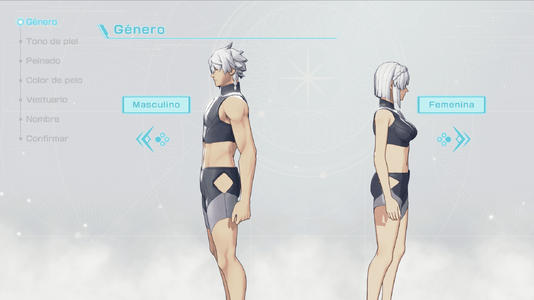
Este mod cambia todo el texto relacionado con los tipos de cuerpo por el relacionado con el género. "Select Body" ahora dice "Select Gender" (en español, la pantalla muestra «Género»), y Tipo A y B se han cambiado por Masculino y Femenina. Se aplica a todos los idiomas compatibles con la versión 1.0 del juego: inglés, español, francés, alemán, italiano, japonés, coreano y chino.
Cómo instalar el mod:
Método 1. Busca Fortune's Weave en el emulador, haz clic derecho sobre él y pulsa "Open Mod Data". Copia y pega la carpeta que contiene la carpeta romfs dentro de la carpeta de datos de mods y, después, selecciona "Configure Game" para asegurarte de que el mod esté activado. (Método recomendado mientras el juego siga recibiendo actualizaciones.)
Método 2. Si tienes los archivos sueltos del juego con las carpetas romfs y exefs, copia el contenido de la carpeta romfs del mod y pégalo en la carpeta romfs de tu juego. Este método integra el mod directamente en los archivos del juego, pero no hay garantía de que siga funcionando en la consola original.
Nota: Este mod solo se ha probado en un emulador. Se actualizará si el juego recibe una actualización que añada más idiomas.
한국어 (KOREAN)
이 모드는 체형과 관련된 모든 텍스트를 성별과 관련된 텍스트로 변경합니다. "Select Body"는 이제 "Select Gender"로 표시되며(한국어 버전에서는 "성별 선택"으로 표시됩니다), 타입 A와 B는 "남성"과 "여성"으로 변경되었습니다. 게임 1.0 버전이 지원하는 모든 언어(영어, 스페인어, 프랑스어, 독일어, 이탈리아어, 일본어, 한국어, 중국어)에 적용됩니다.
모드 설치 방법:
방법 1. 에뮬레이터에서 Fortune's Weave를 찾아 마우스 오른쪽 버튼으로 클릭한 다음 "Open Mod Data"를 클릭하세요. romfs 폴더가 들어 있는 폴더를 모드 데이터 폴더에 복사하여 붙여넣고, "Configure Game"을 선택하여 모드가 활성화되어 있는지 확인하세요. (게임 업데이트가 중단될 때까지 권장하는 방법입니다.)
방법 2. romfs 폴더와 exefs 폴더가 있는 게임의 루스 파일(loose files)을 가지고 있다면, 모드 안의 romfs 폴더 내용을 복사하여 게임의 romfs 폴더에 붙여넣으세요. 이 방법은 모드를 게임 파일에 직접 통합하지만, 정식 하드웨어에서 계속 작동한다는 보장은 없습니다.
참고: 이 모드는 에뮬레이터에서만 테스트되었습니다. 게임이 업데이트되어 더 많은 언어를 지원하게 되면 모드도 업데이트될 예정입니다.
繁體中文 (TRADITIONAL CHINESE)
本模組將所有與體型相關的文字改為與性別相關的文字。「Select Body」現在顯示為「Select Gender」(繁體中文版顯示為「選擇性別」),「類型A和B」已改為「男性」和「女性」。本模組適用於遊戲1.0版本支援的所有語言:英語、西班牙語、法語、德語、義大利語、日語、韓語和中文。
模組安裝方法:
方法 1. 在模擬器中找到Fortune's Weave,按右鍵,選擇「Open Mod Data」。將包含romfs資料夾的那個資料夾複製並貼上到模組資料資料夾中,然後選擇「Configure Game」,確認模組已啟用。(在遊戲停止更新之前,建議使用此方式。)
方法 2. 如果你有遊戲的散裝檔案(包含romfs和exefs資料夾),請複製模組中romfs資料夾內的內容,並貼上到遊戲的romfs資料夾中。此方式會將模組直接整合進遊戲檔案,但無法保證在原生硬體上仍能正常運作。
注意: 本模組僅在模擬器上測試過。如果遊戲更新並支援更多語言,本模組也會隨之更新。
简体中文 (SIMPLIFIED CHINESE)
本模组将所有与体型相关的文本改为与性别相关的文本。“Select Body”现在显示为“Select Gender”(简体中文版显示为“选择性别”),“类型A和B”已改为“男性”和“女性”。本模组适用于游戏1.0版本支持的所有语言:英语、西班牙语、法语、德语、意大利语、日语、韩语和中文。
模组安装方法:
方法 1. 在模拟器中找到Fortune's Weave,右键点击,选择“Open Mod Data”。将包含romfs文件夹的那个文件夹复制并粘贴到模组数据文件夹中,然后选择“Configure Game”,确认模组已启用。(在游戏停止更新之前,推荐使用此方法。)
方法 2. 如果你有游戏的散装文件(包含romfs和exefs文件夹),请复制模组中romfs文件夹内的内容,并粘贴到游戏的romfs文件夹中。此方法会将模组直接整合进游戏文件,但无法保证在原生硬件上仍能正常运行。
注意: 本模组仅在模拟器上测试过。如果游戏更新并支持更多语言,本模组也将随之更新。
This mod changes all text relating to body types into that relating to Gender. Select Body now says "Select Gender", and Type A and B have been changed to Male and Female. This applies to every single language supported by version 1.0 of the game, including English, Spanish, French, German, Italian, Japanese, Korean, and Chinese. Here are the instructions on how to set it up.
How to install the mod:
Method 1. Look for Fortune's Weave in the emulator, right click it, then click "Open Mod Data". Copy and paste the folder that contains the romfs folder into the mod data folder, then select "Configure Game" to make sure the mod is enabled. (Recommended method until the game stops updating.)
Method 2. If you have the loose files of the game with the romfs and exefs folders, copy the contents of the romfs folder inside the mod and paste them into the romfs folder of your game. This method directly integrates the mod into the game files, though there is no guarantee that it will still work on its native hardware.
Note: This mod has only been tested on an emulator. It will be updated if the game is updated to support more languages.
日本語 (JAPANESE)
このMODは、体型に関するすべてのテキストを、性別に関するテキストに変更します。「Select Body」は「Select Gender」になり(日本語版では「GENDER SELECT」と表示されます)、タイプAとBは「MALE」と「FEMALE」に変更されています。ゲームのバージョン1.0が対応するすべての言語(英語、スペイン語、フランス語、ドイツ語、イタリア語、日本語、韓国語、中国語)に適用されます。
MODのインストール方法:
方法 1. エミュレーターでFortune's Weaveを探して右クリックし、「Open Mod Data」をクリックします。romfsフォルダが入っているフォルダをMODデータフォルダにコピー&ペーストし、「Configure Game」を選択してMODが有効になっていることを確認してください。(ゲームのアップデートが止まるまでは、この方法を推奨します。)
方法 2. romfsフォルダとexefsフォルダが入ったゲームのルーズファイルをお持ちの場合は、MOD内のromfsフォルダの中身をコピーし、ゲームのromfsフォルダに貼り付けてください。この方法ではMODがゲームファイルに直接組み込まれますが、実機で引き続き動作する保証はありません。
注意: このMODはエミュレーターでのみ動作確認を行っています。ゲームが更新されて対応言語が増えた場合は、MODも更新する予定です。
FRANÇAIS (FRENCH)
Ce mod remplace tout le texte relatif aux types de corps par du texte relatif au genre. « Select Body » devient « Select Gender » (en français, l'écran affiche « Choisir le genre »), et Type A et B ont été remplacés par Homme et Femme. Il s'applique à toutes les langues prises en charge par la version 1.0 du jeu : anglais, espagnol, français, allemand, italien, japonais, coréen et chinois.
Installation du mod :
Méthode 1. Repérez Fortune's Weave dans l'émulateur, faites un clic droit dessus, puis cliquez sur « Open Mod Data ». Copiez-collez le dossier contenant le dossier romfs dans le dossier des données de mods, puis sélectionnez « Configure Game » pour vous assurer que le mod est activé. (Méthode recommandée tant que le jeu continue de recevoir des mises à jour.)
Méthode 2. Si vous disposez des fichiers du jeu (« loose files ») avec les dossiers romfs et exefs, copiez le contenu du dossier romfs du mod et collez-le dans le dossier romfs de votre jeu. Cette méthode intègre directement le mod aux fichiers du jeu, mais il n'est pas garanti qu'elle fonctionne sur la console d'origine.
Remarque : Ce mod n'a été testé que sur émulateur. Il sera mis à jour si le jeu reçoit une mise à jour ajoutant d'autres langues.
DEUTSCH (GERMAN)
Diese Mod ändert alle Texte zu Körpertypen in Texte zum Thema Geschlecht. „Select Body" heißt jetzt „Select Gender" (im deutschen Spiel zeigt die Auswahl „Wähle ein Geschlecht."), und Typ A und B wurden in Männlich und Weiblich geändert. Das gilt für alle Sprachen, die Version 1.0 des Spiels unterstützt: Englisch, Spanisch, Französisch, Deutsch, Italienisch, Japanisch, Koreanisch und Chinesisch.
Installation des Mods:
Methode 1. Suche Fortune's Weave im Emulator, klicke mit der rechten Maustaste darauf und wähle „Open Mod Data". Kopiere den Ordner, der den romfs-Ordner enthält, in den Mod-Daten-Ordner und wähle dann „Configure Game", um sicherzustellen, dass die Mod aktiviert ist. (Empfohlene Methode, solange das Spiel noch Updates erhält.)
Methode 2. Falls du die losen Spieldateien mit den Ordnern romfs und exefs besitzt, kopiere den Inhalt des romfs-Ordners der Mod und füge ihn in den romfs-Ordner deines Spiels ein. Diese Methode integriert die Mod direkt in die Spieldateien. Es gibt jedoch keine Garantie, dass sie auf der Original-Hardware weiterhin funktioniert.
Hinweis: Diese Mod wurde nur in einem Emulator getestet. Sie wird aktualisiert, falls das Spiel um weitere Sprachen erweitert wird.
ITALIANO (ITALIAN)
Questa mod trasforma tutti i testi relativi ai tipi di corporatura in testi relativi al genere. "Select Body" ora diventa "Select Gender" (in italiano la schermata mostra «Scegli il genere»), e Tipo A e B sono stati sostituiti da Maschio e Femmina. Si applica a tutte le lingue supportate dalla versione 1.0 del gioco: inglese, spagnolo, francese, tedesco, italiano, giapponese, coreano e cinese.
Come installare la mod:
Metodo 1. Trova Fortune's Weave nell'emulatore, fai clic destro e seleziona "Open Mod Data". Copia e incolla la cartella che contiene la cartella romfs nella cartella dei dati delle mod, poi seleziona "Configure Game" per assicurarti che la mod sia attiva. (Metodo consigliato finché il gioco continua a ricevere aggiornamenti.)
Metodo 2. Se disponi dei file sciolti del gioco con le cartelle romfs ed exefs, copia il contenuto della cartella romfs della mod e incollalo nella cartella romfs del tuo gioco. Questo metodo integra la mod direttamente nei file del gioco, ma non c'è alcuna garanzia che funzioni ancora sull'hardware originale.
Nota: Questa mod è stata provata solo su emulatore. Verrà aggiornata se il gioco riceverà un aggiornamento con altre lingue.
ESPAÑOL (SPANISH)
Este mod cambia todo el texto relacionado con los tipos de cuerpo por el relacionado con el género. "Select Body" ahora dice "Select Gender" (en español, la pantalla muestra «Género»), y Tipo A y B se han cambiado por Masculino y Femenina. Se aplica a todos los idiomas compatibles con la versión 1.0 del juego: inglés, español, francés, alemán, italiano, japonés, coreano y chino.
Cómo instalar el mod:
Método 1. Busca Fortune's Weave en el emulador, haz clic derecho sobre él y pulsa "Open Mod Data". Copia y pega la carpeta que contiene la carpeta romfs dentro de la carpeta de datos de mods y, después, selecciona "Configure Game" para asegurarte de que el mod esté activado. (Método recomendado mientras el juego siga recibiendo actualizaciones.)
Método 2. Si tienes los archivos sueltos del juego con las carpetas romfs y exefs, copia el contenido de la carpeta romfs del mod y pégalo en la carpeta romfs de tu juego. Este método integra el mod directamente en los archivos del juego, pero no hay garantía de que siga funcionando en la consola original.
Nota: Este mod solo se ha probado en un emulador. Se actualizará si el juego recibe una actualización que añada más idiomas.
한국어 (KOREAN)
이 모드는 체형과 관련된 모든 텍스트를 성별과 관련된 텍스트로 변경합니다. "Select Body"는 이제 "Select Gender"로 표시되며(한국어 버전에서는 "성별 선택"으로 표시됩니다), 타입 A와 B는 "남성"과 "여성"으로 변경되었습니다. 게임 1.0 버전이 지원하는 모든 언어(영어, 스페인어, 프랑스어, 독일어, 이탈리아어, 일본어, 한국어, 중국어)에 적용됩니다.
모드 설치 방법:
방법 1. 에뮬레이터에서 Fortune's Weave를 찾아 마우스 오른쪽 버튼으로 클릭한 다음 "Open Mod Data"를 클릭하세요. romfs 폴더가 들어 있는 폴더를 모드 데이터 폴더에 복사하여 붙여넣고, "Configure Game"을 선택하여 모드가 활성화되어 있는지 확인하세요. (게임 업데이트가 중단될 때까지 권장하는 방법입니다.)
방법 2. romfs 폴더와 exefs 폴더가 있는 게임의 루스 파일(loose files)을 가지고 있다면, 모드 안의 romfs 폴더 내용을 복사하여 게임의 romfs 폴더에 붙여넣으세요. 이 방법은 모드를 게임 파일에 직접 통합하지만, 정식 하드웨어에서 계속 작동한다는 보장은 없습니다.
참고: 이 모드는 에뮬레이터에서만 테스트되었습니다. 게임이 업데이트되어 더 많은 언어를 지원하게 되면 모드도 업데이트될 예정입니다.
繁體中文 (TRADITIONAL CHINESE)
本模組將所有與體型相關的文字改為與性別相關的文字。「Select Body」現在顯示為「Select Gender」(繁體中文版顯示為「選擇性別」),「類型A和B」已改為「男性」和「女性」。本模組適用於遊戲1.0版本支援的所有語言:英語、西班牙語、法語、德語、義大利語、日語、韓語和中文。
模組安裝方法:
方法 1. 在模擬器中找到Fortune's Weave,按右鍵,選擇「Open Mod Data」。將包含romfs資料夾的那個資料夾複製並貼上到模組資料資料夾中,然後選擇「Configure Game」,確認模組已啟用。(在遊戲停止更新之前,建議使用此方式。)
方法 2. 如果你有遊戲的散裝檔案(包含romfs和exefs資料夾),請複製模組中romfs資料夾內的內容,並貼上到遊戲的romfs資料夾中。此方式會將模組直接整合進遊戲檔案,但無法保證在原生硬體上仍能正常運作。
注意: 本模組僅在模擬器上測試過。如果遊戲更新並支援更多語言,本模組也會隨之更新。
简体中文 (SIMPLIFIED CHINESE)
本模组将所有与体型相关的文本改为与性别相关的文本。“Select Body”现在显示为“Select Gender”(简体中文版显示为“选择性别”),“类型A和B”已改为“男性”和“女性”。本模组适用于游戏1.0版本支持的所有语言:英语、西班牙语、法语、德语、意大利语、日语、韩语和中文。
模组安装方法:
方法 1. 在模拟器中找到Fortune's Weave,右键点击,选择“Open Mod Data”。将包含romfs文件夹的那个文件夹复制并粘贴到模组数据文件夹中,然后选择“Configure Game”,确认模组已启用。(在游戏停止更新之前,推荐使用此方法。)
方法 2. 如果你有游戏的散装文件(包含romfs和exefs文件夹),请复制模组中romfs文件夹内的内容,并粘贴到游戏的romfs文件夹中。此方法会将模组直接整合进游戏文件,但无法保证在原生硬件上仍能正常运行。
注意: 本模组仅在模拟器上测试过。如果游戏更新并支持更多语言,本模组也将随之更新。