TWO VERSIONS — INSTALL ONLY ONE
AUTO PRESET RANDOMIZER
Rotates the full LOOKS (presets) you save in CNS, and can even dress EVE for combat, swimming, and fishing. Explained in detail below.
AUTO OUTFIT RANDOMIZER
Just rotates the individual outfits you FAVORITE (body suit only).
AUTO PRESET RANDOMIZER
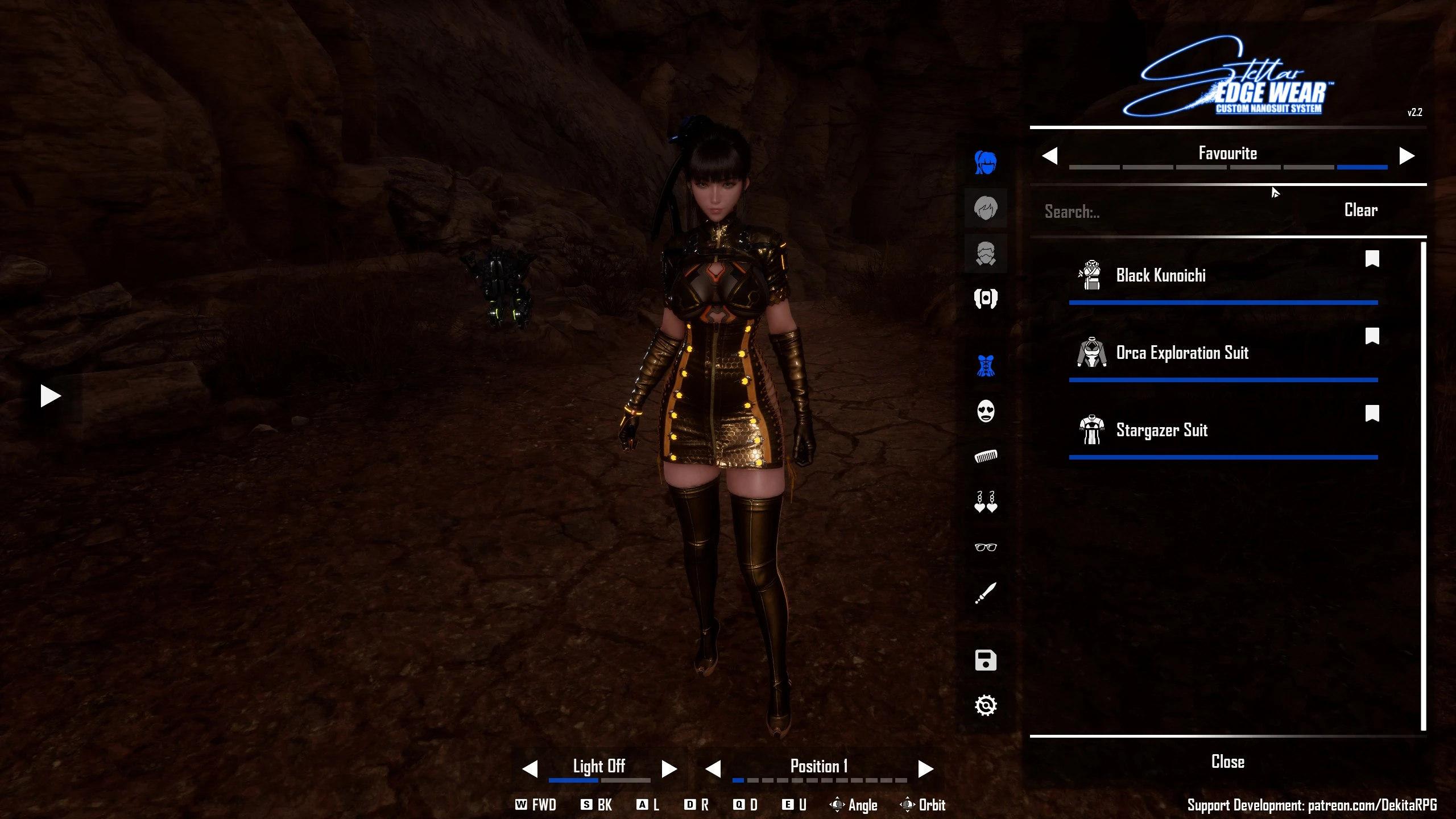
In CNS you can build a complete look for EVE and save the whole combination as a PRESET.
Auto Preset Randomizer rotates those presets for you automatically. Make a handful
of looks you love, then just play, EVE swaps into a different full preset every
time you change areas, respawn, or rest at a camp. Never the same one twice in a
row.
QUICK START
1. Open CNS in-game (press N).
2. Build a look you like and save it as a preset. Do this for at least TWO looks (one preset = nothing to rotate to).
3. Close the menu and play. EVE now changes looks on her own.
To add or remove looks later, just save or delete presets in CNS. No restart needed.
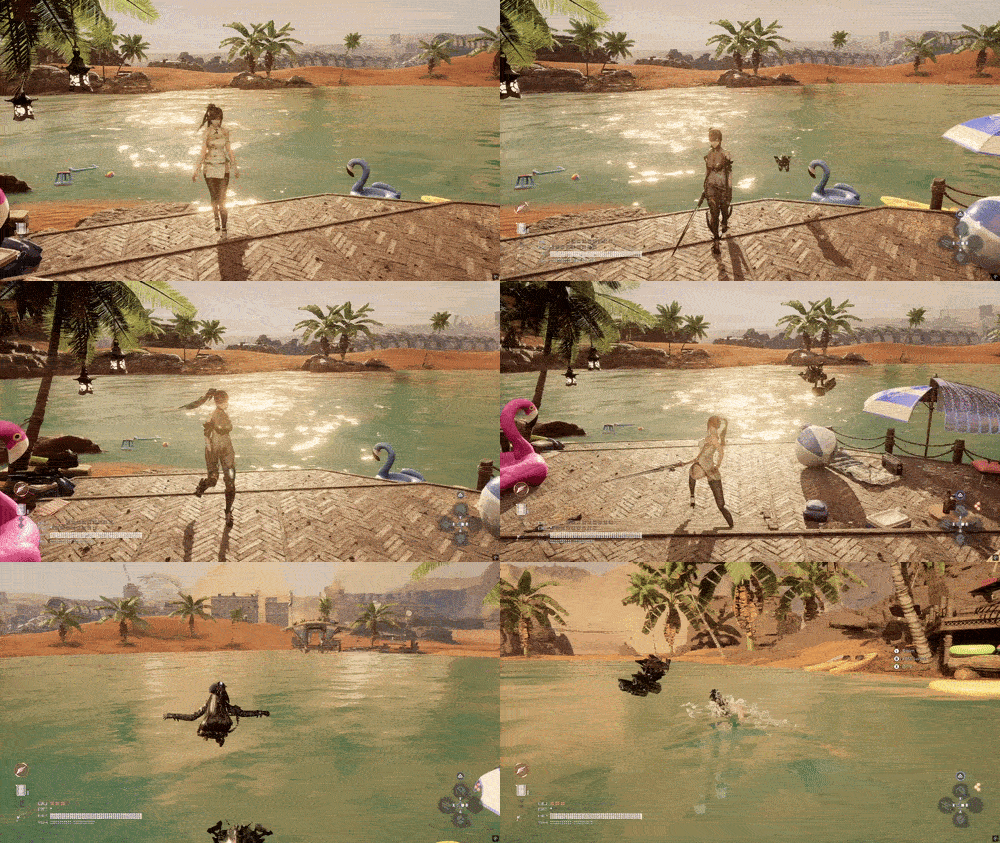
THE STANDOUT FEATURE: EVE DRESSES FOR THE MOMENT
On top of the normal random rotation, EVE can automatically change into the right
kind of look for what she's doing, and change right back when she's done. Each
activity has its own COLLECTION of looks, and the mod pulls a RANDOM one from it:
- COMBAT ... a fight starts → a RANDOM look from your COMBAT collection
- WATER ... swimming or diving → a RANDOM look from your WATER collection
- FISHING ... the moment she equips the rod → a RANDOM look from your FISHING collection
So if you save several combat looks, you won't see the same one every fight — she
picks a fresh one at random, just like the normal rotation does for everyday looks.
When the moment passes (fight over, out of the water, rod put away), she returns to
whatever she was wearing before.
HOW IT WORKS
Think of it as sorting clothes into labeled drawers. The mod reads the START of
each preset's name and files it:
- A preset whose name starts with "combat" goes in the COMBAT drawer.
- A preset whose name starts with "swim" goes in the WATER drawer.
- A preset whose name starts with "fish" goes in the FISHING drawer.
- Everything else stays in your EVERYDAY drawer — the looks used for the normal
random rotation.
When a fight starts, EVE opens the combat drawer and grabs a RANDOM look from it.
Same for water and fishing. Put several presets in a drawer and you get variety;
put one and she'll wear that one. (Capital letters don't matter: "Combat",
"combat", and "COMBAT" all count.)
HOW TO USE IT
It's enabled out of the box. All you do is save presets in CNS with names that
start with the activity word:
"combat 01", "combat 02" → go in the combat drawer
"swim" → goes in the water drawer
"fish cozy", "fish pro" → go in the fishing drawer
That's it. The next time EVE fights, swims, or fishes, she puts on a random look
from that drawer on her own. Don't have any presets in a drawer yet? That activity
simply does nothing until you make one.
LINGER AFTER AN ACTIVITY
By default EVE keeps an activity look for a few seconds after the activity ends, then
changes back to her everyday look. You can retune these (milliseconds; 0 = instant)
in config.lua:
Re-entering any activity during the wait cancels the change-back (so the swim delay
also smooths bobbing in and out of the water). A loading screen, respawn, or camp
rest always lands you in an everyday look.
A REAL EXAMPLE
Say you save these presets in CNS:
- Everyday looks: "Casual", "Street", "Night Out", "Beach Day"
- Combat looks: "combat heavy", "combat agile"
- Water look: "swim"
- Fishing looks: "fish cozy", "fish pro"
Here's what a play session looks like, hands-off:
1. You load into a new region -> EVE wears a random EVERYDAY look, say STREET.
2. Enemies ambush you -> she grabs a random COMBAT look, COMBAT AGILE.
3. The fight ends -> she goes back to STREET.
4. You dive into a lake -> she changes into SWIM (the water drawer).
5. You climb out and grab the rod-> a random FISHING look, FISH PRO.
6. You stow the rod -> back to STREET.
7. You fast-travel to a new area -> a fresh random everyday look, NIGHT OUT.
GOOD TO KNOW ABOUT ACTIVITY LOOKS
- TWO SEPARATE WARDROBES. A preset in a drawer (combat/swim/fish) is reserved for
that activity — it will NEVER appear in the normal random rotation. So name your
everyday looks anything that does NOT start with combat, swim, or fish. (If every
preset you own starts with one of those words, the normal rotation has nothing to
pick — keep a few everyday looks.)
- AS MANY AS YOU LIKE per drawer. One "swim" look or ten "combat ..." looks —
your call. More = more variety, since the mod picks at random.
- IT ALWAYS CHANGES BACK. Leaving an activity restores the look you had before it.
- CHECK WHAT THE MOD SEES: press Ctrl+Shift+G in-game and it lists which presets
landed in each drawer and what's in your everyday pool — handy if something
isn't matching.
PREFER SOMETHING SIMPLER? AUTO OUTFIT RANDOMIZER
If you don't build full custom looks and just want EVE's OUTFIT (body suit) to keep
changing, including base-game outfits, grab the Outfit version instead.
1. Press N to open CNS, press F to FAVORITE each outfit you want in the rotation
(mix base-game and modded freely). Star at least TWO.
2. Play. EVE swaps into a random favorite on every area change, respawn, and camp rest.
3. To change the rotation, just toggle favorites in CNS, picked up immediately.
REQUIREMENTS (both versions)
You need these two mods installed and working first:
- UE4SS for Stellar Blade — required to run any Lua-based mod.
- CNS – Custom Nanosuit System — provides the menu and equip system this mod drives.
HOW TO INSTALL
1. On the Download page, grab ONE ZIP: AutoPresetRandomizer.zip OR
AutoOutfitRandomizer.zip.
2. Find your game's Win64 folder: right-click Stellar Blade in Steam → Manage →
Browse local files → open SB\Binaries\Win64\.
3. Extract the ZIP into that Win64\ folder. The ue4ss\ folder inside merges with
your UE4SS install. After extracting, this file should exist:
Preset: SB\Binaries\Win64\ue4ss\Mods\AutoPresetRandomizer\Scripts\main.lua
Outfit: SB\Binaries\Win64\ue4ss\Mods\AutoOutfitRandomizer\Scripts\main.lua
4. Enable it: open SB\Binaries\Win64\ue4ss\Mods\mods.txt in Notepad and add the
matching line near the top:
Preset: AutoPresetRandomizer : 1
Outfit: AutoOutfitRandomizer : 1
5. Launch the game.
GOOD TO KNOW
- You can force a new random "EVERYDAY" suit pressing Alt+C
- Resting at a camp swaps the look (on by default). Don't want it? Set
randomizeOnCamp = false in the config file.
- Same-area camp-to-camp fast-travel does NOT trigger a swap — only resting,
region travel, and area transitions count. (Unfortunately its a limitation I couldn't workaround)
- Don't run both versions at once.
TROUBLESHOOTING
- Nothing changes: make sure you have at least TWO saved presets (Preset) or
favorites (Outfit). One = nothing to rotate to.
- Look changes then reverts to your saved one: raise postLoadDelayMs from 3000 to
5000 in the config file (config.lua for Preset, favorites.lua for Outfit).
- Mod does nothing at all: confirm the " : 1" line is in mods.txt, CNS works
(press N), and you don't have the OTHER version also enabled.
- An activity look won't trigger: press Ctrl+Shift+G — it shows whether EVE was
found, which presets landed in each drawer, and your everyday pool. Make sure
your preset names START WITH combat, swim, or fish.
- Random rotation stopped after adding activity presets: your everyday drawer is
empty — every preset starts with an activity word. Add a preset named without
combat / swim / fish.
OPTIONAL
Edit the config file (Scripts\config.lua for Preset, Scripts\favorites.lua for Outfit):
Defaults work well for most setups, only touch these if you see flicker or your
look reverts.
HOW TO UNINSTALL
1. Open SB\Binaries\Win64\ue4ss\Mods\mods.txt, remove your " : 1" line (or change
1 to 0).
2. Delete the mod folder (...\Mods\AutoPresetRandomizer\ or
...\Mods\AutoOutfitRandomizer\).
AUTO PRESET RANDOMIZER
Rotates the full LOOKS (presets) you save in CNS, and can even dress EVE for combat, swimming, and fishing. Explained in detail below.
AUTO OUTFIT RANDOMIZER
Just rotates the individual outfits you FAVORITE (body suit only).
AUTO PRESET RANDOMIZER
In CNS you can build a complete look for EVE and save the whole combination as a PRESET.
Auto Preset Randomizer rotates those presets for you automatically. Make a handful
of looks you love, then just play, EVE swaps into a different full preset every
time you change areas, respawn, or rest at a camp. Never the same one twice in a
row.
QUICK START
1. Open CNS in-game (press N).
2. Build a look you like and save it as a preset. Do this for at least TWO looks (one preset = nothing to rotate to).
3. Close the menu and play. EVE now changes looks on her own.
To add or remove looks later, just save or delete presets in CNS. No restart needed.
THE STANDOUT FEATURE: EVE DRESSES FOR THE MOMENT
On top of the normal random rotation, EVE can automatically change into the right
kind of look for what she's doing, and change right back when she's done. Each
activity has its own COLLECTION of looks, and the mod pulls a RANDOM one from it:
- COMBAT ... a fight starts → a RANDOM look from your COMBAT collection
- WATER ... swimming or diving → a RANDOM look from your WATER collection
- FISHING ... the moment she equips the rod → a RANDOM look from your FISHING collection
So if you save several combat looks, you won't see the same one every fight — she
picks a fresh one at random, just like the normal rotation does for everyday looks.
When the moment passes (fight over, out of the water, rod put away), she returns to
whatever she was wearing before.
HOW IT WORKS
Think of it as sorting clothes into labeled drawers. The mod reads the START of
each preset's name and files it:
- A preset whose name starts with "combat" goes in the COMBAT drawer.
- A preset whose name starts with "swim" goes in the WATER drawer.
- A preset whose name starts with "fish" goes in the FISHING drawer.
- Everything else stays in your EVERYDAY drawer — the looks used for the normal
random rotation.
When a fight starts, EVE opens the combat drawer and grabs a RANDOM look from it.
Same for water and fishing. Put several presets in a drawer and you get variety;
put one and she'll wear that one. (Capital letters don't matter: "Combat",
"combat", and "COMBAT" all count.)
HOW TO USE IT
It's enabled out of the box. All you do is save presets in CNS with names that
start with the activity word:
"combat 01", "combat 02" → go in the combat drawer
"swim" → goes in the water drawer
"fish cozy", "fish pro" → go in the fishing drawer
That's it. The next time EVE fights, swims, or fishes, she puts on a random look
from that drawer on her own. Don't have any presets in a drawer yet? That activity
simply does nothing until you make one.
LINGER AFTER AN ACTIVITY
By default EVE keeps an activity look for a few seconds after the activity ends, then
changes back to her everyday look. You can retune these (milliseconds; 0 = instant)
in config.lua:
Code:
stateExitDelayMs = {
     combat = 5000,   -- keep the combat look 5s after a fight
     swim   = 5000,   -- keep the swim look 5s after leaving the water
     fish   = 2000,   -- keep the fishing look 2s after stowing the rod
}
Re-entering any activity during the wait cancels the change-back (so the swim delay
also smooths bobbing in and out of the water). A loading screen, respawn, or camp
rest always lands you in an everyday look.
A REAL EXAMPLE
Say you save these presets in CNS:
- Everyday looks: "Casual", "Street", "Night Out", "Beach Day"
- Combat looks: "combat heavy", "combat agile"
- Water look: "swim"
- Fishing looks: "fish cozy", "fish pro"
Here's what a play session looks like, hands-off:
1. You load into a new region -> EVE wears a random EVERYDAY look, say STREET.
2. Enemies ambush you -> she grabs a random COMBAT look, COMBAT AGILE.
3. The fight ends -> she goes back to STREET.
4. You dive into a lake -> she changes into SWIM (the water drawer).
5. You climb out and grab the rod-> a random FISHING look, FISH PRO.
6. You stow the rod -> back to STREET.
7. You fast-travel to a new area -> a fresh random everyday look, NIGHT OUT.
GOOD TO KNOW ABOUT ACTIVITY LOOKS
- TWO SEPARATE WARDROBES. A preset in a drawer (combat/swim/fish) is reserved for
that activity — it will NEVER appear in the normal random rotation. So name your
everyday looks anything that does NOT start with combat, swim, or fish. (If every
preset you own starts with one of those words, the normal rotation has nothing to
pick — keep a few everyday looks.)
- AS MANY AS YOU LIKE per drawer. One "swim" look or ten "combat ..." looks —
your call. More = more variety, since the mod picks at random.
- IT ALWAYS CHANGES BACK. Leaving an activity restores the look you had before it.
- CHECK WHAT THE MOD SEES: press Ctrl+Shift+G in-game and it lists which presets
landed in each drawer and what's in your everyday pool — handy if something
isn't matching.
PREFER SOMETHING SIMPLER? AUTO OUTFIT RANDOMIZER
If you don't build full custom looks and just want EVE's OUTFIT (body suit) to keep
changing, including base-game outfits, grab the Outfit version instead.
1. Press N to open CNS, press F to FAVORITE each outfit you want in the rotation
(mix base-game and modded freely). Star at least TWO.
2. Play. EVE swaps into a random favorite on every area change, respawn, and camp rest.
3. To change the rotation, just toggle favorites in CNS, picked up immediately.
REQUIREMENTS (both versions)
You need these two mods installed and working first:
- UE4SS for Stellar Blade — required to run any Lua-based mod.
- CNS – Custom Nanosuit System — provides the menu and equip system this mod drives.
HOW TO INSTALL
1. On the Download page, grab ONE ZIP: AutoPresetRandomizer.zip OR
AutoOutfitRandomizer.zip.
2. Find your game's Win64 folder: right-click Stellar Blade in Steam → Manage →
Browse local files → open SB\Binaries\Win64\.
3. Extract the ZIP into that Win64\ folder. The ue4ss\ folder inside merges with
your UE4SS install. After extracting, this file should exist:
Preset: SB\Binaries\Win64\ue4ss\Mods\AutoPresetRandomizer\Scripts\main.lua
Outfit: SB\Binaries\Win64\ue4ss\Mods\AutoOutfitRandomizer\Scripts\main.lua
4. Enable it: open SB\Binaries\Win64\ue4ss\Mods\mods.txt in Notepad and add the
matching line near the top:
Preset: AutoPresetRandomizer : 1
Outfit: AutoOutfitRandomizer : 1
5. Launch the game.
GOOD TO KNOW
- You can force a new random "EVERYDAY" suit pressing Alt+C
- Resting at a camp swaps the look (on by default). Don't want it? Set
randomizeOnCamp = false in the config file.
- Same-area camp-to-camp fast-travel does NOT trigger a swap — only resting,
region travel, and area transitions count. (Unfortunately its a limitation I couldn't workaround)
- Don't run both versions at once.
TROUBLESHOOTING
- Nothing changes: make sure you have at least TWO saved presets (Preset) or
favorites (Outfit). One = nothing to rotate to.
- Look changes then reverts to your saved one: raise postLoadDelayMs from 3000 to
5000 in the config file (config.lua for Preset, favorites.lua for Outfit).
- Mod does nothing at all: confirm the " : 1" line is in mods.txt, CNS works
(press N), and you don't have the OTHER version also enabled.
- An activity look won't trigger: press Ctrl+Shift+G — it shows whether EVE was
found, which presets landed in each drawer, and your everyday pool. Make sure
your preset names START WITH combat, swim, or fish.
- Random rotation stopped after adding activity presets: your everyday drawer is
empty — every preset starts with an activity word. Add a preset named without
combat / swim / fish.
OPTIONAL
Edit the config file (Scripts\config.lua for Preset, Scripts\favorites.lua for Outfit):
Code:
randomizeOnCamp = true -- also swap when you rest at a camp
postLoadDelayMs = 3000 -- ms after a loading screen before the swap
Defaults work well for most setups, only touch these if you see flicker or your
look reverts.
HOW TO UNINSTALL
1. Open SB\Binaries\Win64\ue4ss\Mods\mods.txt, remove your " : 1" line (or change
1 to 0).
2. Delete the mod folder (...\Mods\AutoPresetRandomizer\ or
...\Mods\AutoOutfitRandomizer\).


