
Description
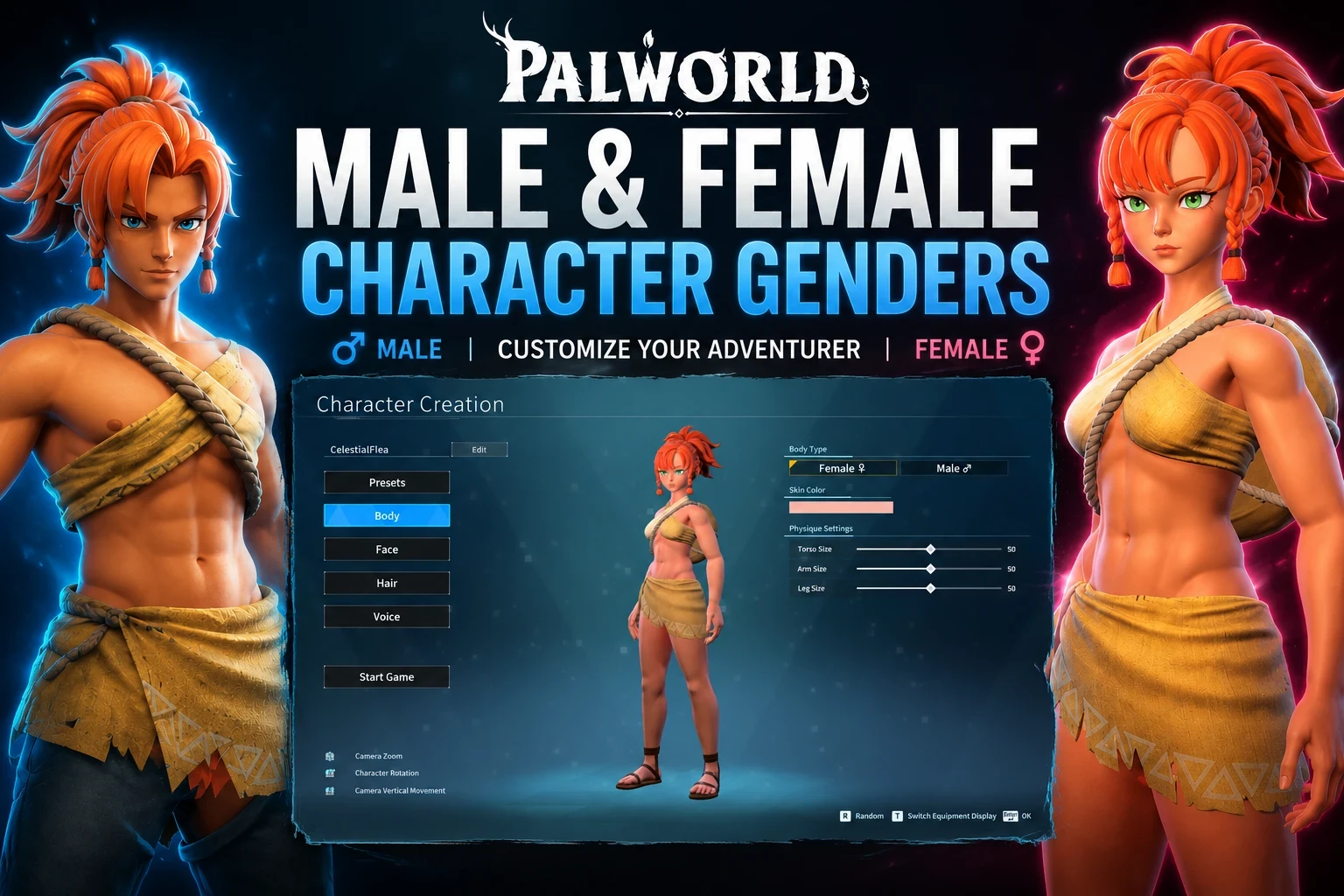
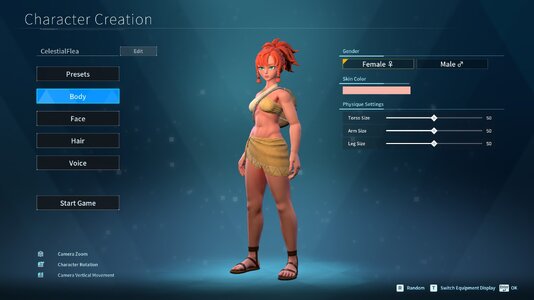
This mod simply renames the character-creation body-type selector from "Type 1" / "Type 2" to "Female" / "Male" as it should be (with gender symbols).
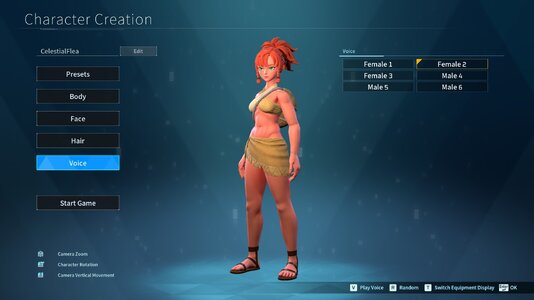
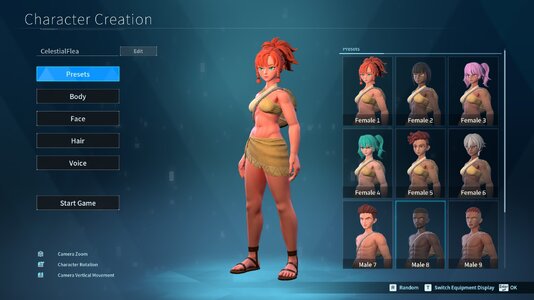
As of 1.1.0 The mod now changes the presets to read as Male/Female, but if you have any custom presets it may conflict with it. Voices are also changed to read Male & Female.
Japanese language support has also been added for the mod.
Mod is fully working as of Palworld 1.0, you may need to re-enable it in the mod menu.
REQUIREMENTS
You will need these prior to installation for the mod to work. Installation instructions ASSUME that you have them.
- UE4SS (Palworld build)
https://steamcommunity.com/sharedfiles/filedetails/?id=3625223587
- PalSchema v0.5.2 or later
https://steamcommunity.com/sharedfiles/filedetails/?id=3625280368
Nexus mods version didn't work according to some reports, so I've updated links to the steam workshop.
NOTE: If you have mods that add additional body types this mod MAY conflict with it.
Installation instructions
------------
1. Extract the zip directly into your Palworld game folder -- the folder
that contains "Pal" (e.g. ...\steamapps\common\Palworld\Pal), merging
folders when prompted.
2. Launch the game and start character creation.
That's it -- no editing any files needed!
MIRROR:
https://steamcommunity.com/sharedfiles/filedetails/?id=3759426080
Further updates to come.
1.1.3 Changelog
- Fixed performance issue caused by a background function needed during character creation that kept running longer than it should.
- Fixed Linux compatibility issue that caused files to extract incorrectly.
- Added voice labels back after performance fix unintentionally reverted them.
Credits to: @CelestialFlea
This mod simply renames the character-creation body-type selector from "Type 1" / "Type 2" to "Female" / "Male" as it should be (with gender symbols).
As of 1.1.0 The mod now changes the presets to read as Male/Female, but if you have any custom presets it may conflict with it. Voices are also changed to read Male & Female.
Japanese language support has also been added for the mod.
Mod is fully working as of Palworld 1.0, you may need to re-enable it in the mod menu.
REQUIREMENTS
You will need these prior to installation for the mod to work. Installation instructions ASSUME that you have them.
- UE4SS (Palworld build)
https://steamcommunity.com/sharedfiles/filedetails/?id=3625223587
- PalSchema v0.5.2 or later
https://steamcommunity.com/sharedfiles/filedetails/?id=3625280368
Nexus mods version didn't work according to some reports, so I've updated links to the steam workshop.
NOTE: If you have mods that add additional body types this mod MAY conflict with it.
Installation instructions
------------
1. Extract the zip directly into your Palworld game folder -- the folder
that contains "Pal" (e.g. ...\steamapps\common\Palworld\Pal), merging
folders when prompted.
2. Launch the game and start character creation.
That's it -- no editing any files needed!
MIRROR:
https://steamcommunity.com/sharedfiles/filedetails/?id=3759426080
Further updates to come.
1.1.3 Changelog
- Fixed performance issue caused by a background function needed during character creation that kept running longer than it should.
- Fixed Linux compatibility issue that caused files to extract incorrectly.
- Added voice labels back after performance fix unintentionally reverted them.
Credits to: @CelestialFlea


