• Important Notice: Please review our guidelines regarding cheating, game balancing, and mods for Helldivers 2. Read the full notice here before downloading or uploading mods.

DSMS - Mod Loader 0.8.0

A Mod for DragonSword Awakening
DSMS - Mod Loader akl_mod_preview_image
  • DragonSword  Awakening_folder.png
    DragonSword Awakening_folder.png
    55.4 KB · Views: 561
  • 2026-09-07 06_42_07-드래곤소드.jpg
    2026-09-07 06_42_07-드래곤소드.jpg
    1.3 MB · Views: 243
  • 2026-09-07 06_42_24-드래곤소드.jpg
    2026-09-07 06_42_24-드래곤소드.jpg
    1.3 MB · Views: 221
  • 2026-09-07 06_41_41-드래곤소드.jpg
    2026-09-07 06_41_41-드래곤소드.jpg
    1.4 MB · Views: 218
  • 2026-09-07 06_42_58-드래곤소드.jpg
    2026-09-07 06_42_58-드래곤소드.jpg
    1.3 MB · Views: 212

1786926314982.png

DSMS ModLoader v0.8.0​

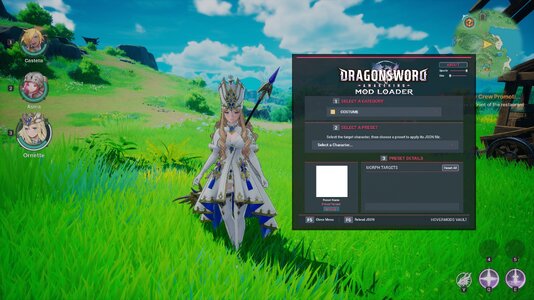
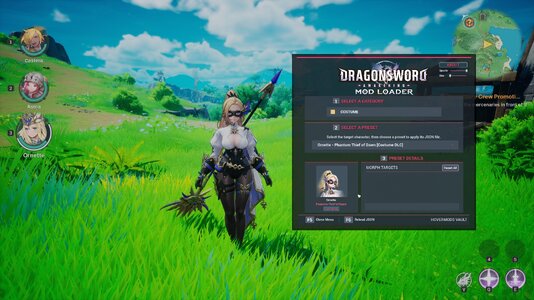
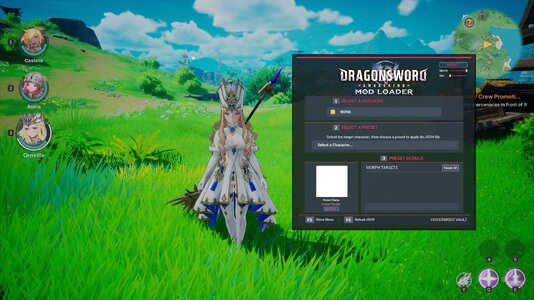
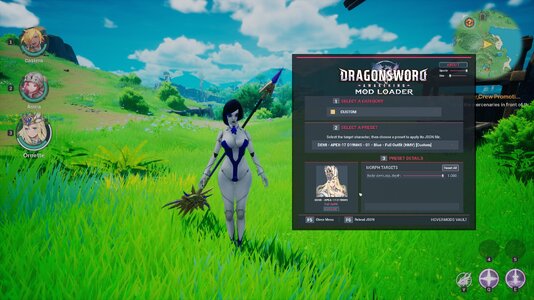
In-game mod selector for DragonSword: Awakening. Load costumes, custom characters, and weapons from JSON presets without permanently replacing game assets.

This could trigger the "Abnormal Gameplay detection": avoid using presets for characters you don't own in your save file and missing DLCs. Or use DStools-inject​


Installation​

  1. Install a compatible version of UE4SS.
  2. Extract the Mod archive and Presets into the game’s main directory while preserving the folder structure.
  3. Verify the presence of:
Code:
DS\Binaries\Win64\ue4ss\Mods\HMVDSMeshSelector
DS\Content\Paks\LogicMods\HMV_DS_MeshSelector_UI.pak
DS\Content\Paks\~mods\HMV_DS_SELECTOR
DS\Content\Paks\~mods\DSMS_HMV_899_DATABASE.pak

​

Quick Usage​

  1. Load your save and wait until the world is fully loaded.
  2. Select the character you want to targuet.
  3. Press F5 to open or close the Mod Loader.
  4. Choose a category, then a preset.
  5. The preset is applied automatically.
  6. Press F6 to manually reload JSON files after making changes.
Characters protection is enabled by default to prevent accidental application of incompatible presets.

​


Installing JSON Presets​

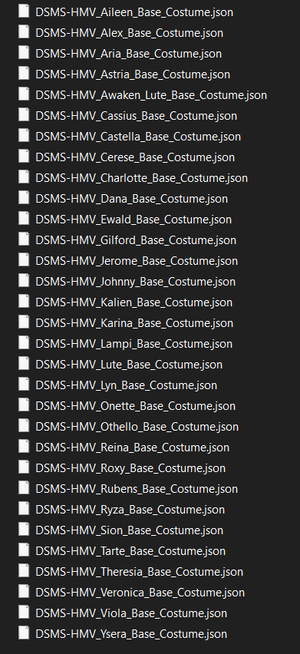
  • Place JSON files starting with DSMS- in:
DS\Content\Paks\~mods\HMV_DS_SELECTOR
All subfolders are automatically scanned!


Installing any custom .Pak legacy made for DSMS ModLoader​

If it come with presets you must instal them!​

Place Pak files starting with DSMS_ in:
DS\Content\Paks\~mods\
It the will load “pak” files in the “~mods” folder to add assets into the game.

Features​

  • Custom costumes and characters
  • Weapons and weapon skins
  • Separate body and face support
  • Custom materials
  • Morph targets
  • Physics Assets and physical Animation Blueprints
  • Auxiliary meshes and outlines
  • Filters: Custom, Costume, Weapon, DLC, and Base Game

The UI Widget is still in works in progress!

Please only play in solo mode using the Mesh Selector, as I have never tested the DSMS-ModLoader in multiplayer!​


You can find more documentation at the DSMS-ModLoader Github page.

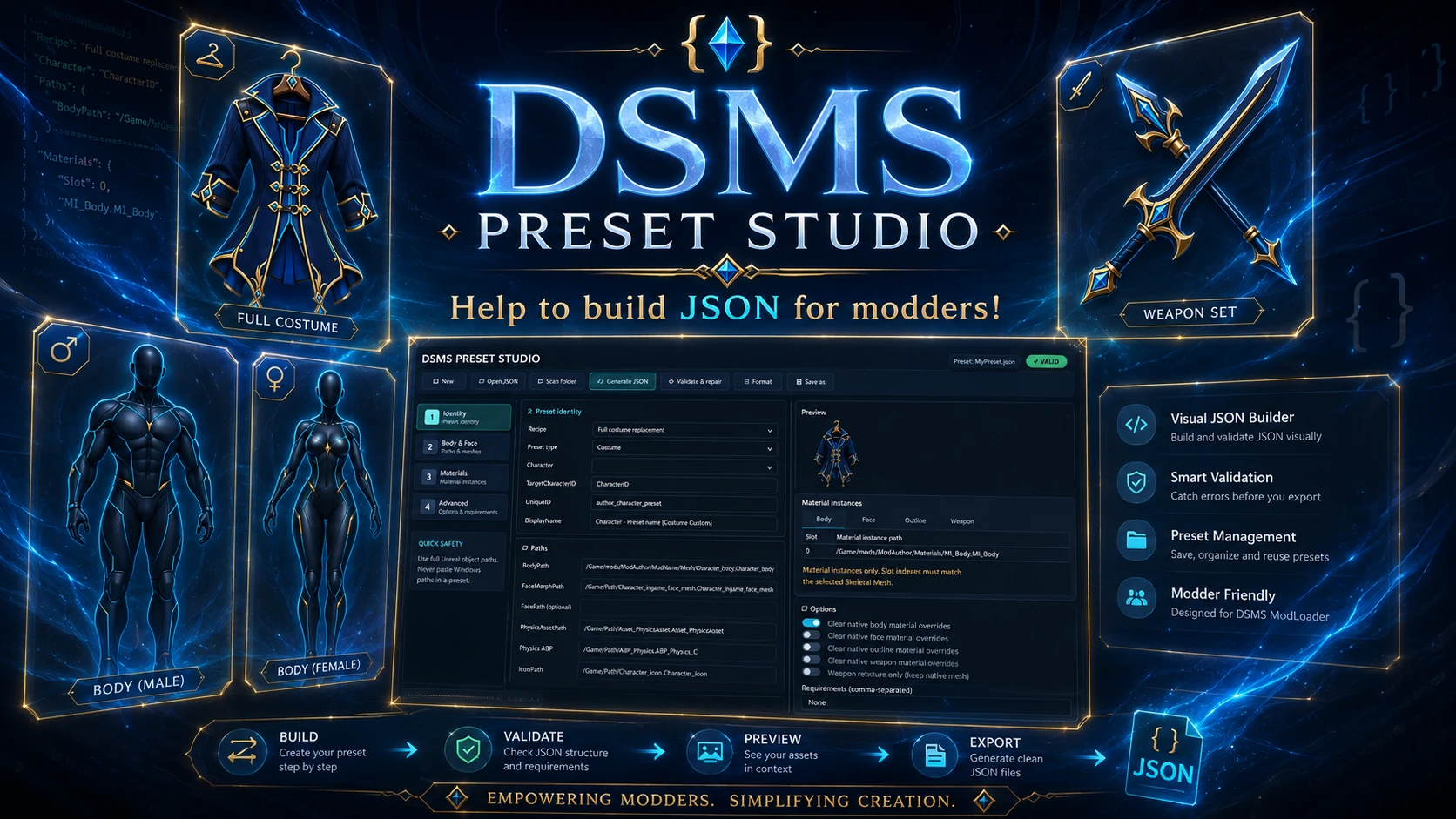
DSMS Preset Studio is a Windows desktop application for creating, reviewing and validating DragonSword: Awakening presets for DSMS ModLoader.​

10.6 MB
Log in or sign up to download
Uploaded by
HoverMods Vault
Downloads
114
Comments
2
Views
2,184
First release
Last update
Platform
PC 
Version
0.8.0
Rating
0.00 star(s) 0 ratings

Uploaded by

  • 114
  • 2,184

Ratings

0.00 star(s) 0 ratings

More mods from HoverMods Vault

  • PC DSMS Preset Studio

  • PC Fingernail and Toenail Colors Pack (Modders Ressources)

Latest updates

  1. v 0.8.0

    Added a separate dynamic preset-details panel with the selected preset name, variant, type, and...
  2. v 0.7.2

    Added JSON v3 FaceOutlinePath, FaceOutlineMaterials and FaceOutlineClearMaterialOverrides...
  3. v 0.7.1

    - New Outline JSON system implementation and DSMS Preset Studio app released

megakun

Members
Members
Apr 18, 2026
0
0
Cannot open Official Presets v0.7.2. 7zip said it's not archive. The one from github is working fine