Clarifications Before Proceeding with This Mod:
If you are unsure and worried about a potential account ban, do not use this tool (or use it with ASI plugins disabled, or only with safe plugins like ReShade.)
- dinput8.dll (the Ultimate ASI Loader DLL)
- winmm.dll (Wrapper-type DLL for GIMI injection, in case other injection methods fail)
- HoyoWSKr.exe (the DLL injector)
- plugins (folder where you need to place the plugins you will use with HoyoWSKr)
- HoyoWSKr_config.ini (HoyoWSKr configuration file)
Next, extract the downloaded file to your preferred location.
Now, and I recommend doing this before anything else, add an exception for the HoyoWSKr folder to your antivirus software. This is because antivirus programs (at least Windows Defender) flag HoyoWSKr as a virus due to the method used to inject the DLLs.
Now you need to configure HoyoWSKr. To do this, open the "HoyoWSKr_config.ini" file. It should look something like this:

Variables:
[ASI]
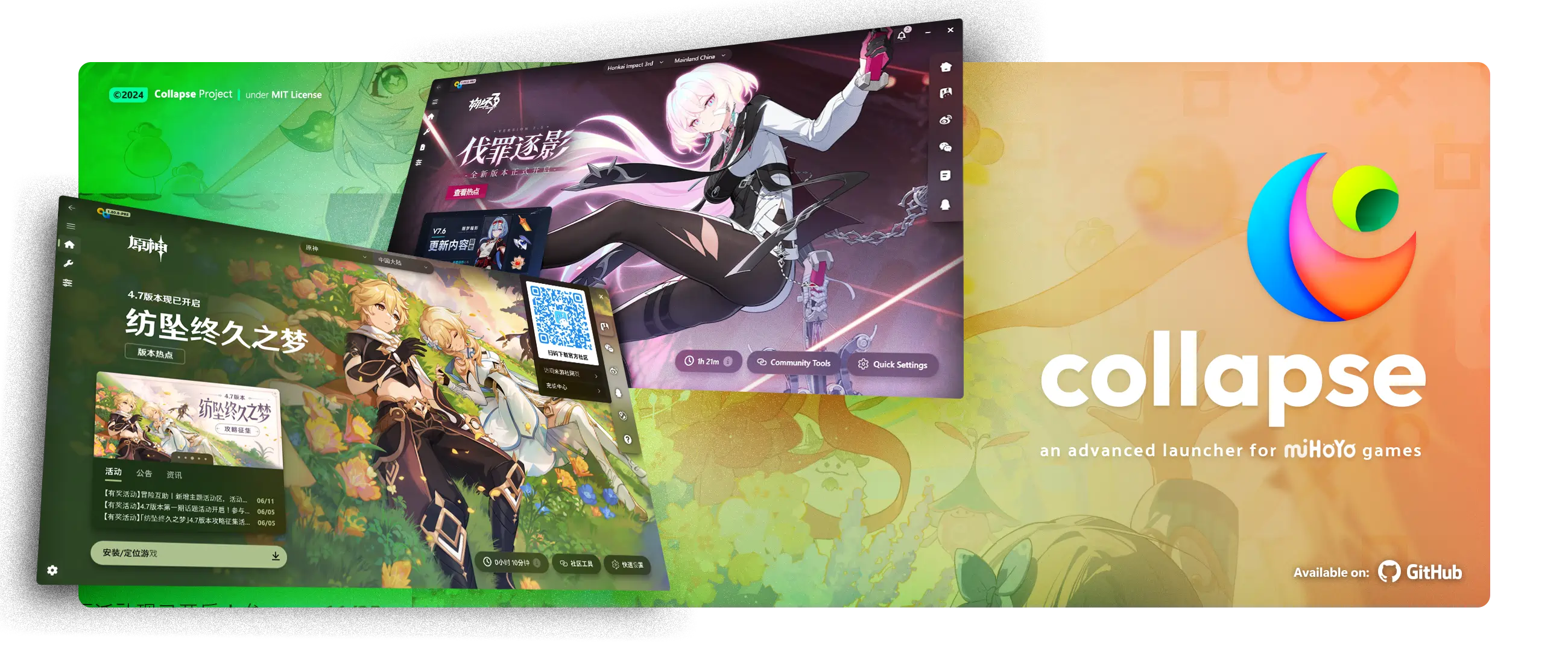
This launcher, in addition to allowing you to play and download the main Hoyoverse titles, also allows you to execute commands before starting a game.
For this HoyoWSKr to run sooner, we must go to the game configuration section:
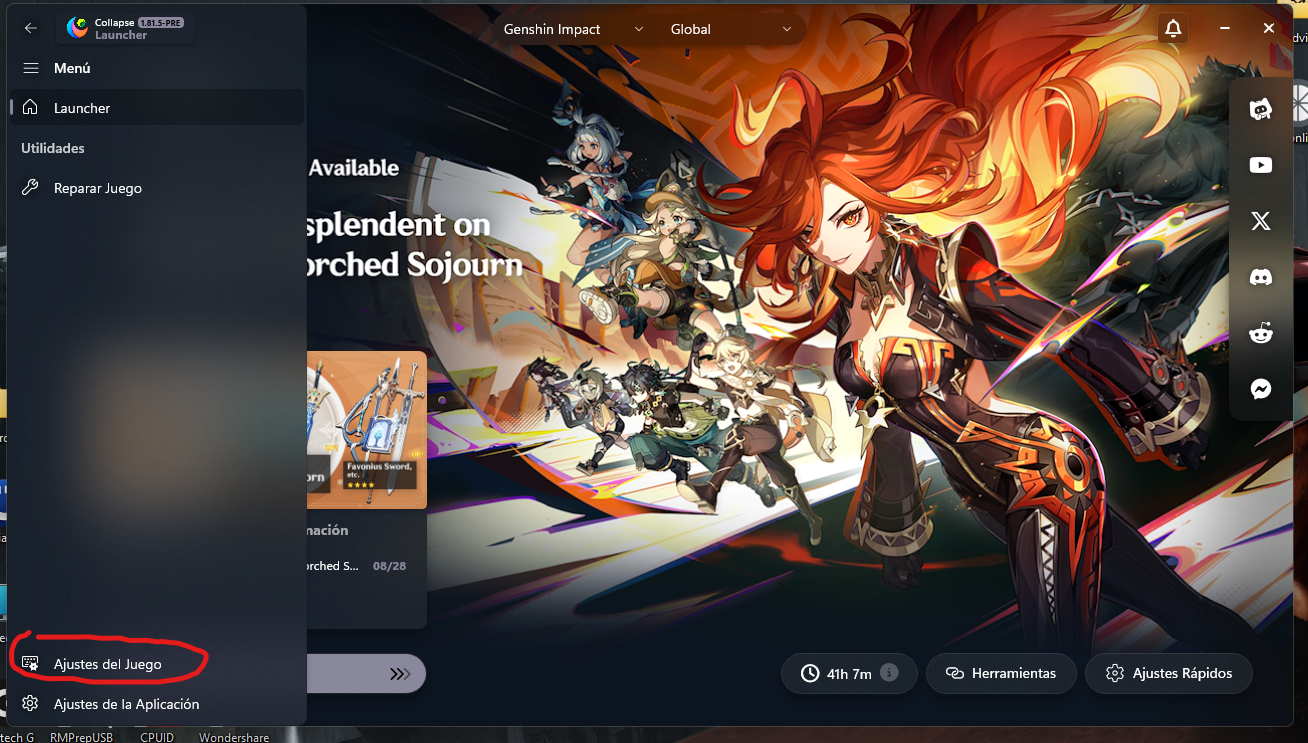
Within the configurations, we go down to the "Custom startup commands" section and we make sure that the options highlighted in red are enabled:
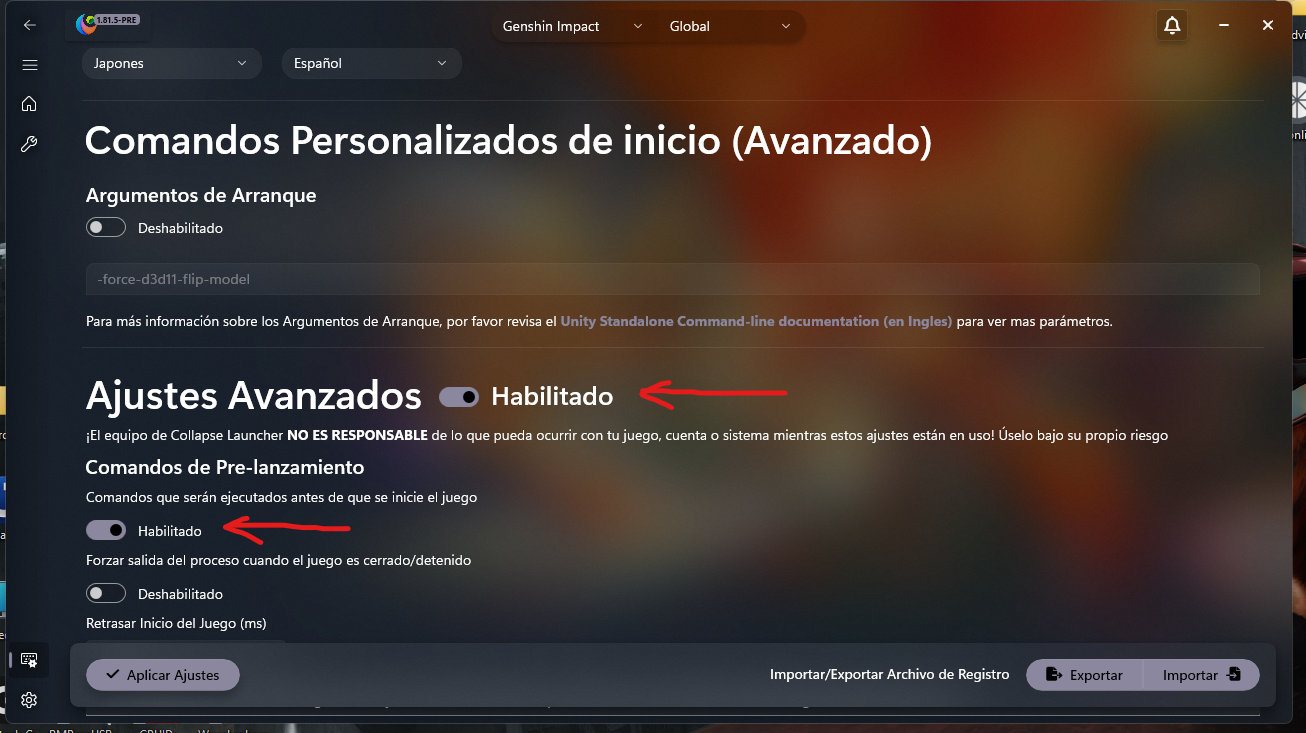
Then you must add the following command in the "pre-launch commands" box: start "HoyoWSKr Loader" /d "Your HoyoWSKr Path" HoyoWSKr.exe"
- Example: start "HoyoWSKr Loader" /d "E:\Programas\XXMI_Loaders\GIMI_HoyoWSKr" HoyoWSKr.exe

Don't forget to set a delay of a few seconds/milliseconds before the game runs (otherwise HoyoWSKr won't run correctly)...
Use with XXMI:
You don't necessarily have to use this. XXMI already does what HoyoWSKr does. This tool is for people who don't want to use XXMI, or who encounter the "Illegal Tool Detected" error (Genshin Impact) when using it. It is also for those who use Collapse Launcher and want to launch mods from there, or simply for anyone who wants to run mods, ASI plugins, and the game all from a single tool.
"Illegal tool detected" error:
I added an option to change GiMi's injection methods to try to mitigate these issues. Try testing the "native", "3dmigoto", or "wrapper" methods.
Plugin support:
It has been confirmed that it is possible to inject ReShade, OptiScaler, and other ASI-format add-ons. Previously, injecting OptiScaler using "traditional methods" caused errors.
I recommend not using OptiScaler, as the method Genshin Impact uses for FSR 2 is incompatible with it. You cannot use DXVK; both for security reasons and because it is incompatible... DO NOT TRY IT.
You should be able to use other libraries "that don't alter the game's functionality" in the form of ASI plugins. You can give it a try and see how the game responds.
Potential issues:
I tried to integrate an error tracking system. If an error occurs, it should be logged in an error file named "error_log.txt". If there are no errors, the file will still be created, but it will be empty.
- Make sure to exclude the folder containing the unzipped HoyoWSKr from your antivirus.: Due to the way this tool is programmed, antivirus software will detect it as a Trojan (at least Windows Defender does). This happens because we launch a process from the injector (if you disable the "launch" variable in the configuration file, the antivirus will not trigger an alert). I will upload the code in a separate file later, in case you have any questions about this tool).
- Risk of account bans: PAY A SPECIAL ATTENTION TO THIS... Version 2 of HoyoWSKr uses Ultimate ASI Loader as a base, in conjunction with 3dmigoto. We know that 3dmigoto poses no issue, as the risk of a ban is low. However, injecting ASI plugins could (though I hope it doesn't) trigger a response from the game server. I strongly urge you: if you use HoyoWSKr, do not attempt to use plugins that alter the game's internal workings (you will get banned; rest assured of that).
- I disclaim all responsibility if your account gets banned due to the use of this tool. I recommend testing this on a disposable or secondary account, not your main one.
What is this tool used for?
HoyoWSKr is used to inject any iteration of 3DMigoto (GiMi) alongside ASI plugins.If you are unsure and worried about a potential account ban, do not use this tool (or use it with ASI plugins disabled, or only with safe plugins like ReShade.)
Before proceeding...
This tool is primarily designed to work in conjunction with CollapseLauncher, the community launcher for HoYoverse games. However, you can also use it independently.How to use?:
First, obviously, download HoyoWSKr. Inside the compressed file, you will find this files:- dinput8.dll (the Ultimate ASI Loader DLL)
- winmm.dll (Wrapper-type DLL for GIMI injection, in case other injection methods fail)
- HoyoWSKr.exe (the DLL injector)
- plugins (folder where you need to place the plugins you will use with HoyoWSKr)
- HoyoWSKr_config.ini (HoyoWSKr configuration file)
Next, extract the downloaded file to your preferred location.
Now, and I recommend doing this before anything else, add an exception for the HoyoWSKr folder to your antivirus software. This is because antivirus programs (at least Windows Defender) flag HoyoWSKr as a virus due to the method used to inject the DLLs.
Now you need to configure HoyoWSKr. To do this, open the "HoyoWSKr_config.ini" file. It should look something like this:
Variables:
[ASI]
- "asi_plugins" Specify whether you want to enable ASI plugins. It accepts values of 1 or true. If you use true, ensure it is written in lowercase. Any value other than those listed will be treated as invalid or disabled.
- "module" Specify the name of the Ultimate ASI Loader DLL to inject (I recommend keeping the name as dinput8.dll).
- "target" Specify the name of the target executable (the game's .exe filename).
- "target_location" Specify the path where the target game's executable file is located.
- "target_allow_args" Indicates whether to use startup arguments for the target game. It works in conjunction with the `target_args` variable. If `target_args` is empty, it is best to have this variable disabled (using values other than those accepted as "active"). It accepts values of 1 or true. If you use true, ensure it is written in lowercase. Any value other than those listed will be treated as invalid or disabled.
- "target_args" Specify the startup arguments you want to use. This works in conjunction with the target_allow_args variable. If target_allow_args is not active, this variable will be disabled by default.
- "autorun_target" Specify whether you want the game to run from HoyoWSKr. It accepts values of 1 or true. If you use true, ensure it is written in lowercase. Any value other than those listed will be treated as invalid or disabled.
- "require_admin" Specify whether administrative privileges are required to run HoyoWSKr. It accepts values of 1 or true. If you use true, ensure it is written in lowercase. Any value other than those listed will be treated as invalid or disabled.
- "gimi_path" Specify the root folder where your GiMi installation is located.
- "module" Specifies the name of the DLL library used by GiMi; the default is d3d11.dll.
- "load" Specify whether you want to load GiMi or skip it in the DLL injection order (only ASI plugins will load, provided they are active). It accepts values of 1 or true. If you use true, ensure it is written in lowercase. Any value other than those listed will be treated as invalid or disabled.
- "loader" This tells HoyoWSKr which method to use to inject GIMI. If you use "3dmigoto", it will load GIMI using 3DMigotoLoader.exe (ensure this loader is in the directory where GIMI is installed). If you use "wrapper", HoyoWSKr will inject winmm.dll (included with HoyoWSKr), and this DLL will handle the connection to GIMI. If you use "native", you instruct HoyoWSKr to use its native methods to inject GIMI. I decided to add the 3dmigoto and wrapper methods to avoid issues such as "illegal tool detected" or other problems that prevent GIMI injection.
How to make HoyoWSKr start automatically, when starting the game, with an unofficial launcher
- First, you need to use the unofficial launcher (which works the same as HoyoPlay) CollapseLauncher.
This launcher, in addition to allowing you to play and download the main Hoyoverse titles, also allows you to execute commands before starting a game.
For this HoyoWSKr to run sooner, we must go to the game configuration section:
Within the configurations, we go down to the "Custom startup commands" section and we make sure that the options highlighted in red are enabled:
Then you must add the following command in the "pre-launch commands" box: start "HoyoWSKr Loader" /d "Your HoyoWSKr Path" HoyoWSKr.exe"
- Example: start "HoyoWSKr Loader" /d "E:\Programas\XXMI_Loaders\GIMI_HoyoWSKr" HoyoWSKr.exe
Don't forget to set a delay of a few seconds/milliseconds before the game runs (otherwise HoyoWSKr won't run correctly)...
Use with XXMI:
You don't necessarily have to use this. XXMI already does what HoyoWSKr does. This tool is for people who don't want to use XXMI, or who encounter the "Illegal Tool Detected" error (Genshin Impact) when using it. It is also for those who use Collapse Launcher and want to launch mods from there, or simply for anyone who wants to run mods, ASI plugins, and the game all from a single tool.
"Illegal tool detected" error:
I added an option to change GiMi's injection methods to try to mitigate these issues. Try testing the "native", "3dmigoto", or "wrapper" methods.
Plugin support:
It has been confirmed that it is possible to inject ReShade, OptiScaler, and other ASI-format add-ons. Previously, injecting OptiScaler using "traditional methods" caused errors.
I recommend not using OptiScaler, as the method Genshin Impact uses for FSR 2 is incompatible with it. You cannot use DXVK; both for security reasons and because it is incompatible... DO NOT TRY IT.
You should be able to use other libraries "that don't alter the game's functionality" in the form of ASI plugins. You can give it a try and see how the game responds.
Potential issues:
I tried to integrate an error tracking system. If an error occurs, it should be logged in an error file named "error_log.txt". If there are no errors, the file will still be created, but it will be empty.