


Welcome to Maxigun Reimagined
Notice to all new users
Whilst I put of lot of effort into the mod, you (the rest of) the playerbase are what tells me of edge-cases of bugs and compatibility. If you encounter one, or you experience issues or you'd like to make a suggestion, please leave a comment. I try to read them all, as my mods are my babies.
Anyway, onto the mod!
-----------------------------
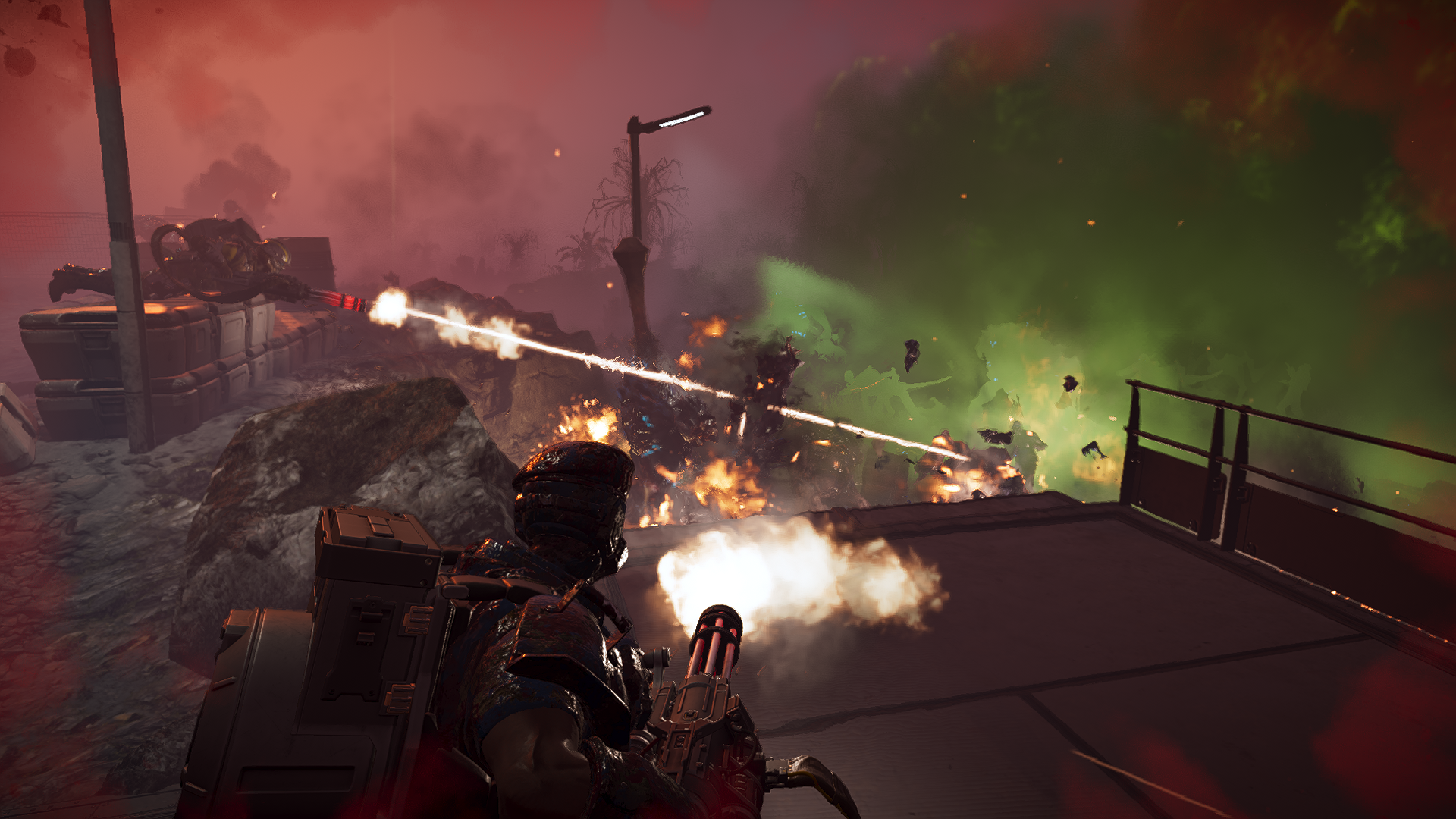
Maxigun Reimagined is a complete rebalance of the M-1000 Maxigun intended to make it feel more like the weapon its size and role suggest, while keeping its strengths tied to positioning, recoil control and ammunition management.
The weapon now has a three-position fire selector with 1,000, 2,000 and 3,000 RPM setting which give it a much wider operating range. 1,000 RPM for sustained fire and ammunition conservation, 2,000 RPM as the middle ground, and 3,000 RPM when you need as much fire downrange as possible.
Recoil, handling and projectile behaviour have also been reworked. The Maxigun hits harder and has considerably more stopping power, but sustained fire (particularly at the higher rates of rpm) still requires the user to control the weapon rather than treating it like an assault rifle.
The backpack carries up to 600 rounds, with its starting and resupply values adjusted to match. Mobile firing is enabled, allowing the weapon to be used while moving, although firing from a stable position remains considerably more effective.
Other changes include revised spin-up and spin-down timing, improved stagger and push, AP4 penetration, a small per-round stun effect and updated muzzle effects.
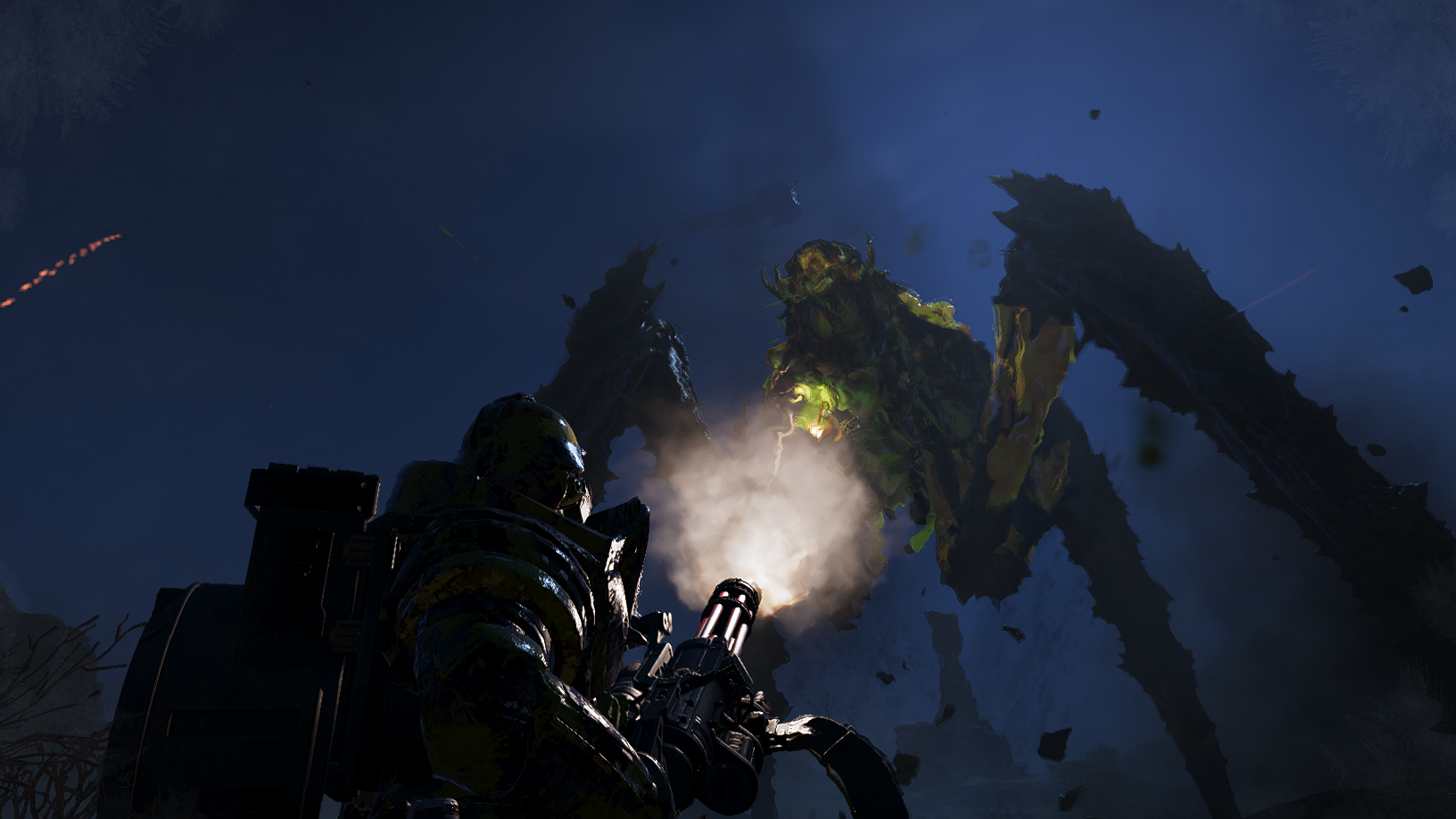
Therefore I recommend crouching before committing to sustained fire, especially at 2,000 or 3,000 RPM. The weapon is much easier to keep under control from a stable firing position, while firing on the move is better reserved for short bursts or situations where repositioning matters more than accuracy. This is even moreso the case when in 1st person/ADS, as the recoil becomes considerably more manageable, at the expense of awareness of your surroundings.
If you have access to the Supply FRV, it pairs extremely well with the Maxigun and takes a lot of pressure off its ammunition economy. Otherwise, keep an eye on nearby resupply opportunities and top the backpack up whenever you can.
I also recommend making use of the 1,000 RPM setting when maximum fire rate isn't necessary. At 3,000 RPM the Maxigun can burn through its ammunition extremely quickly (12 seconds from a full backpack), while the lowest setting gives you much longer sustained use (up to 36 seconds from a full backpack) and is usually more than enough for routine targets.
The higher settings are best treated as something you deliberately switch to when the situation warrants it, rather than the default way to fire the weapon.
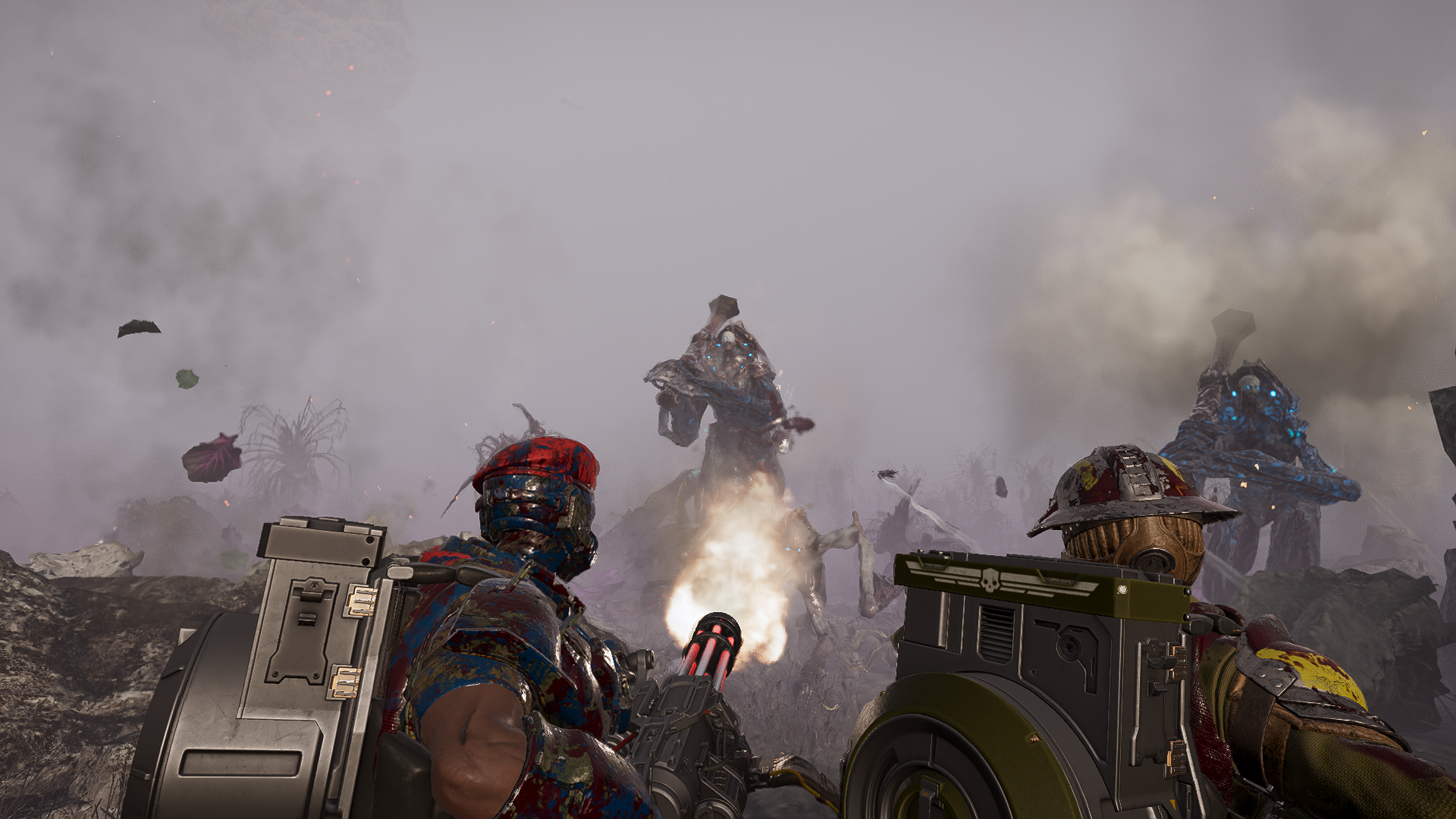
Maxigun Reimagined raises Stagger Force from 20 to 35, allowing individual rounds to interrupt a much wider range of enemies. Because of that increase, leaving the original 24 Push Force in place produced far more displacement than was necessary once targets were being staggered reliably.
Push Force has therefore been reduced from 24 to 2. The intention is to make the Maxigun much better at stopping and interrupting enemies without repeatedly throwing them backwards across the battlefield. The reduced push is proportional to the much stronger stagger and is an intentional part of the rebalance rather than a nerf.
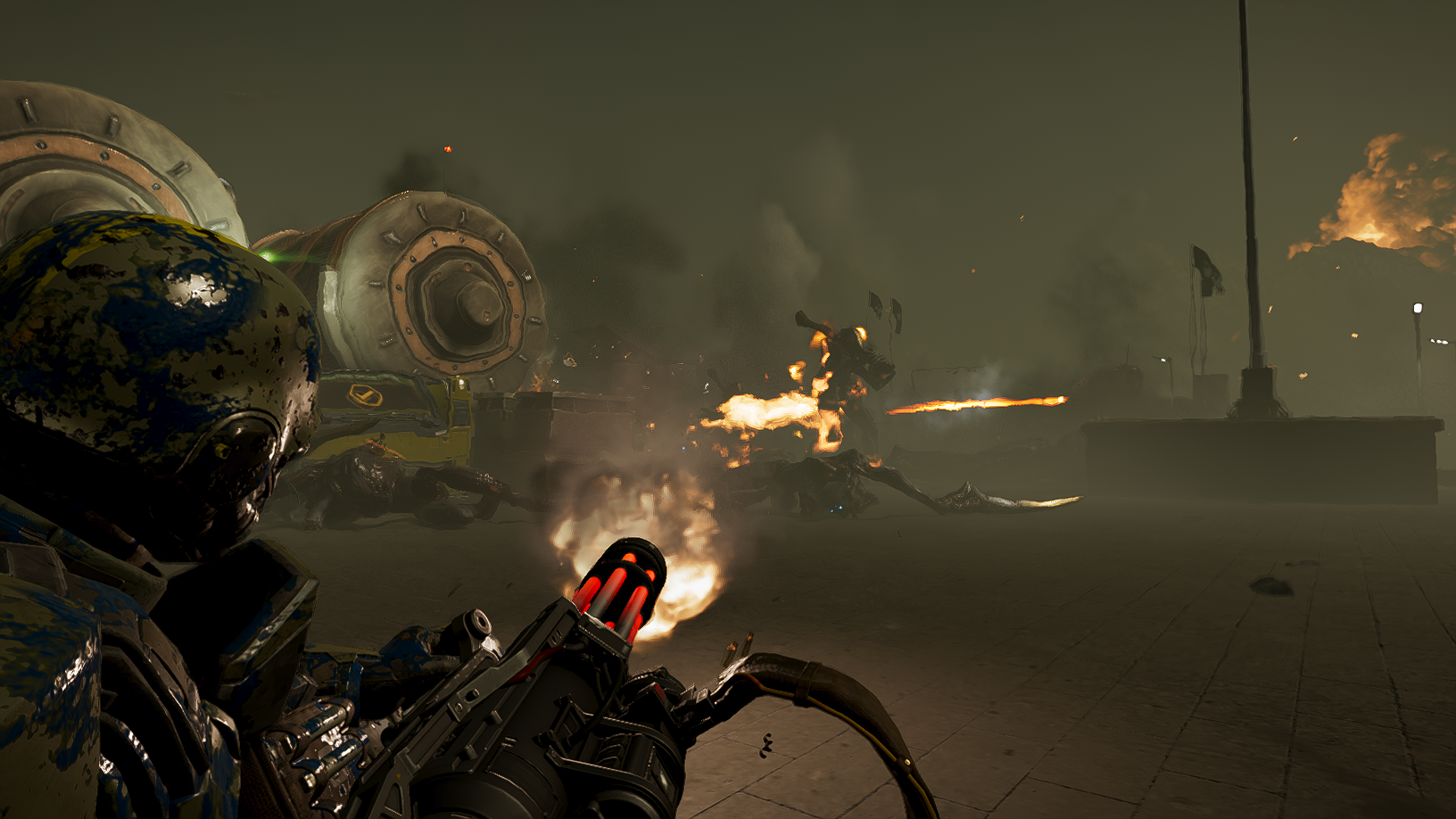
The standard Maxigun Reimagined balance can be applied without installing AutoHotkey. Simply close Helldivers 2 and run Apply Maxigun Reimagined.cmd. No additional configuration is required.
Two additional options are available in the Profiles folder:
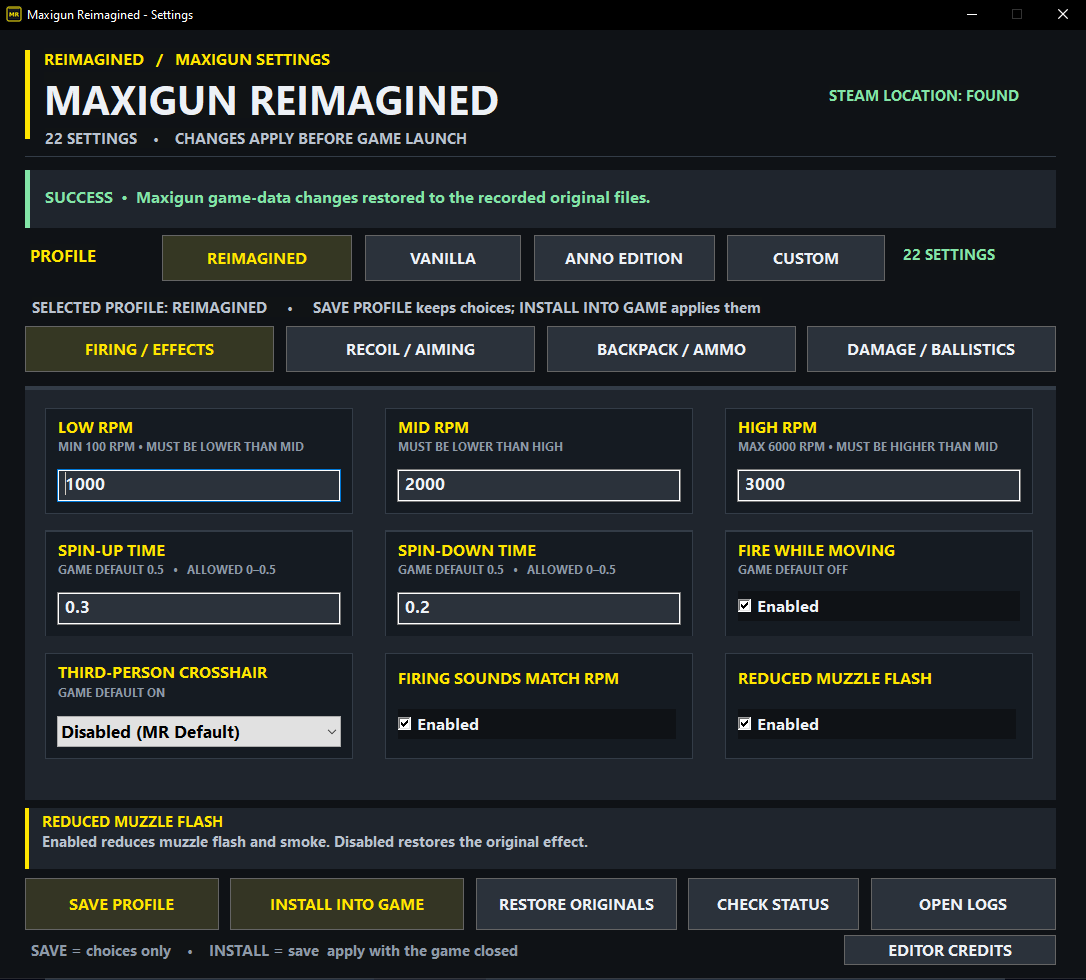
To edit the settings, once you have AutoHotkey v2 installed, double click "Configure Maxigun Settings", which you can also use as a shortcut. Make sure you select the desired profile and click install before launching HD2.
The interface includes four selectable profiles: Reimagined, Vanilla, Anno Edition and Custom. Custom configurations can be saved and recalled without affecting the original presets.
Available settings include:
Each setting includes its game-default reference, permitted adjustment range where applicable, and an explanation of its effect. Hovering over a setting displays further information within the interface.
The configurator provides two separate actions:
Maxigun Reimagined automatically searches Steam's installation directories, including additional Steam libraries. If the game cannot be located, players will be prompted to select its installation folder.
<span>%LOCALAPPDATA%\MaxigunReimagined\OfflineUIR8</span>
The directory name is retained for compatibility with previous development builds.
Do not delete this folder while modifications are installed, as it contains the backups used for restoration.
Backpack resupply values are automatically derived from the configured backpack capacity, rather than being exposed as an additional setting.
Game updates may affect compatibility or invalidate older backups. Steam's file verification can be used to recover current unmodified game files when necessary.
Compatibility notice: Maxigun Reimagined modifies game data offline, but this does not guarantee compatibility or account safety with Easy Anti-Cheat. Players should be aware of the risks associated with gameplay modifications in the official online game.
For modifying the options - AutoHotkey v2
Maxigun Reimagined includes diagnostic logging to help identify installation failures, configuration problems and issues restoring original game files.
Diagnostic logs are stored in:
%LOCALAPPDATA%\MaxigunReimagined\OfflineUIR8\Logs
You can also access this folder directly using the Open Logs button in the graphical configurator.
The main diagnostic files include:
If the problem involves custom settings, also include:
%LOCALAPPDATA%\MaxigunReimagined\OfflineUIR8\profile.ini
For problems involving the configuration applied to the game, the following file may also be useful:
%LOCALAPPDATA%\MaxigunReimagined\OfflineUIR8\config.txt
The configurator also provides a Check Status function, which can inspect the recorded installation state without modifying game files. If it reports outdated tracking or missing backups, do not assume the installation is compatible or safe to restore.
Important: The editor applies modifications while Helldivers 2 is closed. It does not perform live runtime monitoring or generate weapon-behaviour diagnostics during gameplay. Logs can help diagnose installation problems, but gameplay issues may require additional in-game testing.
GOATED Playtesters
Below is a list of all the users who have been legends in helping me find issues so I can fix them. o7 to all of you, your inconvenience helped me to improve the mod, and you should know that.
exosuit main
Special Thanks & Credits
A huge thank you to SHODAN, creator of SHODAN Stat Editor, whose open-source work provides the technical foundation for Maxigun Reimagined's new offline editing system.
The transition away from the original runtime-based mod would have been considerably more difficult without SHODAN's work.
--------
Final Thoughts
I created this mod because the Maxigun, being the Helldivers' version of a minigun, is one of the most iconic power weapons that you could imagine being able to hold in a shooting game without using a vehicle such as a mechsuit. Yet the version we got cannot defeat enemies such as Hulks and Chargers, and locks you in place, making you extremely vulnerable against the one faction a minigun ought to be incredibly useful for: the Terminids.
I've had a lot of time to contemplate how this weapon could be rebalanced, with how much I play this incredibly fun game, and have waited in vain for Arrowhead to rebalance it to reflect the power that it should have. But alas, that has not occurred and likely never will. I don't want it to become something that replaces the other machine guns, and I've made a lot of effort in both brainstorming and playtesting changes.
The closest similar game I played before Helldivers was Halo Reach, and I had always longed for a machine gun type weapon in Halo, but we never got one during the Bungie era, which I see as the actual Halo era. Personally, I do not care for the games made by 343i/Halo Studios. Helldivers gave me that gun, and the MG43 remains my favourite weapon in the game to this day, despite everything that has come into the game since. The Maxigun is the ultimate version of the machine gun, and therefore was my highest priority to give it the attention it so desperately needed to feel good to use.
Feedback is welcome. Whilst I have playtested everything here as much as I am willing to before releasing the mod, I also did not want to keep people waiting indefinitely. I would therefore be very interested to hear what the wider community thinks, particularly regarding balance, bugs, or anything that could be improved.
One more thing. I am not Arrowhead. So despite the fact that I have put a lot of effort into the balance of this mod, I have created the configuration options to give you your own control. As you may find more fun tweaking some options to be different from what the mod has set by default. Whichever the case, I hope you enjoy the mod, and go spread some managed democracy.
Further balance tuning may come in future, depending on feedback.
Peace, and o7 / Oi
Latest Update: v1.6 - The Immortal Funk
(See the Updates tab for the full update summary)
-----------------------------Notice to all new users
Whilst I put of lot of effort into the mod, you (the rest of) the playerbase are what tells me of edge-cases of bugs and compatibility. If you encounter one, or you experience issues or you'd like to make a suggestion, please leave a comment. I try to read them all, as my mods are my babies.
Anyway, onto the mod!
-----------------------------
Maxigun Reimagined is a complete rebalance of the M-1000 Maxigun intended to make it feel more like the weapon its size and role suggest, while keeping its strengths tied to positioning, recoil control and ammunition management.
The weapon now has a three-position fire selector with 1,000, 2,000 and 3,000 RPM setting which give it a much wider operating range. 1,000 RPM for sustained fire and ammunition conservation, 2,000 RPM as the middle ground, and 3,000 RPM when you need as much fire downrange as possible.
Recoil, handling and projectile behaviour have also been reworked. The Maxigun hits harder and has considerably more stopping power, but sustained fire (particularly at the higher rates of rpm) still requires the user to control the weapon rather than treating it like an assault rifle.
The backpack carries up to 600 rounds, with its starting and resupply values adjusted to match. Mobile firing is enabled, allowing the weapon to be used while moving, although firing from a stable position remains considerably more effective.
Other changes include revised spin-up and spin-down timing, improved stagger and push, AP4 penetration, a small per-round stun effect and updated muzzle effects.
Recommendations
It is not possible to lock stance based on fire rate. Otherwise 3,000 RPM would require you to be locked in place. Instead, I have opted to increase recoil from 1.0 to 4.0. As you go up the fire rate options, you will find it increasingly difficult to stand and shoot, and especially move and shoot.Therefore I recommend crouching before committing to sustained fire, especially at 2,000 or 3,000 RPM. The weapon is much easier to keep under control from a stable firing position, while firing on the move is better reserved for short bursts or situations where repositioning matters more than accuracy. This is even moreso the case when in 1st person/ADS, as the recoil becomes considerably more manageable, at the expense of awareness of your surroundings.
If you have access to the Supply FRV, it pairs extremely well with the Maxigun and takes a lot of pressure off its ammunition economy. Otherwise, keep an eye on nearby resupply opportunities and top the backpack up whenever you can.
I also recommend making use of the 1,000 RPM setting when maximum fire rate isn't necessary. At 3,000 RPM the Maxigun can burn through its ammunition extremely quickly (12 seconds from a full backpack), while the lowest setting gives you much longer sustained use (up to 36 seconds from a full backpack) and is usually more than enough for routine targets.
The higher settings are best treated as something you deliberately switch to when the situation warrants it, rather than the default way to fire the weapon.
All Changes Made
- Fire rate: 1,500 RPM → selectable 1,000 / 2,000 / 3,000 RPM
- Horizontal recoil multiplier: 1.0 → 0.5
- Vertical recoil multiplier: 1.0 → 4.0
- Spread: 10 / 10 → 6 / 6
- Sway: 1.0 → 1.5
- Ergonomics: 4 → 10
- Firing while moving: Disabled → Enabled
- Spin-up time: 0.50 sec → 0.30 sec
- Spin-down time: 0.50 sec → 0.20 sec
- Backpack capacity: 1,000 → 600 rounds
- Resupply: Native refill follows Backpack Capacity. At the default 600-round capacity, loose Ammo Boxes restore 300 rounds, full-supply sources such as the Supply FRV can restore the backpack to full, and Resupply Pods respond normally to Superior Packing Methodology
- Durable damage: 18 → 36
- Armour penetration: AP3 → AP4
- Stagger Force: 15 → 35
- Push Force: 12 → 2
- Stun buildup: None → 0.2 per round
- Projectile speed: 920
- Projectile mass: 11 → 35 (determines damage fall-off behaviour)
- Third-person aiming reticle: Hidden
- Muzzle effect: Standard Maxigun muzzle effect → Liberator-style muzzle flash and smoke
- Automatic-fire audio: Current firing path → pre-7.1 cadence-responsive firing path. Compatible Maxigun sound-replacement mods loaded beforehand are preserved
- Four configuration profiles are also included:
- Maxigun Reimagined
- Game Default Maxigun
- AnnoEdition, provided by Anno over on the OhDough Discord
- Custom Profile
Stagger and Push Force
Stagger Force and Push Force serve related but different purposes. Stagger determines whether a hit has enough force to interrupt or stagger an enemy, while Push Force determines how aggressively that reaction physically moves the target.Maxigun Reimagined raises Stagger Force from 20 to 35, allowing individual rounds to interrupt a much wider range of enemies. Because of that increase, leaving the original 24 Push Force in place produced far more displacement than was necessary once targets were being staggered reliably.
Push Force has therefore been reduced from 24 to 2. The intention is to make the Maxigun much better at stopping and interrupting enemies without repeatedly throwing them backwards across the battlefield. The reduced push is proportional to the much stronger stagger and is an intentional part of the rebalance rather than a nerf.
Advanced Configuration
Maxigun Reimagined includes 22 configurable gameplay settings, three ready-made installation options, and a dedicated settings interface which uses AutoHotkey.The standard Maxigun Reimagined balance can be applied without installing AutoHotkey. Simply close Helldivers 2 and run Apply Maxigun Reimagined.cmd. No additional configuration is required.
Two additional options are available in the Profiles folder:
- Apply Anno Edition - applies the alternative Anno Edition balance.
- Restore Vanilla Values - restores the original game files recorded by the editor's backup system.
Custom Settings
Players who want to customise the weapon can use Configure Maxigun Settings.cmd, which requires AutoHotkey v2. AutoHotkey is only needed to run the graphical configurator, not to play the game with the changes installed.To edit the settings, once you have AutoHotkey v2 installed, double click "Configure Maxigun Settings", which you can also use as a shortcut. Make sure you select the desired profile and click install before launching HD2.
The interface includes four selectable profiles: Reimagined, Vanilla, Anno Edition and Custom. Custom configurations can be saved and recalled without affecting the original presets.
Available settings include:
- Low, Mid and High RPM firing modes
- Spin-up and spin-down times
- Firing while moving
- Horizontal and vertical recoil
- Horizontal and vertical spread
- Aim sway and ergonomics
- Backpack capacity and starting ammunition
- Durable damage and armour penetration
- Stagger force, push force and stun buildup
- Projectile speed and projectile mass
- Third-person crosshair visibility
Each setting includes its game-default reference, permitted adjustment range where applicable, and an explanation of its effect. Hovering over a setting displays further information within the interface.
Applying Changes
Helldivers 2 must be fully closed before installing or restoring modifications. Changes are applied directly to the game's data files and take effect when the game is next launched.The configurator provides two separate actions:
- Save Profile - saves your selected settings without modifying the game.
- Install Into Game - saves and installs the selected configuration.
Maxigun Reimagined automatically searches Steam's installation directories, including additional Steam libraries. If the game cannot be located, players will be prompted to select its installation folder.
Configuration Files & Backups
Saved configurations, installation records, logs and original-file backups are stored in:<span>%LOCALAPPDATA%\MaxigunReimagined\OfflineUIR8</span>
The directory name is retained for compatibility with previous development builds.
Do not delete this folder while modifications are installed, as it contains the backups used for restoration.
Backpack resupply values are automatically derived from the configured backpack capacity, rather than being exposed as an additional setting.
Game updates may affect compatibility or invalidate older backups. Steam's file verification can be used to recover current unmodified game files when necessary.
Compatibility notice: Maxigun Reimagined modifies game data offline, but this does not guarantee compatibility or account safety with Easy Anti-Cheat. Players should be aware of the risks associated with gameplay modifications in the official online game.
Requirements
For modifying the options - AutoHotkey v2
Debugging & Troubleshooting
Maxigun Reimagined includes diagnostic logging to help identify installation failures, configuration problems and issues restoring original game files.
Diagnostic logs are stored in:
%LOCALAPPDATA%\MaxigunReimagined\OfflineUIR8\Logs
You can also access this folder directly using the Open Logs button in the graphical configurator.
The main diagnostic files include:
- Maxigun-UI-Operations.log - records actions performed through the settings interface, including installation requests, failures and operation results.
- SHODANStatEditorHost.log - records backend operations, game-data processing and installation diagnostics.
- SHODANStatEditor.log - provides additional information from the underlying SHODAN editing engine, when generated.
If the problem involves custom settings, also include:
%LOCALAPPDATA%\MaxigunReimagined\OfflineUIR8\profile.ini
For problems involving the configuration applied to the game, the following file may also be useful:
%LOCALAPPDATA%\MaxigunReimagined\OfflineUIR8\config.txt
The configurator also provides a Check Status function, which can inspect the recorded installation state without modifying game files. If it reports outdated tracking or missing backups, do not assume the installation is compatible or safe to restore.
Important: The editor applies modifications while Helldivers 2 is closed. It does not perform live runtime monitoring or generate weapon-behaviour diagnostics during gameplay. Logs can help diagnose installation problems, but gameplay issues may require additional in-game testing.
GOATED Playtesters
Below is a list of all the users who have been legends in helping me find issues so I can fix them. o7 to all of you, your inconvenience helped me to improve the mod, and you should know that.
exosuit main
Special Thanks & Credits
A huge thank you to SHODAN, creator of SHODAN Stat Editor, whose open-source work provides the technical foundation for Maxigun Reimagined's new offline editing system.
The transition away from the original runtime-based mod would have been considerably more difficult without SHODAN's work.
--------
Final Thoughts
I created this mod because the Maxigun, being the Helldivers' version of a minigun, is one of the most iconic power weapons that you could imagine being able to hold in a shooting game without using a vehicle such as a mechsuit. Yet the version we got cannot defeat enemies such as Hulks and Chargers, and locks you in place, making you extremely vulnerable against the one faction a minigun ought to be incredibly useful for: the Terminids.
I've had a lot of time to contemplate how this weapon could be rebalanced, with how much I play this incredibly fun game, and have waited in vain for Arrowhead to rebalance it to reflect the power that it should have. But alas, that has not occurred and likely never will. I don't want it to become something that replaces the other machine guns, and I've made a lot of effort in both brainstorming and playtesting changes.
The closest similar game I played before Helldivers was Halo Reach, and I had always longed for a machine gun type weapon in Halo, but we never got one during the Bungie era, which I see as the actual Halo era. Personally, I do not care for the games made by 343i/Halo Studios. Helldivers gave me that gun, and the MG43 remains my favourite weapon in the game to this day, despite everything that has come into the game since. The Maxigun is the ultimate version of the machine gun, and therefore was my highest priority to give it the attention it so desperately needed to feel good to use.
Feedback is welcome. Whilst I have playtested everything here as much as I am willing to before releasing the mod, I also did not want to keep people waiting indefinitely. I would therefore be very interested to hear what the wider community thinks, particularly regarding balance, bugs, or anything that could be improved.
One more thing. I am not Arrowhead. So despite the fact that I have put a lot of effort into the balance of this mod, I have created the configuration options to give you your own control. As you may find more fun tweaking some options to be different from what the mod has set by default. Whichever the case, I hope you enjoy the mod, and go spread some managed democracy.
Further balance tuning may come in future, depending on feedback.
Peace, and o7 / Oi

