Mod Organizer 2 support for Crimson Desert
Reference: https://github.com/lazorr410/crimson-desert-unpacker
Features
- Zero External Dependencies: No external libraries are used. Algorithms like lz4 and chacha20 are self-implemented.
- Broad Format Support: Supports all patch-type mods including raw paz, json, xml, and crimson browser formats (excluding patches that modify the executable directly).
- Streamlined User Experience:
- Seamless Installation: No tedious prompts for mod names; it just installs quietly.
- Smart Routing: Installation paths are automatically managed based on the mod type (raw paz / bin64 / json + xml + crimson type).
- One-Click Launch: Once initial setup is done, a single click handles necessary patches and launches the game.
- Clean File Management: For json, xml, and crimson types, the tool creates _mod__{mod_name} folders to keep original files intact. The builder then uses these to perform the PAZ patch.
- Granular Patching: Instead of creating a single massive 0036 file, it generates individual patches for each mod within the papgt system. Depending on your mod list, you may see files like 0100.
Installation
- Download this repo and extract.
- Copy and overwrite the contents into your MO2 installation folder/plugins.
Mod Installation
- Supports both ZIP installation and Drag & Drop.
ASI & Reshade
- ASI: Add version.dll (or similar) to the "Force Load Libraries" setting. Set the bin64 folder as an MO2 mod, enable it, and it will function correctly.
- Reshade: Patch the EXE first. Then, like a standard mod, place the addon64 files into the bin64 folder, enable the mod entry, and run.
Execution
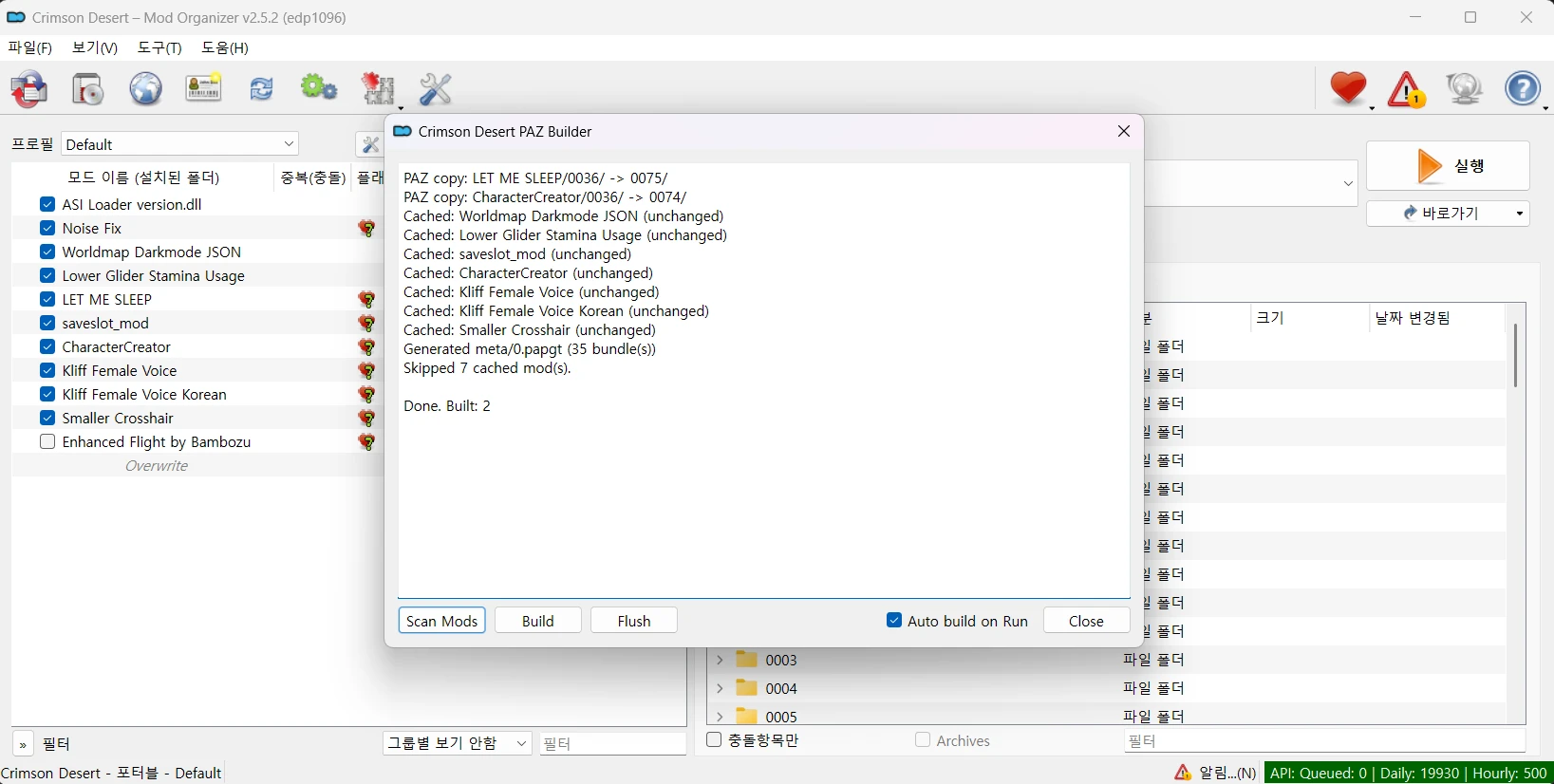
- After the first launch, go to Tools > Tool Plugin > Crimson Desert PAZ Builder and select Build.
- Completed builds are cached, so they won't be rebuilt unnecessarily.
- If you check "Auto build on Run" in the Tool Plugin window, the builder will automatically run before the game starts. It will build only the necessary PAZ files and generate the papgt file in the overwrite folder.
Troubleshooting
- Plugin Error on Launch: If the program crashes with an installer_omod error during the first run, restart the application and set the omod plugin to the blacklist in the popup window.
Reference: https://github.com/lazorr410/crimson-desert-unpacker