Mod Organizer 2 support for Crimson Desert
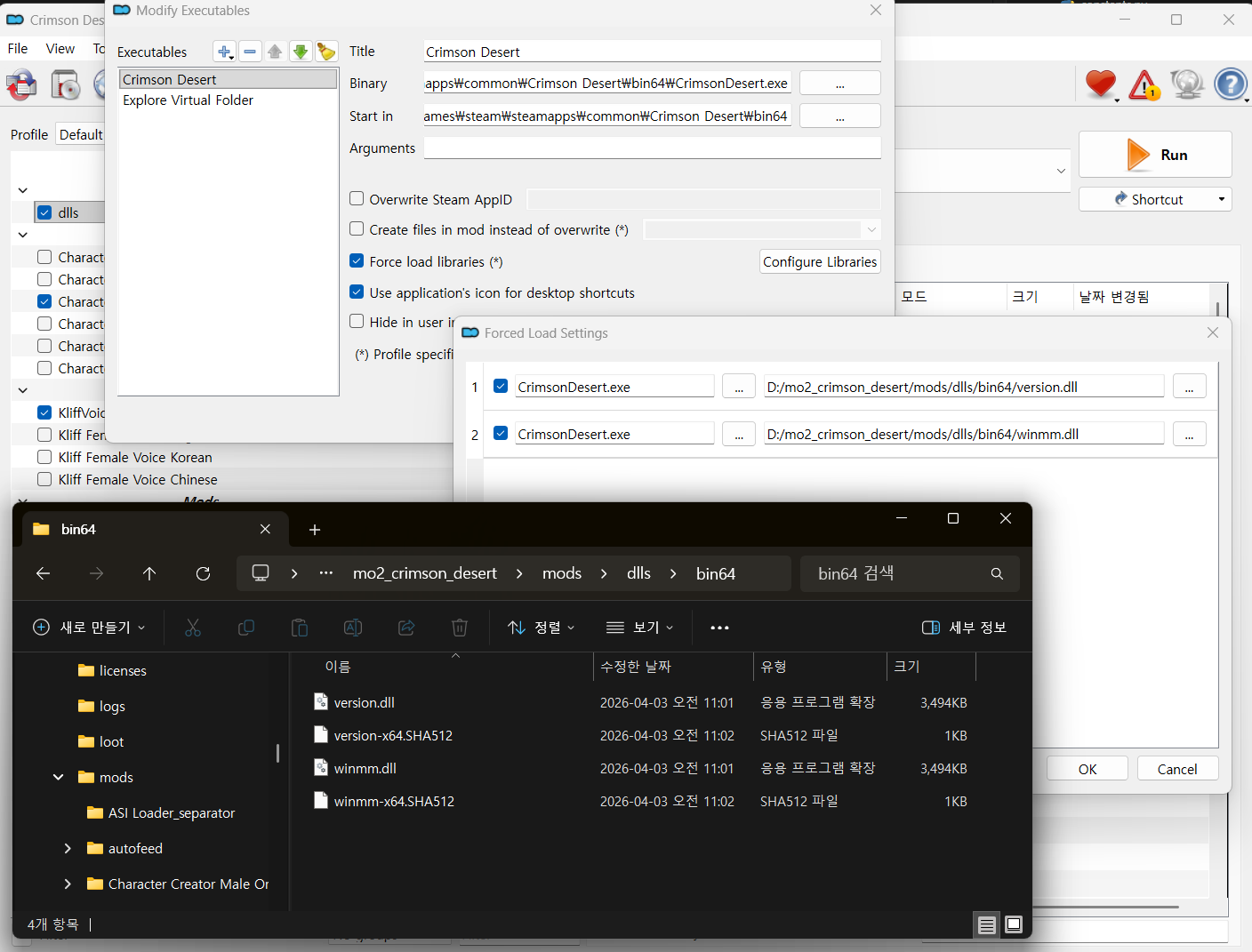
Then, "force load libraries" will be set automatically.
Reference: https://github.com/lazorr410/crimson-desert-unpacker
Features
- One-click game launch.
- No tedious prompts for mod names; it just installs quietly.
- Support raw paz, json, xml.
- Installation paths are automatically managed by type (raw paz / asi / json & xml).
- For json & xml, the tool creates _mod__{mod_name} folders to keep original files. The builder then uses these to perform the PAZ patch.
- Not a single massive 0036 file, it generates individual patches for each mod within the papgt system so, you don't need to rebuild any cached mods.
Installation
- Download this repo and extract.
- Copy and overwrite the contents into your MO2 installation folder/plugins.
Mod Installation
- ZIP installation or Drag & Drop then build it.
ASI & Reshade
Not necessary laboring as below image. Just append version.dll like mod installation.Then, "force load libraries" will be set automatically.
- ASI: Just install version.dll/winmm.dll same as mod and enable checkbox then it will work as "Force load libraries".
- Reshade: Patch the EXE first manually. Then place the addon64 files within bin64 folder.
Execution
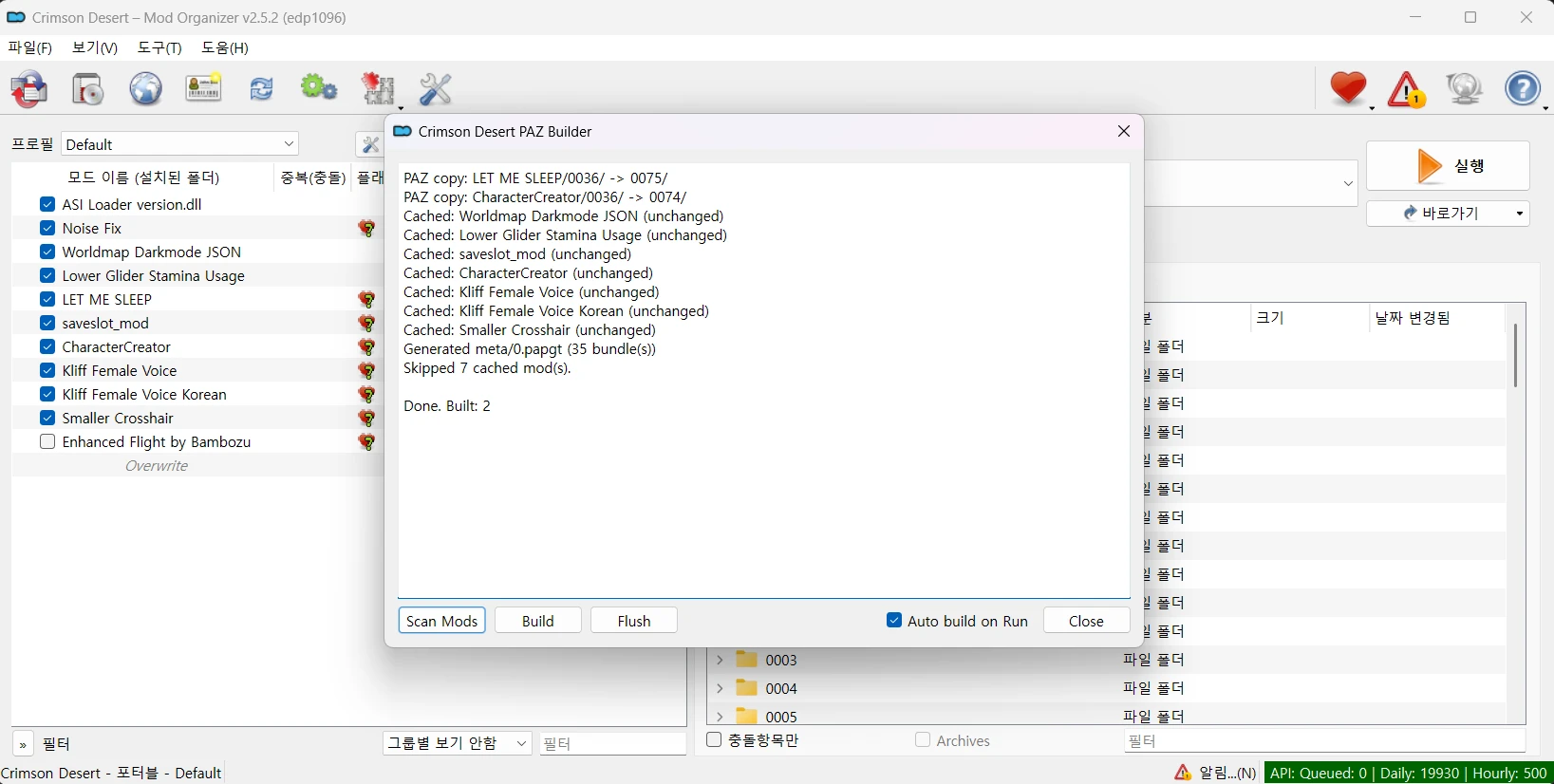
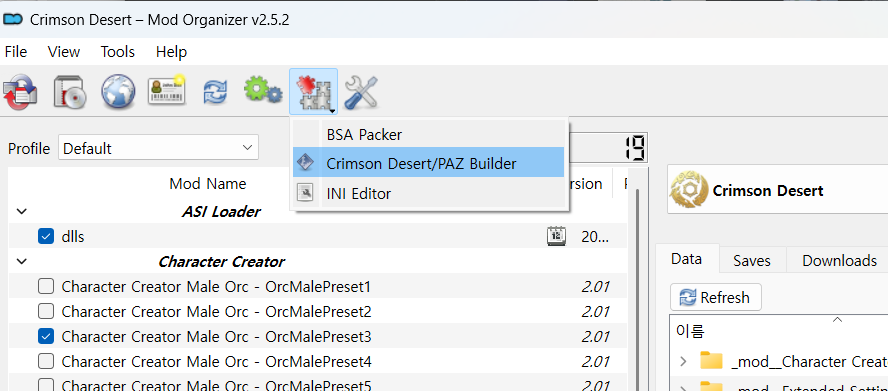
- After first run, click Build from Tools > Tool Plugin > Crimson Desert PAZ Builder.
- All builds are cached, so they won't be rebuilt unnecessarily until game update.
- If you don't want to see Crimson Desert PAZ Builder window next time, check "Auto build on Run" in the window, the builder will automatically run when you click Run button. It will build the necessary PAZ and generate the papgt into overwrite folder.
Troubleshooting
- Plugin Error on Launch: If mo2 crashes with an installer_omod error, restart the application and set the omod plugin to the blacklist in the popup window.
Reference: https://github.com/lazorr410/crimson-desert-unpacker