
What this mod does
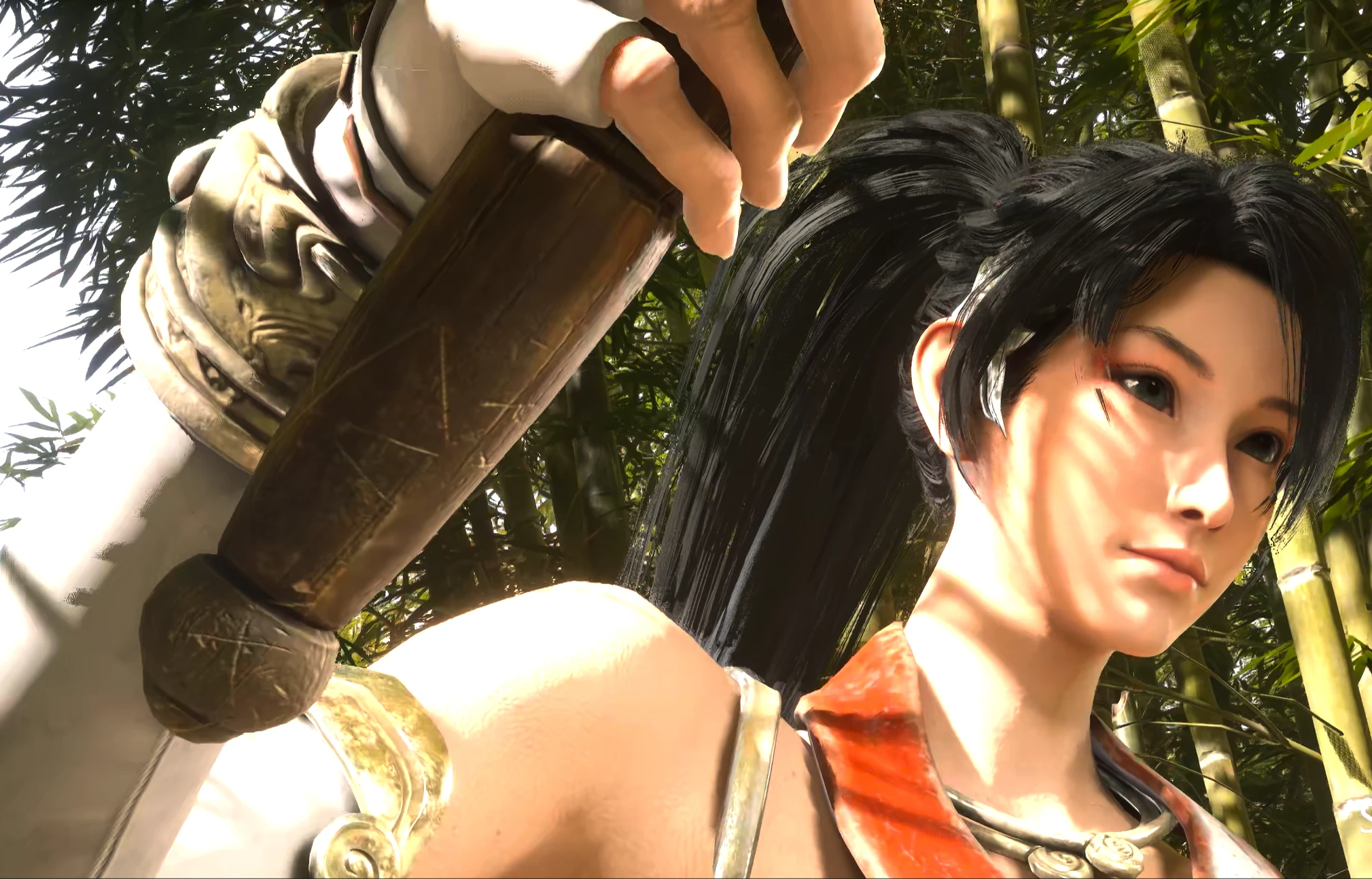
Character replacement- Momiji replaces Soul in both of his forms, Young and Adult.
- It happens automatically when you load in. There is nothing to press.
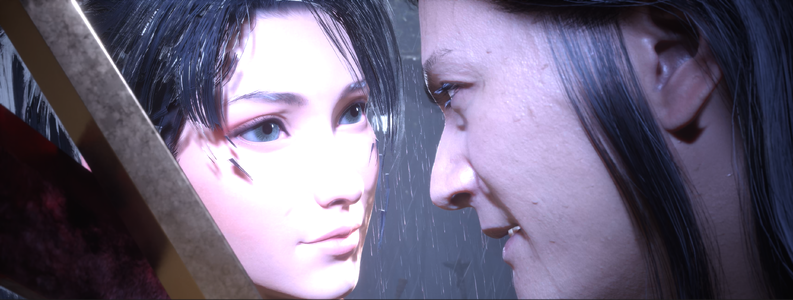
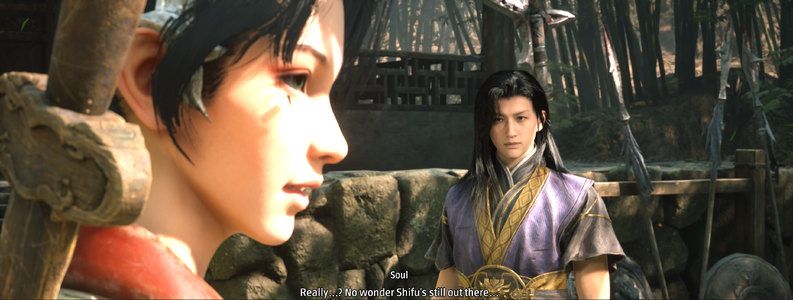
- She also appears in cutscenes, following Soul's animation.
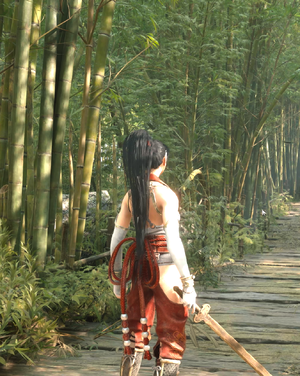
- She uses her red-and-white outfit from Ninja Gaiden 2 Black, with her own hair, face and materials.
- Her lips open and close with Soul's speech.
- Her jaw, cheeks, brows and mouth corners follow his performance. Her expressions are more subtle than his, on purpose, so her face keeps its shape.
- Her Japanese voice replaces Soul's attack shouts, charge shouts and pain sounds.
- Dialogue stays as it is. So do weapon sounds, footsteps and other characters' voices.
- Your save file and your character's stats are not edited.
- Weapons, moves and combat balance stay the same.
Requirements
- UE4SS for Phantom Blade Zero, version 3.0.1-1183 or compatible. Install it first:
- Windows 10 or 11.
- Phantom Blade Zero on Steam, release build
Installation
Close the game before you start.To find your game folder: in Steam, right-click Phantom Blade Zero, then choose Manage > Browse local files. The folder it opens is called
PBZ.- Install UE4SS if you don't have it. Its files go in
PBZ/platform/steam, so you should end up withPBZ/platform/steam/dwmapi.dlland aPBZ/platform/steam/ue4ssfolder. - Extract the mod's ZIP somewhere temporary. It holds two folders:
ModsandPaks. - Copy the character files. Copy the three files from the ZIP's
Paks/~modsfolder into:
PBZ/ProjectPBZ/Content/Paks/~mods
If the~modsfolder doesn't exist, create it. The name must include the~.
You need all three files:
zMomiji_Character_P.pak
zMomiji_Character_P.ucas
zMomiji_Character_P.utoc - Copy the script folder. Copy the
MomijiPBZfolder from the ZIP'sModsfolder into:
PBZ/platform/steam/ue4ss/Mods
You should end up withPBZ/platform/steam/ue4ss/Mods/MomijiPBZ/enabled.txt. - Launch the game and load a save. Momiji replaces Soul on her own once you're in the world.
How to use it
Everything runs automatically. These keys are optional:F6 Turns the mod off for the session. Soul's body and voice come back.
F5 Turns the mod back on
F7 Switches between a moving and still face in cutscenes
The mod is always on again at the next launch.
Change her voice volume
Her voice has its own volume and does not follow the game's volume sliders.- Open
PBZ/platform/steam/ue4ss/Mods/MomijiPBZ/voice/voice_map.txtin Notepad. - Change the first line,
volume 0.8.1.0is full volume, and lower numbers are quieter. - Save the file and restart the game.
Keep Soul's voice
Rename thevoice folder inside Mods/MomijiPBZ to voice_off. Momiji stays, and Soul's voice comes back. Rename it back to restore hers.Known limitations
Face- Her face only moves in cutscenes. During gameplay, including conversations outside cutscenes, it stays still.
- She doesn't blink, and her eyes don't follow the scene.
- Her nose and upper lip stay mostly still.
- In close-ups, a few dark hair strands can show on her cheek.
- Her voice always sounds centred, without the game's 3D positioning or room echo.
- A new shout cuts off the one before it.
- Each sound was matched to Soul's moves from file names, so some may not fit their moment perfectly.
- Some moves later in the game may still use Soul's voice, as may his death cry.
- Her hair and clothes don't have physics.
- Soul may flash on screen for a moment as some cutscenes start.
- Her skin can look bright in strong sunlight.
- Her hair has been tested more on Young Soul than on Adult Soul.
- Long play sessions and later parts of the game.
- Changing equipment.
- Other mods running alongside this one.
Troubleshooting
I still see Soul- Check that UE4SS is installed and that
enabled.txtis in theMomijiPBZfolder. - Check that all three
zMomiji_Character_Pfiles are in~mods. - Press F5 once you're in the world.
- Replace all three
zMomiji_Character_Pfiles from the same download. They must match each other. - Remove any other mod that replaces Soul's model.
- Open
Mods/MomijiPBZ/voice/momiji_voice.log. PATCHEDmeans the swap is running. If you hear Soul on one particular move, that move may not be covered yet.NOT_PATCHEDmeans your game build doesn't match. See "After a game update".- If the file doesn't exist, check that the
voicefolder is intact and that your antivirus didn't removemomiji_voice.dll.
momiji_voice.dllchanges how the running game plays sound, and UE4SS'sdwmapi.dllloads into the game. Security software can be suspicious of programs that do this. Only use copies from this page and from the UE4SS link above.
- Remove the mod (see below) and check whether the game runs without it.
How to remove it
- Close the game.
- Delete the three
zMomiji_Character_Pfiles fromPBZ/ProjectPBZ/Content/Paks/~mods. - Delete the
MomijiPBZfolder fromPBZ/platform/steam/ue4ss/Mods.

