
Disclaimer: This was made using Claude Code. Opus 5.5 was used for the research and implementation, and Fable 5.2 was used for the planning.
A mod for HellForge allowing you to bring up to a maximum of 20 stratagems. It reuses the existing stratagem widget on the loadout screen for seamless selection.
Requires HellForge 0.4.0-beta or later. Built and tested on HellForge 0.4.0-beta and on the 0.5 nightly of 2026-11-23, for game build 25480438. It has only been tested solo, so co-op is untested. If you try it, every player needs the mod.
Known incompatibilities
Usage
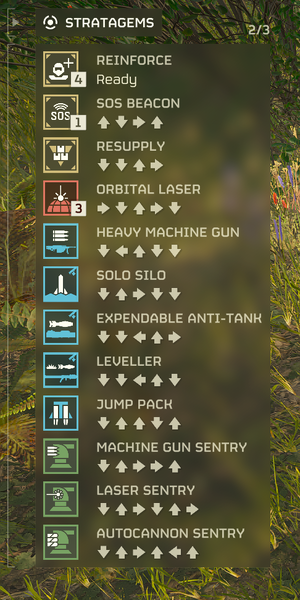
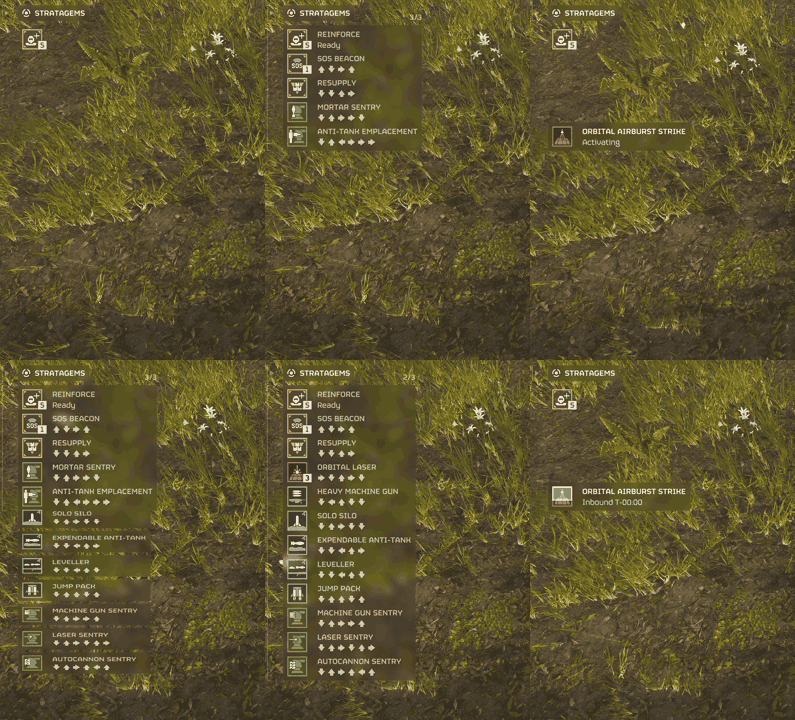
By default, you can press Q/E or MWHEEL UP/DOWN to scroll through the list of pages. If you have multiple pages, you should see the current page number/the max page number in the top right of the stratagem list.
The controls can be configured in the settings, which get auto-generated on the first launch after installing the mod.
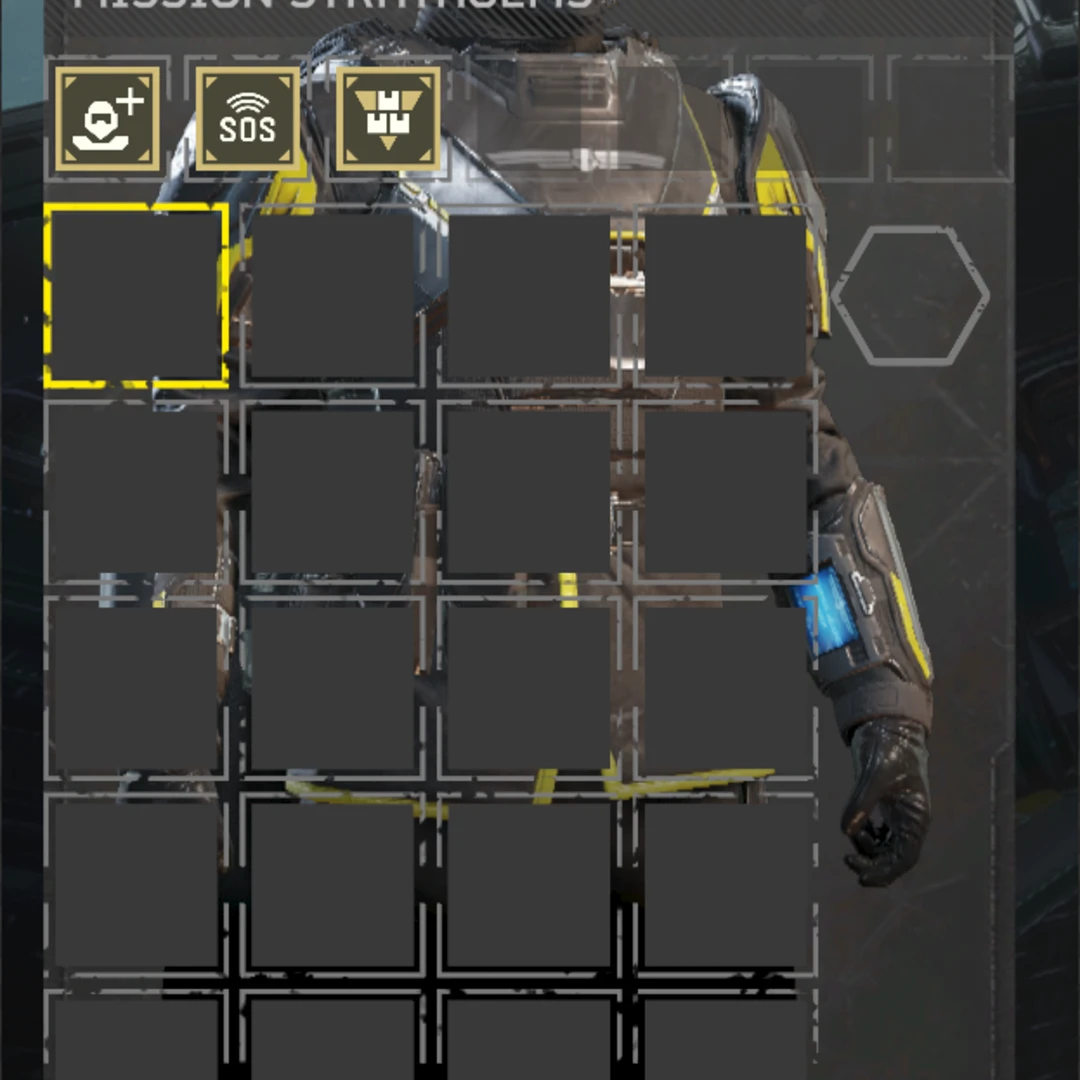
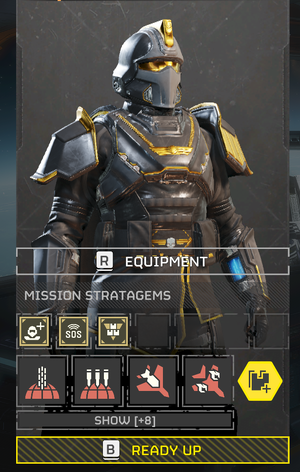
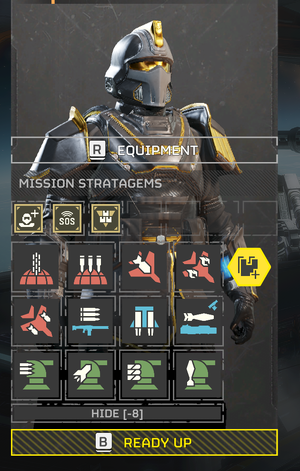
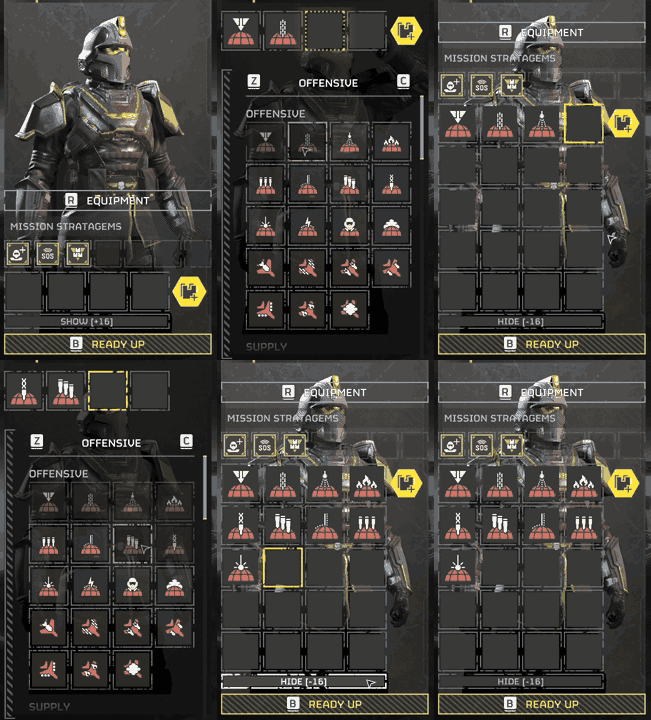
On the loadout screen the slots are in rows of four. With more than 8 slots the card starts collapsed: it shows the first row, and a bar under it with the number of slots it hides (SHOW [+12] for 16 slots). Click the bar to show the other rows, and click it again (HIDE [-12]) to hide them. On a controller, move down to the bar and press the select button. The card is collapsed again each time you come to the loadout screen, and it opens by itself when the stratagem picker moves on to a slot in a hidden row.
Settings
The settings are in more-stratagem-slots.ini, directly in your HellForge mods folder:
With the default install location that is %USERPROFILE%\Documents\HellForge\mods\more-stratagem-slots.ini. It sits beside the mod's zip, not inside the mod's own folder (the one with hellforge-mod.json and src).
1. Open the folder HellForge is installed in, then its mods folder:

2. The settings file is here, beside the mod's zip:

The file is created with the defaults the first time you start the game with the mod switched on. Open it with a text editor, change a value and save. Changes apply the next time the game starts.
The game's stratagem list holds 16 at most, including its own (Reinforce, Resupply, SOS Beacon and so on). When your stratagems don't fit, they are split into pages. Only the page shown can be called in, and each stratagem keeps its uses and cooldown while on another page.
Upgrading from an older version
per_row from before 0.3.0 is no longer read: the rows are always of four. You can leave its line in the file or delete it. To change when the card collapses, add a collapse_rows line; to switch the collapsing off, add collapse = off; to switch only its animation off, add collapse_animate = off.
page_hold from before 0.2.0 is no longer read, so you can leave its line in the file or delete it. page_lock = on does what it did.
From 0.2.0 wheel up is the next page and wheel down the previous one, the other way around from before. page_wheel_invert = on gives the old direction.
Troubleshooting
The settings file isn't there
The file is created the first time the game starts with the mod switched on. If it is missing:
The game is stuck at "build mods"
The first time the game starts with a mod that is built from source, HellForge downloads its compiler. This can take a few minutes, and only happens once.
Source
The source code and research notes are on GitHub.
A mod for HellForge allowing you to bring up to a maximum of 20 stratagems. It reuses the existing stratagem widget on the loadout screen for seamless selection.
Requires HellForge 0.4.0-beta or later. Built and tested on HellForge 0.4.0-beta and on the 0.5 nightly of 2026-11-23, for game build 25480438. It has only been tested solo, so co-op is untested. If you try it, every player needs the mod.
Known incompatibilities
- DiverKit (loadout presets): it does not load while this mod is on, so its preset buttons never appear. DiverKit checks parts of the game's loadout screen code before it starts, and this mod changes three of them. Use one or the other.
- Download the zip from this page.
- Open the HellForge launcher, go to the Mods page and press Add mods...
- Pick the zip. You don't need to unpack it.
- Make sure the mod is switched on, then start the game.
Usage
By default, you can press Q/E or MWHEEL UP/DOWN to scroll through the list of pages. If you have multiple pages, you should see the current page number/the max page number in the top right of the stratagem list.
The controls can be configured in the settings, which get auto-generated on the first launch after installing the mod.
On the loadout screen the slots are in rows of four. With more than 8 slots the card starts collapsed: it shows the first row, and a bar under it with the number of slots it hides (SHOW [+12] for 16 slots). Click the bar to show the other rows, and click it again (HIDE [-12]) to hide them. On a controller, move down to the bar and press the select button. The card is collapsed again each time you come to the loadout screen, and it opens by itself when the stratagem picker moves on to a slot in a hidden row.
Settings
The settings are in more-stratagem-slots.ini, directly in your HellForge mods folder:
Code:
<your HellForge folder>\mods\more-stratagem-slots.iniWith the default install location that is %USERPROFILE%\Documents\HellForge\mods\more-stratagem-slots.ini. It sits beside the mod's zip, not inside the mod's own folder (the one with hellforge-mod.json and src).
1. Open the folder HellForge is installed in, then its mods folder:
2. The settings file is here, beside the mod's zip:
The file is created with the defaults the first time you start the game with the mod switched on. Open it with a text editor, change a value and save. Changes apply the next time the game starts.
- slots (default: 8) - The number of stratagem slots in the loadout, from 4 to 20.
- collapse (default: on) - Collapses a loadout of many rows on the loadout screen (see Usage). With off the card always shows every row and has no bar.
- collapse_rows (default: 3) - How many rows of four a loadout needs to be collapsed, from 2 to 5. With 3, a loadout of more than 8 slots is.
- collapse_animate (default: on) - Opens and closes the collapsed rows over a moment. With off they show and hide at once.
- page_prev (default: Q) - The key for the previous page, while the stratagem list is open. A letter, a digit, or a Windows virtual-key code.
- page_next (default: E) - The key for the next page.
- page_wheel (default: on) - Allows the mouse wheel to switch pages while the stratagem list is open: wheel up is the next page and wheel down the previous one.
- page_wheel_invert (default: off) - Turns the mouse wheel around: wheel up is the previous page and wheel down the next one. Only takes effect with page_wheel on.
- page_lock (default: off) - Stops you from switching pages while a stratagem is in your hand or being called in. With off you can switch at any time, and a stratagem in your hand stays in the list until it has been called in.
- page_added (default: on) - Puts stratagems that other mods add to your list during a mission (P.S.S. extras, for example) in the pages after your own. With off they stay on every page, which leaves less room for yours.
- page_rearm (default: on) - Shows Eagle Rearm on every page once an Eagle has spent a use, so you can rearm from any page. With off it only shows on the pages that hold an Eagle. Either way it rearms the Eagles on every page.
The game's stratagem list holds 16 at most, including its own (Reinforce, Resupply, SOS Beacon and so on). When your stratagems don't fit, they are split into pages. Only the page shown can be called in, and each stratagem keeps its uses and cooldown while on another page.
Upgrading from an older version
per_row from before 0.3.0 is no longer read: the rows are always of four. You can leave its line in the file or delete it. To change when the card collapses, add a collapse_rows line; to switch the collapsing off, add collapse = off; to switch only its animation off, add collapse_animate = off.
page_hold from before 0.2.0 is no longer read, so you can leave its line in the file or delete it. page_lock = on does what it did.
From 0.2.0 wheel up is the next page and wheel down the previous one, the other way around from before. page_wheel_invert = on gives the old direction.
Troubleshooting
The settings file isn't there
The file is created the first time the game starts with the mod switched on. If it is missing:
- Check on the launcher's Mods page that the mod is listed and switched on, and that your HellForge is up to date (the mod needs 0.4.0-beta or later, and is tested on 0.4.0-beta and on the 0.5 nightly of 2026-11-23). If the mod didn't start, it can't create the file.
- Or create it yourself: copy more-stratagem-slots.template.ini (inside the zip, and on GitHub) into the mods folder and rename it to more-stratagem-slots.ini. The template holds the defaults.
The game is stuck at "build mods"
The first time the game starts with a mod that is built from source, HellForge downloads its compiler. This can take a few minutes, and only happens once.
Source
The source code and research notes are on GitHub.