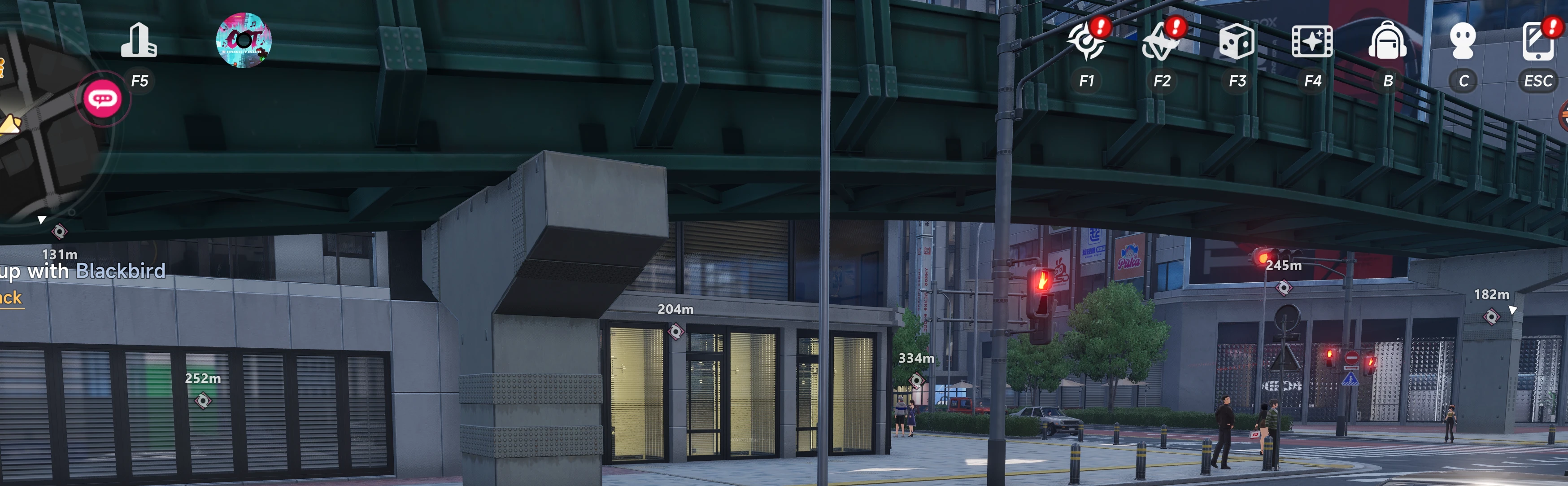
Shows an on-screen indicator for nearby Oracle Stones.
It works up to 1000 m away instead of the game's 20 m. When a stone is off screen, an arrow at the edge points you toward it. Stones you've already collected are detected as you pass near them, remembered, and hidden, so the indicators only show stones you still need. The mod starts with a blank slate (collection progress is stored on the server), so it learns as you explore. Any stones not in its built-in list are picked up automatically when they load in.
All Oracle stones start in an undiscovered state, if you get within 60 meters of a discovered stone it will change to discovered.
Settings are in the tray icon: right-click and choose Settings, or double-click it. Max distance sets how far away stones are shown. Hide within hides stones closer than a set distance (default 20 m, since the game shows its own tracker there). Max stones shown limits how many of the nearest stones are tracked; lower is lighter. Max edge arrows sets how many off-screen stones get an arrow. Show found / collected stones shows collected stones greyed out instead of hiding them. Changes apply immediately.
Install:
Extract the zip, right-click install.ps1 and choose Run with PowerShell. It finds the game and installs the mod. Or copy Mods\OracleFinder into ...\HT\Binaries\Win64\Mods\ yourself and add OracleFinder : 1 to mods.txt. Start the game, then run OracleFinder.exe, which sits in the system tray. Play in borderless or windowed fullscreen so the overlay can draw over the game. This is a client-side mod for an online game, so use it at your own risk.
It works up to 1000 m away instead of the game's 20 m. When a stone is off screen, an arrow at the edge points you toward it. Stones you've already collected are detected as you pass near them, remembered, and hidden, so the indicators only show stones you still need. The mod starts with a blank slate (collection progress is stored on the server), so it learns as you explore. Any stones not in its built-in list are picked up automatically when they load in.
All Oracle stones start in an undiscovered state, if you get within 60 meters of a discovered stone it will change to discovered.
Settings are in the tray icon: right-click and choose Settings, or double-click it. Max distance sets how far away stones are shown. Hide within hides stones closer than a set distance (default 20 m, since the game shows its own tracker there). Max stones shown limits how many of the nearest stones are tracked; lower is lighter. Max edge arrows sets how many off-screen stones get an arrow. Show found / collected stones shows collected stones greyed out instead of hiding them. Changes apply immediately.
Install:
Extract the zip, right-click install.ps1 and choose Run with PowerShell. It finds the game and installs the mod. Or copy Mods\OracleFinder into ...\HT\Binaries\Win64\Mods\ yourself and add OracleFinder : 1 to mods.txt. Start the game, then run OracleFinder.exe, which sits in the system tray. Play in borderless or windowed fullscreen so the overlay can draw over the game. This is a client-side mod for an online game, so use it at your own risk.