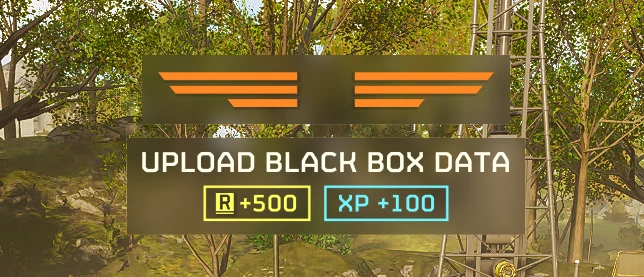
Quieter Completion Text clears the big Objective Completed, Mission Completed, and Area Secured headlines from the English in-mission HUD, including when you clear bot outposts and bug nests. The banner still shows its artwork, the objective name, and the reward numbers. The normal completion sound still plays.
Installation
Compatibility
For Windows, the Steam edition, and English (US or UK). The headline change was tested in a match on game version 7.2.3 (Steam build 26568081). Other mods that replace the same English text tables may conflict.
Installation
- Manually download and extract the builder ZIP.
- Double-click Build Mod.cmd. The builder reads your Steam installation and creates Quieter Completion Text - English [Generated].zip.
- Import the generated ZIP in HD2 Arsenal using Add Mod → Files. Enable the mod and deploy with Helldivers 2 closed.
Compatibility
For Windows, the Steam edition, and English (US or UK). The headline change was tested in a match on game version 7.2.3 (Steam build 26568081). Other mods that replace the same English text tables may conflict.