
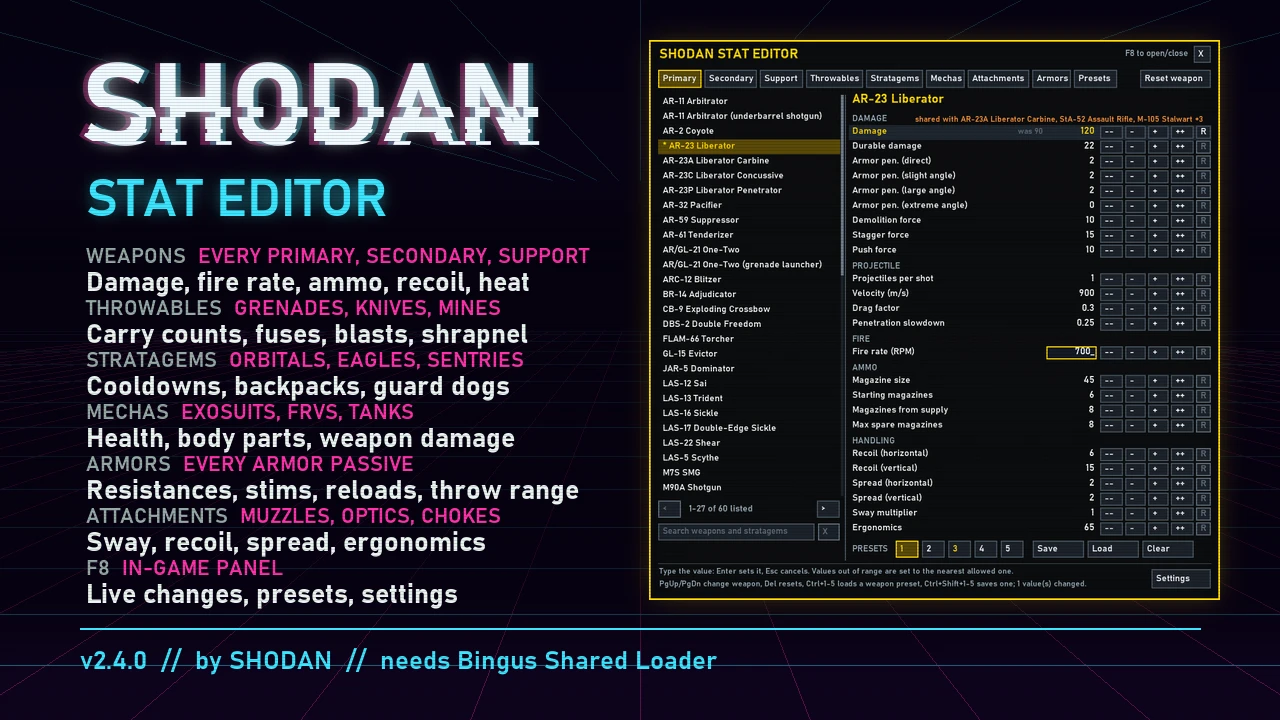
Change the stats of weapons, throwables, stratagems, mechas, boosters, attachments and armor passives in Helldivers 2. The Enemy Editor changes every enemy, your SEAF allies and how they spawn, and keeps custom difficulties as presets. SHODAN Stat Editor Offline (SSEO) is a Windows program: pick a weapon, change its numbers, press Install into the game, and play. It writes your values into the game's own data files, so no mod loader is needed and the game does not have to run while you edit. Keep setups as presets: 5 per weapon, and up to 50 named ones for everything you have changed, and share them as short codes.
What you can change
Windows SmartScreen or an antivirus may warn about the program the first time (it is not signed).
Full documentation, source and bug reports: github.com/SHODAN-HORAI/SHODAN-Stat-Editor
What you can change
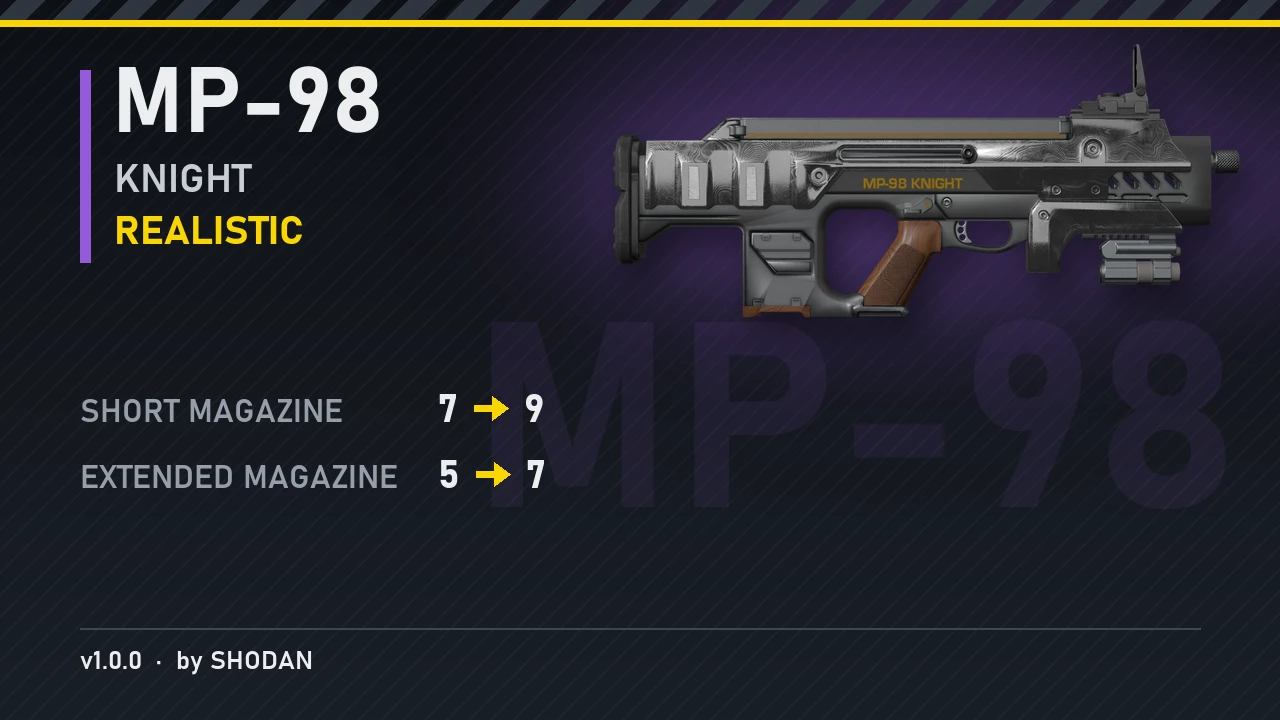
- Weapons: damage, durable damage, armor penetration, demolition/stagger/push force, projectiles per shot, velocity, blast radius, burning, gas and stun applied per hit, fire rate, magazine size and spare magazines (each magazine on its own), reload time, recoil, spread, sway, ergonomics, heat and heatsinks. Projectile swap: make a weapon fire another weapon's projectile. Trails and effects load by themselves for up to 6 chosen weapons per install. Infinite ammo, Suppressed and one-handed switches. Flamethrower spray, lock-on range, aim zoom on built-in sights, holster position and bayonet strikes. Slot: list a primary among the secondaries, or a secondary among the primaries.
- Throwables: count carried, throw distance, fuse time, explosion damage and radius, shrapnel.
- Stratagems: cooldowns, uses, call-in codes (the arrows you enter) and call-in countdown, Eagle rearms, approach, speed and bomb pattern, orbital and Eagle strike damage and radii, barrage salvos, shells, delay and drift, items per hellpod (two weapons or packs from one pod), the Orbital Laser, Guard Dogs, sentries and emplacements and how far they turn, minefields, jump/hover/warp packs and backpack charges.
- Mechas: cooldown, health, regeneration and armor of every body part, and their weapons stat for stat. Exosuit walk, turn, stomp, get in and out, landing and stagger recovery speed.
- Vehicle handling: the FRVs' and tanks' weight, center of mass, engine torque and top speed, gears, front and rear brakes, and each wheel's grip, size, springs, damping and suspension travel.
- Attachments: optics, underbarrels, muzzles and ammunition types (ergonomics, recoil, spread and sway), and each optic's zoom levels, zeroing distances and follow speed.
- Armor passives: every value they have, from damage resistances to reload speed and extra stims. Each armor's weight: light, medium or heavy.
- Helldiver: health regeneration, climbing and sliding, drowning and floating, the hellpod's descent, melee and bayonet strikes, head hits, weapon sway and how much enemy fire suppresses you.
- Extra stratagems: have any stratagem bring another along with it.
- Transmogrification: give any armor up to 14 passives, or none, so you can wear the look you want with the passives you want.
- Boosters: Experimental Infusion, the hellpod boosters, Dead Sprint, Armed Resupply Pods and Surplus EAT Allocation.
- Names and descriptions: give weapons, throwables, stratagems, armors, helmets, capes, passives, attachments and boosters your own names and descriptions, shown in the game in every language.
Enemy Editor
Make your own difficulty. Click SHODAN Enemy Editor at the top left and the window turns red; SHODAN Stat Editor switches back. One Install puts the changes of both editors in the game.- Every enemy: health, armor, durable ratio, explosive damage taken and regeneration, and each body part's health, armor and bleed-out, including whether destroying it kills the enemy.
- Behavior: animation speed (attacks, stagger recovery and the rest, each on its own; faster attack animations make attacks come out sooner), movement speed for each behaviour (patrolling, fighting, charging and more), which side it fights for, size, sight, hearing, how long it keeps tracking you, stagger resistance, and status resistances (stun, gas, fire, acid, electric).
- Attacks and weapons: melee attacks, death explosions, and every enemy gun stat for stat like a weapon: damage, armor penetration, fire rate, magazine and spread.
- Suppression: how hard your fire throws off an enemy's aim, how long it takes to steady, and how close your shots must land.
- Shields and jamming: shield capacity and recharge, Stratagem Jammer and AA Emplacement radii, Cognitive Disruptor scrambling, Leviathan flight height.
- Whole factions at once: one row for all Terminids, Automatons, Illuminate or SEAF (health, armor, damage, speed, weapon spread, suppression and more), while enemies you tuned by hand keep their own values.
- Spawning and patrols: reinforcement size and frequency (or none at all), the cap on enemies at once, patrol frequency and count, modifier patrols, outpost garrisons, Fabricator and bug hole output.
- SEAF: every SEAF soldier kind like an enemy, and which weapons each kind carries.
- Custom difficulties: save enemy setups as their own presets, separate from your weapon setups. Comes with Default, Horde, Glass Cannon and Elite; change them or make your own and share them with a code, and restore the built-in ones from Settings.
- Type values directly or step them with the arrow keys; Del resets a stat to the game's value.
- Create and share presets: save up to 5 presets per weapon or stratagem, and up to 50 named full presets holding every change you have made. Load, rename or overwrite them any time.
- Preset codes: share a whole preset as one line of text. Copy its code, send it, and the other player pastes it in to get your setup. Codes made on an older version can lose values after a game update changes those pages.
- Search across every tab (Ctrl+F), or press * to list only what you have changed.
- Resize the window by dragging its edges.
- In English, Simplified Chinese, Traditional Chinese, Russian, Spanish (Latin America) and Portuguese (Brazil).
- Quality-of-life switches in Settings: bring several vehicles of the same kind (exosuits, FRVs, tanks), better stratagem bounce (stratagem balls stick to more surfaces), foliage pass-through (rockets, launcher rounds and stratagem ordnance fly through trees and bushes) and a sniper crosshair in third person.
- Works with other mods: SSEO keeps the changes other mods made to the same game files and adds yours on top. Install or apply the other mod first, then press Install in SSEO. Not thoroughly tested yet.
- Updates itself: SSEO tells you when a new version is out and installs it with one click.
Install
- Download the latest SHODAN-Stat-Editor-Offline zip and unzip it anywhere (keep the files together).
- Close Helldivers 2 and start SHODAN Stat Editor Offline.exe. It finds the game through Steam; if it cannot, write your Helldivers 2 folder's path into %LOCALAPPDATA%\SHODAN\StatEditor\game folder.txt and start it again.
- Change values, press Install into the game, then start the game.
Windows SmartScreen or an antivirus may warn about the program the first time (it is not signed).
Full documentation, source and bug reports: github.com/SHODAN-HORAI/SHODAN-Stat-Editor



Pinned comment