



What is it?
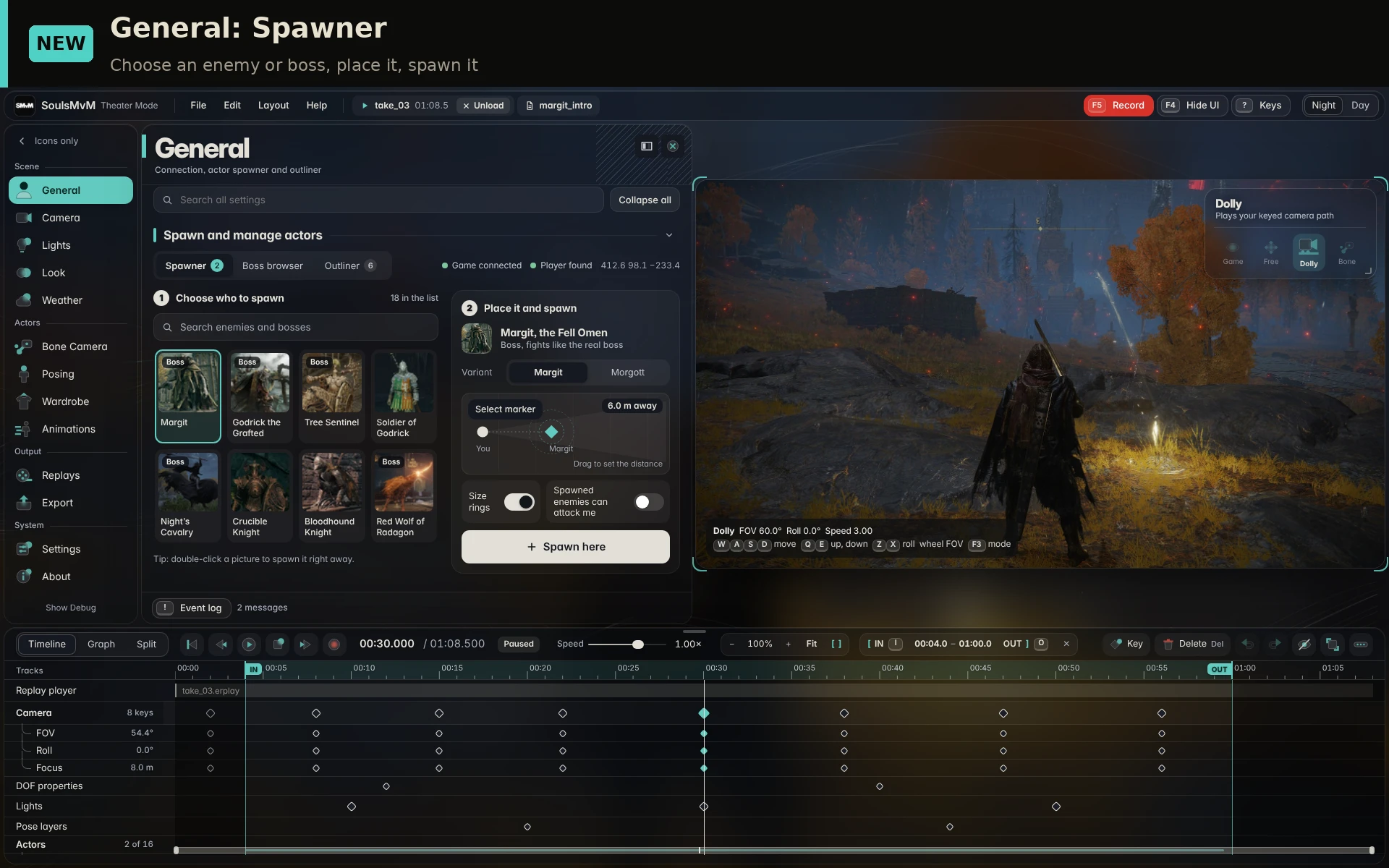
SoulsMvM is a movie-making toolkit for Elden Ring. Record your gameplay, then replay it and film it from any angle with your own camera, lights, weather and depth of field. Export it as video or image sequences. It is made for cinematic videos.
SoulsMvM Discord server - Discord Link
The tools
Record and replay
Requirements
Credits
Cinematic DOF by Frans Bouma / OtisFX. Thanks to the authors of Dear ImGui, FFmpeg, Mod Engine 3, YAFSML.
People who helped me testing and reporting bugs and other movie making tools creators who told me on how certain things works
Amyst
Celine
Abysswalker
Dancy
rehz
sy
This tool was made possible with help of Codex and Claude
Support me - https://ko-fi.com/111tykatypka
SoulsMvM is a movie-making toolkit for Elden Ring. Record your gameplay, then replay it and film it from any angle with your own camera, lights, weather and depth of field. Export it as video or image sequences. It is made for cinematic videos.
SoulsMvM Discord server - Discord Link
The tools
Record and replay
- F5 starts recording, F6 stops. Replay it with pause, scrub and speed control.
- Replay travel takes you to the right place when a replay starts and returns you when it ends.
- Free, Dolly and Bone cameras.
- Smooth camera paths, timeline keyframes and adjustable camera shake.
- Place your own point and spot lights and set their colour, brightness, range and shadows.
- Spotlights can follow your character (head or any bone).
- Optional shadows for the game's own lights (graces, torches, candles).
- Time of day and weather presets.
- Time of day can be keyframed along the timeline.
- Native volumetric fog and light-shaft controls.
- Bundled ReShade Cinematic DOF with focus controls and keyframing in the timeline sequencer. The launcher sets ReShade up for you.
- ReShade menu key is Home by default and can be changed in F4 > Settings > ReShade.
- Droplets and wet stains on supported skin, armor, clothes and weapons, including physics cloth.
- Controls for amount, size, drying, variation and flow.
- Turn them on in F4 > Weather > Water droplets. They follow replay time, so exports match every time.
- A bundled animation preset. Change supported idle, dodge and walk styles in the live game.
- Image sequences and video, with 2K/4K and ultrawide support.
- Frame-by-frame rendering with sampled motion blur.
- Spawn enemies, or jump to world bosses, from one browser.
- Cheat debug tools.
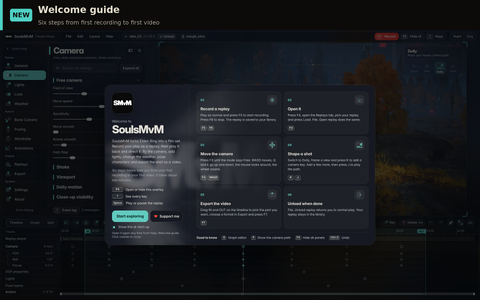
- Download and run SoulsMvM.exe from any folder.
- Select ELDEN RING and set the game path if needed.
- Launch offline with Easy Anti-Cheat disabled.
- Press F4 in game for the overlay. F5 records, F6 stops.
- Open your recording in Replays.
Requirements
- Windows 10/11 64-bit and Steam Elden Ring 1.17.2.
- OFFLINE ONLY. Never use it in online play.
- Internet is needed once, for the first ReShade setup. After that it isn't needed. Existing ReShade and your presets are kept.
Credits
Cinematic DOF by Frans Bouma / OtisFX. Thanks to the authors of Dear ImGui, FFmpeg, Mod Engine 3, YAFSML.
People who helped me testing and reporting bugs and other movie making tools creators who told me on how certain things works
Amyst
Celine
Abysswalker
Dancy
rehz
sy
This tool was made possible with help of Codex and Claude
Support me - https://ko-fi.com/111tykatypka
