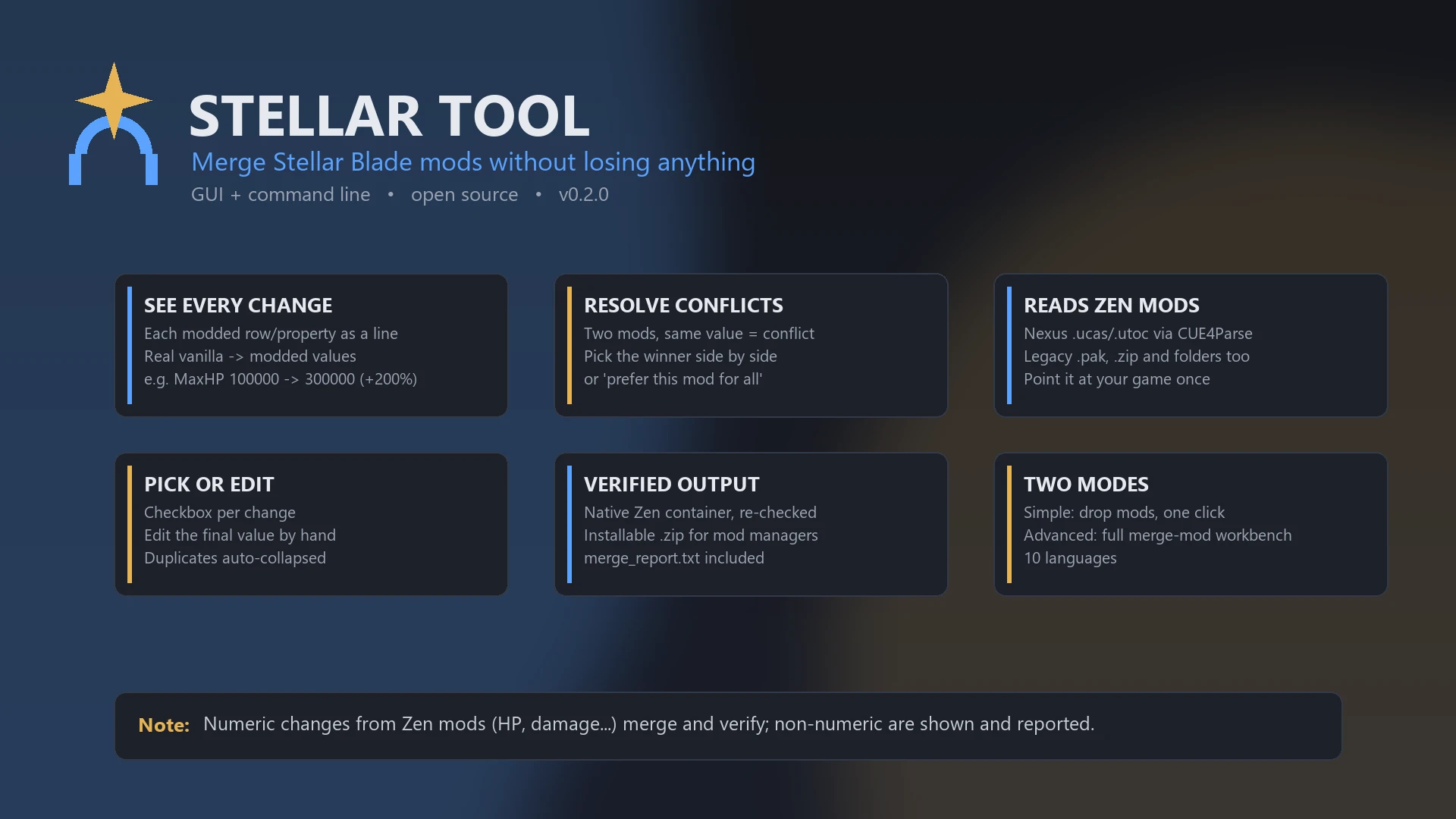
Two mods edit the same table, the game loads only one, and you silently lose half of what you installed. Stellar Tool fixes that: it reads the DataTables inside your mods, shows you every change, lets you resolve conflicts, and builds one merged pak that keeps them all.
Two ways to use it
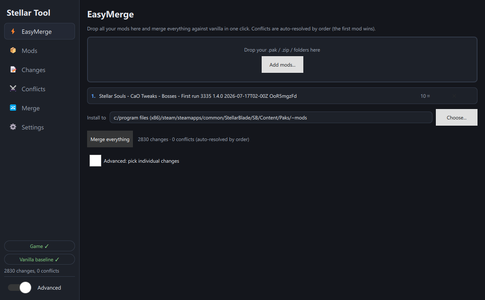
- Simple: drop all your mods, click "Merge everything", done. Conflicts are auto-resolved by order (first mod wins), the result installs straight to your ~mods, and a button offers to disable the original mods so they don't override the merge.
- Advanced: a full workbench to build a merge-mod — mod priority, every change as a checkbox, side-by-side conflict resolution, manual value editing, and savable projects.
It shows you exactly what each mod does
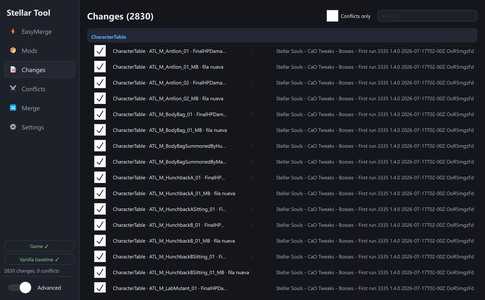
Instead of merging blind, every modified value is one readable line, compared against vanilla:
CharacterTable · ATL_M_Maelstrom_01 · MaxHP: 100000 -> 300000 (+200%)
EffectTable · Item_HP_RPotion · CalculationValue: 60 -> 30 (-50%)
SkillTable · M_DroidTurret_Laser · AttackDamageRate: 1.5 -> 4.5 (+200%)
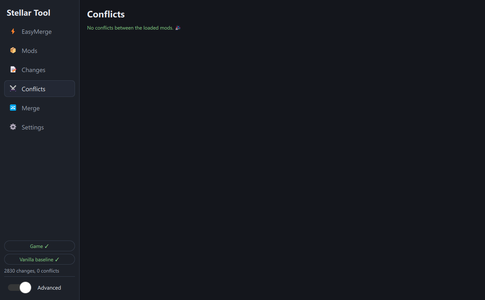
Tick the changes you want. When two mods set the same value differently, that's a conflict - pick the winner side by side, or "prefer this mod for everything". Identical changes from different mods are collapsed into one line automatically.
Zen/IoStore mods, merged in full
Most Stellar Blade mods ship as Zen containers (.ucas/.utoc). Stellar Tool converts them to legacy assets using a script-object container rebuilt from your own game files, then reads them raw - exactly like a legacy mod. Point it at your Stellar Blade folder once (it auto-detects Steam) and everything else is automatic.
This means all of a Zen mod comes across, not just part of it:
- Every kind of change is merged and verified: numbers, text, enums, arrays, object references, new rows.
- Assets that aren't tables - animations, AnimBPs, skeletons, meshes - go into the merged pak too. Moveset and appearance mods keep working after you disable the source mod.
- Changes that older versions couldn't even see are now detected. On a real moveset mod: 1151 -> 1524 changes found, EquipmentTable 37 -> 54 merged, SkillActiveStepTable 647 -> 905.
Legacy .pak, .zip and loose .uasset folders work too. If a container ever resists conversion, the tool falls back to reading it with CUE4Parse and tells you in the report exactly what it had to skip. Nothing is silent.
The report explains itself
Every merge writes a merge_report.txt listing, per mod, how many changes it contributed and how many were selected - so a mod that ended up contributing nothing is impossible to miss. It also names any table whose changes all ended up unselected and why (lost a conflict, duplicate of another mod, unticked), and any table excluded because it failed verification. A table can't disappear without an explanation.
Main features
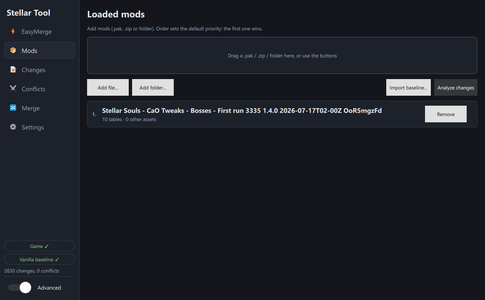
- Load any number of mods: Zen/IoStore (.ucas/.utoc), legacy .pak, .zip, or loose .uasset folders.
- Real vanilla -> modded values with percentages, per row and property.
- Per-change checkboxes; toggle whole tables at once; edit the final value by hand.
- Value-level conflict detection and side-by-side resolution.
- Selections, hand-edited values and resolved conflicts survive adding or removing a mod - no re-entering everything after each change.
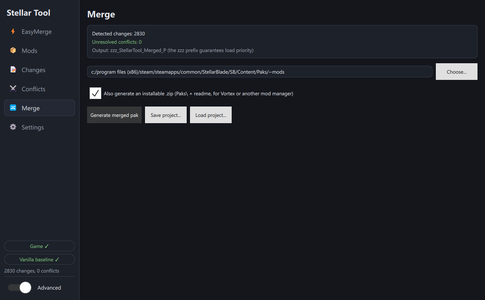
- Output is the game's native Zen container (zzz_StellarTool_Merged_P), round-trip verified after packing - if a table wouldn't survive intact, it's excluded loudly instead of corrupting your game.
- Optional installable .zip (Paks\ + readme) for Vortex or any mod manager, plus the merge_report.txt.
- Projects (.stproj): save your mod list, selections and resolutions; reopen later.
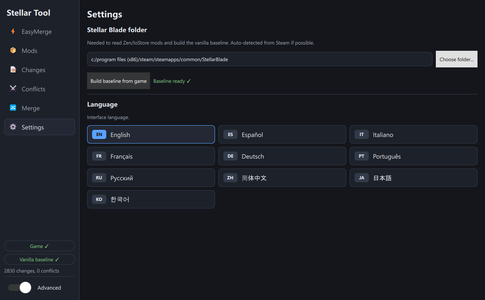
- Vanilla baseline built from your own game copy in one click; auto-rebuilds if the game updates.
- Built-in updater: checks for a new version on startup and offers to update now, ask again next launch, or skip that version. Can be turned off in Settings.
- Headless CLI for scripts/automation. 10 interface languages. Light, Dark and OLED themes.
- Your source mods are never modified.
Stellar Souls Builder (included)
The app also ships a builder for Stellar Souls, a Souls-like rebalance: pick exactly the changes you want - Beta/Burst damage, drones, dash, enemy damage and vulnerability, perfect dodge, Tachy, gauge economy, mini-bosses per region with independent density and stats, and a long list of quality-of-life extras - and it compiles a personalised pak plus a localised install guide. Presets only preselect options; nothing is hidden or forced.
Install
1. Download and extract anywhere. Self-contained; no installer, no game files touched.
2. Run StellarTool.exe. In Settings, confirm your Stellar Blade folder (auto-detected).
3. Drop your mods in, review, and Merge everything.
4. Install the result to StellarBlade\SB\Content\Paks\~mods (or the generated .zip via your mod manager).
5. Disable the source mods you merged so they don't override the merged pak (one-click button).
Requirements and conflicts
- Windows 10/11. No game file is ever touched.
- The Stellar Blade folder must be set - it's how the tool reads Zen mods and builds the vanilla baseline. Steam installs are detected automatically.
- The merged pak conflicts, by definition, with the mods you merged into it - disable them.
- Open source (MIT): https://github.com/guideahon/StellarTool - code, build instructions and issue tracker. You can compile it yourself.
What's bundled
StellarTool.exe plus open-source community CLI tools it drives, unmodified: repak and retoc (trumank), UAssetGUI (atenfyr), cue4parse (CUE4Parse CLI). All auditable from the repo.
Shout outs
- trumank - repak and retoc.
- atenfyr - UAssetGUI / UAssetAPI.
- FabianFG and the FModel team - CUE4Parse.
- The Stellar Blade modding community - the mappings (.usmap) groundwork.
- Raxdiam, whose "we're all modifying the same file and clashing" description inspired this tool.
- Everyone who sent a broken merge and a merge_report.txt - most of 0.4.0 came out of those reports.
Two ways to use it
- Simple: drop all your mods, click "Merge everything", done. Conflicts are auto-resolved by order (first mod wins), the result installs straight to your ~mods, and a button offers to disable the original mods so they don't override the merge.
- Advanced: a full workbench to build a merge-mod — mod priority, every change as a checkbox, side-by-side conflict resolution, manual value editing, and savable projects.
It shows you exactly what each mod does
Instead of merging blind, every modified value is one readable line, compared against vanilla:
CharacterTable · ATL_M_Maelstrom_01 · MaxHP: 100000 -> 300000 (+200%)
EffectTable · Item_HP_RPotion · CalculationValue: 60 -> 30 (-50%)
SkillTable · M_DroidTurret_Laser · AttackDamageRate: 1.5 -> 4.5 (+200%)
Tick the changes you want. When two mods set the same value differently, that's a conflict - pick the winner side by side, or "prefer this mod for everything". Identical changes from different mods are collapsed into one line automatically.
Zen/IoStore mods, merged in full
Most Stellar Blade mods ship as Zen containers (.ucas/.utoc). Stellar Tool converts them to legacy assets using a script-object container rebuilt from your own game files, then reads them raw - exactly like a legacy mod. Point it at your Stellar Blade folder once (it auto-detects Steam) and everything else is automatic.
This means all of a Zen mod comes across, not just part of it:
- Every kind of change is merged and verified: numbers, text, enums, arrays, object references, new rows.
- Assets that aren't tables - animations, AnimBPs, skeletons, meshes - go into the merged pak too. Moveset and appearance mods keep working after you disable the source mod.
- Changes that older versions couldn't even see are now detected. On a real moveset mod: 1151 -> 1524 changes found, EquipmentTable 37 -> 54 merged, SkillActiveStepTable 647 -> 905.
Legacy .pak, .zip and loose .uasset folders work too. If a container ever resists conversion, the tool falls back to reading it with CUE4Parse and tells you in the report exactly what it had to skip. Nothing is silent.
The report explains itself
Every merge writes a merge_report.txt listing, per mod, how many changes it contributed and how many were selected - so a mod that ended up contributing nothing is impossible to miss. It also names any table whose changes all ended up unselected and why (lost a conflict, duplicate of another mod, unticked), and any table excluded because it failed verification. A table can't disappear without an explanation.
Main features
- Load any number of mods: Zen/IoStore (.ucas/.utoc), legacy .pak, .zip, or loose .uasset folders.
- Real vanilla -> modded values with percentages, per row and property.
- Per-change checkboxes; toggle whole tables at once; edit the final value by hand.
- Value-level conflict detection and side-by-side resolution.
- Selections, hand-edited values and resolved conflicts survive adding or removing a mod - no re-entering everything after each change.
- Output is the game's native Zen container (zzz_StellarTool_Merged_P), round-trip verified after packing - if a table wouldn't survive intact, it's excluded loudly instead of corrupting your game.
- Optional installable .zip (Paks\ + readme) for Vortex or any mod manager, plus the merge_report.txt.
- Projects (.stproj): save your mod list, selections and resolutions; reopen later.
- Vanilla baseline built from your own game copy in one click; auto-rebuilds if the game updates.
- Built-in updater: checks for a new version on startup and offers to update now, ask again next launch, or skip that version. Can be turned off in Settings.
- Headless CLI for scripts/automation. 10 interface languages. Light, Dark and OLED themes.
- Your source mods are never modified.
Stellar Souls Builder (included)
The app also ships a builder for Stellar Souls, a Souls-like rebalance: pick exactly the changes you want - Beta/Burst damage, drones, dash, enemy damage and vulnerability, perfect dodge, Tachy, gauge economy, mini-bosses per region with independent density and stats, and a long list of quality-of-life extras - and it compiles a personalised pak plus a localised install guide. Presets only preselect options; nothing is hidden or forced.
Install
1. Download and extract anywhere. Self-contained; no installer, no game files touched.
2. Run StellarTool.exe. In Settings, confirm your Stellar Blade folder (auto-detected).
3. Drop your mods in, review, and Merge everything.
4. Install the result to StellarBlade\SB\Content\Paks\~mods (or the generated .zip via your mod manager).
5. Disable the source mods you merged so they don't override the merged pak (one-click button).
Requirements and conflicts
- Windows 10/11. No game file is ever touched.
- The Stellar Blade folder must be set - it's how the tool reads Zen mods and builds the vanilla baseline. Steam installs are detected automatically.
- The merged pak conflicts, by definition, with the mods you merged into it - disable them.
- Open source (MIT): https://github.com/guideahon/StellarTool - code, build instructions and issue tracker. You can compile it yourself.
What's bundled
StellarTool.exe plus open-source community CLI tools it drives, unmodified: repak and retoc (trumank), UAssetGUI (atenfyr), cue4parse (CUE4Parse CLI). All auditable from the repo.
Shout outs
- trumank - repak and retoc.
- atenfyr - UAssetGUI / UAssetAPI.
- FabianFG and the FModel team - CUE4Parse.
- The Stellar Blade modding community - the mappings (.usmap) groundwork.
- Raxdiam, whose "we're all modifying the same file and clashing" description inspired this tool.
- Everyone who sent a broken merge and a merge_report.txt - most of 0.4.0 came out of those reports.

