
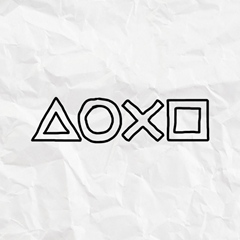
<<< Info >>>
Title: YEAR END SKETCH THEME
Content ID: UT0016-CUSA06833_00-UTH0000000007491
Title ID: CUSA06833
Size: 45,69 MB (Theme) + 1,12 MB (Unlocker)
<<< Installation >>>
- Start HEN on your PS4
- Go to Settings > Debug Settings > Game > Package Installer
- Install Unlocker UT0016-CUSA06833_00-UTH0000000007491_install_first.pkg
- Install Theme UT0016-CUSA06833_00-UTH0000000007491.pkg (It will ask to install same package. Click on Yes)
- Go to Settings > Themes to select and apply your new Theme
<<< Note >>>
After Reboot, your new Theme is still applied to your user account (No need HEN)
<<< - - - >>>
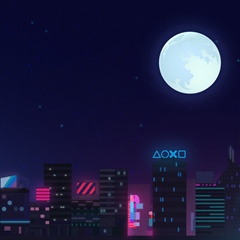
<<< Info >>>
Title: YEAR END CITY THEME
Content ID: UT0016-CUSA06833_00-UTH0000000007492
Title ID: CUSA06833
Size: 20,62 MB (Theme) + 1,12 MB (Unlocker)
<<< Installation >>>
- Start HEN on your PS4
- Go to Settings > Debug Settings > Game > Package Installer
- Install Unlocker UT0016-CUSA06833_00-UTH0000000007492_install_first.pkg
- Install Theme UT0016-CUSA06833_00-UTH0000000007492.pkg (It will ask to install same package. Click on Yes)
- Go to Settings > Themes to select and apply your new Theme
<<< Note >>>
After Reboot, your new Theme is still applied to your user account (No need HEN)
<<< - - - >>>
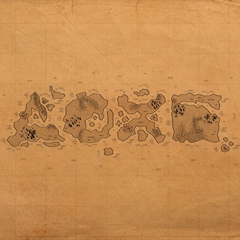
<<< Info >>>
Title: YEAR END MAP THEME
Content ID: UT0016-CUSA06833_00-UTH0000000007493
Title ID: CUSA06833
Size: 15,06 MB (Theme) + 1,12 MB (Unlocker)
<<< Installation >>>
- Start HEN on your PS4
- Go to Settings > Debug Settings > Game > Package Installer
- Install Unlocker UT0016-CUSA06833_00-UTH0000000007493_install_first.pkg
- Install Theme UT0016-CUSA06833_00-UTH0000000007493.pkg (It will ask to install same package. Click on Yes)
- Go to Settings > Themes to select and apply your new Theme
<<< Note >>>
After Reboot, your new Theme is still applied to your user account (No need HEN)
ZippyShare:
You must click 'Like' before you can see the hidden data contained here

