• Important Notice: Please review our guidelines regarding cheating, game balancing, and mods for Helldivers 2. Read the full notice here before downloading or uploading mods.

Democracy Defender Mod Manager 2.0.0

A Mod for Helldivers 2
  • katsy
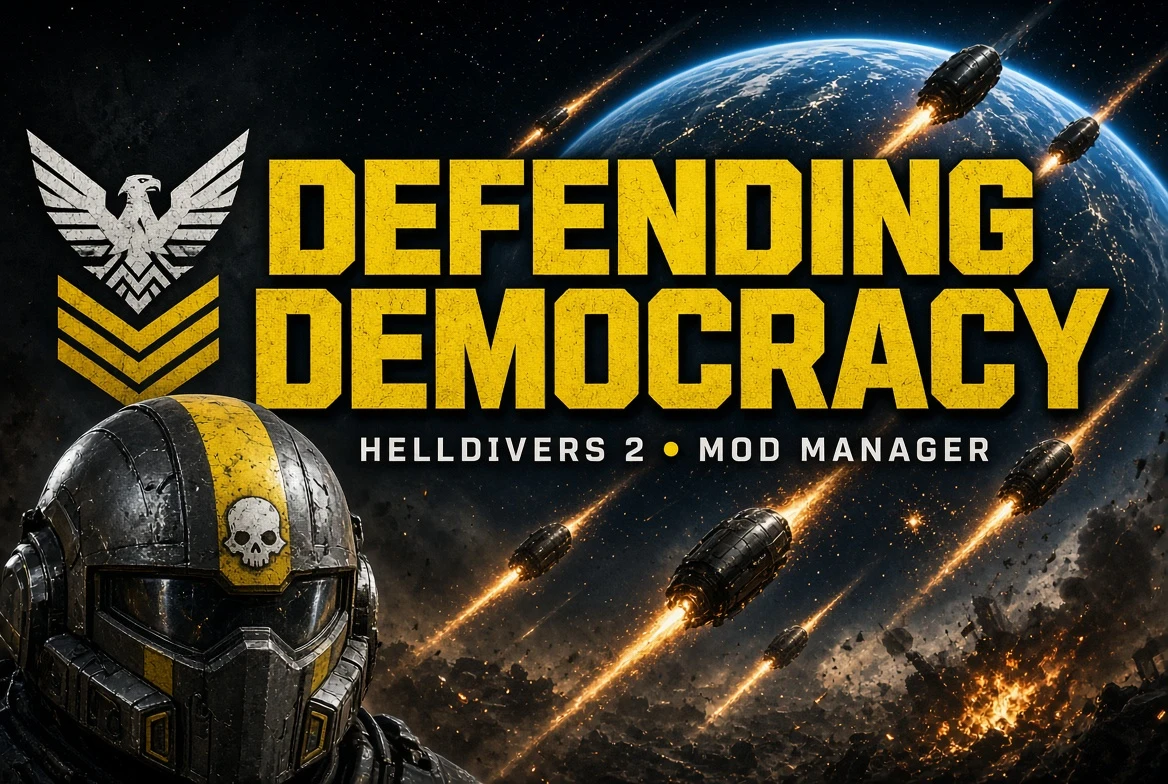
Democracy Defender Mod Manager akl_mod_preview_image
  • DemocracyDefender.jpg
    DemocracyDefender.jpg
    250.8 KB · Views: 37
Democracy Defender Mod Manager
Your mods. Your democracy. Defended.​

A free, open-source mod manager for Helldivers 2 that works with mods from anywhere: AyakaMods, Nexus Mods, ModWorkshop, GameBanana, GitHub, any direct download link, or files already on your disk.

Made with love for the AyakaMods community ♥
AyakaMods is a first-class citizen in DDMM. Paste an AyakaMods mod link and DDMM takes it from there.

The DDMM Promise​

Every Helldiver takes an oath. This one's ours.
  • Every mod is welcome. DDMM will never block, blacklist, or rank mods or mod sites.
  • No account, anywhere. DDMM never asks for any mod site's login.
  • Your files, your choice. Your mods live in a folder you control.
  • Open source, forever. Apache-2.0, today and always.
  • Updates on your terms. Update checks only run when you click "Check for Updates" — never in the background.

Features​

  • Install from AyakaMods in one paste. Click "Add URL", paste the mod page link. DDMM opens it in your browser, you click Download as usual, and DDMM installs it automatically the moment it lands in your Downloads folder. It also remembers which AyakaMods mod it came from.
  • Update checks for AyakaMods mods. Click "Check for Updates" and mods with a newer version on AyakaMods get a badge, plus a one-click "Update from AyakaMods" that keeps your settings.
  • Finds Helldivers 2 for you through Steam — no setup on first launch.
  • Handles messy archives. Finds the mod files even when they're nested in folders, and turns variant folders (e.g. Red / Blue) into options you can pick from.
  • Profiles, per-mod options, one-click Deploy and Purge.
  • Safe by design. Every archive is checked before extraction, so a malicious mod can't write files outside its own folder.

Which file do I download?​

  • Windows, normal install: DDMM-2.0.0-rc.3-windows-x64-setup.exe (no admin rights needed)
  • Windows, no install: DDMM-2.0.0-rc.3-windows-x64-portable.zip (unzip anywhere and run ddmm.exe)
  • Linux: the AppImage, .deb, or .tar.gz from the GitHub release page

Quick start​

  1. Download and run DDMM. It finds your Helldivers 2 install automatically.
  2. Add mods: drag in an archive or folder, or click "Add URL" and paste an AyakaMods link.
  3. Click Deploy, then launch the game.

Windows SmartScreen: DDMM isn't code-signed yet, so Windows may show "Windows protected your PC". Click More info → Run anyway. This is expected for new open-source apps. SHA256 checksums are on the GitHub release page if you want to verify your download.

Note​

This is a release candidate: feature-complete and tested, but still early. Please report anything odd so we can fix it before 2.0.

Links​


Credits & license: DDMM is derived from Helldivers 2 Mod Manager by teutinsa, licensed under Apache-2.0. See the NOTICE file in the repository for details.
External file
Log in or sign up to download
Uploaded by
katsy
Downloads
349
Comments
59
Views
5,444
First release
Last update
Platform
PC 
Version
2.0.0
Rating
3.00 star(s) 4 ratings

Uploaded by

  • 349
  • 5,444

Ratings

3.00 star(s) 4 ratings

More mods from katsy

  • PC Lightning Voice for Cloud

  • PC FFXIII-2 Community Toolkit

Latest updates

  1. RC5 is live on GitHub

    RC5 of DDMM is live with some bugfixes and additional features. We're working through reported...

Thanos5

Members
Members
Sep 16, 2026
40
8
depends on your mods. the stim mod for whatever reason from what i read can tank your game preformance heavily
no i think theirs a limit from these AI mods since for some reason when i have more than a couple active it tanks my performance drastically making me go down to 30 fps in my ship so i just have a weapon mod and a support mod active at a time
 

IIIlIllIlIlIIlIllI

Members
Members
Sep 15, 2026
6
0
Will DDMM support automatic or semi-automatic updating of mods like Arsenal currently does (where you can click a button to check if there's an update for a mod you've installed)?
 

vkwang

Members
Members
Sep 21, 2026
3
0
As soon as any Lua mod that increases weapon damage is deployed, I get a black screen and can't enter the game (caused by being flagged by GameGuard). Why is this happening? Is Arsenal a spyware program that reports them to GameGuard? Did GameGuard itself get updated? Or is it an issue with the mods themselves?
 

ArtyAeterna

Members
Members
Sep 23, 2026
2
0
I get the error "Errors disabled in production" message when i try to drag and drop a mod inside
 

gfsggq124

GFSGGQ
Modder
Members
Sep 17, 2026
152
70
then what do you think it is since when only using AI mods i drop all the way down to 10ish fps avg
i used to have this issue, i'd skim through them all disable a handful or a few depending on how many you've got USUALLY one mod is the culprit and for me personally that was the exosuit strategem launcher back when my reupload of it worked so it seems to be different for everyone it could have something to do with load-order.
 

OhnDOY

Modder
Modder
Members
May 24, 2026
109
58
Oh nice. I should probably make the switch soon after Arsenal decided to reveal their fuckshit, I do wonder if they have implemented it yet. A(some) question(s) if possible author-sama:
How easy is it to make the switch? In terms of moving mods at least. Can I just throw all the mods I've installed inside the new mod manager's mod folder and have them work?
Load order I probably won't ask... I don't think there will ever be ways to import load orders. But are there separators at least? Separators as I sort my load order would be nice.
I'd also like to ask about the feasibility of moving mods around in the load order, too. Like... can I send to top and bottom and specific positions?
Blue Archive GIF