
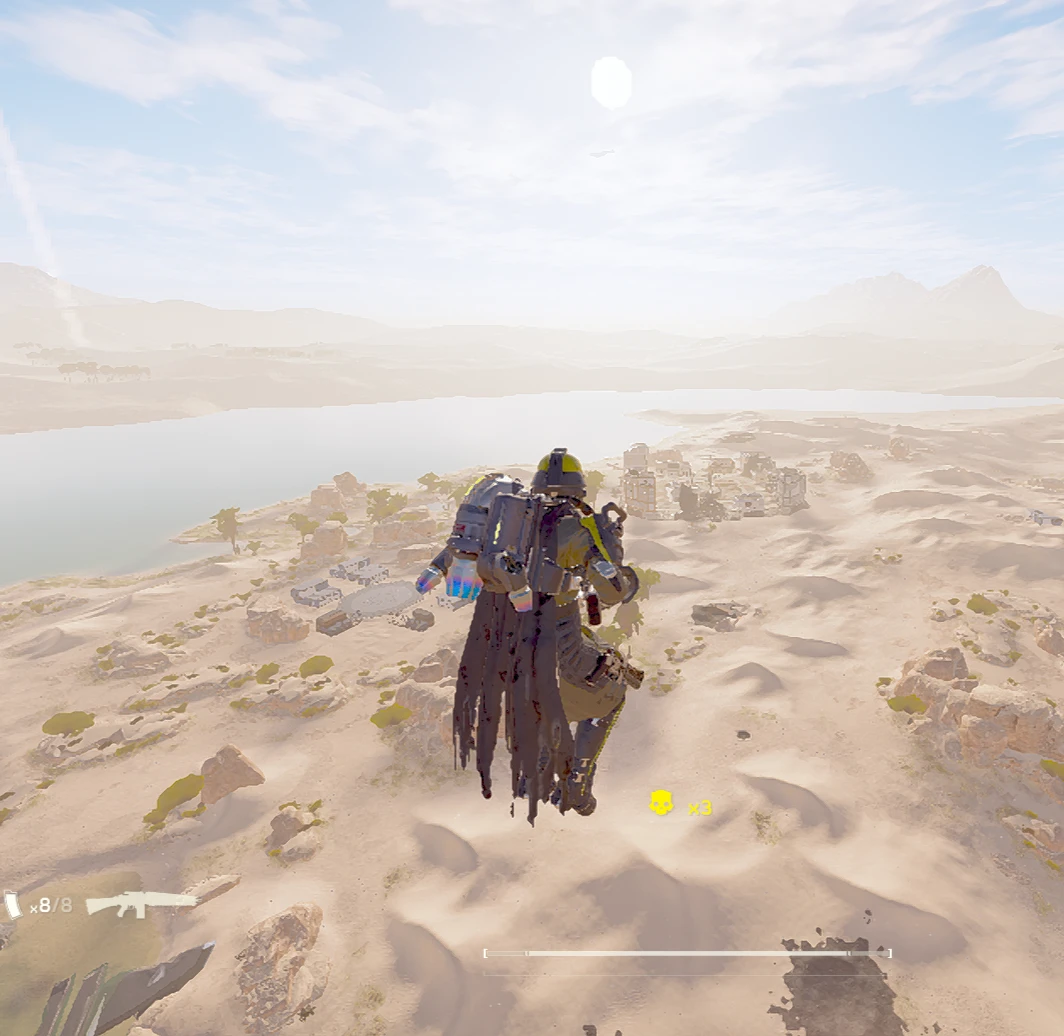
Now you can be Boba Fett
Requirements
- Bingus Shared Loader v18 / API 1 (found here)
- Mod Options Menu API 1 for the in-game settings menu (found here as a toggle in the megapack)
- Built/tested on Helldivers 2 7.1.1
- Any game update may break the mod
Demonstration Video Here
LIFT-860 Hover Pack Modifiers
This mod allows you to customize the LIFT-860 Hover Pack to better fit your playstyle.All settings can be adjusted through the in-game menu under:
ESC → MODS → LIFT-860 HOVER PACK
You can adjust:
- Hover Duration: 1–100 seconds
- Recharge Cooldown: 1–60 seconds in 0.5-second increments
- Cushion Boost: Reserves extra fuel for the landing cushion
- Hover Stability: Vanilla / Neutral Hover / Upwards Hover
- Hover Height: 6–100 meters in 0.5-meter increments
- Height x10 [UNSTABLE]
- Horizontal Speed: 1x–10x in 0.5x increments
- Speed x10 [UNSTABLE]
- Agility: 1–100
Higher Hover Height settings take longer to reach and consume fuel while climbing. Depending on your Hover Duration and Recharge settings, the pack may run out of fuel before reaching very high target altitudes.
Hover Duration / Recharge Cooldown
Hover Duration controls how long the main powered-hover phase lasts.Vanilla Hover Duration is 6 seconds.
Recharge Cooldown controls how long a fully depleted Hover Pack takes to recharge.
Vanilla Recharge Cooldown is 11.5 seconds.
The mod automatically adjusts fuel consumption so the selected Hover Duration and Recharge Cooldown can work independently.
Cushion Boost
Cushion Boost reserves a small amount of fuel after the main powered-hover phase for the Hover Pack's normal landing cushion.When enabled, approximately 1.25 seconds worth of fuel is reserved for the cushion.
The selected full Recharge Cooldown remains unchanged.
Vanilla setting: Off.
Hover Stability
Hover Stability changes the Hover Pack's vertical drift while hovering.- Vanilla: Uses the original vertical behavior
- Neutral Hover: Attempts to maintain altitude with very little vertical drift
- Upwards Hover: Slowly gains altitude while hovering
Hover Height
Hover Height sets the Hover Pack's target altitude in meters.Vanilla target height is approximately 8 meters.
The normal slider ranges from 6–100 meters.
Higher values take longer to reach and consume fuel throughout the climb. At very high settings, the Hover Pack may use a large portion of its fuel or run out entirely before reaching the selected height.
Height x10 [UNSTABLE]
Height x10 multiplies the selected Hover Height by 10.Examples:
- 10 meters + Height x10 = 100 meters
- 50 meters + Height x10 = 500 meters
- 100 meters + Height x10 = 1000 meters
Extreme heights can take a very long time to reach, consume large amounts of fuel, and may never be reached before the pack runs out of fuel.
Horizontal Speed
Horizontal Speed changes the Hover Pack's maximum horizontal movement speed.Vanilla speed is 1x.
The normal slider ranges from 1x–10x.
Changing Horizontal Speed while already hovering does not immediately change the current flight. The new speed applies on the next Hover Pack launch.
Speed x10 [UNSTABLE]
Speed x10 multiplies the selected Horizontal Speed by 10.Examples:
- 2x Speed + Speed x10 = approximately 20x Speed
- 5x Speed + Speed x10 = approximately 50x Speed
- 10x Speed + Speed x10 = approximately 100x Speed
Expect extreme movement, collisions, unusual momentum, map interactions, or other unpredictable behavior.
Agility
Agility changes how quickly the Hover Pack accelerates, reverses direction, and stops horizontal movement.Vanilla Agility is 5.
Lower values feel more slippery and retain more momentum, while higher values respond more immediately.
Higher Agility settings may be useful when using increased Horizontal Speed.
Runtime Memory Edits
This mod uses runtime memory edits.Instead of permanently modifying the original game files, the mod locates the LIFT-860's gameplay data while the game is running and temporarily changes the relevant hover, movement, fuel, and recharge values.
The changes only exist for the current game process and are applied through the mod loader.
Future game updates may change the underlying data layout and require the mod to be updated.
Use mods at your own risk.
Vanilla Behavior
The mod retains vanilla settings when configured to:- 6 second Hover Duration
- 11.5 second Recharge Cooldown
- Cushion Boost Off
- Vanilla Hover Stability
- 8 meter Hover Height
- Height x10 Off
- 1x Horizontal Speed
- Speed x10 Off
- 5 Agility
Active Hover Packs
One important piece of vanilla Hover Pack behavior to be aware of:If you die while the Hover Pack is active, or drop/remove the pack while it still has fuel, the Hover Pack can continue consuming its remaining fuel and fly away on its own.
With extended Hover Duration settings, this can cause the pack to travel a very long distance or even leave the playable area before running out of fuel.
This behavior is not caused by this mod, but longer flight times can make it much more noticeable.
Installation
- Install Bingus Shared Loader v18 / API 1.
- Install the component that provides Mod Options Menu API 1.
- Disable or remove older versions of LIFT-860 Hover Pack Modifiers and any separate LIFT-860 Hover Pack movement or recharge mods.
- Disable LIFT-860 Hover Pack Recharge if you previously used it. Recharge control is built into this mod.
- Purge your currently deployed mods.
- Import LIFT-860 Hover Pack Modifiers v1.0.1.zip into your mod manager.
- Enable the LIFT-860 In-Game Controls option.
- Deploy your mods.
- Fully restart Helldivers 2.
- Open ESC → MODS → LIFT-860 HOVER PACK to configure the mod.
Some settings are applied when the Hover Pack is idle and may not affect a flight that is already in progress.
You should fully restart the game after installing or updating the mod itself.
Launch Recommendation
During development, launching Helldivers 2 directly through Arsenal after applying mods appeared to cause more startup crashes.For better reliability, I recommend applying/deploying your mods through Arsenal and then launching Helldivers 2 normally through Steam.
Known Issues / Limitations
CONTROLLABLE HOVER PACK OPTION IN BINGUS'S VANILLA + MEGAPACK IS REQUIRED- Fixed, but I do recommend using it anyway.- Changing cooldown values during a cooldown doesn't affect the current cooldown, only the one after the next launch.
- Horizontal Speed changes made during an active hover apply on the next launch.
- Higher Hover Height settings consume fuel while climbing and may not be reached before fuel runs out.
- Height x10 and Speed x10 settings are outside the normal calibrated range and are marked [UNSTABLE].
- Extreme Horizontal Speed values can cause unusual momentum, collisions, or map interactions.
- Extreme Hover Height values can result in very long falls.
- The Hover Pack's flame/thrust visual effect may disappear during very long flights even though the Hover Pack is still producing thrust.
- An active Hover Pack that is dropped or released can continue flying away until its remaining fuel is depleted. This is vanilla behavior.
- Hover Pack Thrust-Flame effect disappears after 12 seconds in the air.
- Future Helldivers 2 updates may change the runtime data used by the mod.
- (New) The 'Cushion Boost' toggle seems to not do anything and the cushion boost is always active.
Multiplayer
This mod was tested in solo missions only.Do not use this mod in public lobbies.
Compatibility
The mod was designed to remain compatible with the Controllable Hover Pack option included with Vanilla Plus Megapack by Bingus. This is highly recommended for this mod packAvoid running other mods that modify the LIFT-860's movement, fuel, hover duration, or recharge values at the same time.
Credits
The following tools/mods/resources were used during development and reverse engineering:- HD2Runtime
- FileDiver
- Hover Pack Recharge - mostlycloudy
- Vanilla Plus Megapack
Special thanks to Bingus for making all this possible
Check out my other mod for the Jump Pack
this mod took so long, i was in the diagnostic hell for hours
OpenAI GPT-5.6 Sol was used in the creation of this mod. yeah yeah ai slop ik but I cant code im sorry


Pinned comment