Treasure Map
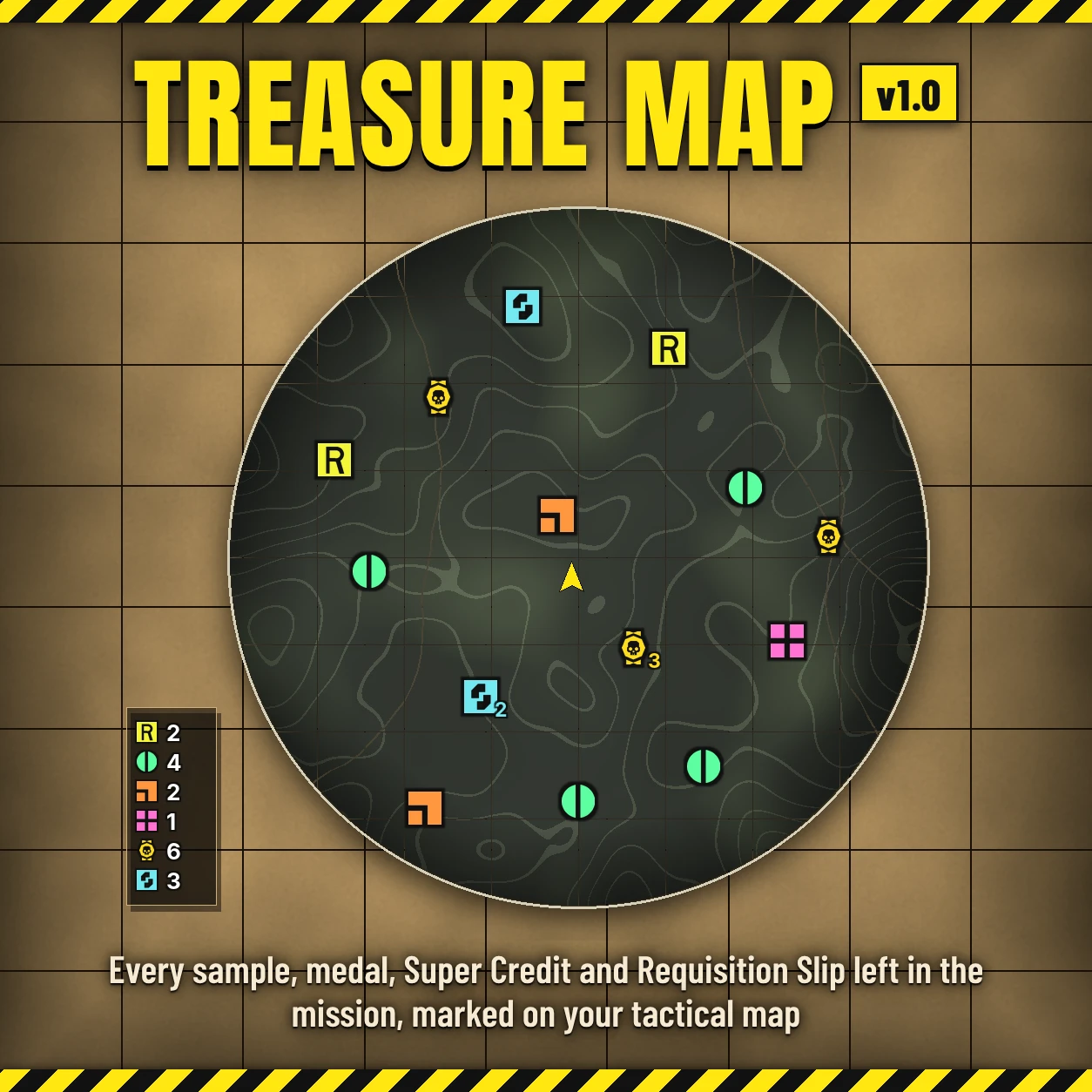
Every sample, medal, Super Credit, Requisition Slip and undiscovered objective in the mission, marked on your tactical map.
Open the tactical map and Treasure Map shows you what's still lying around in the mission and where the objectives you haven't found yet are, so you can sweep up the loot before extraction instead of running back and forth looking for it.
Features
Options
In your mod manager (Arsenal / HD2 Mod Manager), in this order:
In game: with Mod Options Menu (by CowboyBingus) installed, each option you ticked gets an opacity slider (0 to 100%, 100% to start) under ESC > MODS > TREASURE MAP. A change shows at once.
Requirements
Bingus Shared Loader v19 or newer (by CowboyBingus).
Optional: Mod Options Menu (by CowboyBingus) for the opacity sliders.
Install / update
Uninstall
Disable it in your mod manager, then Purge and Deploy. Its log and cache files stay in the Bingus logs folder and can be deleted.
Compatibility
Known limitations
Troubleshooting
Credits
Source code
Source and every release are on GitHub: Th3chef/Treasure-Map
Every sample, medal, Super Credit, Requisition Slip and undiscovered objective in the mission, marked on your tactical map.
Open the tactical map and Treasure Map shows you what's still lying around in the mission and where the objectives you haven't found yet are, so you can sweep up the loot before extraction instead of running back and forth looking for it.
Features
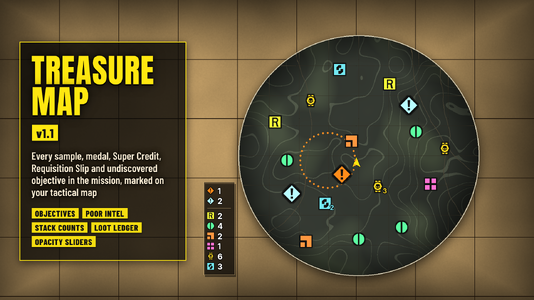
- Map markers: Requisition Slips, Common Samples, Rare Samples, Super Samples, Medals and Super Credits are marked on the tactical map, each kind in its own color, using the game's own pickup icons. Every pickup gets its own marker, so each one can be found.
- Objectives: the side objectives you haven't discovered yet are marked in bright cyan. With the Poor Intel modifier, where the map only shows a dotted area around a main objective, its real spot is marked in the game's main objective orange. A marker goes away as soon as the game shows that objective on its own map, or when it's done. Objective markers are a bit bigger than the loot markers.
- Stacks: when several pickups of the same kind lie on the same spot (like a pile of medals in a bunker), they share one marker with how many it stands for next to it, in that kind's color. Different kinds never share a marker.
- Loot ledger: a small panel at the bottom left of the map, out of the way, lists each kind you picked with how many are still lying in the mission. It counts down as things are picked up, and a kind you've cleared is dimmed and checked off. Objectives sit at the top, above a divider, with how many are still to be found.
- Always visible: the markers and the ledger draw on top of the map's overlays, the Atmospheric Spores cloud included.
- Pick what you want: each kind is its own option, so you only see what you care about.
- Opacity sliders: with Mod Options Menu, each kind gets its own opacity slider in game, so you can tone down the kinds you see a lot of (or hide one completely at 0%).
- Light: with the map closed it checks one byte a frame. In game it costs about 0.01 ms a frame on average and about 0.1 ms with the map open, and it only redraws when something on the map actually changed.
Options
In your mod manager (Arsenal / HD2 Mod Manager), in this order:
- Treasure Map (core) - the markers and the loot ledger. Keep this ticked.
- Requisition Slips - in requisition yellow.
- Common Samples - in green.
- Rare Samples - in orange.
- Super Samples - in pink.
- Medals - in medal yellow.
- Super Credits - in Super Credit blue.
- Objectives - undiscovered side objectives in bright cyan, and Poor Intel main objectives in orange.
In game: with Mod Options Menu (by CowboyBingus) installed, each option you ticked gets an opacity slider (0 to 100%, 100% to start) under ESC > MODS > TREASURE MAP. A change shows at once.
Requirements
Bingus Shared Loader v19 or newer (by CowboyBingus).
Optional: Mod Options Menu (by CowboyBingus) for the opacity sliders.
Install / update
- Install Bingus Shared Loader v19 or newer if you don't have it.
- Mod manager (Arsenal / HD2 Mod Manager): add Treasure-Map-1.1.1.zip and enable it, tick Treasure Map (core) and the kinds you want, then Purge and Deploy.
Uninstall
Disable it in your mod manager, then Purge and Deploy. Its log and cache files stay in the Bingus logs folder and can be deleted.
Compatibility
- A Bingus Shared Loader script: it doesn't replace any game files, so it works alongside other mods, HUD mods included.
- Only you see the markers and the ledger. Nobody else needs the mod.
- Patch-proof by design: it finds the game's addresses by itself after a game update. If it can't, it turns itself off and says so in its log, rather than guessing. If only the objectives can't be found (or no longer look right), just the Objectives option turns off; the loot markers keep working.
- Reads the game's memory only; it never changes anything in the game.
- Made and tested on the October 2026 game version.
Known limitations
- It marks what the game itself lists as pickups in the mission. Loot the game hasn't listed yet shows up once it does.
- Objectives show up about a minute into the mission, once the game has set them up.
- Markers show on the tactical map only, not on the compass or in the world.
Troubleshooting
- No markers: check Bingus Shared Loader v19 or newer is installed, Treasure Map (core) and at least one kind are ticked, and that you Purged and Deployed after installing.
- Attach the logs to a bug report: TreasureMap.log and BingusSharedLoader.log in %LOCALAPPDATA%\CowboyBingus\Helldivers2\Logs (type %LOCALAPPDATA% into the File Explorer address bar and press Enter). TreasureMap.log shows the kinds you picked, whether it found the game's addresses, what it found in the mission (objectives included) and any errors.
Credits
- HD2 HUD+ by DDRK1NG - the idea of marking loot on the tactical map. Treasure Map is written from scratch and works on its own.
- The marker icons are copies of the game's own pickup icons.
- CowboyBingus - Bingus Shared Loader and the Mod Options Menu.
Source code
Source and every release are on GitHub: Th3chef/Treasure-Map