FULL DISCLAIMER: THE MODS YOU PUT IN NEED TO BE EAC FORMATTED, DON'T EXPECT PREVIOUS OCT 20TH MODS TO WORK, THEY WON'T.
I need modders to make current build mods and such to get a full scope of this utilities actual use, my own mods combine just fine into a full, deployable package.
RoComp — Package Composer combines Helldivers 2 mod packages into one ZIP for your mod manager. Add packages or folders, choose your options, review detected conflicts and declared requirements, then export.
Includes pack versions and comparison, portable projects, autosave, undo and four skins. Your mod manager handles deployment; compatibility is your choice.
I need modders to make current build mods and such to get a full scope of this utilities actual use, my own mods combine just fine into a full, deployable package.
RoComp — Package Composer combines Helldivers 2 mod packages into one ZIP for your mod manager. Add packages or folders, choose your options, review detected conflicts and declared requirements, then export.
Includes pack versions and comparison, portable projects, autosave, undo and four skins. Your mod manager handles deployment; compatibility is your choice.
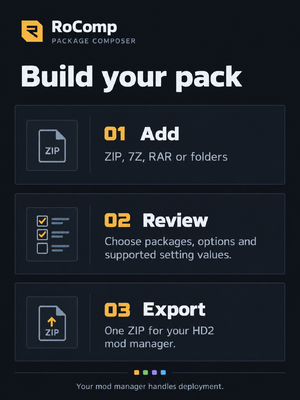
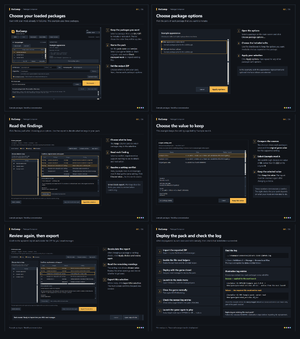
- Choose the mods and options you want in your pack.
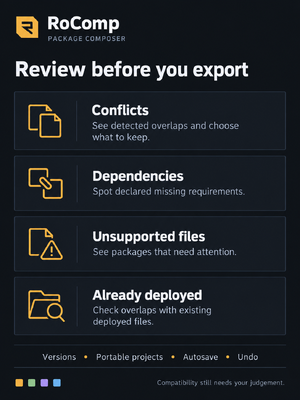
- Review the report for conflicts, missing requirements, unsupported packages and any detected overlaps with existing mods.
- Decide what to keep, adjust your selections and check the report again.
- Give your pack a name and version, then export it as a ZIP.
- Import the ZIP into your Helldivers 2 mod manager and deploy.
Checking the file-mod installation
Find HD2FileMods.log in your main Helldivers 2 installation folder
\steamapps\common\Helldivers 2\HD2FileMods.log
In Steam, right-click Helldivers 2 → Manage → Browse local files, then open the log with Notepad.
Success — the file was applied and becomes active on the next launch:
APPLIED Example pack 1.0.0 -> data/game/generated_entities.dl_bin - active from the next launch
Failure — the required file could not be read:
<span>[installer 1] ERR Example pack: cannot read data/game/generated_entities.dl_bin
Check the newest entries for every target listed in your pack’s README. Each should report APPLIED or OK … in place.
Mixed successes and errors can mean only part of the pack installed.