First Person View — v1.0
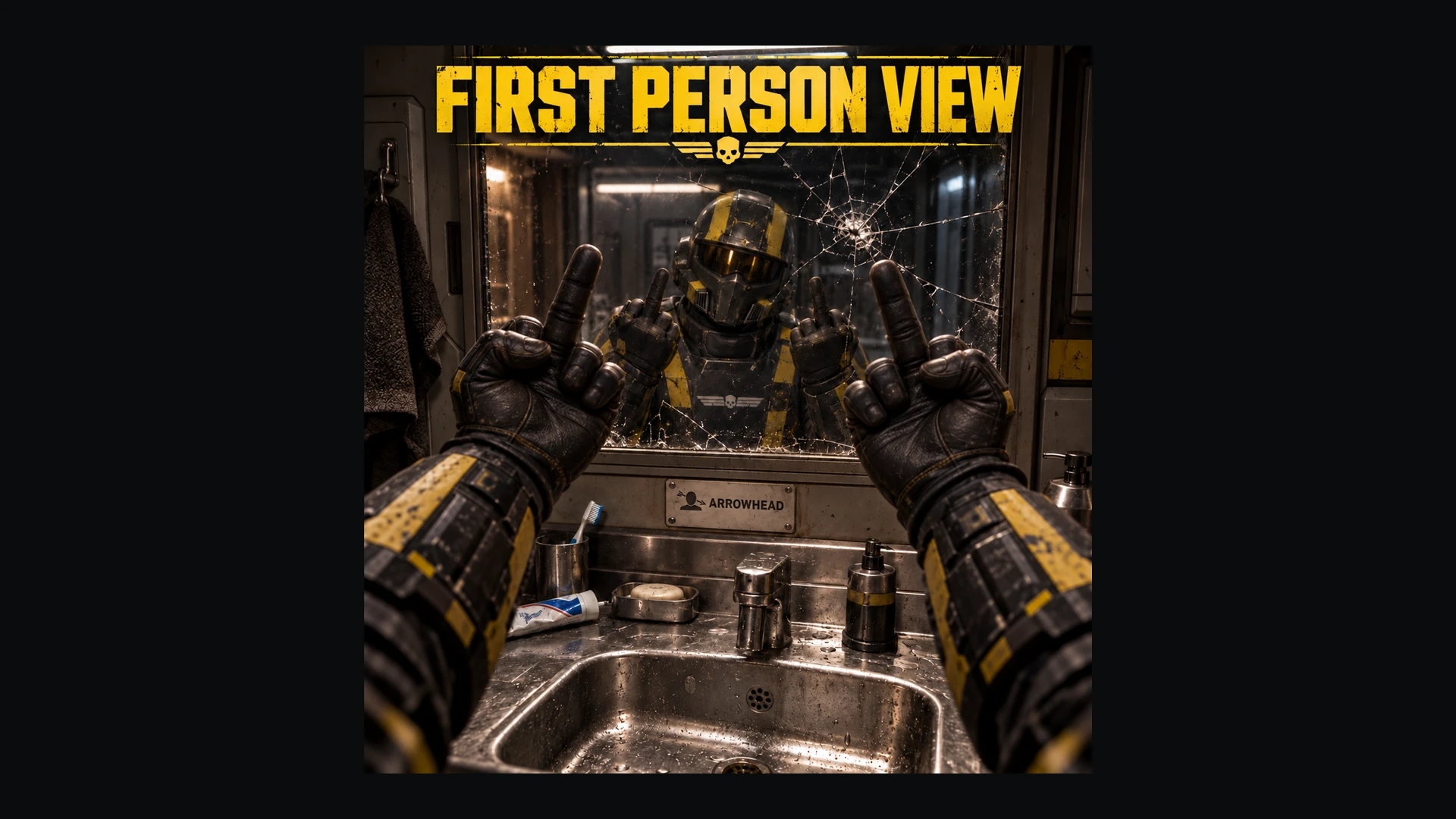
First Person View brings an adjustable first-person camera to Helldivers 2, covering normal movement, hip-fire and aiming while keeping the game’s native iron sights and scopes available.
Adjust the camera position, set separate fields of view for general movement and normal aiming, and choose how smoothly aiming changes blend. An optional third-person reload mode lets you pull the camera back during longer reloads, then smoothly return to first person.
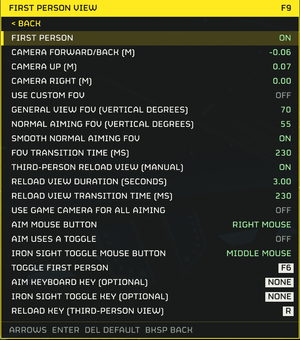
Everything is configurable through Chef’s in-game settings menu.
Third-person reload mode starts OFF. Press F7 to toggle it, with a brief ON/OFF message confirming the change. While enabled, pressing the configured reload key opens a third-person view for 6 seconds by default. Duration is adjustable from 1–12 seconds.
To install, you need HD2 Arsenal, Chef Shared Loader 1.1.0+.
The mod is designed around on-foot play. Vehicle interiors, exosuits and some interactions can obstruct the view or produce unsuitable camera positions; use F6 when needed. Ship and loading views use the game’s camera.
The camera follows your Helldiver’s head position, while body and weapon animations remain stock. Camera offsets can expose the neck, shoulders or torso, so adjust them gradually.
To remove the mod, exit the game, disable it in HD2 Arsenal and redeploy.
Inspired by First Person Perspective-HD2 by Th3ShadowDragon007. First Person View is an independent Chef implementation.
First Person View brings an adjustable first-person camera to Helldivers 2, covering normal movement, hip-fire and aiming while keeping the game’s native iron sights and scopes available.
Adjust the camera position, set separate fields of view for general movement and normal aiming, and choose how smoothly aiming changes blend. An optional third-person reload mode lets you pull the camera back during longer reloads, then smoothly return to first person.
Everything is configurable through Chef’s in-game settings menu.
- Adjustable camera position: Move the view forward, backward, up, down or sideways. Defaults are −0.06 m forward/back, +0.07 m up and 0 m sideways.
- Separate FOV controls: General view and normal aiming each have a 40–120 vertical-degree range. Their slider defaults are 70 and 55, respectively. Custom FOV starts OFF, following the game’s FOV until enabled.
- Optional FOV smoothing: With custom FOV enabled, normal aiming changes can blend smoothly. Smoothing starts ON at 230 ms, adjustable from 10–500 ms in 10 ms increments.
- Native iron sights and scopes: Use the game’s sight view when needed, retaining its normal zoom. Leaving sights returns immediately to the mod’s first-person view, including while Aim remains held.
- Optional third-person reload view: Enable a timed camera pullback for reloads, with adjustable duration and smooth transitions in both directions.
- Configurable controls: Change the first-person toggle, reload-mode hotkey, reload key, aiming inputs and sight-toggle inputs through F9. Toggle aiming is also supported.
- Saved settings: Your configuration carries across sessions and updates.
| Input | Action |
|---|---|
| F6 | Toggle first person / normal third person |
| F7 | Enable or disable third-person reload mode |
| F9 | Open Chef settings |
| Right mouse | Normal aiming |
| Middle mouse while aiming | Toggle native iron sights |
| R | Trigger the reload camera window when reload mode is enabled |
Third-person reload mode starts OFF. Press F7 to toggle it, with a brief ON/OFF message confirming the change. While enabled, pressing the configured reload key opens a third-person view for 6 seconds by default. Duration is adjustable from 1–12 seconds.
To install, you need HD2 Arsenal, Chef Shared Loader 1.1.0+.
- Import the ZIP into HD2 Arsenal and enable First Person View (core).
- Place Chef Shared Loader last in the normal Arsenal deployment order, then deploy.
- Start the game normally and enter a mission. First person engages after camera discovery.
The mod is designed around on-foot play. Vehicle interiors, exosuits and some interactions can obstruct the view or produce unsuitable camera positions; use F6 when needed. Ship and loading views use the game’s camera.
The camera follows your Helldiver’s head position, while body and weapon animations remain stock. Camera offsets can expose the neck, shoulders or torso, so adjust them gradually.
To remove the mod, exit the game, disable it in HD2 Arsenal and redeploy.
Inspired by First Person Perspective-HD2 by Th3ShadowDragon007. First Person View is an independent Chef implementation.