Aurora Mod Launcher v1.6.6.1

A Mod for Neverness to Everness
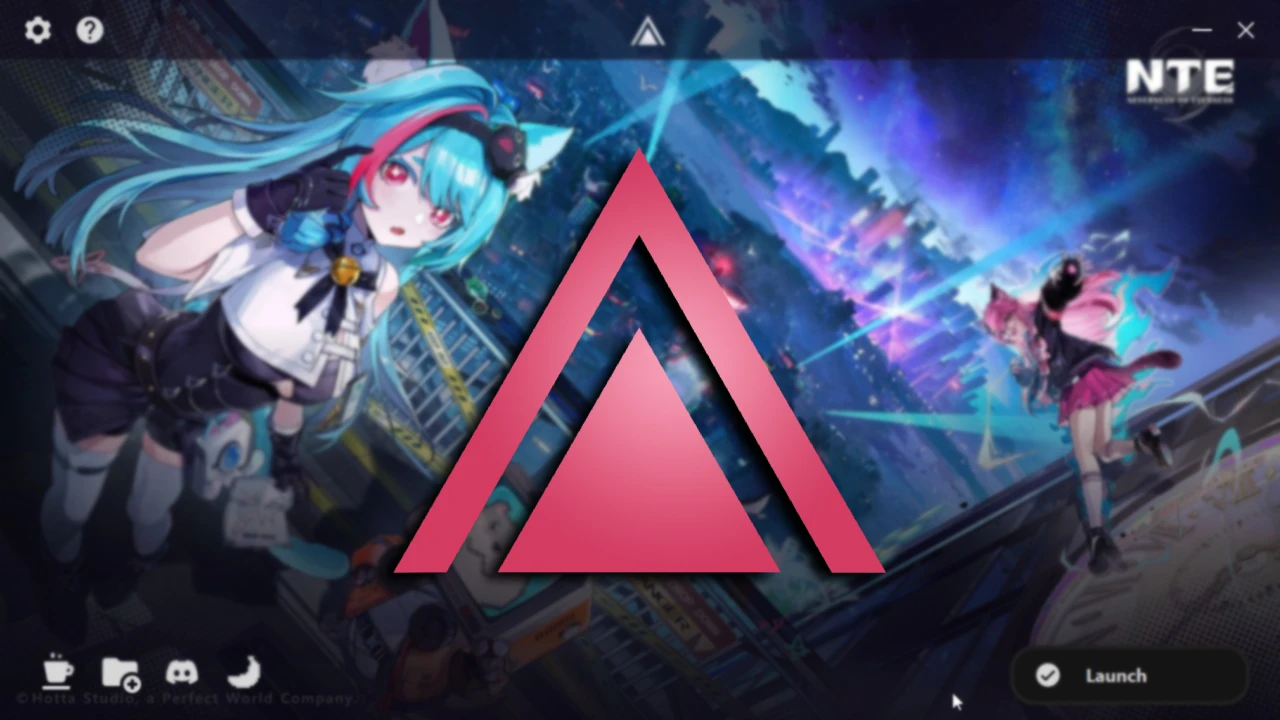
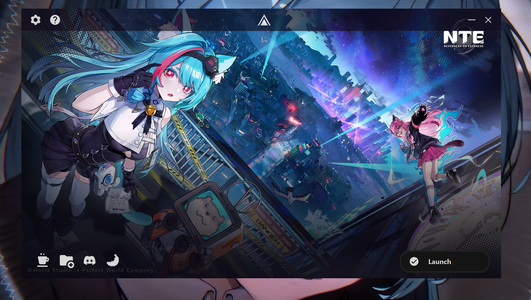
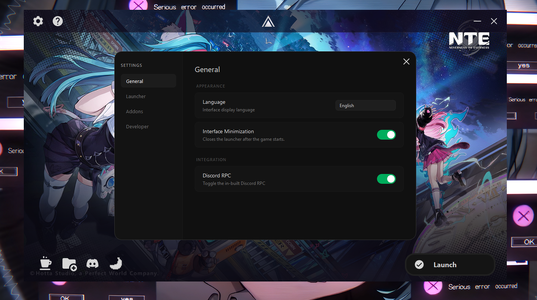
Aurora Mod Launcher Mod Preview Image
  • Screenshot 2026-05-25 121325.png
    Screenshot 2026-05-25 121325.png
    2 MB · Views: 2,272
  • Screenshot 2026-05-25 121338.png
    Screenshot 2026-05-25 121338.png
    1.2 MB · Views: 2,260
  • Screenshot 2026-05-25 121344.png
    Screenshot 2026-05-25 121344.png
    1.1 MB · Views: 2,205
  • Screenshot 2026-05-25 121355.png
    Screenshot 2026-05-25 121355.png
    1.1 MB · Views: 2,247
  • DiscordCanary_v4FakUkt1x.jpg
    DiscordCanary_v4FakUkt1x.jpg
    346.8 KB · Views: 2,152

Aurora Mod Launcher

Aurora is a lightweight modding platform for Neverness To Everness.
Unlike 3DMigoto, this tool uses UE5 PAKs allowing you to play with mods on DX12 and not suffer performance issues.
Note: Aurora does not support .INI (3DM) files! Only .PAK files can be used with Aurora

Features

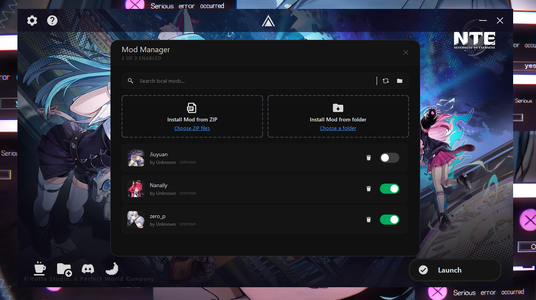
  • Mod Manager: Support for managing mods directly in the launcher; with features like searching, toggling, applying custom icons, renaming mods, etc.
  • Integrated Installer: With an integrated API based installer, you can search, filter, download and install mods directly from Game Banana without having to manually install.
  • Localization: Aurora has translations for 13+ languages all around the world.
  • Ease-of-Use: Automatic game path detection, Adaptive engine to different game versions to make sure our users never get falsely detected for using third party tools.
  • Troubleshooting: In case of any incompatible mods, corrupted / missing files, errors and other related issues: Aurora will automatically warn the user and attempt an automatic fix.
  • Multiple Engine Methods: Aurora offers multiple mod loading methods to choose from, so if one method doesn't work you can always use an alternative one.


Supported Servers

Aurora supports the following servers:
  • Global Servers (NA, SA, EU, SEA, ASIA)
  • Mainland China (CN)
  • Taiwan (TW)


Built-in Addons with Aurora

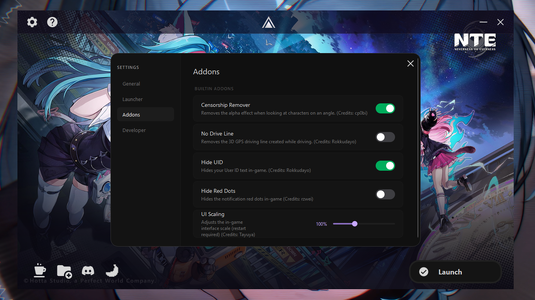
Aurora has multiple built-in addons that improve the experience of users:

  • Censorship Patching: Removes the camera censorship applied to camera angles
    (Source)
  • No Drive Line: Removes the 3D waypoint driving line on the map
    (Source)
  • Hide UID: Removes the UID text on the screen for better privacy
    (Source)
  • UI Scaling: Change the in-game UI elements scale if they are too big to your liking.
    (Source)


Installation

Aurora is open-source and the GitHub repository can be found here

Aurora Installer [BETA]

  1. Download the latest release of AuroraInstaller.exe
  2. Run AuroraInstaller.exe and configure installation settings

Portable Installation

  1. Download the latest release of Aurora_vX.X.X.zip
    2. Extract the ZIP file to your desired location
    3. Run Aurora.exe and wait for the UI to load


Mod Implementation to Aurora

If you are a mod creator and would like to properly display your mod inside Aurora, you can add a mod.json file to the root of your mod folder.
Example JSON:
Code:
{
    "Name": "Example Mod Name",
    "Version": "1.0.0",
    "Author": "Example Author Name",
    "Icon": "CharacterName (e.g: Mint)",
    "Optionals": {
        "Support Link": "https://patreon.com/example",
        "Custom Image URL": "https://image.com/example/example.png"
    }
}
This also allows users to press on your Author name to open your support link inside the launcher. This is not required to make sure your mods work with Aurora.

NOTE: If no "Custom Image URL" field is present, Aurora will default to using the "Icon" field. If that also isn't present then it will randomly select a character's icon from the list.

Mod Manager & Game Banana Installer

Below is an extended feature list of both the Mod Manager and GameBanana Installer.

Mod Manager:
  • Mod Searching: Mods dropped into the mod manager can be searched to allow for easy management.
  • Toggling: Mods can be toggled on or off depending on if you want to use them.
  • Renaming and Deleting: Mods can be renamed and deleted via the launcher instead of opening up the File Explorer
  • Mod Groups: You can create mod groups and rename them freely, drag and drop mods into groups for better management.
  • Mod Icons: Aurora automatically puts the correct character icon when it detects the name in the mod (e.g: "Kirou's Nanally Mod"). Other than this, you can either set a character icon from the built-in icons list or add your own custom icons for mods.

GameBanana Installer:
  • General: Aurora will use the Game Banana API to pull mods from the website and show them in the UI for easy installment.
  • Searching: You can freely search for keywords to find specific mods in the launcher.
  • Filtering: Aurora allows for character filtering to only display mods related to the specific selected character.
  • One-click Install: Installing is as easy as clicking the download button on the mod, afterwards the mod will be downloaded and installed directly into Aurora. If a mod has more than one file, Aurora will display all the files and wait for you to choose a file you want to download.


Suggestions and Bug Reports

Suggestions and bug reports can be sent to our Discord server.
or, the comments of this AyakaMods page.
External file
Log in or sign up to download
Uploaded by
Daturas
Downloads
1,540
Views
15,592
First release
Last update
Platform
PC 
Version
v1.6.6.1
Rating
4.60 star(s) 5 ratings

Uploaded by

  • 1,540
  • 15,592

Ratings

4.60 star(s) 5 ratings

Latest updates

  1. v1.6.6.1

    [ENGINE] Fixed mods not loading errors. (Revert Everlight changes) [MAIN] Fixed an app finding...
  2. v1.6.6

    [ENGINE] Added new security patches to the Signature Bypasser. [ENGINE] Switched to our own...
  3. v1.6.5

    [ENGINE] Fixed an issue where if you changed an addon's setting in settings, it would not be...

Daturas

Everything's Desired
Modder
Members
May 25, 2026
0
11
Version 1.00 can be launched, but later versions cannot.
Hello, If you're on older hardware it might take anywhere from 1-6 minutes for Aurora to load for the first time. It will search every folder inside of your drive to automatically find the game installation path. This might be the problem you are experiencing with the UI not appearing since this feature wasn't a thing before V1.1.0
 

Daturas

Everything's Desired
Modder
Members
May 25, 2026
0
11
When I launch the game, the launcher pops up and then closes automatically, but it works fine when I launch it normally. I'm on the CN server. Thank you for your help.
Can you provide me with your console logs so I can diagnose the issue better?
 

ddjdestiny

Members
Members
Jun 17, 2025
0
0
Can you provide me with your console logs so I can diagnose the issue better?
It seems that once I add dinput8, I can’t start the game (I’m on the Chinese server). The game only runs normally if I place the dsound.ddl file in the D:\Neverness To Everness\Client\WindowsNoEditor\HT\Binaries\Win64 directory; if dinput8 is present, the game won’t start.
 

TheAestheticFur

Members
Members
May 7, 2026
0
26
Man, it sucks this doesn't work on Linux just yet. I tried it with the latest version of dwproton and although the mod loader reports itself being loaded, it refuses to actually inject the mods.

This one has a way nicer UI reminiscent of XXMI, though, not as basic as that very first PAK mod loader. Hey, at least that one works on Linux...
 

Daturas

Everything's Desired
Modder
Members
May 25, 2026
0
11
Man, it sucks this doesn't work on Linux just yet. I tried it with the latest version of dwproton and although the mod loader reports itself being loaded, it refuses to actually inject the mods.

This one has a way nicer UI reminiscent of XXMI, though, not as basic as that very first PAK mod loader. Hey, at least that one works on Linux...
I'm unsure if I will be adding Linux support before V2.0.0, but Aurora is guaranteed to work with Linux distros when we fully rewrite it for V2.0.0 as we will be switching from Python to Rust and make a proper Linux support. Sorry about it not supporting Linux at the moment.
 

LeaSama

Members
Members
May 26, 2026
0
0
always crashed with the same error?

Fatal error: [File:D:\pcrt_nte_stable\Engine\Source\Runtime\CoreUObject\Private\Serialization\AsyncLoading2.cpp] [Line: 2516]
ObjectSerializationError: /Game/Blueprints/Share/Character/Player/BP_CameraManager
 

Daturas

Everything's Desired
Modder
Members
May 25, 2026
0
11
always crashed with the same error?

Fatal error: [File:D:\pcrt_nte_stable\Engine\Source\Runtime\CoreUObject\Private\Serialization\AsyncLoading2.cpp] [Line: 2516]
ObjectSerializationError: /Game/Blueprints/Share/Character/Player/BP_CameraManager
This doesn't look like file pathing from CN, TW or Global, what version are you on?
Are you on PC? Windows or Linux?
 

eforquit

Members
Members
Jun 8, 2026
0
0
為什麼安裝總是失敗?
請問要如何解決
 

Yaoling

Members
Members
May 21, 2026
0
0
Bạn có thể tạo thêm thư mục chứa các bản mod riêng biệt cho từng nhân vật không?