Aurora Launcher
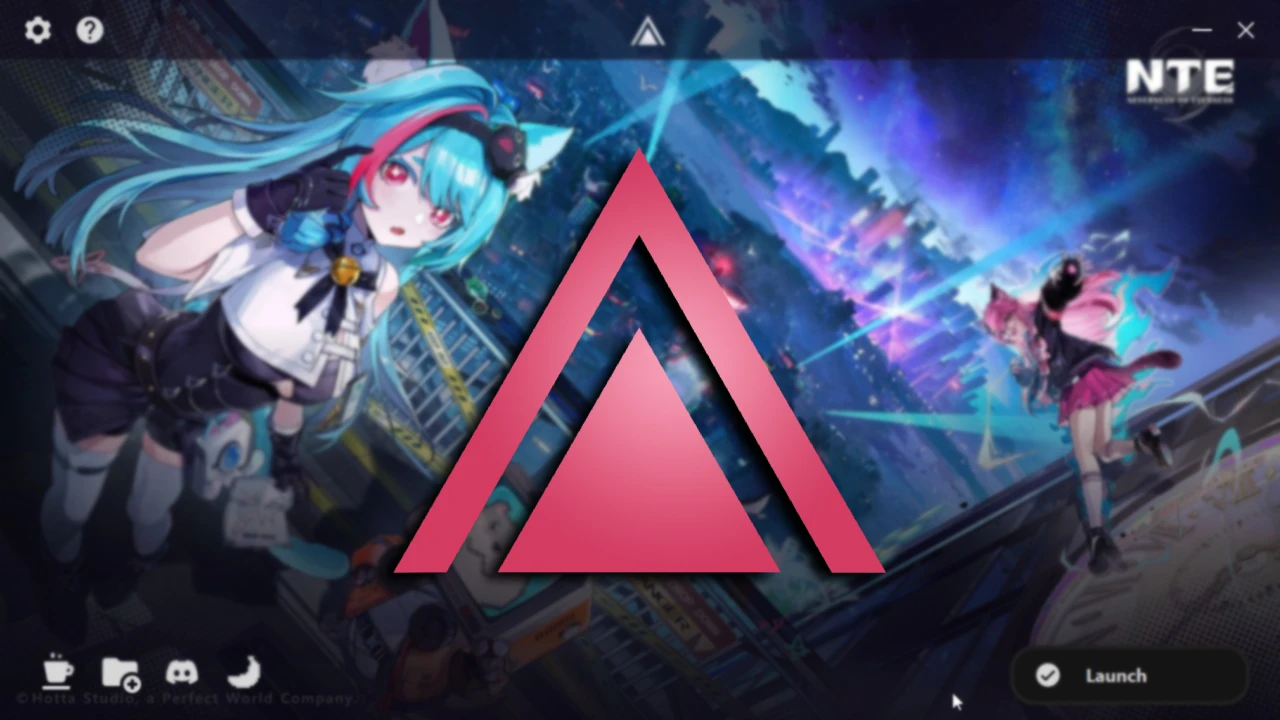
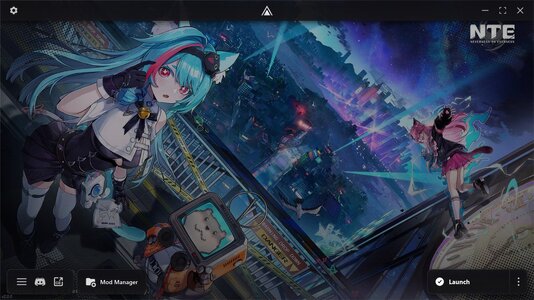
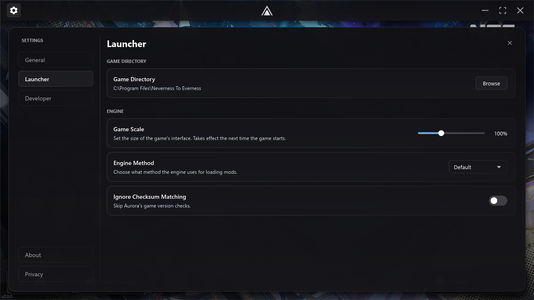
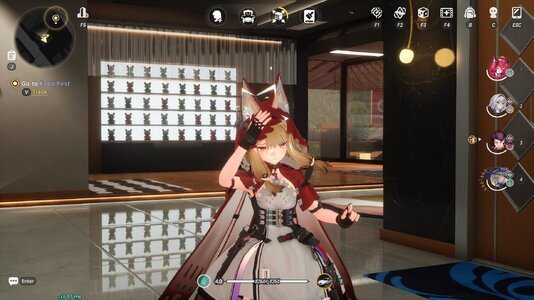
Aurora is a lightweight modding platform and mod manager for gacha games. Instead of hooking the renderer like 3DMigoto, Aurora loads mods on the engine level. This makes it so you can play latest titles on DX12 and not suffer any performance or stuttering issues.
Aurora supports
Note: Aurora does not and will never support 3DMigoto mods, the architecture between the 2 tools is vastly different and it's practically impossible supporting them. This doesn't matter for NTE however as 95% of mods are PAK based.
Features
Supported Versions & Providers
A list of Quality of Life addons Aurora provides
Installation
Aurora is a source-provided application and the source can be found here.
Stuck at any steps? Check out our docs.
WINDOWS INSTALLER
WINDOWS PORTABLE
LINUX
To view the prerequisites of using Aurora on Linux, view this message.
Mod Authors
Mod authors can put a JSON metadata file called
To keep the description short we won't go into depth about how to implement that here, instead view our docs.
Aurora also has tools to speed up the process of creating new mods (minus modelling of course)
Suggestions and Bug Reports
In order to get the best support possible, join our Discord server (alternate link). You can also tell issues on this page.
Aurora is built on the most modern architecture possible, the app designed to be lightweight because it uses Rust and then rendered with Slint. Because Slint is a native GUI renderer unlike WebView applications, we can get single-digit active RAM numbers.
Because the app is unsigned, Windows Defender or Windows SmartScreen may throw false positives. Add the app folder to your exclusion list in that case. Latest builds are scanned on VirusTotal, the app is source-provided and you can view the source code over at our GitHub page.
Aurora is a lightweight modding platform and mod manager for gacha games. Instead of hooking the renderer like 3DMigoto, Aurora loads mods on the engine level. This makes it so you can play latest titles on DX12 and not suffer any performance or stuttering issues.
Aurora supports
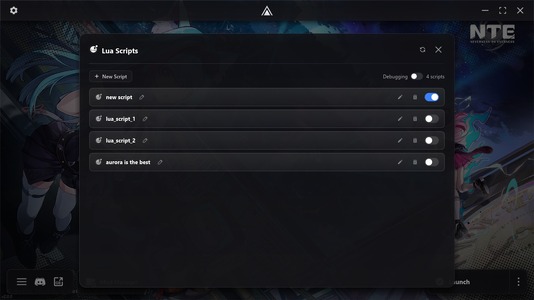
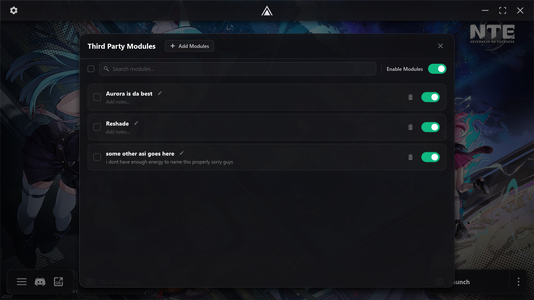
.pak, .asi and .lua mods with easy management.Note: Aurora does not and will never support 3DMigoto mods, the architecture between the 2 tools is vastly different and it's practically impossible supporting them. This doesn't matter for NTE however as 95% of mods are PAK based.
Features
- Easy Setup: Aurora is designed to be easy towards beginners, run the installer, and Aurora is usable.
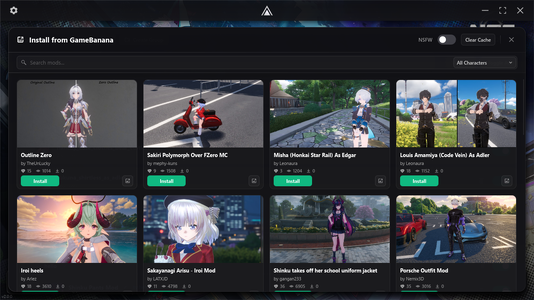
- GameBanana Browser: View and download mods on GameBanana directly through the launcher.
- Localization: Aurora has translations of 13+ languages all over the world.
- Support for Everything: We support all versions and providers of the game. Global, Mainland China, Taiwan; Native Launcher, Steam and Epic Games.
- Automatic Fixes: If anything goes wrong like a corrupted bin install, incompatible mods or crashes, Aurora will automatically attempt to fix the issues.
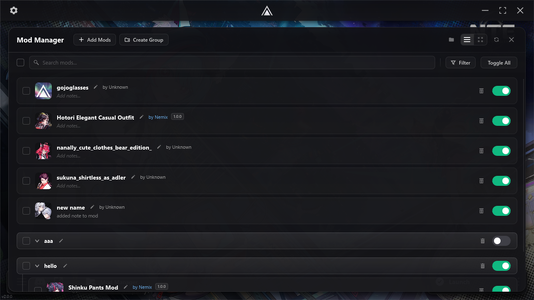
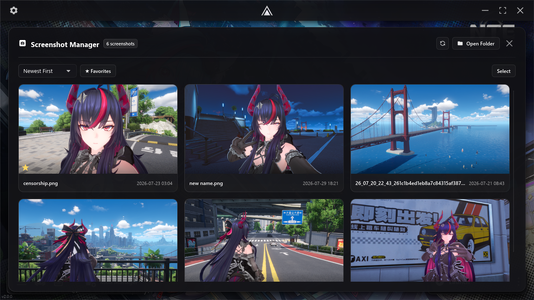
- Advanced Mod Manager: Our mod manager has everything you'd need: switch between List or Grid view for seeing your mods; delete, rename, toggle, add notes, add to groups, search, sort, filter and hide mods with a single click, version tracking on installed mods so updating them is one click and restart flags system - with a lot of other mod manager features we can't list here. Check out the full list.
- Lua Scripting: Run Lua scripts that interact with the game's engine directly from the launcher.
- Custom Engine: Our mod loading engine is created by us and not taken from a third-party. We offer multiple alternatives however so if anything goes wrong you can always use the fallbacks.
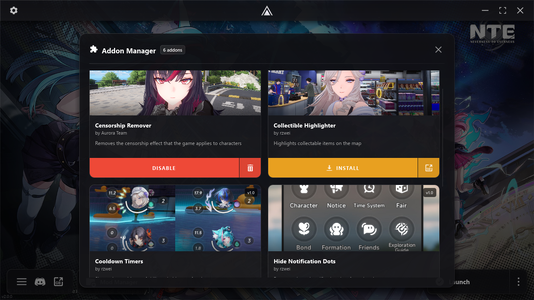
- Addons Manager: Install a bunch of Quality of Life mods created by the community directly from Aurora, and if a mod updates; you just need to press one button to update it to the latest version.
Supported Versions & Providers
- Native Launcher: The native Perfect World Games launcher.
- Steam
- Epic Games
- Global (EU, NA, SA, ASIA, SEA)
- Mainland China
- Taiwan
A list of Quality of Life addons Aurora provides
- Censorship Remover: Prevents the transparency effect from applying when looking under characters (by Aurora Team)
- Collectibles ESP: Highlights all collectible items on the map. (by rzwei, Source)
- Cooldown Timers: Shows the active cooldowns on skills and ultimates of characters. (by rzwei, Source)
- Disable Red Dots: Disables the red notification marker on UI elements. (by rzwei, Source)
- Hide UID: Hides your UserID from displaying on screen to increase security and better privacy. (by RokkuDayo, Source)
- Disable Driving Line: Disables the 3D driving waypoint from showing while driving. (by RokkuDayo, Source)
- GUI Scaler: Change how big the game's user interface is displayed, from a range of 50% to 200%
Installation
Aurora is a source-provided application and the source can be found here.
Stuck at any steps? Check out our docs.
WINDOWS INSTALLER
- Download the Windows Installer from our official website or from our GitHub page.
- Run the installer and configure your installation.
- Press Install, Aurora will automatically open after the installation is finished.
WINDOWS PORTABLE
- Download the portable build from our official website (click the arrow icon) or our GitHub page. (we don't offer them here to keep it simpler for us)
- Extract the ZIP into your desired folder.
- Open Aurora.exe
LINUX
To view the prerequisites of using Aurora on Linux, view this message.
- Download the Linux Portable from our official website or our GitHub page.
- Extract the ZIP into your desired folder.
- Open Aurora-x86_64.AppImage
Mod Authors
Mod authors can put a JSON metadata file called
mod.json that can help your mods standout and get some more features, including but not limited to: Support Link (link to your donation page when a person clicks your Author name), Mod Version, Custom Image URL (set a custom image for your mod's icon), etc.To keep the description short we won't go into depth about how to implement that here, instead view our docs.
Aurora also has tools to speed up the process of creating new mods (minus modelling of course)
Suggestions and Bug Reports
In order to get the best support possible, join our Discord server (alternate link). You can also tell issues on this page.
Aurora is built on the most modern architecture possible, the app designed to be lightweight because it uses Rust and then rendered with Slint. Because Slint is a native GUI renderer unlike WebView applications, we can get single-digit active RAM numbers.
Because the app is unsigned, Windows Defender or Windows SmartScreen may throw false positives. Add the app folder to your exclusion list in that case. Latest builds are scanned on VirusTotal, the app is source-provided and you can view the source code over at our GitHub page.

