Description
Echelon keeps every Helldivers 2 mod you download in one library, lets you sort them into profiles (think loadouts for your mods) and puts a whole profile into the game with one click. When you want a clean game again, one more click takes every mod back out.
Echelon is free, and every feature is for everyone. Nothing is locked.
Installation
Checking your download: open a command prompt in the folder with the installer and run
The result should match the number in the .sha256 file.
Main features
Requirements
FAQ
Can I bring my mods over from HD2 Arsenal?
Yes. The first-time setup offers to import your mods, profiles, load order, separators, tags and option choices. To do it later, click the + button above the profile list and choose Import from Arsenal.... Nothing in Arsenal is changed.
Can I go back to Arsenal, or use both?
Yes. Both put mods in the same game folder, so use one at a time: click Purge in the one you're leaving, then deploy from the other. When Echelon deploys, it clears every mod from the game folder first, so it never stacks on top of what another manager put there. The other manager may still show its mods as deployed until you purge there.
Can it check for mod updates or download them for me?
Not automatically. Echelon doesn't sign in to any mod site. To check by hand, each mod shows the version you have, and right-click > Open web page takes you to its page (select several mods to open all their pages at once). When you add the new download, Echelon spots that it's an update and offers to replace the old one, keeping its place, tags, web page and option choices.
Does it go online?
Only if you turn it on. The update check for Echelon itself, translating mod descriptions, and sharing profiles are all off until you choose them. No accounts, no tracking, no ads.
What does Echelon do about mods with Lua scripts?
It tells you. Mods that contain Lua get a LUA badge and a notice when you add them. Some Lua mods change the game for everyone in the lobby, so you can mark those as solo only and Echelon reminds you before you deploy them. What you install is your choice: Echelon doesn't judge or block mods, and nothing about your mods is sent anywhere.
The text is hard to read. Can I make it bigger?
Yes: Settings > Appearance > Text size, from 80% to 150%.
How do I see mod descriptions in my language?
Settings > General: pick your language under Interface language, then tick Translate mod descriptions and options into the interface language. With the interface in English, this translates mods written in Chinese, Japanese, Korean or Russian. It uses the free MyMemory service, so it stays off until you turn it on.
How do I put a mod into another profile?
Inside a profile, click the ⋮ on a mod and choose Copy to profiles.... It works with several mods selected. When you add new mods, Echelon asks which profiles they go into; if it doesn't, tick Ask which profiles when adding mods at the top of the Library page.
Does it work on Linux?
There's no Linux version, but users report the Windows version running through Proton: open protontricks, pick Helldivers 2, choose "run arbitrary executable" and run the Echelon installer, then start Echelon from its install folder inside the game's prefix. The Start game button doesn't work there, so launch the game from Steam. This is community-tested, not official.
My antivirus flagged it.
Some antivirus programs flag apps built with Python by mistake, and it can happen again with a new version. Check the installer against its .sha256 file, and post in the discussion thread with the antivirus name so it can be reported as a false positive.
Will it mess up my mods or my game?
Echelon never edits your mod files in place. It keeps its own copy of each mod. Deploy only touches mod files in the game's data folder, and Purge takes them all out again.
Something went wrong. How do I report it?
Post in this page's discussion thread and attach your latest log from %APPDATA%\Echelon\logs. Settings > System > About shows the exact path.
Credits
Echelon is an unofficial fan-made tool and is not affiliated with or endorsed by Arrowhead Game Studios or Sony Interactive Entertainment. Using it means accepting its end-user licence agreement, shown during setup.
Echelon is free and always will be. If you'd like to say thanks: ko-fi.com/avaleine
Echelon keeps every Helldivers 2 mod you download in one library, lets you sort them into profiles (think loadouts for your mods) and puts a whole profile into the game with one click. When you want a clean game again, one more click takes every mod back out.
Echelon is free, and every feature is for everyone. Nothing is locked.
Installation
- Download Echelon-Setup.exe and run it. It installs for your user only, so no admin rights are needed.
- Windows may say "Windows protected your PC" because Echelon is new and not code-signed yet. Click More info, then Run anyway.
- The first-time setup finds your game folder, asks you to accept the licence, and asks which online extras you want (all of them start off).
- Coming from HD2 Arsenal? Setup offers to bring over your mods, profiles, load order, separators, tags and option choices. Arsenal's own files aren't changed.
Checking your download: open a command prompt in the folder with the installer and run
Code:
certutil -hashfile Echelon-Setup.exe SHA256Main features
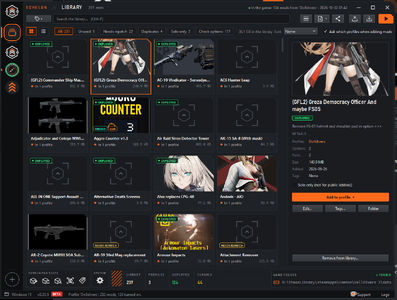
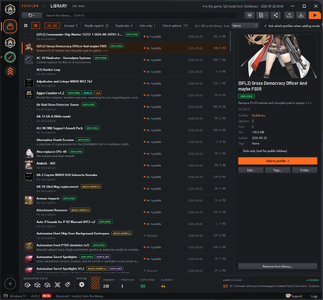
- Library: every mod as a picture card or in a compact list, with a details panel showing its description, options, size, which profiles use it, and its web page.
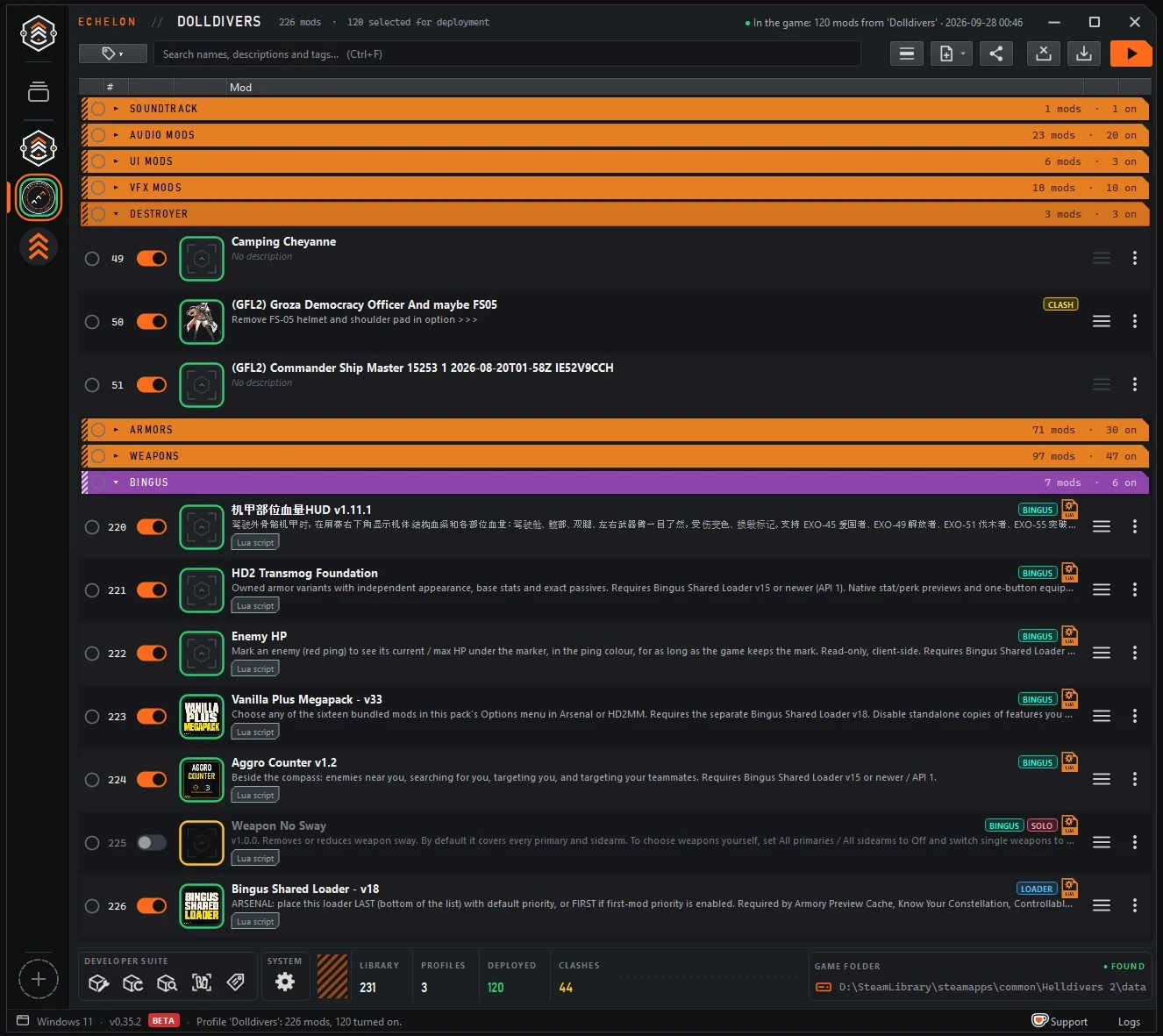
- Profiles: load order, separators, tags and per-mod options. Switch between loadouts in a second.
- One-click Deploy and Purge: Deploy puts exactly the open profile into the game. Purge takes every mod out, including ones installed by hand or by other tools.
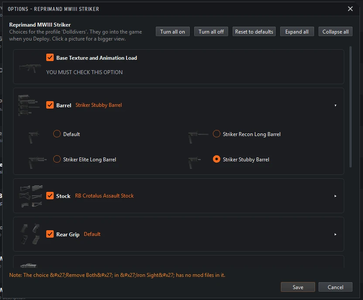
- Mod options: pick versions, colours and extras. Mods that ship their variants as folders get proper options too, and all-in-one packs get a switch per part.
- Updating mods: when you add a newer version of a mod you already have, Echelon offers to replace the old one and keeps your option choices.
- Bingus Shared Loader support: Echelon recognises the loader and the mods that need it, warns when a profile is missing it, and keeps the loader locked in the right spot so Bingus mods start.
- Clash and load order checks: see when two mods change the same thing, which one wins, and which mods are completely hidden by others.
- Game Folder Check: tells you if a game update or Steam's "Verify integrity" removed your mods.
- Crash Finder: when the game crashes with mods on, it tests half of your mods at a time until it finds the one to blame.
- Import from HD2 Arsenal: if a mod came as several versions without a manifest, Arsenal kept only the one picked back then. Echelon lists those mods under Check options so you can get the full download and choose again.
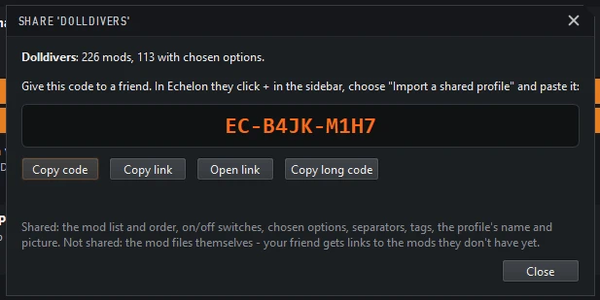
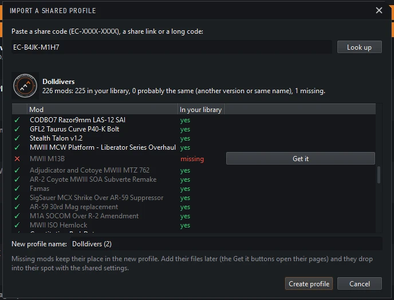
- Share profiles as a short code (EC-XXXX-XXXX) or a link. Friends see exactly which mods they're missing.
- Solo-only mods: some Lua mods change the game for everyone in the lobby. Mark them as solo only and they get a SOLO badge, plus a reminder to turn them off before public lobbies when you deploy.
- Developer Suite for mod authors:
- Mod Builder: build a mod with options and a manifest without writing any JSON.
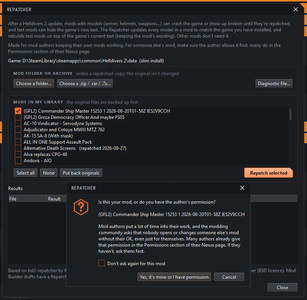
- Repatcher: keeps your own model and text mods working after a game update. Mods that need it get a NEEDS REPATCH badge.
- Mod Inspector: see what's inside your mod, check it for common problems, and compare versions.
- Retagger: a shortcut to HD2 Retagger by soulls00 for moving an armor look onto other armors. You get it from soulls00; Echelon only starts it.
- Languages: English, Simplified Chinese and Japanese.
Requirements
- Windows 10 or 11 (64-bit).
- Helldivers 2. Echelon finds the game folder automatically, or asks you to point to it.
- No other mods or tools needed, and no account: Echelon has no sign-in of any kind.
FAQ
Can I bring my mods over from HD2 Arsenal?
Yes. The first-time setup offers to import your mods, profiles, load order, separators, tags and option choices. To do it later, click the + button above the profile list and choose Import from Arsenal.... Nothing in Arsenal is changed.
Can I go back to Arsenal, or use both?
Yes. Both put mods in the same game folder, so use one at a time: click Purge in the one you're leaving, then deploy from the other. When Echelon deploys, it clears every mod from the game folder first, so it never stacks on top of what another manager put there. The other manager may still show its mods as deployed until you purge there.
Can it check for mod updates or download them for me?
Not automatically. Echelon doesn't sign in to any mod site. To check by hand, each mod shows the version you have, and right-click > Open web page takes you to its page (select several mods to open all their pages at once). When you add the new download, Echelon spots that it's an update and offers to replace the old one, keeping its place, tags, web page and option choices.
Does it go online?
Only if you turn it on. The update check for Echelon itself, translating mod descriptions, and sharing profiles are all off until you choose them. No accounts, no tracking, no ads.
What does Echelon do about mods with Lua scripts?
It tells you. Mods that contain Lua get a LUA badge and a notice when you add them. Some Lua mods change the game for everyone in the lobby, so you can mark those as solo only and Echelon reminds you before you deploy them. What you install is your choice: Echelon doesn't judge or block mods, and nothing about your mods is sent anywhere.
The text is hard to read. Can I make it bigger?
Yes: Settings > Appearance > Text size, from 80% to 150%.
How do I see mod descriptions in my language?
Settings > General: pick your language under Interface language, then tick Translate mod descriptions and options into the interface language. With the interface in English, this translates mods written in Chinese, Japanese, Korean or Russian. It uses the free MyMemory service, so it stays off until you turn it on.
How do I put a mod into another profile?
Inside a profile, click the ⋮ on a mod and choose Copy to profiles.... It works with several mods selected. When you add new mods, Echelon asks which profiles they go into; if it doesn't, tick Ask which profiles when adding mods at the top of the Library page.
Does it work on Linux?
There's no Linux version, but users report the Windows version running through Proton: open protontricks, pick Helldivers 2, choose "run arbitrary executable" and run the Echelon installer, then start Echelon from its install folder inside the game's prefix. The Start game button doesn't work there, so launch the game from Steam. This is community-tested, not official.
My antivirus flagged it.
Some antivirus programs flag apps built with Python by mistake, and it can happen again with a new version. Check the installer against its .sha256 file, and post in the discussion thread with the antivirus name so it can be reported as a false positive.
Will it mess up my mods or my game?
Echelon never edits your mod files in place. It keeps its own copy of each mod. Deploy only touches mod files in the game's data folder, and Purge takes them all out again.
Something went wrong. How do I report it?
Post in this page's discussion thread and attach your latest log from %APPDATA%\Echelon\logs. Settings > System > About shows the exact path.
Credits
- RaidingForPants: Echelon's Repatcher is based on hd2-repatcher (MIT licence).
- eigeen: the Repatcher follows rules from hd2-mod-crates (MIT licence).
- xypwn: the text-file reader follows the format as read by filediver (BSD licence).
- soulls00: HD2 Retagger, which the Retagger shortcut opens.
- cowboybingus, for the Bingus Shared Loader that so many mods build on.
- The Dolldivers community, for testing, ideas and patience.
- Built with Qt / PySide6 (LGPL-3.0). Full licence texts ship with the app under Settings > System > Licences.
- Developed with the help of AI (Claude).
Echelon is an unofficial fan-made tool and is not affiliated with or endorsed by Arrowhead Game Studios or Sony Interactive Entertainment. Using it means accepting its end-user licence agreement, shown during setup.
Echelon is free and always will be. If you'd like to say thanks: ko-fi.com/avaleine

