White Desert 1.4

A Mod for Crimson Desert
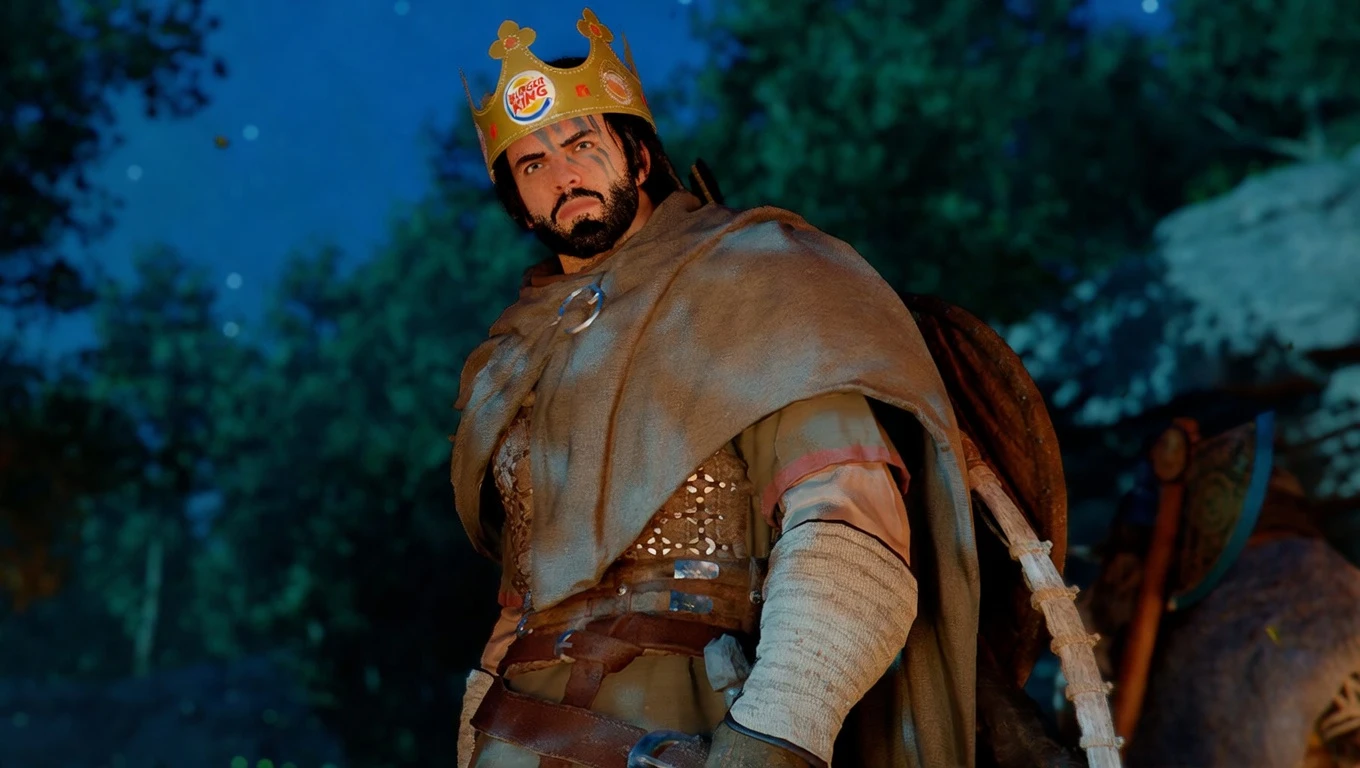
White Desert Mod Preview Image
  • 1.png
    1.png
    2.9 MB · Views: 1,215
  • 2.png
    2.png
    2.7 MB · Views: 1,237
  • 3.png
    3.png
    3.2 MB · Views: 1,223
Overview
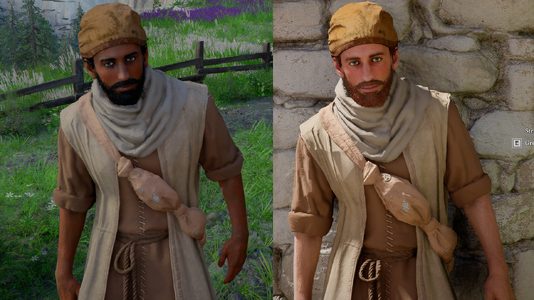
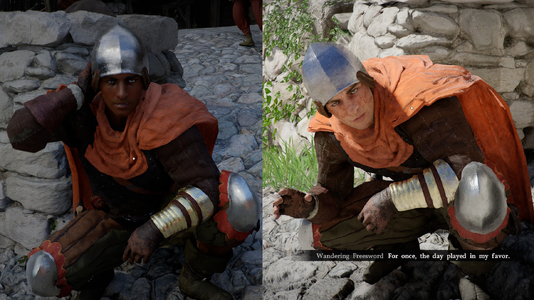
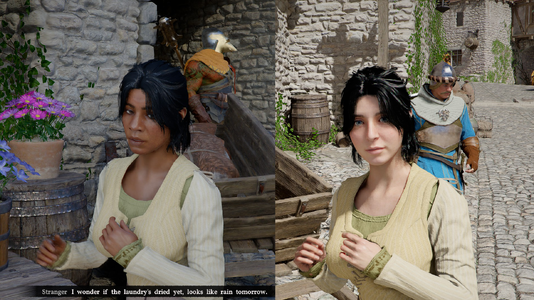
White Desert enhances immersion by replacing diversity hires. Modifies 133 NPC templates to update head meshes, and the color palette for skin tones.

For v1.3 and beyond, requires JSON Mod Manager for installation. Refer to their page for instructions and support using this tool.

JSON Mod Manager Installation Instructions
  1. Download white_desert_v1_4.zip somewhere, and drag it into JSON Mod Manager.
  2. Enable the White Desert mod
  3. Click APPLY MODS.
  4. Enjoy your medieval fantasy themed medieval fantasy game!


Issues launching modded game?

If your game does not launch with mods enabled, try these steps to resolve it.
  1. Open JSON Mod Manager, hit UNINSTALL to remove all mods.
  2. Close JSON Mod Manager
  3. Update JSON Mod Manager, if available, by replacing the EXE with the new version
  4. Delete meta AND _jmm_backups folders in steamapps\common\Crimson Desert\ (right click in Steam > Manage > Browse local files)
  5. Delete shader cache (see below for locations)
  6. In Steam, right click Crimson Desert, Properties, Installed Files, Verify integrity of game files, allow it to finish checking and downloading.
  7. Restart Steam
  8. Check all mods for updated versions, install and enable mods in JSON Mod Manager, and it should work. If it still doesn't, disable mods one-by-one until it does.
WINDOWS Shader Cache
  1. %LOCALAPPDATA%\NVIDIA\DXCache (NVIDIA users)
  2. %LOCALAPPDATA%\AMD\DxCache (AMD users)
  3. C:\Program Files (x86)\Steam\steamapps\shadercache\3321460 (depends on where your Steam is installed)
LINUX Shader Cache
My steamapps folder is in ~/.local/share/Steam - may vary from system to system.
  1. ~/.cache/nvidia/GLCache (NVIDIA users)
  2. ~/.cache/amd/GLCache (AMD users)
  3. ~/.steam/root/steamapps/shadercache/3321460
  4. steamapps\shadercache\3321460
  5. steamapps\common\Crimson Desert\bin64\vkd3d-proton.cache
  6. steamapps\common\Crimson Desert\bin64\vkd3d-proton.cache.write
For Linux users, you can also use this script to delete your shader cache if you'd like. I wrote it myself, but always check and make sure you understand a script before executing it. Edit the paths if needed.
87.8 KB
Log in or sign up to download
Uploaded by
Enisey
Downloads
107
Views
3,812
First release
Last update
Platform
PC 
Version
1.4
Total Size
87.8 KB
Rating
5.00 star(s) 5 ratings

Uploaded by

  • 107
  • 3,812

Ratings

5.00 star(s) 5 ratings

Latest updates

  1. Update for game version 1.04.00

    Pearl Abyss changed the filenames for the XML files being replaced, resulting in the head...
  2. 1.3 - JSON Mod Manager Format

    This update changes the mod format to JSON Mod Manager, no other changes were needed. To...
  3. Update for game version 1.01.00 3/28/2026

    This update may be unnecessary. Install the most up to date version if it is your first install...

FrostyBud777

Members
Members
Apr 6, 2026
0
1
CURSE NEXUS MODS FOR BANNING THIS MOD. SICK OF WOKE CENSORSHIP. F THAT. IM USING THIS MOD IN PROTEST! Love it!
 

Kawayol

Members
Members
Apr 19, 2026
0
6
Does this work with the latest current state of the game on Steam, also - how many NPC or story/plot characters are affected?
 

Enisey

Modder
Modder
Members
Mar 27, 2026
0
10
Does this work with the latest current state of the game on Steam, also - how many NPC or story/plot characters are affected?
Yes, it works with the current version of the game on Steam. I don't foresee any issues with updates, unless they add new areas with new NPC templates. It seems unlikely that they would change these files instead of just adding more, but I'll be around to update the mod when necessary.

Head meshes for 133 NPC templates (the ones that were using the dark skin section of the skin color palette file) were changed to use other head meshes already in the game, so that the new skin colors don't clash with non-European facial features (otherwise they would look like this or this for example).

Some of the templates I modified may not have even been used, and there's no telling how many deployments of each template - but I can confirm that they at least some are used multiple times, as I've seen identical generic NPCs walking around town in vanilla.

I'm not sure it's even possible to tell where these NPCs are deployed except looking for them in-game and doing A/B testing, and the fact that they're templates makes me think all of them are generic NPC designs. Named NPCs have template files too, but they are named after the specific NPC, and were left untouched by this mod. I don't think any story/plot characters were black in the first place. If I had to guess, blacks were just tossed in randomly in towns to appease activist game journalists and ESG ****, as there's no lore to support integrated societies.

I have played for about 80 hours with my mod and have not seen anything that felt wrong, but I haven't explored everywhere yet. If you find anything weird or immersion-breaking, send me some screenshots with a location and I'll look into it.
 

Kawayol

Members
Members
Apr 19, 2026
0
6
Interesting. Can't wait to play it at absolute maximum graphen settings with every single last thing cranked to balls-to-the-wall fidelity and gigaton of ultra HD texture packs/model mods applied over, after I make a completely new custom system build from scratch on all the top hardware available at the time, in next couple years. As of right now, I can barely manage mid-to-high settings in 1080p with 60 FPS average (occasional dips).
 

Setesh

Members
Members
Jun 23, 2025
0
1
Seems to still work after the latest update, mostly that is. Certain NPC's seems to have reverted to their original model except their skin tone is still light.
 

Enisey

Modder
Modder
Members
Mar 27, 2026
0
10
Seems to still work after the latest update, mostly that is. Certain NPC's seems to have reverted to their original model except their skin tone is still light.
Thanks for letting me know. I will work on an update ASAP.
 

Enisey

Modder
Modder
Members
Mar 27, 2026
0
10
Seems to still work after the latest update, mostly that is. Certain NPC's seems to have reverted to their original model except their skin tone is still light.
Update posted, let me know if that fixes it. Thanks again for your report!