
Overview
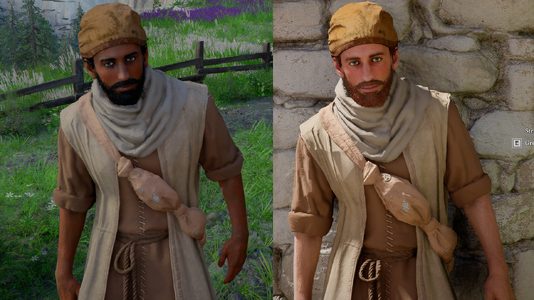
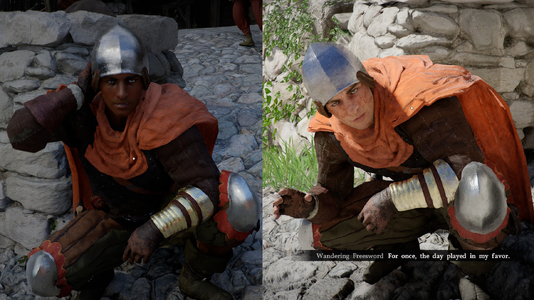
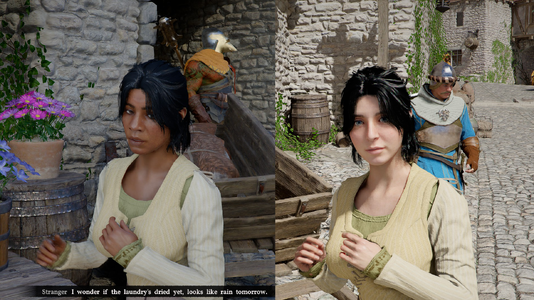
White Desert enhances immersion by replacing diversity hires. Modifies 133 NPC templates to update head meshes, and the color palette for skin tones.
For v1.3 and beyond, requires JSON Mod Manager for installation. Refer to their page for instructions and support using this tool.
JSON Mod Manager Installation Instructions
Issues launching modded game?
If your game does not launch with mods enabled, try these steps to resolve it.
My steamapps folder is in ~/.local/share/Steam - may vary from system to system.
White Desert enhances immersion by replacing diversity hires. Modifies 133 NPC templates to update head meshes, and the color palette for skin tones.
For v1.3 and beyond, requires JSON Mod Manager for installation. Refer to their page for instructions and support using this tool.
JSON Mod Manager Installation Instructions
- Download white_desert_v1_4.zip somewhere, and drag it into JSON Mod Manager.
- Enable the White Desert mod
- Click APPLY MODS.
- Enjoy your medieval fantasy themed medieval fantasy game!
Issues launching modded game?
If your game does not launch with mods enabled, try these steps to resolve it.
- Open JSON Mod Manager, hit UNINSTALL to remove all mods.
- Close JSON Mod Manager
- Update JSON Mod Manager, if available, by replacing the EXE with the new version
- Delete meta AND _jmm_backups folders in steamapps\common\Crimson Desert\ (right click in Steam > Manage > Browse local files)
- Delete shader cache (see below for locations)
- In Steam, right click Crimson Desert, Properties, Installed Files, Verify integrity of game files, allow it to finish checking and downloading.
- Restart Steam
- Check all mods for updated versions, install and enable mods in JSON Mod Manager, and it should work. If it still doesn't, disable mods one-by-one until it does.
- %LOCALAPPDATA%\NVIDIA\DXCache (NVIDIA users)
- %LOCALAPPDATA%\AMD\DxCache (AMD users)
- C:\Program Files (x86)\Steam\steamapps\shadercache\3321460 (depends on where your Steam is installed)
My steamapps folder is in ~/.local/share/Steam - may vary from system to system.
- ~/.cache/nvidia/GLCache (NVIDIA users)
- ~/.cache/amd/GLCache (AMD users)
- ~/.steam/root/steamapps/shadercache/3321460
- steamapps\shadercache\3321460
- steamapps\common\Crimson Desert\bin64\vkd3d-proton.cache
- steamapps\common\Crimson Desert\bin64\vkd3d-proton.cache.write

