
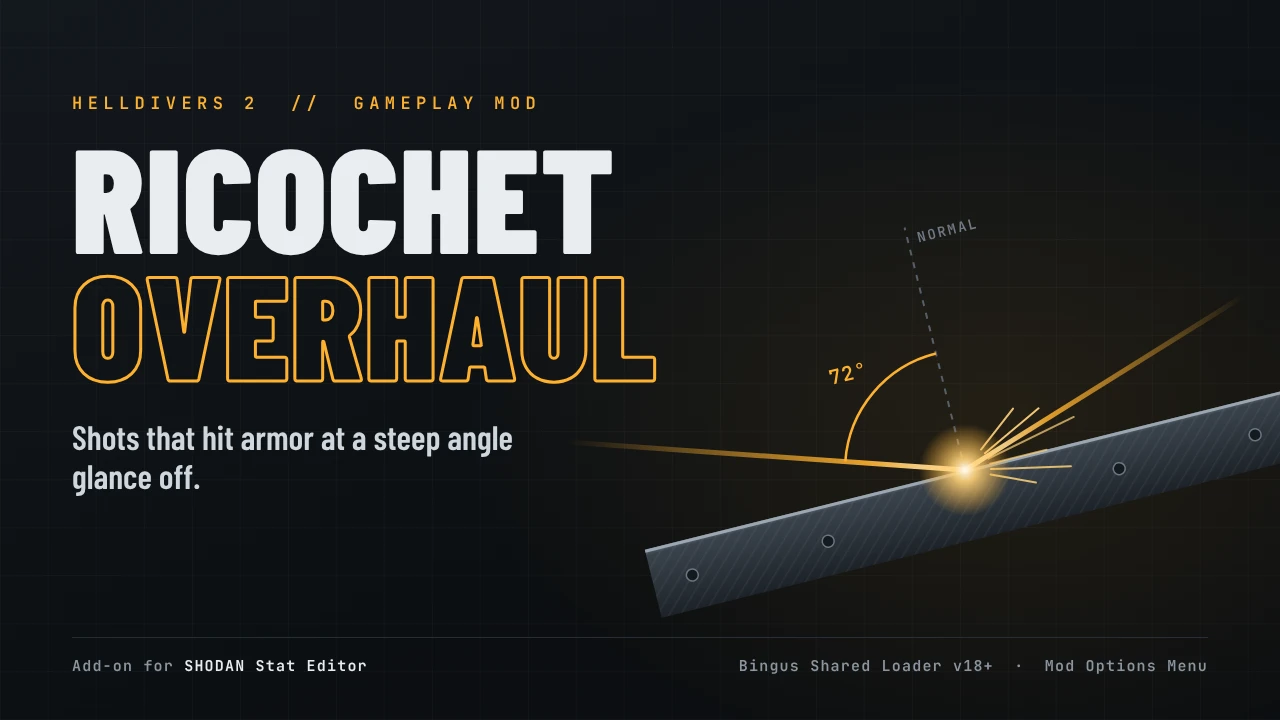
Shots that hit armor at a steep angle glance off.
WARNING
ALL mods are inadvisable to use until a workaround for Easy Anti-Cheat is found. You may still download this mod in preparation, “Watch” it to get notifications, or comment. Please DO NOT comment to ask when this will be fixed- I will not respond. Until the Bingus Shared Mod loader (at a minimum) is working, no mod should not be enabled.
In base HD2, almost every bullet penetrates armor the same at any angle short of a graze. Ricochet Overhaul makes angle matter: an Anti-Materiel Rifle round that catches a Charger's plating off-square skips off, and a Liberator round glances off a Berserker's chest. Square up, or find the weak spot.
How it works
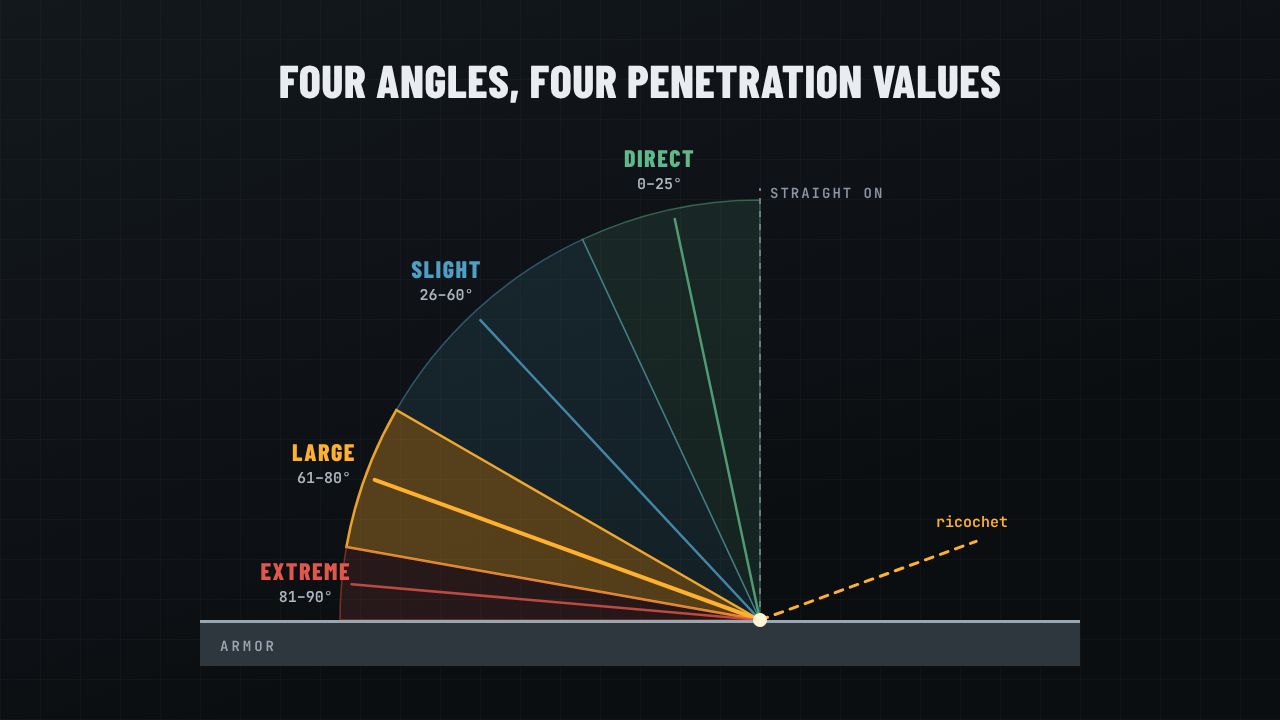
Every projectile carries four armor penetration (AP) values, one per impact angle: direct (under 25°), slight (26–60°), large (61–80°) and extreme (81–90°). AP above the armor does full damage, equal does 65%, and below ricochets for nothing. Ricochet Overhaul lowers the large-angle value for every weapon, sentry and stratagem projectile in the game.
Settings
Pick one on the escape menu's MODS tab (with Mod Options Menu) and press APPLY. It takes effect at once, even mid-mission.
Features
Requirements
Installation
Good to know
Troubleshooting
Look in %LOCALAPPDATA%\CowboyBingus\Helldivers2\Logs\RicochetOverhaul.log. A working setup shows ready and first pass: N value(s) changed a few seconds after the title screen.
Credits
Source code is included in the download (source/ricochet_overhaul.lua, with LICENSE.txt). License: GNU GPL v3 or later
Not affiliated with or endorsed by Arrowhead Game Studios or Sony Interactive Entertainment.
WARNING
ALL mods are inadvisable to use until a workaround for Easy Anti-Cheat is found. You may still download this mod in preparation, “Watch” it to get notifications, or comment. Please DO NOT comment to ask when this will be fixed- I will not respond. Until the Bingus Shared Mod loader (at a minimum) is working, no mod should not be enabled.
In base HD2, almost every bullet penetrates armor the same at any angle short of a graze. Ricochet Overhaul makes angle matter: an Anti-Materiel Rifle round that catches a Charger's plating off-square skips off, and a Liberator round glances off a Berserker's chest. Square up, or find the weak spot.
How it works
Every projectile carries four armor penetration (AP) values, one per impact angle: direct (under 25°), slight (26–60°), large (61–80°) and extreme (81–90°). AP above the armor does full damage, equal does 65%, and below ricochets for nothing. Ricochet Overhaul lowers the large-angle value for every weapon, sentry and stratagem projectile in the game.
Settings
- Off: the game's values.
- Steeper Angles: large-angle AP becomes one below direct AP, unless the game already makes it lower. A rifle round goes from 2-2-2-0 to 2-2-1-0.
- Brutal Angles: large-angle AP becomes one below the game's own value, so shrapnel and pellets that already lose penetration at an angle lose more. Shrapnel goes from 3-3-2-0 to 3-3-1-0.
- Debug: No Penetration: all four angles become 0, so every shot bounces off anything armored. Not for play; it shows at a glance that the mod is working.
Pick one on the escape menu's MODS tab (with Mod Options Menu) and press APPLY. It takes effect at once, even mid-mission.
Features
- No weapon list. It reads every projectile's values from the game, so new weapons are covered automatically.
- Plays nice with SHODAN Stat Editor. Steeper Angles follows any direct AP you change in SHODAN's panel, and any large-angle AP you set by hand there is left alone.
- Nothing stacks. Values are always worked out from the game's own, and Off restores them exactly.
- Explosions, fire and gas are unaffected. They use a single AP value rather than one per angle.
Requirements
- Bingus Shared Loader v18 or newer
- SHODAN Stat Editor v2.3.1 or newer, the English original. Translated builds that load under a different name (such as the Simplified Chinese one) aren't supported yet.
- Mod Options Menu (optional, for the in-game setting; also part of Vanilla Plus Megapack)
Installation
- Install the requirements.
- Add Ricochet-Overhaul-v1.2.0.zip to HDArsenal or HD2MM and enable it.
- Purge, then Deploy, and start the game.
- Escape menu → MODS → Ricochet Overhaul → choose a setting → APPLY.
No Mod Options Menu? Edit %LOCALAPPDATA%\CowboyBingus\Helldivers2\RicochetOverhaul\config.txt and restart the game:
Code:
mode steeper      (off, steeper, brutal or debug)
drop 1            (2 for an even harsher game)
Good to know
- It can affect enemies: the game keeps one damage table for every projectile, enemies' included, so their shots lose penetration at large angles too. It's most noticeable when they fire on your exosuits, vehicles and sentries. There's no option yet to leave enemy weapons at their normal strength. If Shodan was modified to display which projectiles belong to Helldivers or their enemies, it would be simple. Is it POSSIBLE to mod Shodan itself, but I don't want to maintain a fork of something so important or risk users finding their other mods require unmodded Shodan.
- Multiplayer: like SHODAN Stat Editor, the change exists only in your game.
- Check it yourself: open SHODAN's panel (F8) and look at any weapon's "Armor pen. (large angle)".
Troubleshooting
Look in %LOCALAPPDATA%\CowboyBingus\Helldivers2\Logs\RicochetOverhaul.log. A working setup shows ready and first pass: N value(s) changed a few seconds after the title screen.
- "SHODAN Stat Editor not found": install the English SHODAN Stat Editor, and check that BingusSharedLoader.log lists mods/shodan/stat_editor: loaded.
- "has another layout (game update?)": a game update changed the damage table; the mod changes nothing until it's updated. Please report it.
- Anything else: post in the discussion tab with the log attached.
Credits
- SHODAN Stat Editor by SHODAN, whose shared scan does the heavy lifting.
- Bingus Shared Loader and Mod Options Menu by CowboyBingus.
- The Helldivers 2 wiki, for the angle bands and damage rules.
- Claude by Anthropic, which co-wrote the code, tests, images and this page.
Source code is included in the download (source/ricochet_overhaul.lua, with LICENSE.txt). License: GNU GPL v3 or later
Not affiliated with or endorsed by Arrowhead Game Studios or Sony Interactive Entertainment.



Pinned comment