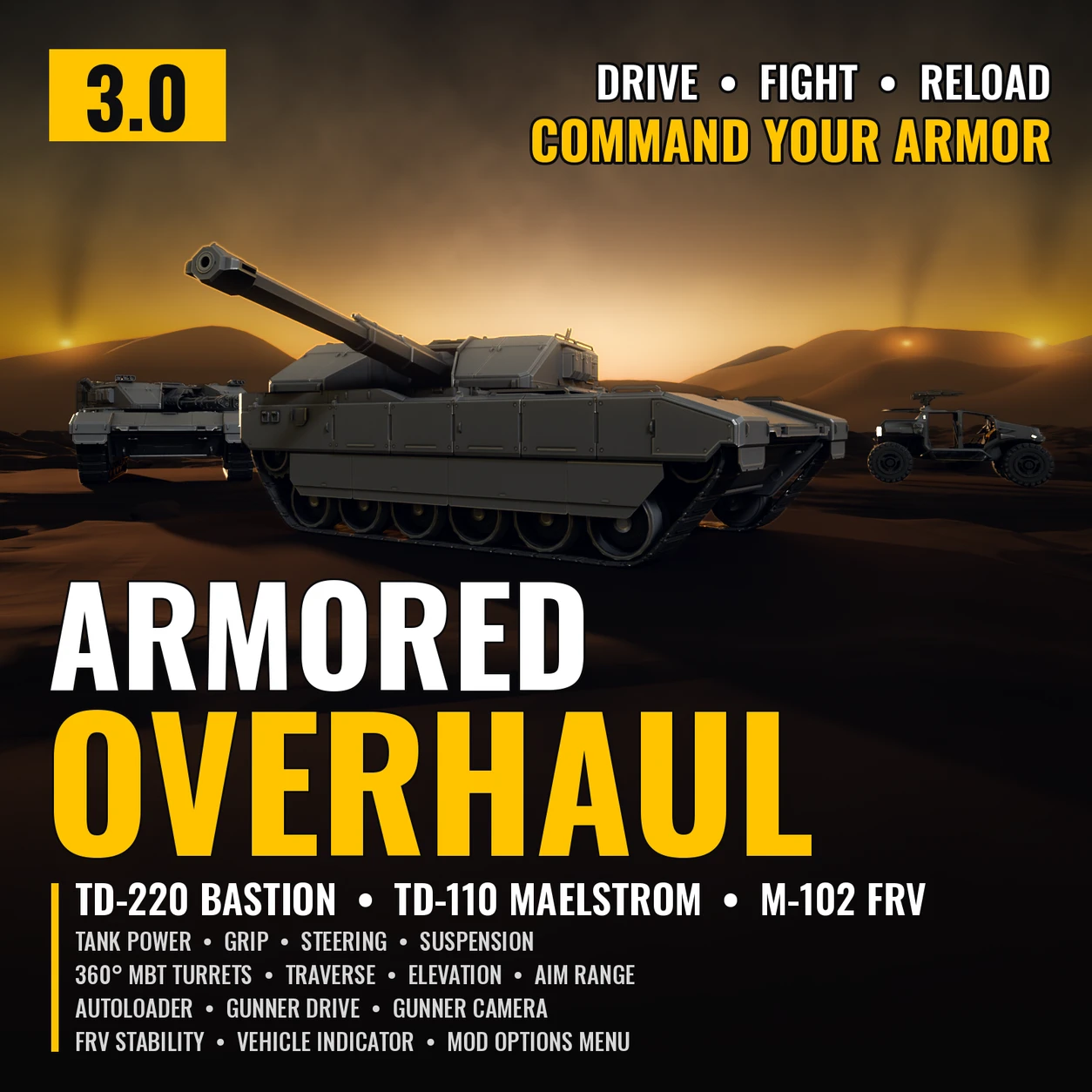
Armored Overhaul
Main battle tank upgrades for the TD-220 Bastion and TD-110 Maelstrom, and more for the FRVs.
Armored Overhaul makes the Bastion and Maelstrom feel like real main battle tanks and keeps the FRVs on their wheels. Every part is its own option, so you pick what you want in your mod manager, and with the Mod Options Menu you can change them in game too.
NEW: the APC
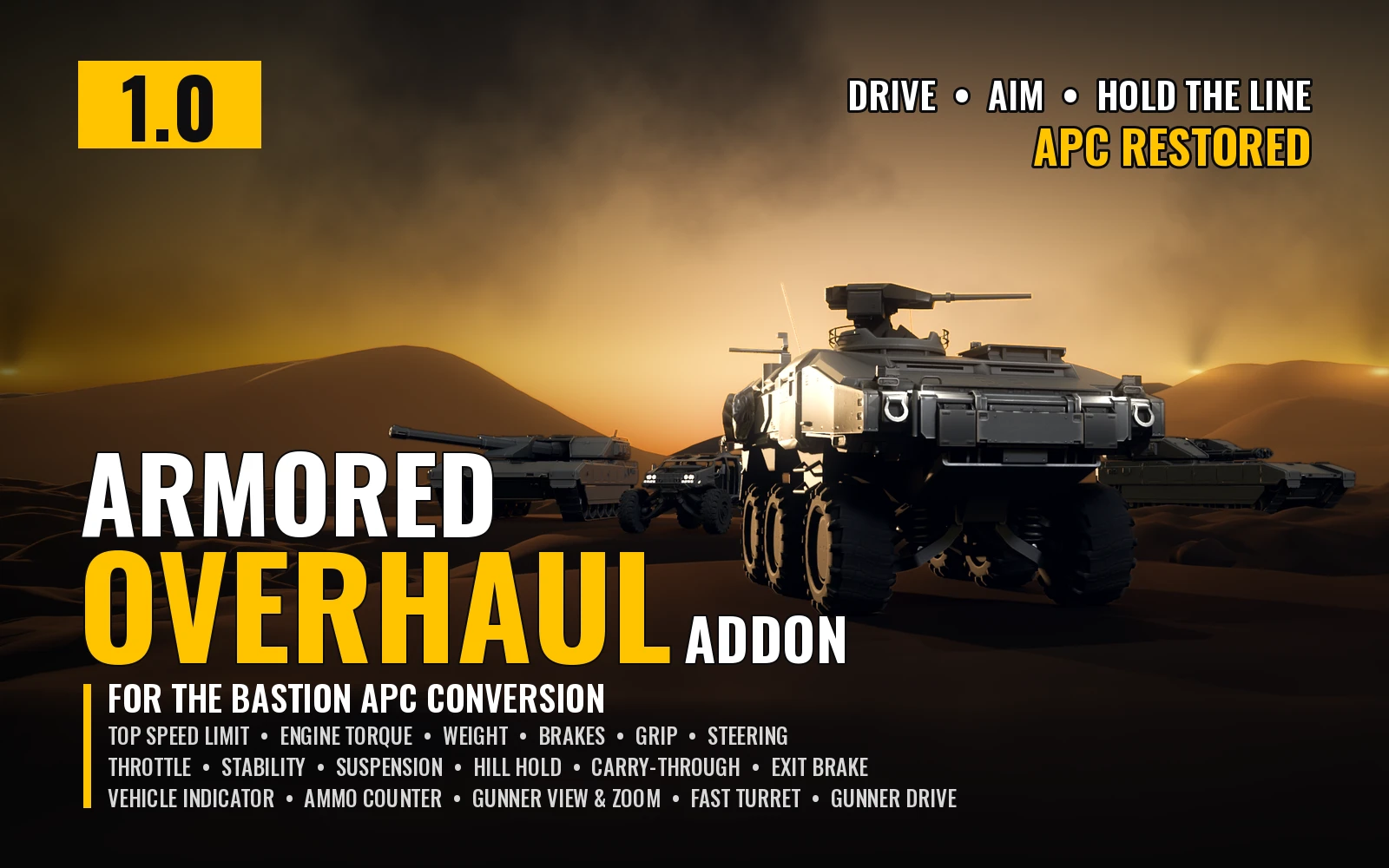
Using gfsggq124's APC Restored? Get the Armored Overhaul Addon for APC Restored. It's made specifically for APC Restored and gives the APC Armored Overhaul's treatment: engine torque, weight, brakes, grip, steering, throttle response, stability and suspension, Gunner Drive with a driver panel, a gunner view with scroll zoom and a turret that keeps up with the crosshair, the Vehicle Indicator and an ammo counter. It also lets APC Restored and Armored Overhaul run side by side.
Features
Options (Arsenal / HD2 Mod Manager)
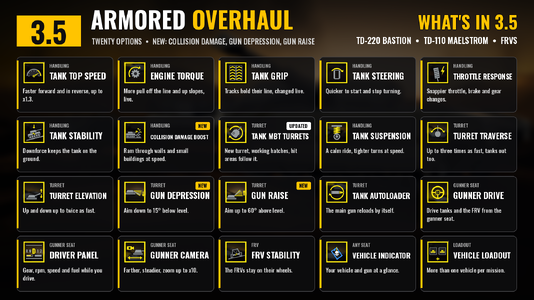
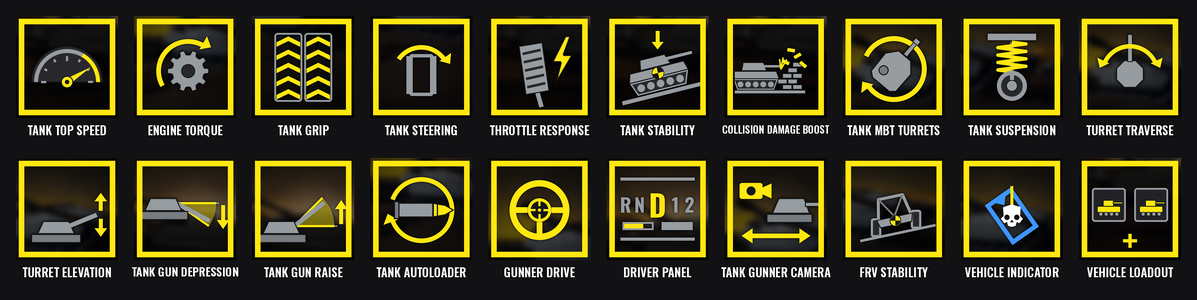
Each option and each of its choices has its own icon in the mod manager, in this order:
Turn an option off to keep the game's own.
Mod Options Menu (optional)
With CowboyBingus's Mod Options Menu installed, the options you installed also show in the game's options under MODS, ARMORED OVERHAUL, in the same order and with the same choices, plus Off. Each starts at what you picked in your mod manager, and Tank Collision Damage Boost is an on/off switch, on by default. Tank Turret Position is set here only (with MBT Turrets). Changes take effect at once: the Top Speed, Engine Torque, Grip, Steering, Throttle Response and Stability rows change the tanks mid-mission, the Collision Damage Boost switch takes effect at once, and Turret Traverse, Elevation, Gun Depression and Gun Raise (one row each, with Off and their three steps) reach the tanks already out. Only a new gunner camera distance, and the gunner view's new look speed and limits, wait for the next time you take the gunner seat. Tank Suspension and FRV Stability change the vehicles' own files, so they are picked in the mod manager only. Without the menu, everything works as picked in the mod manager.
Requirements
Install / update
Uninstall
Remove it in your mod manager, then Purge & Deploy. Nothing is left behind in the game; its logs stay in the Bingus logs folder and can be deleted.
Compatibility
Known limitations
How it works
Everything is written from scratch and built from the game's own files. No DLLs are added and no game code is patched.
Troubleshooting
Attach the logs to your bug report: ArmoredOverhaul-TankSpeed.log (Tank Top Speed), ArmoredOverhaul-TankPower.log (Tank Engine Torque), ArmoredOverhaul-TankHandling.log (Tank Grip), ArmoredOverhaul-TankSteering.log, ArmoredOverhaul-TankThrottle.log and ArmoredOverhaul-TankShift.log (Tank Throttle Response), ArmoredOverhaul-TankStability.log, ArmoredOverhaul-CollisionDamage.log (Tank Collision Damage Boost), ArmoredOverhaul-MBTTurrets.log (all the turret options), ArmoredOverhaul-TurretModels.log (the turning MBT turrets), ArmoredOverhaul-GunnerDrive.log (Gunner Drive, Tank Autoloader and the seat reader), ArmoredOverhaul-DriverPanel.log, ArmoredOverhaul-GunnerCamera.log and ArmoredOverhaul-TurretIndicator.log (Vehicle Indicator) and ArmoredOverhaul-VehicleLoadout.log. You'll find them in %LOCALAPPDATA%\CowboyBingus\Helldivers2\Logs (type %LOCALAPPDATA% into the File Explorer address bar and press Enter). They show the game version, what each option found and changed, the choice in use, whether the Mod Options Menu was found, and any errors.
No "Tank Turret: Freelook" key in the controls (tab MODS)? The Mod Bindings Menu has 29 key slots shared by every mod, and a mod you removed keeps its slots for 30 game sessions. Armored Overhaul takes 8 (Freelook first). Update the Mod Bindings Menu, Purge & Deploy and restart the game; if it's still missing, send ModBindingsMenu.log with the Armored Overhaul logs.
Source code
Source and every release are on GitHub: Th3chef/Armored-Overhaul
Credits
Main battle tank upgrades for the TD-220 Bastion and TD-110 Maelstrom, and more for the FRVs.
Armored Overhaul makes the Bastion and Maelstrom feel like real main battle tanks and keeps the FRVs on their wheels. Every part is its own option, so you pick what you want in your mod manager, and with the Mod Options Menu you can change them in game too.
NEW: the APC
Using gfsggq124's APC Restored? Get the Armored Overhaul Addon for APC Restored. It's made specifically for APC Restored and gives the APC Armored Overhaul's treatment: engine torque, weight, brakes, grip, steering, throttle response, stability and suspension, Gunner Drive with a driver panel, a gunner view with scroll zoom and a turret that keeps up with the crosshair, the Vehicle Indicator and an ammo counter. It also lets APC Restored and Armored Overhaul run side by side.
Features
- Tank Top Speed: more engine speed and pulling power, so the tanks reach a higher top speed and accelerate quicker, forward and in reverse. Pick Fast (x1.1), Faster (x1.15) or Fastest (x1.3); the game's tanks top out at about 35 km/h on the flat. It changes the tank you are in at once, in any seat, and the extra pull never tips the hull back more than the game's own. In the Mod Options Menu a change reaches every tank the mod has changed, and Off puts the tank's own engine back.
- Tank Engine Torque: more engine torque, so the tanks get off the line, up slopes and through rough ground quicker. Pick Strong (x1.2), Stronger (x1.35) or Strongest (x1.5). Top speed stays the game's own unless Tank Top Speed is on too (then their torque boosts multiply), and the extra pull never tips the hull back more than the game's own. It changes the tank you are in at once.
- Tank Grip: more track grip, so the tanks hold their line on slopes and in turns instead of sliding. Pick Moderate (x1.2), Strong (x1.35) or Maximum (x1.5). It changes the tank you are in at once.
- Tank Steering: quicker steering response: the tanks start and stop turning sooner. Pick Responsive (1.25 times the game's), Quick (1.5 times) or Sharp (twice). It changes every tank at once.
- Tank Throttle Response: snappier tanks: the throttle and brake let go sooner when you release the keys, and gear changes and switching between forward and reverse wait less. Pick Quick (they let go twice as fast; half the pause when changing gear or direction), Quicker (four times as fast; a fifth of the pause) or Instant (at once; no pause). It changes the tanks at once.
- Tank Stability: keeps the tanks flat on the ground. Downforce presses the tank down harder the faster it goes, so it stays on the ground over crests, ramps and bumps instead of floating. Pick Stable, Steady or Planted: the tank weighs 1.5 times, twice or three times as much at 45 km/h (about half that extra at 32 km/h, little at walking pace). It pushes through the tank's center, so it doesn't lean the hull. It changes the tank you are in at once.
- Tank Collision Damage Boost: the faster the Bastion and Maelstrom drive into things, the harder they hit, so walls, fences and small buildings break when you ram them at speed instead of stopping the tank dead. The game gives a tank the demolition force of a car (25 when slow, up to 35); this option sets it from how fast the tank is really going: 30 when crawling, 35 at half speed (about 17 km/h) and 40 from three-quarter speed (about 26 km/h) up. It never goes above 40, so it can't be used to cheese objectives that need more, and a nudge still won't break a wall. After a hit the higher value is kept for a quarter of a second, so it counts in the frames the tank stops. It's one checkbox in the mod manager, with an on/off switch in the Mod Options Menu (on by default). It only runs while you drive a tank (the driver seat, or the gunner seat with Gunner Drive) and follows only the tank you drive; on foot nothing runs and the tanks keep the crawling value. Turning it off puts the game's own back. Both tanks of the same kind share the game's setting; in multiplayer it most likely only takes effect when you host.
- Tank MBT Turrets: the gun turns all the way round, or 90 degrees either side, and the whole top of the tank turns with it like a real main battle tank turret. The turret is the tank's own armor, cut level just above the hull's roof line and turned with the gun, so it wears your camo and shows battle damage like the rest of the tank, and the gunner view turns with it. Its walls come straight down, rounded in at the bottom, and end a small gap above the deck with a recessed turret ring showing in the gap, like a real main battle tank turret. The turret is closed all round, the hull's own plating (with your camo) shows under it, and its shadow follows it. The hatches work: they open and close like the game's own and go round with the turret, and the gunner's door at the back of the turret swings up and out on its top edge. The gunner gets in and out at the turret's door wherever the turret points, and the passengers' places and the ways in go round with the turret too. The turret's hit areas (its five armor plates, its core, the side and rear boxes, radar and antenna) turn and move with the turret, so a shot on the turret hits the turret. On the Maelstrom the game's own missile pods and smoke launcher turn with the turret, and the Bastion's second gun and the Maelstrom's laser designator point where the main gun does (the designator is locked to its mount and aims from 60 degrees below level up to as high as the view). Pick 360 (all the way round) or 180 (90 each side); with 180 the gunner view stops where the gun does. With the Mod Options Menu, Tank Turret Position can move the turret to the middle of the hull like a real main battle tank (Centered), so the gun reaches past the front deck and clips less when aimed low; the hull's own plating shows where the turret used to sit. Original, the game's place, is the default, and a change shows at once, hit areas included.
- Tank Suspension: longer road wheel travel, so the wheels drop into dips and the tracks stay on the ground, with firmer damping that settles the hull quickly after rocks and bumps. The tanks ride 0.1 m higher than the game's for more ground clearance, and a lower center of gravity makes them hard to tip. They keep their full steering angle up to a slightly higher speed, for tighter turns when driving fast, and the hull's turning is damped so a lean builds more slowly: fewer rollovers in fast turns. Pick Balanced (half a meter of travel; the center of gravity as high off the ground as the game's; light turn damping) or Planted (a little less travel, slightly firmer springs, more damping, the lowest center of gravity and firmer turn damping: the calmest ride). Tanks called in after a change use it. It works together with MBT Turrets: its physics files carry the same turret hit areas.
- Tank Turret Traverse: how fast the turret turns side to side, and the gunner view with it. Pick Quick (1.5 times the game's 25 degrees a second), Fast (twice) or Very fast (three times, 75 degrees a second). With MBT Turrets all the way round the turret really reaches these speeds (past the game's own limit of about 46 degrees a second). Works with or without MBT Turrets. Like Elevation, Gun Depression and Gun Raise, a change in the Mod Options Menu reaches the tanks already out at once.
- Tank Turret Elevation: how fast the gun moves up and down, and the gunner view with it. Pick Quick (1.25 times the game's 35 degrees a second), Fast (1.5 times) or Very fast (twice).
- Tank Gun Depression: how far down the gun aims, and the gunner view follows. Pick Low (6 degrees below level), Lower (10 below) or Lowest (15 below); the game's own is 3 below. The gunner view goes 20 degrees below the gun's lowest angle, so on slopes the camera doesn't stop the barrel short of its range (with MBT Turrets it looks down to 80 degrees below the hull). With MBT Turrets the gun's up/down range also follows the slope under the turret, so turned back up a steep hill the gun still aims down the slope. How far up the gun aims stays the game's own unless Tank Gun Raise is on too.
- Tank Gun Raise: how far up the gun aims, and the gunner view follows. Pick High (30 degrees above level), Higher (45 above) or Highest (60 above); the game's own is 25 above. The gunner view goes 15 degrees above the gun's highest angle, never above 60, so on Highest it stops at the gun's own top. How far down the gun aims stays the game's own unless Tank Gun Depression is on too.
- Freelook: with CowboyBingus's Mod Bindings Menu, set a key for Tank Turret: Freelook (controls, tab MODS, section ARMORED OVERHAUL) and look around from the gunner seat while the gun stays where it points, left/right and up/down; let go and the turret turns to where you look. The trigger you pick for the key in the controls decides how it works: Hold = while you hold it, Press, Double tap or Long press = on, and off the next time. It comes with the turret options (MBT Turrets, Traverse, Elevation, Gun Depression, Gun Raise) and needs the Vehicle Indicator or Tank Gunner Camera on, which measure where the gun points.
- Tank Autoloader: the Bastion's and Maelstrom's main gun reloads by itself when it runs dry, in the game's normal reload time (perks count). You can still reload by hand.
- Gunner Drive: drive from the gunner seat when nobody is in the driver seat, in the tanks, the M-102 FRV or both. You stay the gunner: the gun, its HUD and camera work as normal while your movement keys drive, and the engine starts the game's own way when you set off. When a teammate gets in the driver seat, they take over, and if you get out while the vehicle rolls it brakes to a stop (so you aren't thrown by the moving tank). Shift and CTRL change gear and Space is the handbrake, as in the driver seat. F sounds the horn, and in the Maelstrom Mouse 3 pops the smoke screen. On a controller the left stick drives (push it forward to drive forward, back to reverse, left and right to steer, even on the spot), its click sounds the horn and the right stick click pops smoke. With CowboyBingus's Mod Bindings Menu you can set your own keys for Forward, Back, Handbrake, Horn and Smoke (steering and gears are always the game's own controls) (controls, tab MODS, section ARMORED OVERHAUL). A control you set a key for no longer answers its built-in key, so the two can't fight; the controller's left stick still drives. On a controller the triggers fire the guns and no longer move the tank.
- Driver Panel: while you drive from the gunner seat with Gunner Drive, a panel like the game's own driver HUD shows the gear selector, the gear, an rpm bar, your speed, a fuel bar and the Maelstrom's smoke rounds left, in the game's own HUD font. It only shows while you are the one driving (not while another player's game controls the vehicle), and it can be turned off in game with the Mod Options Menu. Only you see it.
- Tank Gunner Camera: the gunner camera sits lower and further behind the turret than the game's, 1.4 m above it at every distance, so you see more of the tank and around it. It circles the turret along your view, smoothly even at high traverse. Going uphill the view stays level; pointing downhill it follows the slope and rises with the hill behind it, so you can see the ground ahead and the turret doesn't block the view. Pick Close (about 1.5 m back), Far (about 3.5 m), Farther (about 5 m) or Farthest (about 6.5 m): that is where the camera starts each time you sit down. In the gunner seat the mouse wheel moves it closer or farther back, 1 m a notch, and from the closest point zooms in on the crosshair one step a notch: x2, x3 and so on up to x10 (a small "x3" next to the crosshair shows the zoom for a moment). Zoomed in, the view doesn't shake with the gun's recoil and keeps following the tank. The zoom also works in the M-102 FRV's gunner seat and on the HMG and Anti-Tank Emplacements: the wheel moves the camera back when you're not aiming, and zooms on the crosshair up to x10 while aiming. With the Mod Bindings Menu you can also set Zoom In / Zoom Out keys, on a controller too. Getting out puts the view back.
- FRV Stability: the M-102 FRV, M-103 Supply FRV and M-104 incendiary FRV stay on their wheels over rough ground, jumps and hard turns: a firmer front, firmer damping, a lower center of mass, more tire grip and weight, and a little more ground clearance. Pick Stable (the default), Mild or Planted. Engine and steering stay the game's own.
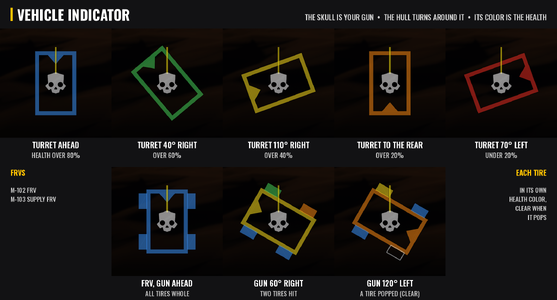
- Vehicle Indicator: a small outline of your vehicle on screen shows which way the gun points compared to the hull, like a real tank's display, in any seat of the Bastion, the Maelstrom, the M-102 FRV and the M-103 Supply FRV. The Helldivers skull is the turret and always points up, and the hull turns around it. The outline's color is the vehicle's health: blue, then green, yellow, orange and red as it takes damage. On the FRVs each tire shows its own health and goes clear when it pops. With the Driver Panel it sits just left of the panel, and in the driver's seat of any vehicle it sits in that same place. Only you see it.
- Vehicle Loadout: pick more than one tank, exosuit or FRV in your stratagem loadout. The game normally swaps your earlier vehicle out when you pick a second one; with Vehicle Loadout you can take, say, a Bastion and a Maelstrom, or two exosuits, into the same mission. Each still has its own cooldown and uses. It works when you host and when you join, and turning it off in the Mod Options Menu puts the game's limit back at once.
Options (Arsenal / HD2 Mod Manager)
Each option and each of its choices has its own icon in the mod manager, in this order:
- Tank Top Speed - Fast, Faster or Fastest.
- Tank Engine Torque - Strong, Stronger or Strongest.
- Tank Grip - Moderate, Strong or Maximum.
- Tank Steering - Responsive, Quick or Sharp.
- Tank Throttle Response - Quick, Quicker or Instant.
- Tank Stability - Stable, Steady or Planted.
- Tank Collision Damage Boost - the tanks break walls, fences and small buildings when they ram them at speed.
- Tank MBT Turrets - 360 (all the way round) or 180 (90 each side).
- Tank Suspension - Balanced or Planted.
- Tank Turret Traverse - Quick, Fast or Very fast.
- Tank Turret Elevation - Quick, Fast or Very fast.
- Tank Gun Depression - Low, Lower or Lowest (6, 10 or 15 degrees below level).
- Tank Gun Raise - High, Higher or Highest (30, 45 or 60 degrees above level).
- Tank Autoloader - the main gun reloads by itself.
- Gunner Drive - Tanks and FRV, Tanks or FRV.
- Driver Panel - the gear, rpm, speed and fuel while you drive from the gunner seat.
- Tank Gunner Camera - Close (about 1.5 m back), Far (about 3.5 m back), Farther (about 5 m back) or Farthest (about 6.5 m back).
- FRV Stability - Stable, Mild or Planted.
- Vehicle Indicator - the gun direction and health display.
- Vehicle Loadout - more than one tank, exosuit or FRV in your loadout.
Turn an option off to keep the game's own.
Mod Options Menu (optional)
With CowboyBingus's Mod Options Menu installed, the options you installed also show in the game's options under MODS, ARMORED OVERHAUL, in the same order and with the same choices, plus Off. Each starts at what you picked in your mod manager, and Tank Collision Damage Boost is an on/off switch, on by default. Tank Turret Position is set here only (with MBT Turrets). Changes take effect at once: the Top Speed, Engine Torque, Grip, Steering, Throttle Response and Stability rows change the tanks mid-mission, the Collision Damage Boost switch takes effect at once, and Turret Traverse, Elevation, Gun Depression and Gun Raise (one row each, with Off and their three steps) reach the tanks already out. Only a new gunner camera distance, and the gunner view's new look speed and limits, wait for the next time you take the gunner seat. Tank Suspension and FRV Stability change the vehicles' own files, so they are picked in the mod manager only. Without the menu, everything works as picked in the mod manager.
Requirements
- Bingus Shared Loader v19 or newer, last in the load order. Every option except Tank Suspension and FRV Stability needs it.
- Optional: CowboyBingus's Mod Options Menu, to change the options in game.
- Optional: CowboyBingus's Mod Bindings Menu, to set your own Gunner Drive and gunner zoom keys, and the Freelook key.
Install / update
- Install Bingus Shared Loader v19 or newer.
- Add Armored-Overhaul-3.5.2.zip in Arsenal or the HD2 Mod Manager and check the options you want.
- Purge & Deploy, then restart the game.
Uninstall
Remove it in your mod manager, then Purge & Deploy. Nothing is left behind in the game; its logs stay in the Bingus logs folder and can be deleted.
Compatibility
- APC Restored (gfsggq124's APC mod): add the Armored Overhaul Addon for APC Restored so both run side by side and the APC gets its own Armored Overhaul options.
- Don't combine it with other mods that change the Bastion or Maelstrom turrets, models, physics files, handling or suspension (for example casemate or traverse turret mods, tank model replacers or tank reskins that replace the hull models), or with other drive-from-the-gunner-seat or gunner camera mods. Turn off the matching option instead if you want to keep another mod. If another mod keeps changing the same tank or camera values back, Armored Overhaul leaves them to it and says so in its log.
- FRV Stability changes the same files as other FRV handling mods; use one or the other.
- The exosuits themselves are not changed; Vehicle Loadout only lets you pick more than one.
- Vehicle Loadout and other mods that change the stratagem loadout limits may not mix; turn one of them off.
- Tank Collision Damage Boost and other mods that change the tanks' demolition force may not mix; turn one of them off.
- Made and tested on the September 2026 game version.
Known limitations
- Only you see the turning turrets and the Vehicle Indicator; other players see the normal tanks.
- The tank's body (what you stand on and what the tank drives into) is still the game's own shape, whose top is the old turret's roof: with the turret centered or turned you can stand at roof height where the old turret was, in thin air. (The hit areas follow the turret; this is separate.)
- The M-104 incendiary FRV isn't in the game right now, so Gunner Drive and the Vehicle Indicator don't cover it yet (FRV Stability does).
- Gunner Drive only works while nobody is in the driver seat. In multiplayer, the player who drove a vehicle last keeps control of it after getting out, so Gunner Drive can't move it (the driver panel stays hidden then). Take the driver seat once, then go back to the gunner seat, and it's yours again.
- S or Space not working in the gunner seat (Gunner Drive)? If a key is set for "Gunner Drive: Back" or "Gunner Drive: Handbrake" in the Mod Bindings Menu (Controls, MODS tab, ARMORED OVERHAUL), that key replaces the built-in one, so S (brake/reverse) or Space (handbrake) stop working for Gunner Drive. It only affects Gunner Drive; your other bindings and the game's controls are unchanged. Clear those bindings (or set them to S and Space) to get the built-in keys back. The GunnerDrive log's "built-in keys turned off" line shows which keys are off.
- In a tank another player called in, the gunner-seat smoke key does nothing for now (it no longer fires the wrong launcher or shows the wrong count).
- Tank Suspension still needs the tank to be called in again after a change (it's in the tank's physics file); every other tank option changes mid-game.
- Tank Collision Damage Boost: both tanks of the same kind share the game's setting, so while you drive fast a teammate's tank of the same kind gets it too, and in multiplayer it most likely only takes effect when you host.
- Freelook in multiplayer: the game keeps one setting for both tanks' main guns, so while you hold Freelook as the host, another player's turret may stop turning too. Tell me if you see it.
- After a game update, the script options find what they need again by themselves. If an update changes the vehicles' own models or physics, Tank MBT Turrets, Tank Suspension and FRV Stability need an update from me, and I check this after every game patch.
How it works
- Tank Top Speed, Tank Engine Torque, Tank Grip and Tank Stability: a Lua addon changes the tank's engine speed and torque, track grip and downforce live, on the tank you sit in, through the game's own vehicle physics calls (the ones it makes when it sets a tank up); Tank Throttle Response's gear-change pause is set the same way.
- Tank Steering and Tank Throttle Response: a Lua addon scales the tanks' steering rate and their throttle and brake let-off rates in the game's own vehicle settings, which the game reads every frame.
- Tank Suspension and FRV Stability: changed spring, damping, suspension travel, wheel mounts, grip, wheel size, mass and center of mass values in the vehicles' own physics files; Tank Suspension also raises the speed up to which the tanks keep their full steering angle and damps the hull's turning.
- Tank Collision Damage Boost: a Lua addon sets the two tanks' demolition force in the game's loaded vehicle collision settings from how fast the tank you drive is going, and puts the game's own values back when it is turned off or the game closes.
- Tank MBT Turrets, Traverse, Elevation, Gun Depression and Gun Raise: one shared Lua addon changes the guns' turn limits, turn speeds and how far down and up they aim in the game's own turret settings; MBT Turrets uses the game's own tank hulls with everything above the roof line tied to the turret's mount, and turns that mount with the gun every frame, with the hatches and the ways in going round with it; Turret Position moves that mount forward. Freelook holds the gun by setting its turn limits to where it points while the key is on. MBT Turrets now also ships the tanks' physics files, with the turret's hit areas tied to the same mount so they turn and move with the turret (with Tank Suspension on too, its physics files carry the same hit areas).
- Tank Autoloader: when the main gun's magazine runs dry, it asks the game to start the reload, the same way the reload key does.
- Gunner Drive: a Lua addon copies your movement keys (or your left stick) into the vehicle's driver controls while the driver seat is empty, the same way the game does for a real driver, and starts the engine with the game's own engine switch. The horn and the smoke key use the game's own horn and the Maelstrom's own smoke launcher.
- Driver Panel: a Lua addon reads the gear, rpm and fuel from the vehicle, measures your speed from how far it moves, and writes them with the game's own HUD font.
- Tank Gunner Camera: a Lua addon sets the camera's height and its distances behind the turret in the game's own gunner camera settings, and the game circles the camera round the turret along your view. The crosshair zoom narrows the camera's own field of view setting, the way the game's scope views do, in the tank, the FRV gunner seat and on the emplacements.
- Vehicle Loadout: a Lua addon clears the "pick only one" mark the game puts on the vehicle stratagems in its stratagem list, so the loadout screen no longer swaps them out, and puts it back when turned off or when the game closes. Calling in, cooldowns and uses stay the game's own.
- Vehicle Indicator: a Lua addon reads the turret's angle and the vehicle's health (and the FRV's tires) the way the game's own driver HUD does, and draws the outline with the game's own on-screen drawing. The skull is a copy of the game's own Helldivers skull icon.
Everything is written from scratch and built from the game's own files. No DLLs are added and no game code is patched.
Troubleshooting
Attach the logs to your bug report: ArmoredOverhaul-TankSpeed.log (Tank Top Speed), ArmoredOverhaul-TankPower.log (Tank Engine Torque), ArmoredOverhaul-TankHandling.log (Tank Grip), ArmoredOverhaul-TankSteering.log, ArmoredOverhaul-TankThrottle.log and ArmoredOverhaul-TankShift.log (Tank Throttle Response), ArmoredOverhaul-TankStability.log, ArmoredOverhaul-CollisionDamage.log (Tank Collision Damage Boost), ArmoredOverhaul-MBTTurrets.log (all the turret options), ArmoredOverhaul-TurretModels.log (the turning MBT turrets), ArmoredOverhaul-GunnerDrive.log (Gunner Drive, Tank Autoloader and the seat reader), ArmoredOverhaul-DriverPanel.log, ArmoredOverhaul-GunnerCamera.log and ArmoredOverhaul-TurretIndicator.log (Vehicle Indicator) and ArmoredOverhaul-VehicleLoadout.log. You'll find them in %LOCALAPPDATA%\CowboyBingus\Helldivers2\Logs (type %LOCALAPPDATA% into the File Explorer address bar and press Enter). They show the game version, what each option found and changed, the choice in use, whether the Mod Options Menu was found, and any errors.
No "Tank Turret: Freelook" key in the controls (tab MODS)? The Mod Bindings Menu has 29 key slots shared by every mod, and a mod you removed keeps its slots for 30 game sessions. Armored Overhaul takes 8 (Freelook first). Update the Mod Bindings Menu, Purge & Deploy and restart the game; if it's still missing, send ModBindingsMenu.log with the Armored Overhaul logs.
Source code
Source and every release are on GitHub: Th3chef/Armored-Overhaul
Credits
- CowboyBingus - Bingus Shared Loader, the Mod Options Menu and the Mod Bindings Menu.
- Filediver and HD2SDK (Blender add-on) - the tools used to read the game's models and build the turrets.
- HD2 HUD+ - showed how to draw on screen and use the game's own HUD font from a Lua addon.


Pinned comment