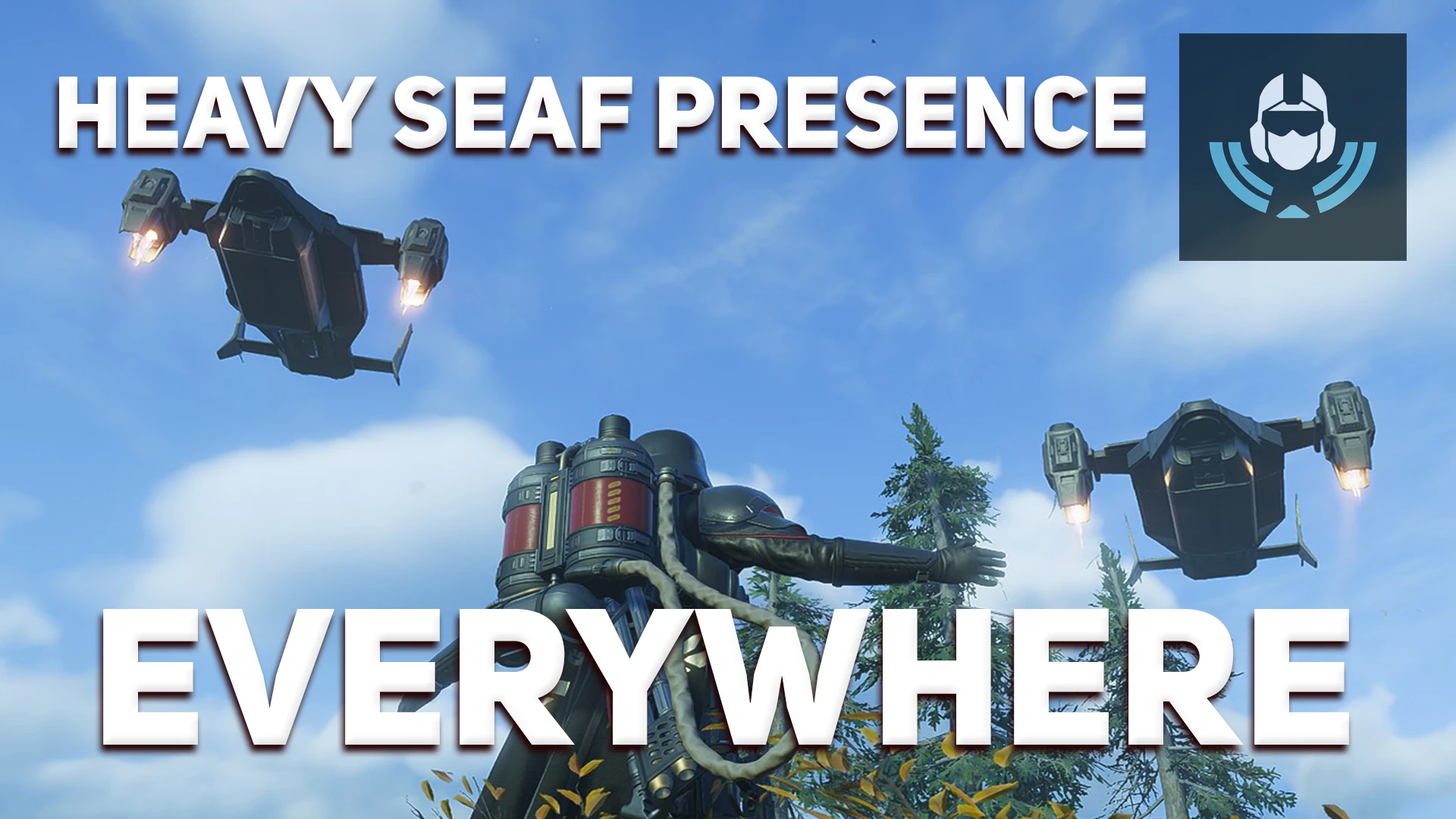
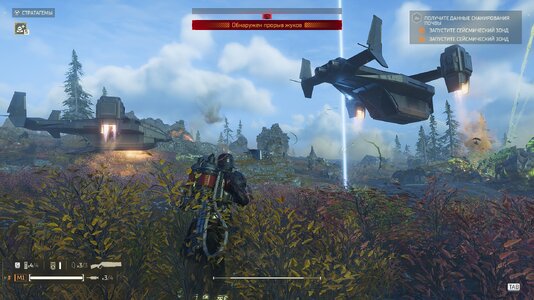
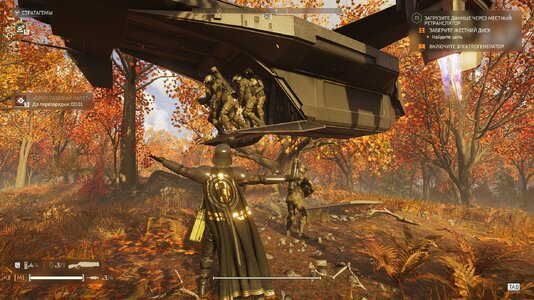
Adds the planet modifier "Heavy SEAF Presence" to EVERY planet in Helldivers 2.
Normally this modifier only appears on a few specific planets. With this mod, whatever planet you pick, the SEAF will show up to help you fight.
The modifier is placed into the first free modifier slot of each planet, so the modifiers a planet already has are left untouched.
⚠ REQUIRED: BINGUS SHARED LOADER
This mod will NOT work without Bingus Shared Loader (v18 or newer). You must download and install it first: without it, nothing will happen.
Download: [LINK TO BINGUS SHARED LOADER]
SEAF | MAX SQUADS
Instead of just a couple of units, a veritable army can now stand ready to provide you with cover!
You choose how many ships deploy SEAF at the same time. The default is 3, and you can raise it up to 8 ships operating simultaneously.
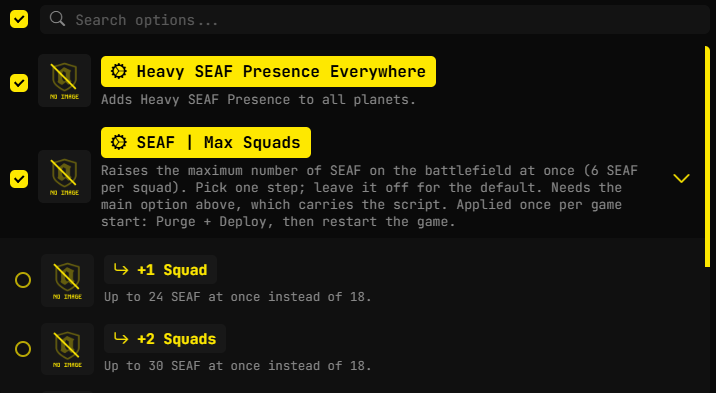
Pick ONE step:
+1 Squad = 24 SEAF at once
+2 Squads = 30 SEAF at once
+3 Squads = 36 SEAF at once
+4 Squads = 42 SEAF at once
+5 Squads = 48 SEAF at once
(Default without this option: 18 SEAF, 6 per squad.)
- Works on every difficulty.
- Leave it off to keep the default limit.
- Needs the main option ("Heavy SEAF Presence Everywhere") enabled, because that option carries the script.
- The limit is applied once per game start: after changing the option, press Purge + Deploy, then restart the game.
⚠ WARNING: if you use the maximum SEAF value, DO NOT use other mods that can spawn or increase SEAF. With too many SEAF on the field the game will crash, so please be careful.
Support "MOD OPTIONS MENU"
This mod supports the "Mod Options Menu"; if you have it installed, you can enable or disable modifiers without leaving the game.
( If a planet already had the "Heavy SEAF Presence" modifier to begin with, it will not disappear when the mod's features are disabled; only the modifiers added by the mod itself are removed )
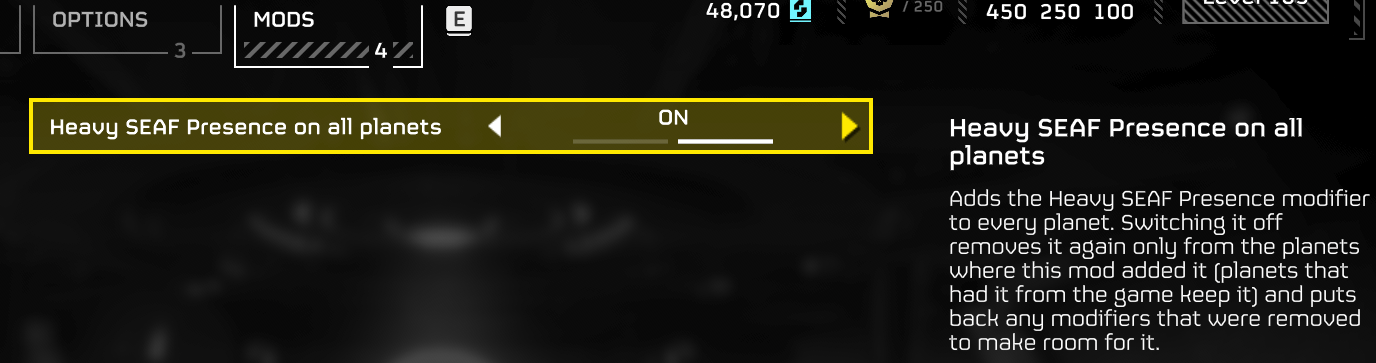
Download: [LINK TO MOD OPTIONS MENU]
⚠ HOST ONLY
This mod only works if YOU are the host of the game.
If you join a session that is already running, the modifier will NOT appear: it has to be loaded before the mission starts, and it can't be added to a session that is already in progress.
In short: if you want SEAF on the mission, you start the lobby yourself.
WHAT THE MODIFIER DOES
- Pelican shuttles periodically fly in to deploy up to 3 squads of SEAF soldiers into the mission area. Mission Control will announce it when this happens.
- SEAF squads are deployed when Helldivers are fighting large numbers of enemies (roughly 20+) or when the enemy calls in reinforcements. Otherwise they stay in reserve.
- There is a limit on how many SEAF squads can be active at once, but no limit on squads in reserve. The pelicans never run out of fresh squads.
INSTALLATION
1. Install Bingus Shared Loader (v18 or newer) if you haven't yet.
2. Import this mod's zip in your mod manager.
3. Make sure Bingus Shared Loader is LAST in the load order.
4. Press Purge, then Deploy.
5. Launch the game and host the mission yourself.
TROUBLESHOOTING
"The modifier doesn't appear"
- Is Bingus Shared Loader installed (v18+) and last in the load order?
- Did you press Purge + Deploy after importing?
- Are you the host? The mod does nothing if you joined someone else's game.
Normally this modifier only appears on a few specific planets. With this mod, whatever planet you pick, the SEAF will show up to help you fight.
The modifier is placed into the first free modifier slot of each planet, so the modifiers a planet already has are left untouched.
⚠ REQUIRED: BINGUS SHARED LOADER
This mod will NOT work without Bingus Shared Loader (v18 or newer). You must download and install it first: without it, nothing will happen.
Download: [LINK TO BINGUS SHARED LOADER]
SEAF | MAX SQUADS
Instead of just a couple of units, a veritable army can now stand ready to provide you with cover!
You choose how many ships deploy SEAF at the same time. The default is 3, and you can raise it up to 8 ships operating simultaneously.
Pick ONE step:
+1 Squad = 24 SEAF at once
+2 Squads = 30 SEAF at once
+3 Squads = 36 SEAF at once
+4 Squads = 42 SEAF at once
+5 Squads = 48 SEAF at once
(Default without this option: 18 SEAF, 6 per squad.)
- Works on every difficulty.
- Leave it off to keep the default limit.
- Needs the main option ("Heavy SEAF Presence Everywhere") enabled, because that option carries the script.
- The limit is applied once per game start: after changing the option, press Purge + Deploy, then restart the game.
⚠ WARNING: if you use the maximum SEAF value, DO NOT use other mods that can spawn or increase SEAF. With too many SEAF on the field the game will crash, so please be careful.
Support "MOD OPTIONS MENU"
This mod supports the "Mod Options Menu"; if you have it installed, you can enable or disable modifiers without leaving the game.
( If a planet already had the "Heavy SEAF Presence" modifier to begin with, it will not disappear when the mod's features are disabled; only the modifiers added by the mod itself are removed )
Download: [LINK TO MOD OPTIONS MENU]
⚠ HOST ONLY
This mod only works if YOU are the host of the game.
If you join a session that is already running, the modifier will NOT appear: it has to be loaded before the mission starts, and it can't be added to a session that is already in progress.
In short: if you want SEAF on the mission, you start the lobby yourself.
WHAT THE MODIFIER DOES
- Pelican shuttles periodically fly in to deploy up to 3 squads of SEAF soldiers into the mission area. Mission Control will announce it when this happens.
- SEAF squads are deployed when Helldivers are fighting large numbers of enemies (roughly 20+) or when the enemy calls in reinforcements. Otherwise they stay in reserve.
- There is a limit on how many SEAF squads can be active at once, but no limit on squads in reserve. The pelicans never run out of fresh squads.
INSTALLATION
1. Install Bingus Shared Loader (v18 or newer) if you haven't yet.
2. Import this mod's zip in your mod manager.
3. Make sure Bingus Shared Loader is LAST in the load order.
4. Press Purge, then Deploy.
5. Launch the game and host the mission yourself.
TROUBLESHOOTING
"The modifier doesn't appear"
- Is Bingus Shared Loader installed (v18+) and last in the load order?
- Did you press Purge + Deploy after importing?
- Are you the host? The mod does nothing if you joined someone else's game.
