Treasure Radar
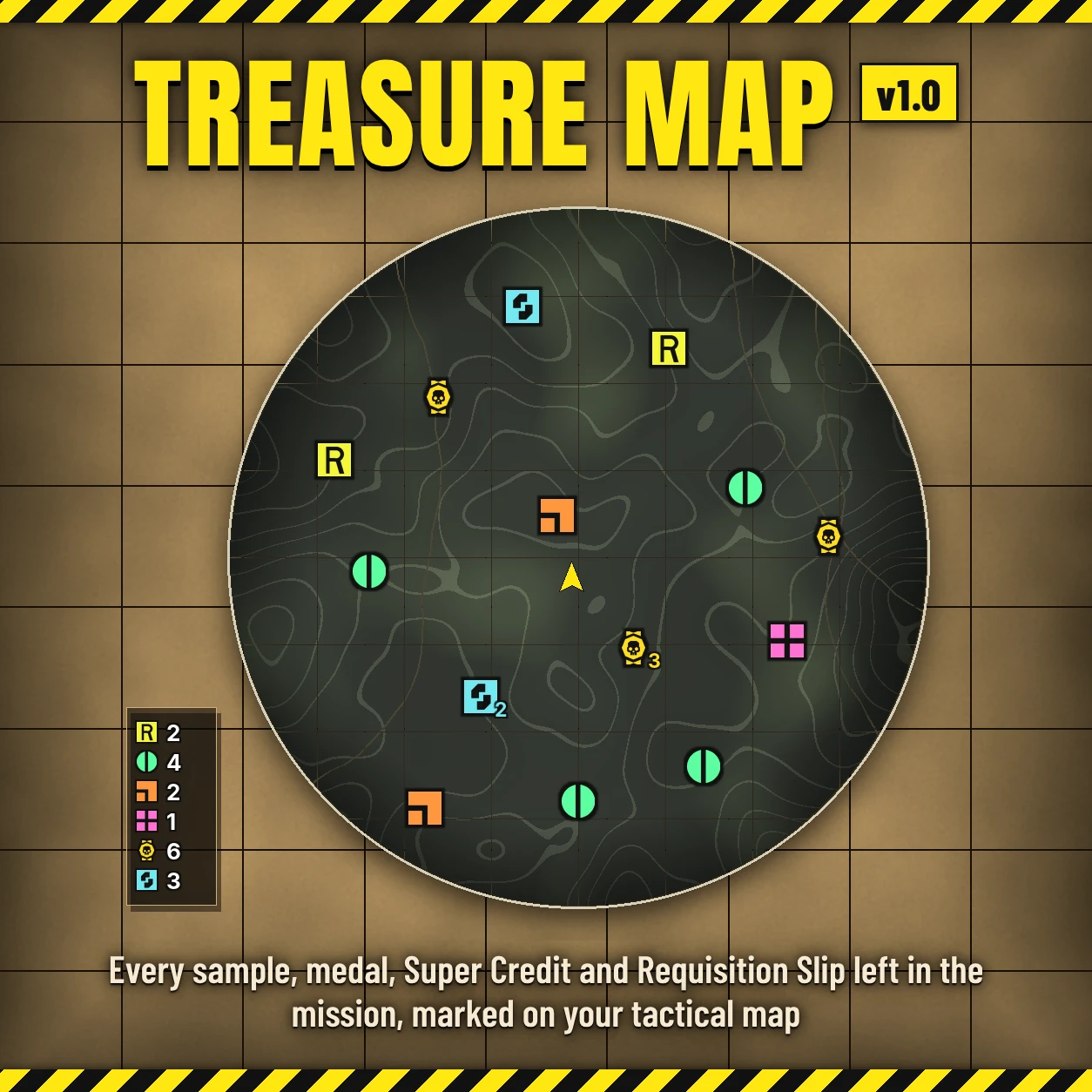
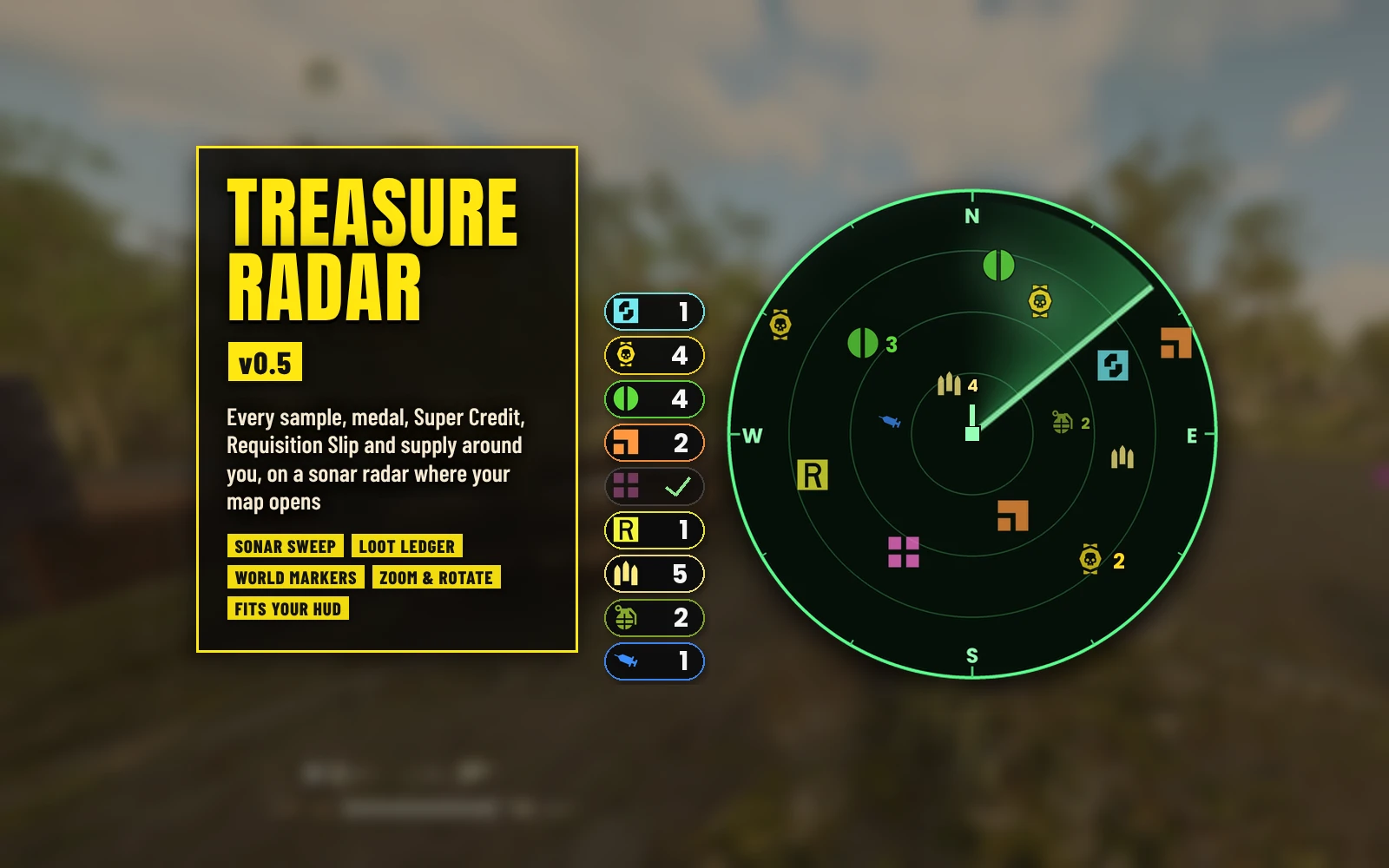
Every sample, medal, Super Credit and supply, plus the enemies and squad around you, on a sonar radar beside your map.
A round sonar radar sits just left of where the game's map opens (bottom right) and shows the loot and supplies still lying around you, with a ledger of what's left in the mission and markers floating over the pickups near you. If you like, it also shows dropped weapons, enemy structures, the enemies around you, SEAF troopers, civilians and your squad. Sweep up the loot and restock before extraction instead of running back and forth looking for it. It's the successor of Treasure Map, rebuilt for the current game.
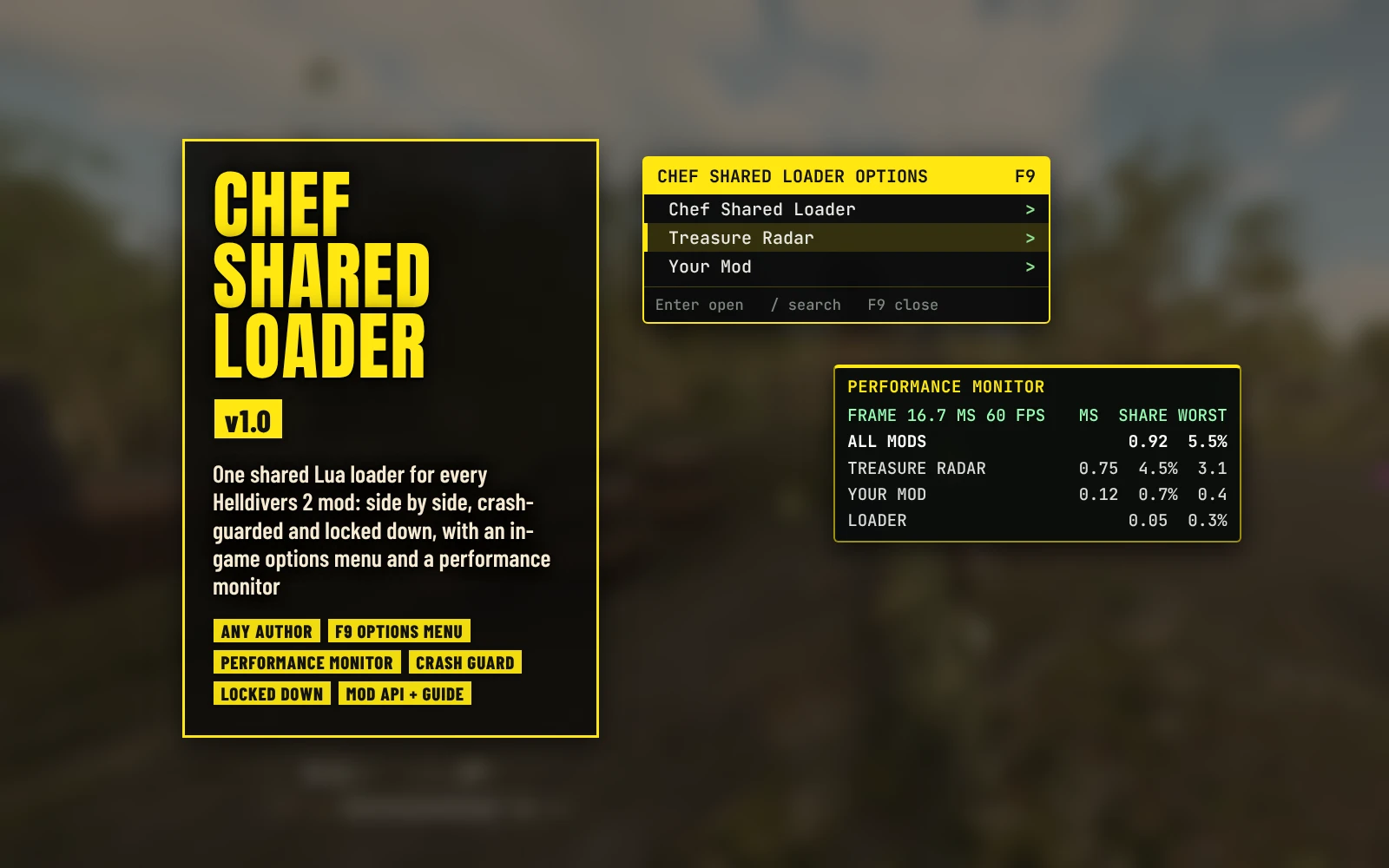
Needs Chef Shared Loader 1.3.1 or newer, installed as its own mod: Chef Shared Loader.
Features
Options
In your mod manager (Arsenal / HD2 Mod Manager), on the mod's row, in the same order as in the options menu (F9):
Requirements
Chef Shared Loader 1.3.1 or newer, installed and enabled as its own mod: Chef Shared Loader. It's the small loader that runs Treasure Radar; without it, Treasure Radar does nothing. (Up to 0.5.1 Treasure Radar carried its own copy of the loader.)
Install / update
Uninstall
Disable it in your mod manager, then Purge and Deploy. Its log, treasure_radar.log in %APPDATA%\Arrowhead\Helldivers2, can be deleted, and so can treasure_radar_zoom.txt, treasure_radar_state.txt and treasure_radar_trace.txt in %LOCALAPPDATA%, left by older versions. Keep Chef Shared Loader if another mod uses it.
Compatibility
Known limitations
Troubleshooting
Credits
Source code
Source and every release are on GitHub: Th3chef/Treasure-Radar
Every sample, medal, Super Credit and supply, plus the enemies and squad around you, on a sonar radar beside your map.
A round sonar radar sits just left of where the game's map opens (bottom right) and shows the loot and supplies still lying around you, with a ledger of what's left in the mission and markers floating over the pickups near you. If you like, it also shows dropped weapons, enemy structures, the enemies around you, SEAF troopers, civilians and your squad. Sweep up the loot and restock before extraction instead of running back and forth looking for it. It's the successor of Treasure Map, rebuilt for the current game.
Needs Chef Shared Loader 1.3.1 or newer, installed as its own mod: Chef Shared Loader.
Features
- Sonar radar: Super Credits, Medals, Common, Rare and Super Samples, Requisition Slips, ammo boxes, grenade packs and stim packs around you, each kind with the game's own pickup icon, in the colors of the game's own HUD. A sweep turns every 3 seconds and each pickup lights up as it passes. North is up, with N, E, S and W on the rim, or the radar turns with you (Rotate With View).
- Beside your map, or where you like: by default the radar sits just left of where the game's map opens, level with it, so the open map never covers it and it never covers the map. It follows your HUD Scale and HUD Edge Offset settings. Radar Position moves it to any corner or to mid height on either side, and the options menu (F9) has sliders to nudge it from there.
- Enemies (optional): the enemies inside the radar's range as red dots (medium ones bigger), heavies (Chargers, Impalers, Bile Titans, Hulks, Tanks, Striders, Harvesters, Fleshmobs and the like) with the game's skull. Show light, medium and heavy enemies in any mix (the options menu has a switch for each). A killed enemy drops off; for many kinds right as it dies, and the radar learns more kinds' deaths as you play. Some may linger about 10 seconds after they die (see Known limitations).
- Friendlies (optional): SEAF troopers and civilians as blue dots, your squadmates as green Helldiver skulls, inside the radar's range. Each drops off when it dies.
- Enemy structures (optional): bot fabricators, Bulk Fabricators, Illuminate warp ships and bug holes in deep red, on the radar, in the ledger and as world markers. They drop off once destroyed (bug holes once closed), also ones destroyed before you joined.
- Weapons (optional): support weapons and expendables lying on the ground (a fallen Helldiver's, one set down, an unused drop), each with its own silhouette, on the radar and as world markers. Weapons someone holds or carries (a Helldiver or a SEAF trooper), and spent expendables, aren't shown. Pick which weapons show in the options menu (F9).
- Loot farther out: loot beyond the radar's range sits on its edge, pointing the way. Supplies only show inside the range.
- Piles: pickups of one kind lying together share one icon, with how many it stands for next to it.
- Distance at a glance: every kind's icon is about the same size; near you they're bigger, toward the edge smaller, and zooming the radar changes that with it.
- Loot ledger (optional): beside the radar, a tile for each kind with its icon and how many are still in the mission. It counts down as things are picked up, and a cleared kind dims with a check mark.
- World markers (optional): each pickup near you gets its icon floating over it in the world, with how far it is (5 to 200 m, or endless; F8 hides or shows them). Pickups lying together share one marker with a count. Marker Opacity sets how solid they are.
- Enemy markers (optional): a marker floats over each enemy within the range you pick (25 to 200 m, or the radar's range): heavies as the game's skull with how far they are, the rest as the enemy dot. Pick light, medium and heavy enemies in any mix (the options menu has a switch for each); light and medium share one opacity, heavies have their own. F8 hides or shows them with the other markers.
- Up to date: a pickup near you that's picked up (by you or anyone else) leaves the radar, the markers and the ledger at once; farther away, within 3 seconds.
- Zoom: the numpad's + and - step the radar's range from 50 to 500 m; it remembers the last one.
- Hide it: F7, or tapping Tab twice quickly, hides or shows the radar and the ledger (a single tap still just opens the map). It also hides by itself while you ride the extraction shuttle out.
- Still or animated: untick Radar Animation for a still radar with every pickup at full strength.
- Your look: Opacity (100, 75, 50, 25 or 0%: at 0 only the icons and counts are left), Size (Small, Medium or Large), Radar Icon Size (50 to 200%) and the radar's Range (75 to 300 m).
- Your keys: pick the Hide Key, Zoom Keys and Markers Key in your mod manager, or bind them in game.
- Change it in game: every setting (and the keys) is also in Chef Shared Loader's options menu (F9), applied at once and saved.
- Light and safe: it only works in missions, lists what it shows every 3 seconds spread over several frames, pauses that while there's nothing to show, follows the enemies on the radar ten times a second (farther ones once a second), and reads the game without changing anything in it.
Options
In your mod manager (Arsenal / HD2 Mod Manager), on the mod's row, in the same order as in the options menu (F9):
- Treasure Radar (core) - the radar. Keep this ticked.
- Loot Ledger - the tiles beside the radar with how many of each kind are left.
- Size - Medium (without it), Small or Large.
- Radar Position - Beside the map (without it), Top left, Top right, Middle left, Middle right, Bottom left or Bottom right.
- Range - 150 m (without it), 75, 100, 200, 250 or 300 m.
- Rotate With View - the radar turns with you instead of north up.
- Opacity - 100% (without it), 75, 50, 25 or 0%: how solid the radar's panel and sweep and the ledger's tiles are.
- Radar Icon Size - 100% (without it), 125, 150, 175, 200, 75 or 50%: how big the icons on the radar are.
- Radar Animation (ticked by default) - the sweep and the pickups lighting up; unticked, a still radar.
- World Markers - 50 m (default), 5, 10, 15, 25, 100 or 200 m, or Endless (every pickup, however far).
- Marker Opacity - 100% (without it), 75, 50 or 25%: how solid the markers over loot, supplies, enemy structures and weapons are.
- Enemy Markers - Off (default), 25, 50, 100, 150 or 200 m, or the radar's range.
- Enemy Markers For - All (without a pick), Medium and heavy, Heavy only, Light and medium, Light and heavy, Medium only or Light only.
- Light and Medium Enemy Marker Opacity, Heavy Enemy Marker Opacity - 100% (without it), 75, 50 or 25%.
- Super Credits (Super Credit blue), Medals (medal yellow), Requisition Slips (requisition yellow), Common Samples (green), Rare Samples (orange), Super Samples (pink), Ammo Boxes (the game's ammo yellow), Grenade Packs (green), Stim Packs (blue) - each kind on its own.
- Enemies (red) - All (without a pick), Medium and heavy, Heavy only, Light and medium, Light and heavy, Medium only, or Light only.
- Enemy Structures (deep red).
- SEAF Troopers and Civilians (blue), Squadmates (green).
- Double-Tap Tab To Hide (ticked by default).
- Hide Key (F7), Markers Key (F8), Zoom Keys (numpad + and -) - pick another key or turn one off.
- Weapons - which weapons show is picked in the options menu (F9).
Requirements
Chef Shared Loader 1.3.1 or newer, installed and enabled as its own mod: Chef Shared Loader. It's the small loader that runs Treasure Radar; without it, Treasure Radar does nothing. (Up to 0.5.1 Treasure Radar carried its own copy of the loader.)
Install / update
- Mod manager (Arsenal / HD2 Mod Manager): add Chef Shared Loader and enable it, last in your load order (after every other mod).
- Add Treasure-Radar-0.7.3.zip and enable it, tick Treasure Radar (core), the kinds you want and any options, then Purge and Deploy.
- Updating from 0.6.0: the options are in a new order, so check your picks once before you Purge and Deploy.
- Updating from 0.5.1 or older: install Chef Shared Loader at the same time. Those versions had the loader built in; 0.6.0 and newer don't.
- Coming from Treasure Map: disable or remove Treasure Map first (it needs the old loaders, which no longer work on the current game).
Uninstall
Disable it in your mod manager, then Purge and Deploy. Its log, treasure_radar.log in %APPDATA%\Arrowhead\Helldivers2, can be deleted, and so can treasure_radar_zoom.txt, treasure_radar_state.txt and treasure_radar_trace.txt in %LOCALAPPDATA%, left by older versions. Keep Chef Shared Loader if another mod uses it.
Compatibility
- It runs on Chef Shared Loader, which runs side by side with other Chef Shared Loader mods and also runs the boot script of mods that replace the game's boot themselves. Everything else, HUD mods included, is fine.
- Only you see the radar, the ledger and the markers. Nobody else needs the mod.
- Reads the game only; it never changes anything in it.
- Made and tested on the October 2026 game version (the Lua 5.1 build).
Known limitations
- Objectives aren't shown, and neither are Bile Titan holes (nothing the mod can read changes when one is closed).
- Some enemies' bodies stay on the radar about 10 seconds after they die (Devastators and Berserkers die in states the living use too), and so does a kind whose death the radar hasn't learned yet. Fleshmobs and Harvesters can take a few seconds.
- A tank that drives and then parks can drop off the radar until it moves again (a parked tank looks like a destroyed one to the mod).
- Enemies, troopers and squadmates show only inside the radar's range (no edge markers for them), and troopers and squadmates get no world markers.
- The loot icons are drawn where the game draws its own HUD, to keep their colors. With HDR off or at UI Brightness 11 or higher, that means they and their markers can show over the open map, and so does the whole radar below native Render Scale.
- With HDR on, after you change UI Brightness the icons can take up to 90 seconds to catch up. Below native Render Scale they follow UI Brightness, as the game's own HUD does.
- MDL3 runs Chef Shared Loader mods itself and doesn't show what they draw, so the radar, ledger and markers won't appear under it (going by its own notes; not tested).
- An EAT a SEAF trooper is using can still show as lying on the ground now and then.
- The radar's spot is measured for HUD Scale 0.75 to 1.25 and any HUD Edge Offset with the default Map Position; with another Map Position it may sit a little off the map.
- Loot shows up once the game has spawned it near you (the list refreshes every 3 seconds).
Troubleshooting
- Nothing shows: check that Chef Shared Loader is installed and enabled, that Treasure Radar (core) and at least one kind are ticked, and that you Purged and Deployed. It only shows in missions.
- The radar sits off the map: post your resolution and HUD settings (HUD Scale, HUD Edge Offset, Map Position) with a screenshot with the map open.
- Attach both logs to a bug report: treasure_radar.log and chef_loader.log in %APPDATA%\Arrowhead\Helldivers2 (type that into the File Explorer address bar and press Enter). treasure_radar.log shows the options you picked, your HUD settings, where the radar sits on your screen, a summary of each mission and any problems; chef_loader.log shows that it started, any Lua errors and its timings.
Credits
- The pickup icons, the enemy skull and dot, and the weapon silhouettes are the game's own icons.
- Thanks to plataodomo, whose Objective Tracker showed how to tell when an enemy structure is destroyed in plain Lua: Ideas only; no code was copied.
- Fonts: Poppins, Anton and Barlow Condensed (SIL Open Font License).
Source code
Source and every release are on GitHub: Th3chef/Treasure-Radar